1.製品オーバーview
The Philips 44W 4200 lm Motion Sensor LED Security Light is designed for outdoor use, providing bright and efficient illumination. This 2-pack floodlight features a Passive Infrared (PIR) motion sensor, 5000K daylight color temperature, and is built to withstand various weather conditions. Its adjustable heads and multiple operating modes offer versatile lighting solutions for your property.
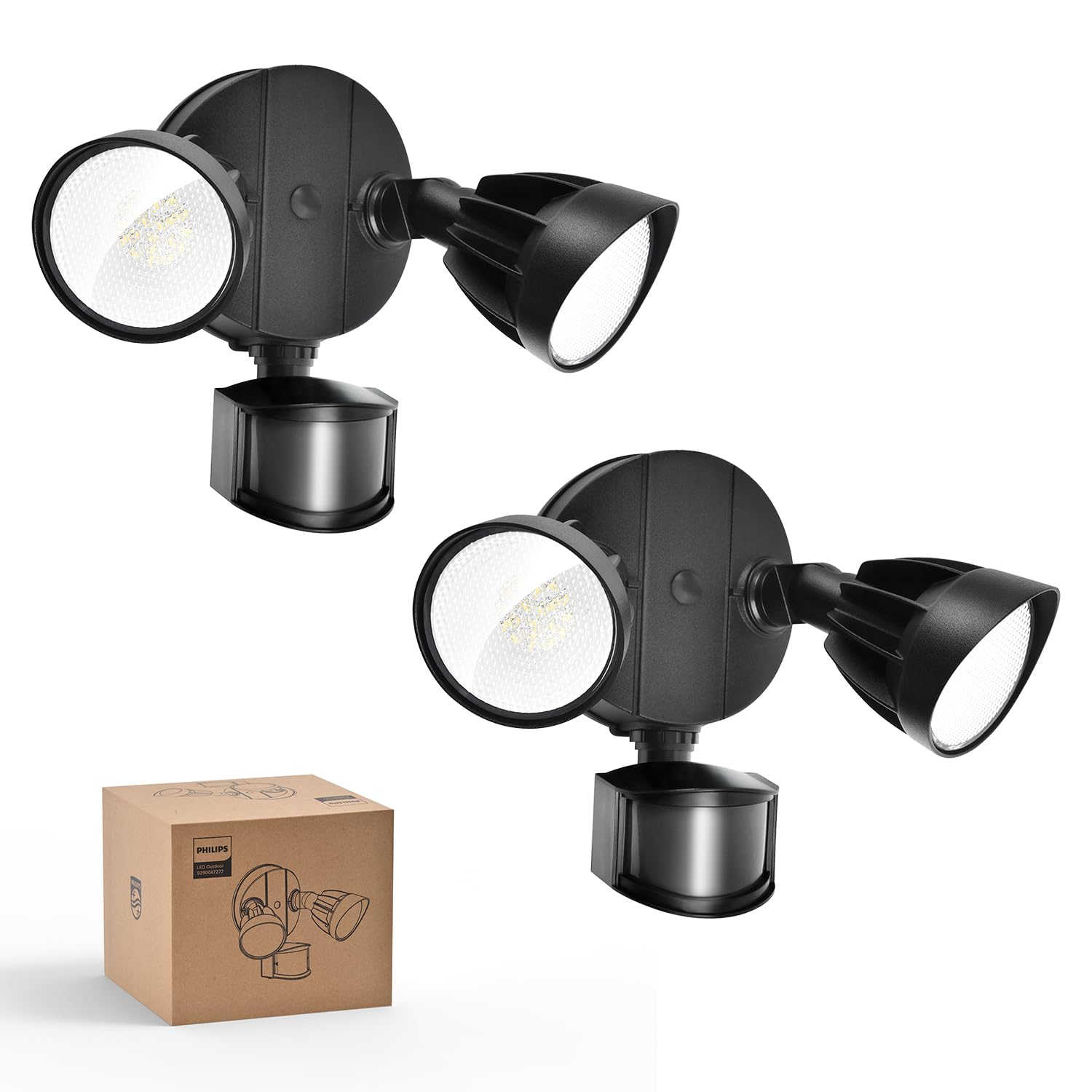
Image: Philips 44W 4200 lm Motion Sensor LED Security Light (2-pack) in black.
2. 安全情報
- 設置または保守作業を行う前に、必ず回路ブレーカーで電源をオフにしてください。
- 設置手順が不明な場合は、資格のある電気技師にご相談ください。
- すべての配線接続が安全であり、地域の電気規則に準拠していることを確認してください。
- 製品を改造しないでください。改造すると保証が無効になり、安全上の危険が生じる可能性があります。
- お子様を設置場所に近づけないでください。
3. 箱の中身
Each Philips 44W 4200 lm Motion Sensor LED Security Light package includes the following components:
- LED Security Light Fixture (2 units for this pack)
- LEDレンズ
- Mounting Hardware (screws, wire nuts, mounting plate, rubber plug, gasket)
- 取扱説明書

Image: Included accessories for installation.
4. 特徴
- 高輝度&広ビーム角: Emits 4200 lumens with a 5000K cool daylight color temperature. Two adjustable heads provide customizable coverage.
- High-Sensitivity PIR Sensor: Detects motion within a 0-69ft range and 180° induction angle. Lighting time is adjustable from 1-10 minutes.
- 4つの照明モード: Includes Test Mode, Security Mode, Dusk to Dawn Mode, and Manual Override Mode (always-on at 80% brightness for up to 6 hours).
- 耐久性と耐候性: Constructed with aluminum lamp material, tested for corrosion and rust resistance, and rated IP65 for various weather conditions.
- 省エネLED: Integrated LED design eliminates bulb replacement and reduces electricity costs by up to 80% compared to 220W incandescent fixtures.
- Adjustable Head Design: Customize each light head's angle to suit specific lighting needs.

Image: Key features of the Philips security light.

Image: Adjustable head design for flexible lighting coverage.

Image: Aluminum construction for durability and heat dissipation.
5. インストール
The Philips security light is designed for easy installation. It requires hardwiring; a junction box is not included. Follow these general steps for installation:
- 配線の準備: Ensure power is off at the circuit breaker. Connect the ground wire (green) from the light fixture to the ground wire in the junction box.
- ワイヤーを接続する: Connect the white wire (neutral) from the light fixture to the white wire from the junction box using a wire nut. Connect the black wire (live) from the light fixture to the black wire from the junction box using a wire nut.
- 取付板: 取り付けプレートをジャンクションボックスに固定します。
- 取り付け具: Align the light fixture with the mounting plate and secure it with the provided screws. Ensure a tight seal between the lamp and the wall to enhance water resistance.
- シール: Apply sealant around the fixture base to prevent water leakage.
- ヘッドを調整: Adjust the light heads and motion sensor to your desired angles.
Recommended installation height: 8.2 ft.

Image: Easy installation steps for the security light.

Image: Two common mounting methods: eave and wall mounting.
インストールビデオ
Video: Detailed installation guide for high-voltage products, demonstrating wiring and mounting procedures.
6。 動作モード
The Philips security light offers four distinct operating modes to suit various needs:

画像: 上view of the four available lighting modes.
- テストモード: Can be activated in both daytime and nighttime. When motion is detected, the light turns on for 5 seconds. If no motion, it stays off. This mode is useful for verifying sensor functionality and coverage area during installation.
- セキュリティモード: Operates only at nighttime. When motion is detected, the light automatically turns on for a set duration (1, 3, or 10 minutes). If no motion, it stays off.
- 夕暮れから夜明けまでモード: Operates only at nighttime. The light automatically turns on at dusk and turns off at dawn. When motion is detected, the light brightens to 100% and then dims to 20% when no one is around.
- 手動オーバーライドモード: Can be activated in both daytime and nighttime. This mode keeps the light on at 80% brightness for a maximum of 6 hours. To activate, switch the light OFF and ON twice within 3 seconds. To deactivate, switch the light OFF and ON for more than 3 seconds, returning it to sensor mode. The brightness automatically dims from 100% to 80% after 12 minutes in this mode.

Image: Test Mode operation.

Image: Security Mode operation.

Image: Dusk to Dawn Mode operation.

Image: Manual Override Mode activation and deactivation.
7. 設定を調整する
The motion sensor allows for adjustment of both sensing distance and activated lighting time:
- 検知距離: Adjust the 'DISTANCE' dial on the sensor to set the detection range:
- L(低): 0~20フィート
- M(中): 0~39フィート
- H(高):0~69フィート
- 点灯時間: Adjust the 'TIME' dial on the sensor to set how long the light stays on after motion is detected:
- 1 MIN: 1 minute
- 3 MIN: 3 minutes
- 10 MIN: 10 minutes

Image: Dials for adjusting sensing distance and lighting time.

Image: Switch tips for adjusting sensor settings.
8. メンテナンス
To ensure optimal performance and longevity of your Philips security light, follow these maintenance guidelines:
- クリーニング: 照明器具とモーションセンサーレンズを定期的に柔らかくてきれいな布で掃除してください。amp 布で拭いてください。仕上げや電子部品にダメージを与える可能性のある研磨剤入りの洗剤や溶剤の使用は避けてください。
- 検査: Regularly inspect the fixture for any signs of damage, loose wiring, or wear. Ensure the sealant around the base remains intact to maintain its waterproof rating.
- 電球交換不要: This unit features integrated LED lighting, meaning there are no bulbs to replace.
9。 トラブルシューティング
If you encounter issues with your Philips security light, refer to the following common troubleshooting steps:
- ライトが点灯しない:
- 回路ブレーカーで電源を確認してください。
- モーションセンサーが遮られていないことを確認してください。
- Verify the operating mode settings (e.g., if in Security Mode, ensure it's dark enough).
- Adjust the 'DISTANCE' and 'TIME' settings on the sensor.
- ライトが点灯し続けます:
- Check if the light is in Manual Override Mode. Refer to Section 6 for deactivation instructions.
- Ensure the 'TIME' setting is not set too high.
- Verify that there is no continuous motion within the sensor's detection range.
- モーションセンサーが検出されません:
- センサーレンズが清潔で障害物がないことを確認してください。
- Adjust the 'DISTANCE' setting to a higher sensitivity.
- Verify the sensor's angle and position to cover the desired area.
- Test the sensor in 'Test Mode' to confirm functionality.
製品ビデオ
ビデオ: オーバーview of the Philips 44W 4200 lm LED Security Light with motion sensor, highlighting its features and benefits.
10. 仕様
| 属性 | 価値 |
|---|---|
| ブランド | フィリップス |
| モデル番号 | 7601909012 |
| 欧州連合 | 046677607111 |
| 色 | 黒 |
| 材料 | アルミニウム、プラスチック |
| 照明器具の形状 | 投光照明 |
| 製品寸法 | 長さ6.69インチ x 幅9.05インチ x 高さ9.45インチ |
| 電源 | コード式電気 |
| インストールタイプ | 壁掛け |
| 特集 | Anti-Rust, Energy Efficient, Motion Sensor, Waterproof |
| 光源の種類 | 導かれた |
| 巻tage | 120ボルト |
| ライトカラー | 日光 |
| アイテム数 | 2 |
| ワットtage | 44ワット |
| スイッチタイプ | モーションセンサー |
| 耐水性レベル | 防水(IP65) |
| 輝度 | 4200ルーメン |
| 色温度 | 5000ケルビン |
| アイテム重量 | 4.2ポンド |
| 組み立てが必要 | はい |
11.保証とサポート
Philips products are manufactured to the highest quality standards. For warranty information, technical support, or service inquiries, please refer to the official Philips web公式サイトをご覧いただくか、カスタマーサービスに直接お問い合わせください。保証請求の際は、購入証明としてレシートを保管してください。
詳細については、 AmazonのPhilipsストア.


