導入
This manual provides essential information for setting up, operating, maintaining, and troubleshooting your new Sharp 4T-C55FS1UR 55 Inch AQUOS OLED 4K Ultra HD Roku TV. It also covers the included Walts TV Large/Extra Large Full Motion Mount and Walts HDTV Screen Cleaner Kit. Please read this manual thoroughly before using your product to ensure optimal performance and safety.

The Sharp 55-inch AQUOS OLED 4K UHD Roku TV, bundled with a full motion mount and screen cleaner kit.
セットアップガイド
1. 開梱と配置
Carefully remove all components from the packaging. The TV weighs approximately 38.5 pounds and has product dimensions of 9.84"D x 48.27"W x 31.18"H. Ensure you have adequate space for placement.
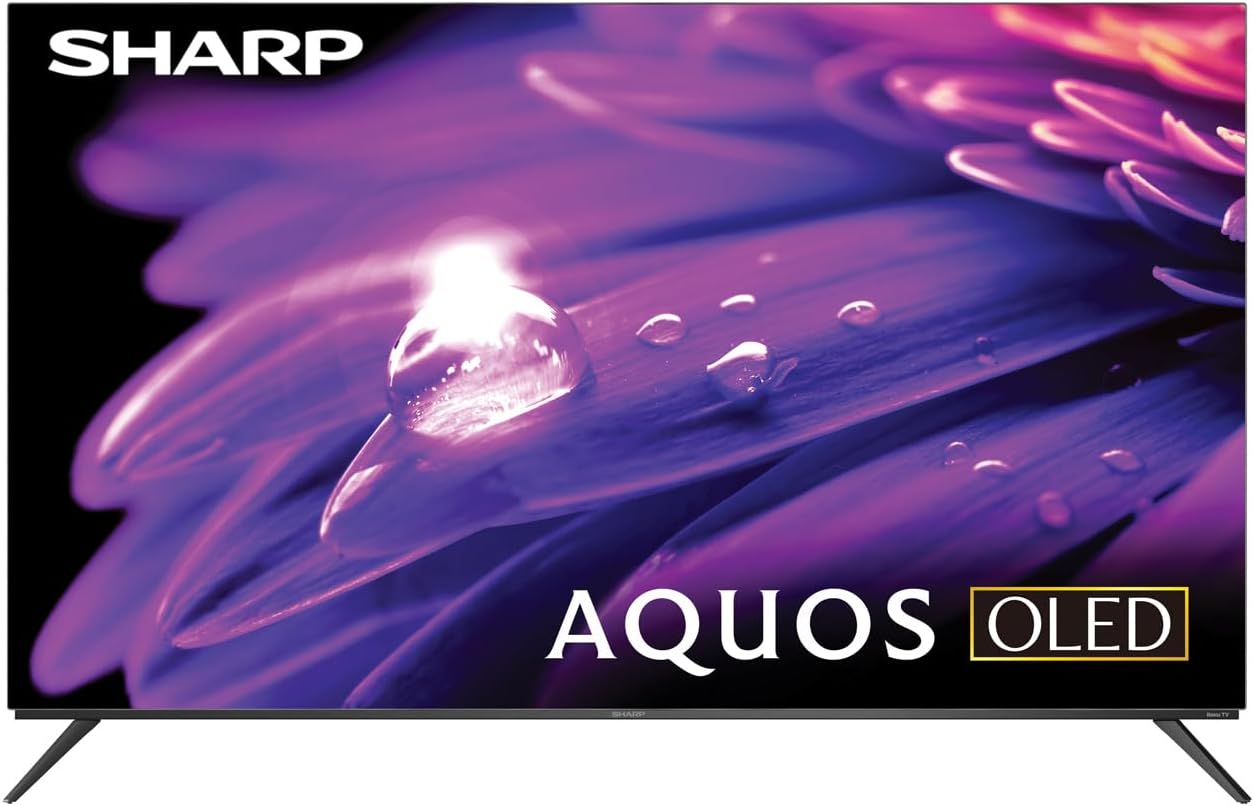
The Sharp AQUOS OLED TV, showcasin洗練されたデザインと鮮やかなディスプレイが特徴です。
スタンドの設置
The TV comes with two legs that attach to the outer edges of the TV. These stands provide approximately 3.5 inches of clearance, allowing space for a soundbar or other accessories beneath the TV. Ensure the stands are securely fastened before placing the TV on a flat, stable surface.
Full Motion Mount Installation
The Walts TV Large/Extra Large Full Motion Mount is designed for 43-90 inch compatible TVs and supports VESA compatibility up to 700mm x 500mm. This articulating mount allows for extensive movement, including tilting up or down, angling side to side, and extending away from the wall. Refer to the separate mount instruction manual for detailed installation steps and safety guidelines.

The Walts TV Full Motion Mount, shown in an extended position, offering flexible view角度を変える。
2. 接続
The TV features side-angled inputs for easy access, whether wall-mounted or on a stand. Connect your devices to the appropriate ports:
- HDMI ポート: 4 HDMI inputs, including one with eARC for enhanced audio return channel functionality.
- USB ポート: 2 USB ports for media playback or connecting compatible devices.
- イーサネット: 有線インターネット接続用。
- Antenna In: For connecting an over-the-air antenna.
- デジタルオーディオ出力: 外部オーディオシステムに接続します。

詳細な view of the conveniently located side-angled input ports on the Sharp TV.
3. Initial Power On and Roku Setup
Once all connections are made, plug in the TV and press the power button on the remote. Follow the on-screen instructions to complete the initial Roku TV setup, including connecting to your Wi-Fi network and logging into your Roku account. The intuitive Roku interface provides access to a wide range of streaming services.

The Sharp Roku TV home screen, showing popular streaming applications and navigation options.
テレビの操作
画質
The Sharp AQUOS OLED TV delivers stunning visuals with its 4K Ultra HD resolution, providing 8.3 million pixels for incredible detail. It supports HDR10, HLG, and Dolby Vision IQ, enhancing contrast and color accuracy for a more immersive viewing experience. The OLED technology ensures true blacks and vibrant colors.
For gamers, the TV features a 120Hz refresh rate and Variable Refresh Rate (VRR) with Low Latency, ensuring smooth gameplay and reduced input lag, especially with next-gen consoles.
Official product review video for the Sharp FS1UR Series TV, highlighting its features and performance.
オーディオ機能
Experience rich and clear sound with Dolby Audio. The TV features built-in speakers designed to complement the visual experience. For enhanced audio, utilize the eARC HDMI port to connect a compatible soundbar or audio receiver.
Smart Features (Roku TV)
The integrated Roku TV platform provides access to a vast library of streaming content. Supported internet services include Netflix, Disney+, Apple TV, Roku Channel, Discovery+, HBO Max, Paramount+, and many more. The included voice remote control allows for convenient navigation and content search.
Viewing Angles and Reflection Handling
The Sharp AQUOS OLED TV offers excellent viewing angles, ensuring consistent picture quality even when viewed from the side. Its reflection handling is also exceptional, minimizing glare in most environments. However, in extremely bright rooms, some reflections may still be visible due to the nature of OLED panels.
メンテナンス
スクリーンクリーニング
Use the included Walts HDTV Screen Cleaner Kit to keep your screen pristine. This non-ammonia and alcohol-free solution cleans without dripping, streaking, or staining, leaving no film or residue. It effectively removes dust, dirt, and fingerprints. Apply the solution to a soft, lint-free cloth (not directly to the screen) and gently wipe the display.

The Walts HDTV Screen Cleaner Kit, designed for safe and effective cleaning of display screens.
一般的なケア
- 過熱を防ぐため、テレビは風通しの良い場所に置いてください。
- テレビを直射日光や極端な温度にさらさないでください。
- テレビの上に重い物を置かないでください。
- 雷雨のときや長期間使用しない場合は、テレビを電源コンセントから抜いてください。
トラブルシューティング
If you encounter issues with your Sharp AQUOS OLED TV, refer to the following common troubleshooting tips:
- 電源なし: 電源コードがテレビとコンセントの両方にしっかりと差し込まれていることを確認してください。別のコンセントで試してみてください。
- 画像/音声なし: Verify that the correct input source is selected. Check all cable connections (HDMI, antenna, etc.) for looseness.
- リモコンが機能しない: リモコンの電池を交換してください。リモコンとテレビの赤外線センサーの間に障害物がないことを確認してください。
- ネットワーク接続の問題: Restart your Wi-Fi router. Go to the Roku TV settings to re-establish the network connection or try a wired Ethernet connection.
- 画質の問題: Adjust picture settings (brightness, contrast, color) in the TV's menu. Ensure your content source is high-quality (e.g., 4K content for 4K resolution).
より詳細なトラブルシューティングや継続的な問題については、カスタマー サポートにお問い合わせください。
仕様
| 特徴 | 説明 |
|---|---|
| ブランド名 | シャープ |
| モデル名 | 4T-C55FS1UR |
| 画面サイズ | 55インチ |
| ディスプレイ技術 | 有機EL |
| 解決 | 4KウルトラHD |
| リフレッシュレート | 120Hz |
| 特集 | HDR10, HLG, Dolby Vision IQ, Full Roku TV Experience, Dolby Digital Audio, Variable Refresh Rate (VRR) with Low Latency, Voice Remote Control |
| 接続性 | 4 HDMI (1 eARC), 2 USB, Wi-Fi Compatible, Ethernet |
| サポートされているインターネットサービス | Netflix, Disney+, Apple TV, Roku Channel, Discovery+, HBO Max, Paramount+, and More |
| 製品寸法 | 奥行き9.84インチ x 幅48.27インチ x 高さ31.18インチ |
| アイテム重量 | 38.5 ポンド |
| 色 | 黒 |
保証とサポート
保証情報およびカスタマーサポートについては、製品に付属のマニュアルを参照するか、シャープの公式ウェブサイトをご覧ください。 webサイトで追加のサポートリソースやFAQもご覧いただけます。 Amazonのシャープストア.

Dedicated customer support is available for assistance.


