導入
Thank you for choosing the Vieta Pro Way 4 Headband Headphones. These headphones are designed to provide a superior audio experience with advanced features such as Bluetooth 5.4 connectivity, an integrated microphone, a dedicated gaming mode, and dual pairing capabilities. This manual will guide you through the setup, operation, and maintenance of your new headphones.
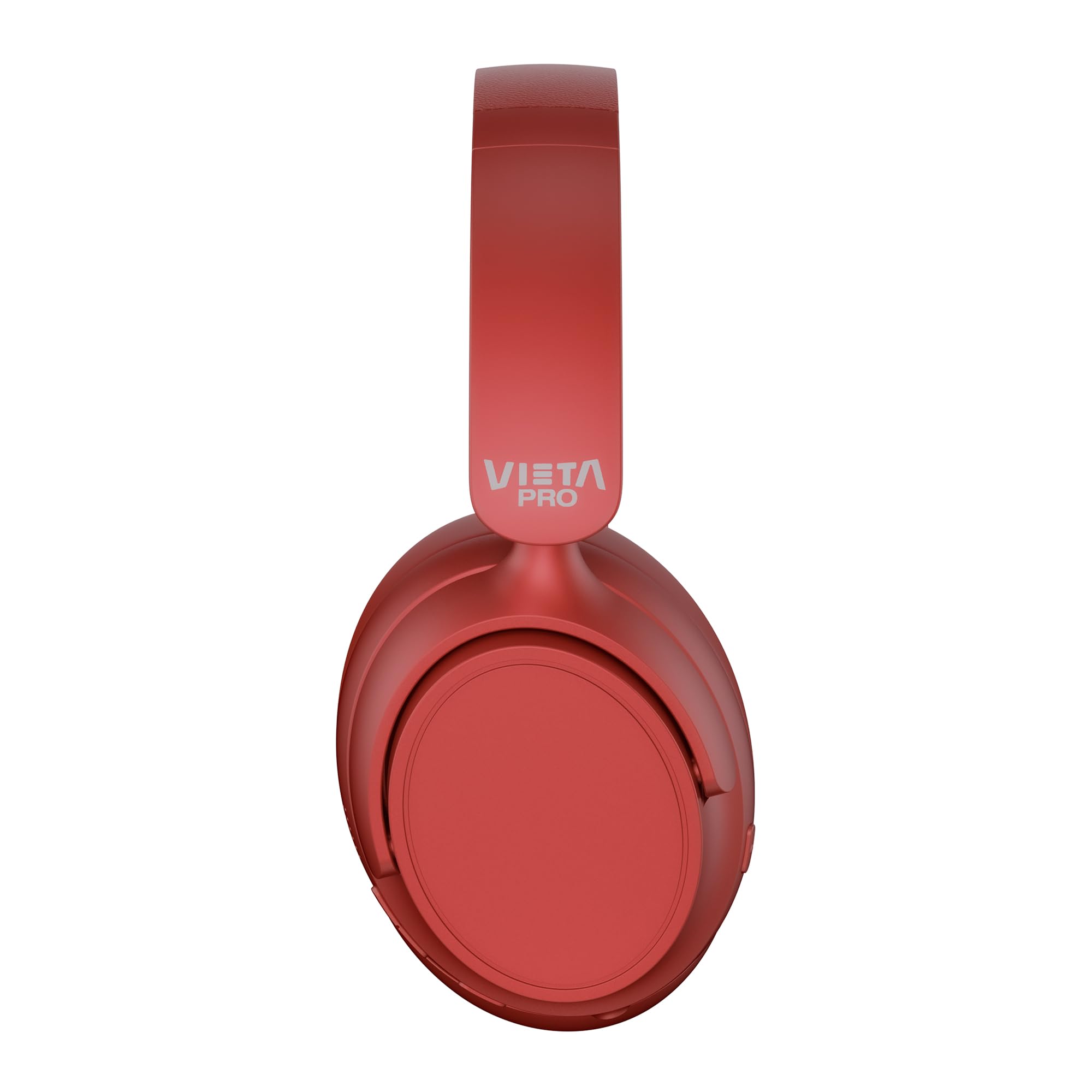
画像: 正面 view of the Vieta Pro Way 4 Headband Headphones in red.
パッケージ内容
パッケージにすべてのアイテムが揃っていることを確認してください:
- Vieta Pro Way 4 Headband Headphones
- USB充電ケーブル
- 3.5mm Audio Cable with integrated microphone
- ユーザーマニュアル(このドキュメント)
製品終了view
ヘッドフォンのさまざまな部品とコントロールについて理解しておきましょう。

Image: Right earcup with power button, volume controls, USB-C charging port, and 3.5mm audio jack.
- 電源ボタン: 電源のオン/オフや Bluetooth ペアリングの開始に使用します。
- 音量アップ/次のトラックボタン: Press briefly to increase volume, press and hold for next track.
- 音量ダウン/前のトラックボタン: Press briefly to decrease volume, press and hold for previous track.
- 多機能ボタン: For play/pause, answer/end calls, activate voice assistant.
- USB-C充電ポート: ヘッドホンの充電用。
- 3.5mmオーディオジャック: 付属のオーディオケーブルを使用して有線接続します。
- 統合マイク: For calls and voice assistant commands.

Image: Left earcup and adjustable headband of the Vieta Pro Way 4 headphones.
設定
1. ヘッドフォンを充電する
初めて使用する前に、ヘッドフォンを完全に充電してください。
- USB充電ケーブルをヘッドフォンのUSB-Cポートに接続します。
- ケーブルのもう一方の端を USB 電源アダプター (別売) またはコンピューターの USB ポートに接続します。
- LED インジケーターは充電状態を示します (例: 充電中は赤、完全に充電されると青/オフ)。
- フル充電すると最大 50 時間の再生が可能です。
2.電源のオン/オフ
- 電源を入れるには: LED インジケーターが点滅するまで、電源ボタンを約 3 秒間押し続けます。
- 電源を切るには: LED インジケーターが消えるまで、電源ボタンを約 3 秒間押し続けます。
3.Bluetoothペアリング
ワイヤレス オーディオを利用するには、ヘッドフォンをデバイスとペアリングします。
- ヘッドフォンの電源がオフになっていることを確認してください。
- LED インジケーターが赤と青に交互に点滅し、ペアリング モードを示すまで、電源ボタンを約 5 ~ 7 秒間押し続けます。
- デバイス(スマートフォン、タブレット、コンピューター)で Bluetooth を有効にし、利用可能なデバイスを検索します。
- Select "Vieta Pro Way 4" from the list of found devices.
- 接続されると、LED インジケーターが青色にゆっくり点滅するか、青色に点灯します。
4. デュアルペアリング
The Vieta Pro Way 4 headphones support dual pairing, allowing simultaneous connection to two devices (e.g., phone and computer).
- Pair the headphones with the first device as described in "Bluetooth Pairing".
- 最初のデバイスのBluetoothを無効にします。ヘッドフォンは再びペアリングモードになります。
- ヘッドフォンをXNUMX番目のデバイスとペアリングします。
- 最初のデバイスでBluetoothを再度有効にします。ヘッドフォンは両方のデバイスに自動的に接続されます。
- アクティブに送信しているデバイスからオーディオが再生されます。
5. 有線接続(Aux-in)
Use the included 3.5mm audio cable for a wired connection. This is useful when the battery is low or for devices without Bluetooth.
- 3.5mm オーディオ ケーブルの一方の端をヘッドフォンの Aux 入力ポートに接続します。
- もう一方の端をデバイスの 3.5 mm オーディオ ジャックに接続します。
- The headphones will automatically switch to wired mode. The integrated microphone on the cable can be used for calls in this mode.
操作手順
音楽再生に
- 再生/一時停止: 多機能ボタンをXNUMX回押します。
- ボリュームアップ: 音量アップボタンを1回押します。
- ボリュームダウン: 音量ダウンボタンを1回押します。
- 次のトラック: 音量アップボタンを長押しします。
- 前のトラック: 音量ダウンボタンを押し続けます。
通話管理
- 通話の応答/終了: 多機能ボタンをXNUMX回押します。
- 通話を拒否: 多機能ボタンを 2 秒間押し続けます。
- 最後の番号にリダイヤル: 多機能ボタンをXNUMX回押します。
音声アシスタント
- 音声アシスタント(Siri、Google アシスタントなど)を有効にする: 多機能ボタンをXNUMX回押します。
ゲームモード
Activate Gaming Mode to reduce Bluetooth latency for an optimized gaming experience.
- ゲームモードの有効化/無効化: Press the Power button twice quickly. The headphones will provide an audio cue.
メンテナンス
- クリーニング: ヘッドホンは柔らかく乾いた布で拭いてください。研磨剤入りの洗剤や溶剤は使用しないでください。
- ストレージ: ヘッドホンは涼しく乾燥した場所に保管してください。折りたたみ式なのでコンパクトに収納できます。
- バッテリーのケア: バッテリー寿命を延ばすには、ヘッドフォンを頻繁に完全に放電することを避け、定期的に充電してください。
- 耐水性: このヘッドフォンは防水ではありません。水や過度の湿気にさらさないでください。

Image: The Vieta Pro Way 4 headphones in their foldable configuration, demonstrating portability.
トラブルシューティング
| 問題 | 考えられる原因 | 解決 |
|---|---|---|
| ヘッドホンの電源が入りません。 | バッテリー残量が少なくなりました。 | ヘッドホンを完全に充電してください。 |
| Bluetooth経由でペアリングできません。 | ヘッドフォンがペアリングモードになっていない、デバイスの Bluetooth が無効になっている、デバイスから遠すぎる。 | Ensure headphones are in pairing mode (flashing red/blue). Enable Bluetooth on your device. Move headphones closer to the device (within 10 meters). |
| 音が出ない、または音量が低い。 | ヘッドフォンまたはデバイスの音量が低すぎる、選択したオーディオ ソースが間違っている、ヘッドフォンが接続されていない。 | Increase volume on both headphones and device. Check Bluetooth connection or 3.5mm cable connection. Ensure the correct audio output is selected on your device. |
| マイクが機能しません。 | Microphone muted on device; incorrect input device selected; issue with 3.5mm cable microphone. | Check device settings to ensure microphone is not muted and "Vieta Pro Way 4" is selected as input. If using wired connection, ensure the cable's microphone is enabled/functional. |
| Audio delay in games. | Gaming Mode is not activated. | Activate Gaming Mode by double-pressing the Power button. |
仕様
| モデル名 | ヴィエタプロウェイ4 |
| モデル番号 | 沈黙3 |
| 接続性 | Bluetooth 5.4、3.5mm補助入力 |
| バッテリー寿命 | 最大50時間 |
| マイクロフォン | Integrated (for Bluetooth), In-line (for 3.5mm cable) |
| 特集 | Gaming Mode, Dual Pairing, Foldable Design, Passive Noise Reduction |
| インピーダンス | 32オーム |
| 耳の位置 | オーバーイヤー(耳覆い型) |
| 材料 | プラスチック |
| 耐水性 | 防水ではありません |
| 対応デバイス | Mobile devices, computers, game consoles |
保証とサポート
For warranty information and technical support, please refer to the warranty card included in your product packaging or visit the official Vieta Pro webサイト。
保証請求のために購入証明書を保管してください。


