1. はじめに
The Canyon DVR40 is a dash camera designed to record driving footage. It features a Sony Starvis 415 sensor for 4K video recording, a 140° wide field of view, and a 3-inch IPS capacitive touchscreen. The device includes a supercapacitor for reliable operation and supports Wi-Fi connectivity for control via a mobile application.

画像1.1:正面 view of the Canyon DVR40 Dash Camera, showing the lens and branding.
2. パッケージ内容
Verify that all items listed below are present in the product packaging.

Image 2.1: All items included in the Canyon DVR40 Dash Camera package.
- Canyon DVR40 Dash Camera
- クイックスタートガイド
- 保証書
- Accessories for Cable Installation
- カードリーダー
- Magnetic suction cup holder with a USB Type-C connector
- Car power adapter (2 output connectors USB Type-A)
- Cable USB Type-C (cable length 3.6 m)
- CPLフィルター
- Cloth for screen cleaning
- テキスタイルケース
3.製品オーバーview
Familiarize yourself with the main components of the DVR40 dash camera.

Image 3.1: The Canyon DVR40 Dash Camera, highlighting its compact design.
主な特徴:
- 4K UltraHD録画: Captures video at 30 frames per second for clear footage.
- Sony Starvis 415 Sensor: Enhances low-light performance with night vision mode.
- 140°の視野 View: Provides wide coverage of the road.
- 3インチ IPS 静電容量式タッチスクリーン: For direct control and playback.
- スーパーキャパシタ: Offers improved durability and temperature resistance compared to traditional batteries.
- 磁気マウント: Facilitates easy installation and removal with integrated power supply.
- Wi-Fi接続: Allows control and footage management via the Canyon Eye mobile application.
- Gセンサー: 衝撃を自動検知しビデオをロック file上書きを防ぐためです。
4. セットアップ
4.1 ドライブレコーダーの取り付け
The DVR40 uses a magnetic mount for secure attachment to your vehicle's windshield.
- カメラを取り付ける予定のフロントガラスの部分をきれいにします。
- Attach the magnetic suction cup holder to the windshield. Ensure it is positioned to provide an unobstructed view 道路の。
- Connect the USB Type-C power cable to the magnetic mount.
- Align the dash camera with the magnetic mount. The camera will snap into place, establishing the power connection.

Image 4.1: The magnetic mount with integrated power supply for easy installation.
4.2電源接続
Use the provided car power adapter and USB Type-C cable to power the dash camera.
- Plug the car power adapter into your vehicle's 12V power outlet (cigarette lighter socket).
- Connect the USB Type-C cable from the car power adapter to the magnetic mount.
- Once the vehicle's ignition is turned on, the dash camera will automatically power on and begin recording.
4.3 Initial Setup and MicroSD Card
Before first use, insert a compatible MicroSD card (not included) and format it.
- Insert a high-speed MicroSD card (Class 10 or higher, up to 128GB recommended) into the designated slot on the dash camera.
- カメラの電源を入れます。
- Access the camera's settings via the touchscreen or the mobile app.
- Locate the "Format SD Card" option and confirm to format the card. This prepares the card for recording and ensures optimal performance.
5. 操作手順
5.1 基本的な録音
The DVR40 automatically begins loop recording when powered on.
- ループ録音: The camera records video in segments (e.g., 1, 3, or 5 minutes). When the MicroSD card is full, the oldest unprotected files が上書きされます。
- 手動録音: Press the record button on the camera (if available) or use the mobile app to manually start/stop recording.
- ビデオ品質: The camera records in 4K UltraHD at 30 frames per second.

Image 5.1: Visual representation of the DVR40's high-quality video capabilities.
5.2 G-Sensor for Accident Recording
The built-in G-Sensor detects sudden impacts or rapid acceleration/deceleration.
- When an event is detected, the current video segment is automatically locked and saved to a protected folder on the MicroSD card.
- These protected files はループ録音によって上書きされません。
- Adjust the G-Sensor sensitivity in the camera settings if needed.

Image 5.2: Illustration of the G-Sensor's function in accident recording.
5.3タッチスクリーンディスプレイ
The 3-inch IPS capacitive touchscreen allows for direct interaction with the camera.
- Navigate menus, adjust settings, and review 記録されたfootagデバイス上で直接実行します。
- The IPS display offers wide viewing angles and clear visibility.

Image 5.3: The touch screen display in use on the DVR40.
5.4 Wi-Fi and Mobile Application Control
Connect the DVR40 to your smartphone via Wi-Fi using the Canyon Eye mobile application.
- Download the "Canyon Eye" application from your smartphone's app store.
- Enable Wi-Fi on the DVR40 through its settings menu.
- On your smartphone, connect to the DVR40's Wi-Fi network (SSID and password will be displayed on the camera screen).
- Open the Canyon Eye app. You can now view ライブfootag録画したビデオにアクセスしたり、設定を変更したり、ダウンロードしたりできます。 file携帯電話に直接送信されます。
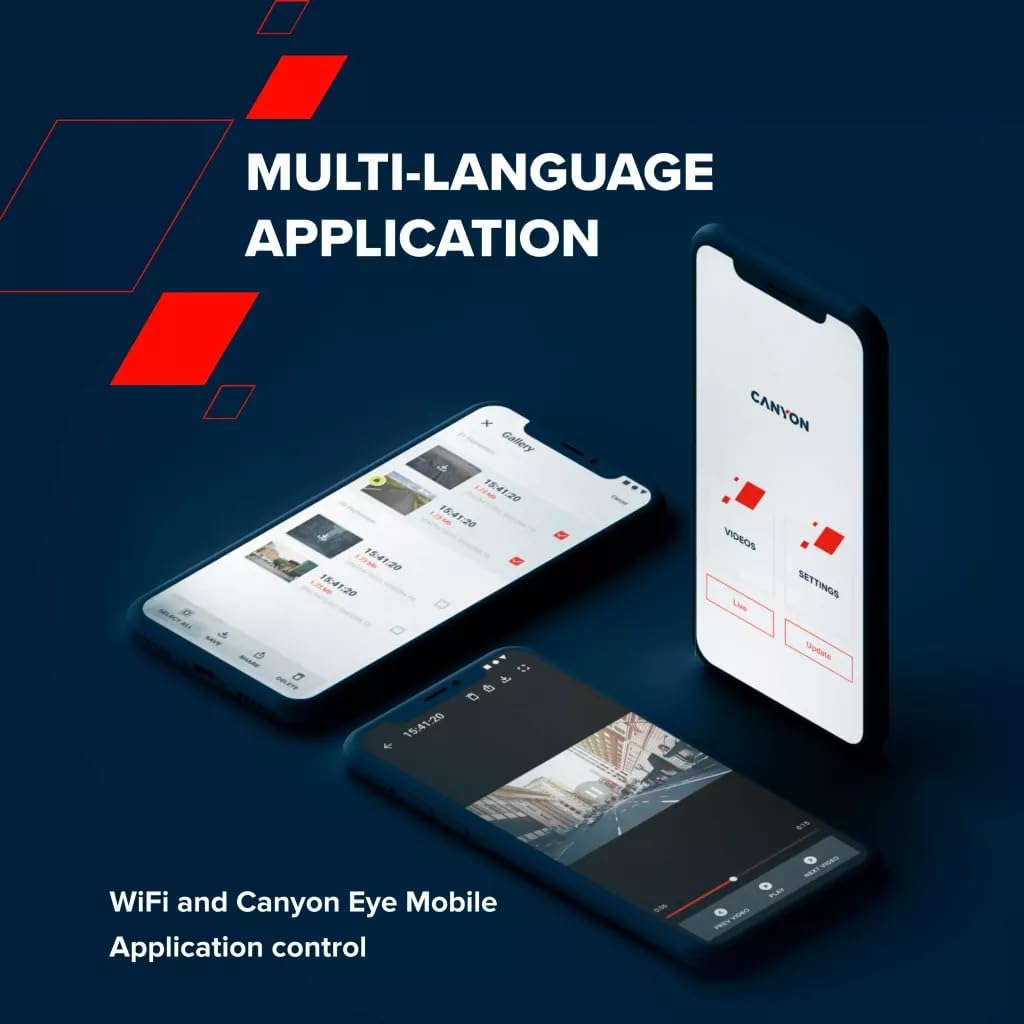
Image 5.4: The Canyon Eye mobile application interface for remote control and file 管理。
6. メンテナンス
6.1 スーパーキャパシタ
The DVR40 is equipped with a supercapacitor instead of a traditional lithium-ion battery.
- Supercapacitors offer enhanced durability and a wider operating temperature range (-30°C to 80°C).
- They are less prone to overheating and have a longer lifespan, making them suitable for automotive environments.
- The supercapacitor provides enough power to safely save the last recording when external power is disconnected.

Image 6.1: The DVR40's supercapacitor ensures reliable operation across a wide temperature range.
6.2 清掃と保管
- Use the provided cleaning cloth to gently wipe the screen and lens. Avoid abrasive materials or chemical cleaners.
- Ensure the camera is clean and dry before storing it.
- When not in use for extended periods, store the camera in a cool, dry place, away from direct sunlight.
7。 トラブルシューティング
一般的な問題とその解決策については、以下の表を参照してください。
| 問題 | 考えられる原因 | 解決 |
|---|---|---|
| カメラの電源が入りません。 | 電源がありません。ケーブル/アダプタに障害があります。 | Check car power adapter connection. Ensure vehicle ignition is on. Try a different USB port or adapter if available. |
| 録画が突然停止します。 | MicroSD card full or corrupted; low-speed MicroSD card. | Format the MicroSD card. Replace with a high-speed (Class 10 or U3) MicroSD card. |
| ビデオfootagぼやけたり不明瞭になったりします。 | Protective film on lens; dirty lens; windshield obstruction. | Remove any protective film. Clean the camera lens and windshield. Ensure the camera is securely mounted. |
| Wi-Fi接続の問題。 | Wi-Fi パスワードが正しくありません。カメラの Wi-Fi が有効になっていません。アプリに問題があります。 | Ensure Wi-Fi is enabled on the camera. Verify the Wi-Fi password. Restart both the camera and smartphone. Reinstall the Canyon Eye app. |
| Gセンサーが敏感すぎる/敏感さが足りない。 | Gセンサーの感度設定。 | Adjust the G-Sensor sensitivity level in the camera settings. |
8. 仕様
Detailed technical specifications for the Canyon DVR40 Dash Camera.
| 特徴 | 仕様 |
|---|---|
| ブランド | キャニオン |
| モデル名 | DVR40 |
| モデル番号 | CND-DVR40 |
| 色 | 黒 |
| ビデオ録画解像度 | 2160p (4K UltraHD) |
| フレーム/秒 | 30 fps (at 4K) |
| 光センサー技術 | CMOS (Sony Starvis 415) |
| フォトセンサーサイズ | 1/2.86インチ |
| 分野 View | 140° |
| 特集 | Integrated Supercapacitor, Touch Screen, Night Vision Mode, Wi-Fi, G-Sensor |
| 画面 | 3-inch IPS Capacitive Touchscreen |
| 取り付けタイプ | 磁気マウント |
| 電源 | Car power adapter (USB Type-C) |
| 動作温度範囲 | -30°C to 80°C (due to Supercapacitor) |
| 含まれるコンポーネント | Dash Camera, Magnetic Mount, Car Power Adapter, USB-C Cable, Card Reader, CPL Filter, Cleaning Cloth, Textile Case, Quick Start Guide, Warranty Card, Cable Installation Accessories |
| 電池付属 | いいえ(スーパーキャパシタを使用) |
9. 安全情報
- Do not operate the camera or adjust settings while driving. Always pull over to a safe location.
- Ensure the camera is securely mounted and does not obstruct your view 道路の。
- Use only the provided power adapter and cables to prevent damage to the device.
- Do not expose the camera to extreme moisture or liquids.
- Avoid disassembling the device. Refer to qualified service personnel for repairs.
- カメラおよび付属品は子供の手の届かないところに保管してください。
10. 保証とサポート
For warranty information and technical support, please refer to the warranty card included in your package or visit the official Canyon webサイト。
オンラインサポート: https://canyon.eu/support/


