1. はじめに
Thank you for choosing the IOOIOO A80 Portable Printer. This compact, inkless thermal printer is designed for convenience and efficiency, allowing you to print documents, photos, and more from various devices, including smartphones, tablets, and computers. Its portable design makes it ideal for home, office, or travel use.


2. 箱の中身
パッケージの内容をチェックして、すべてのアイテムが揃っていることを確認してください。
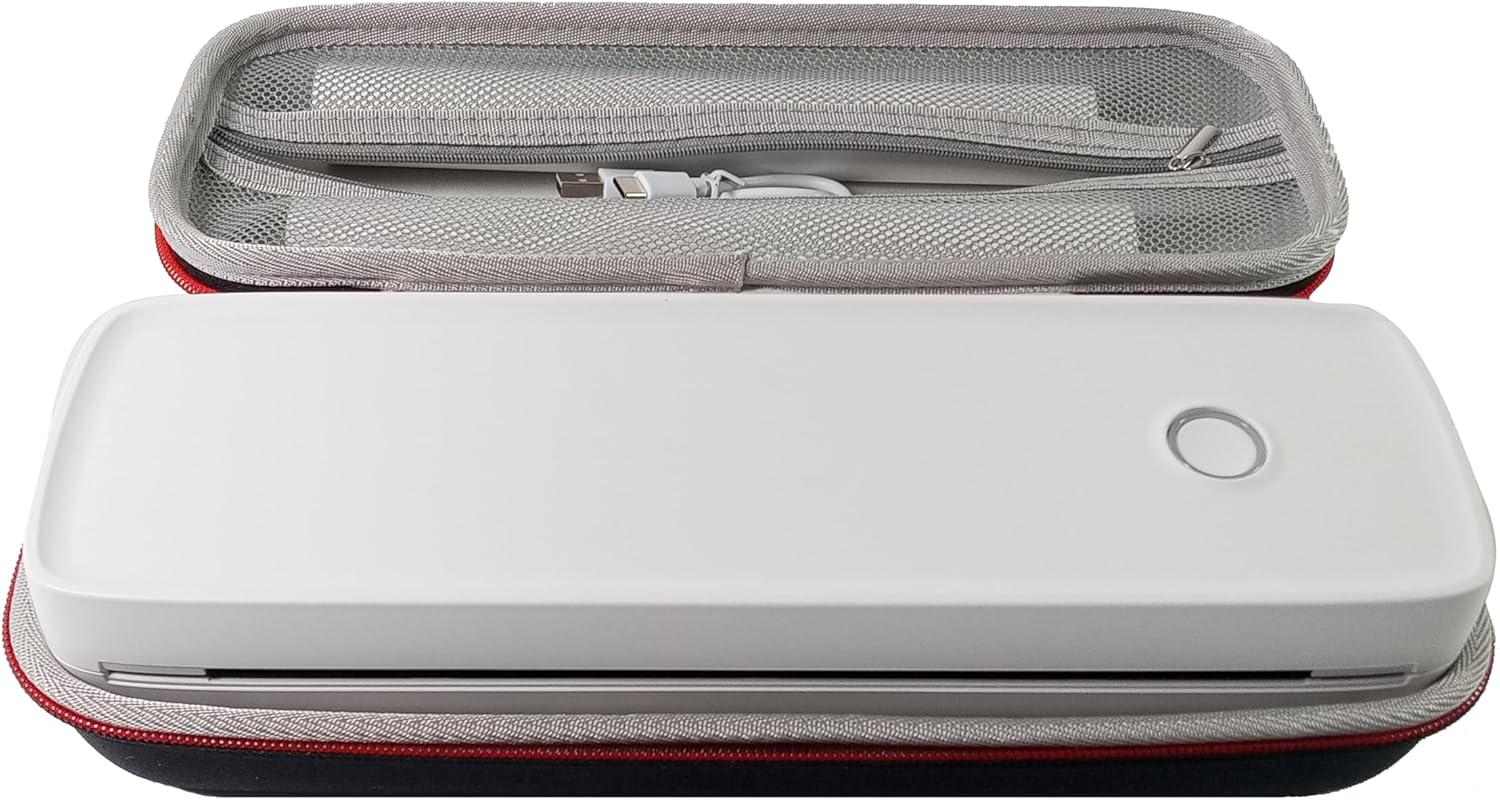
- IOOIOO A80 ポータブルプリンター
- キャリングケース
- 3 Rolls of A4 or Letter Thermal Paper
- 3 Pages of Continuous Folded Thermal Paper
- USBケーブル
- QR Code for Manual Download (Digital Manual)

3. セットアップ
3.1 初期充電
Before first use, fully charge the printer using the provided USB cable. The LED indicator will show charging status.
3.2 Software/Driver Installation
To use the printer with your devices, appropriate software or drivers are required:
- For Mobile Phones (iPhone/Android): Download the "SharpFox" application from your device's app store.
- For Desktop PCs (Windows/Mac/Linux/Raspberry Pi): Download the necessary drivers from the official IOOIOO website. A QR code is provided in the box for quick access to the manual and driver download links.
3.3 感熱紙のセット
The IOOIOO A80 uses inkless thermal paper. To load paper:
- 用紙収納部のカバーを開きます。
- Insert the thermal paper roll or folded stack, ensuring the printable side is facing the print head.
- カバーをしっかりと閉めてください。

4. 操作手順
4.1 電源のオン/オフ
- 電源を入れるには: LED インジケーターが点灯するまで電源ボタンを押し続けます。
- 電源を切るには: LED インジケーターが消えるまで電源ボタンを押し続けます。
4.2 接続性
The IOOIOO A80 offers both Bluetooth wireless and USB wired connectivity options.
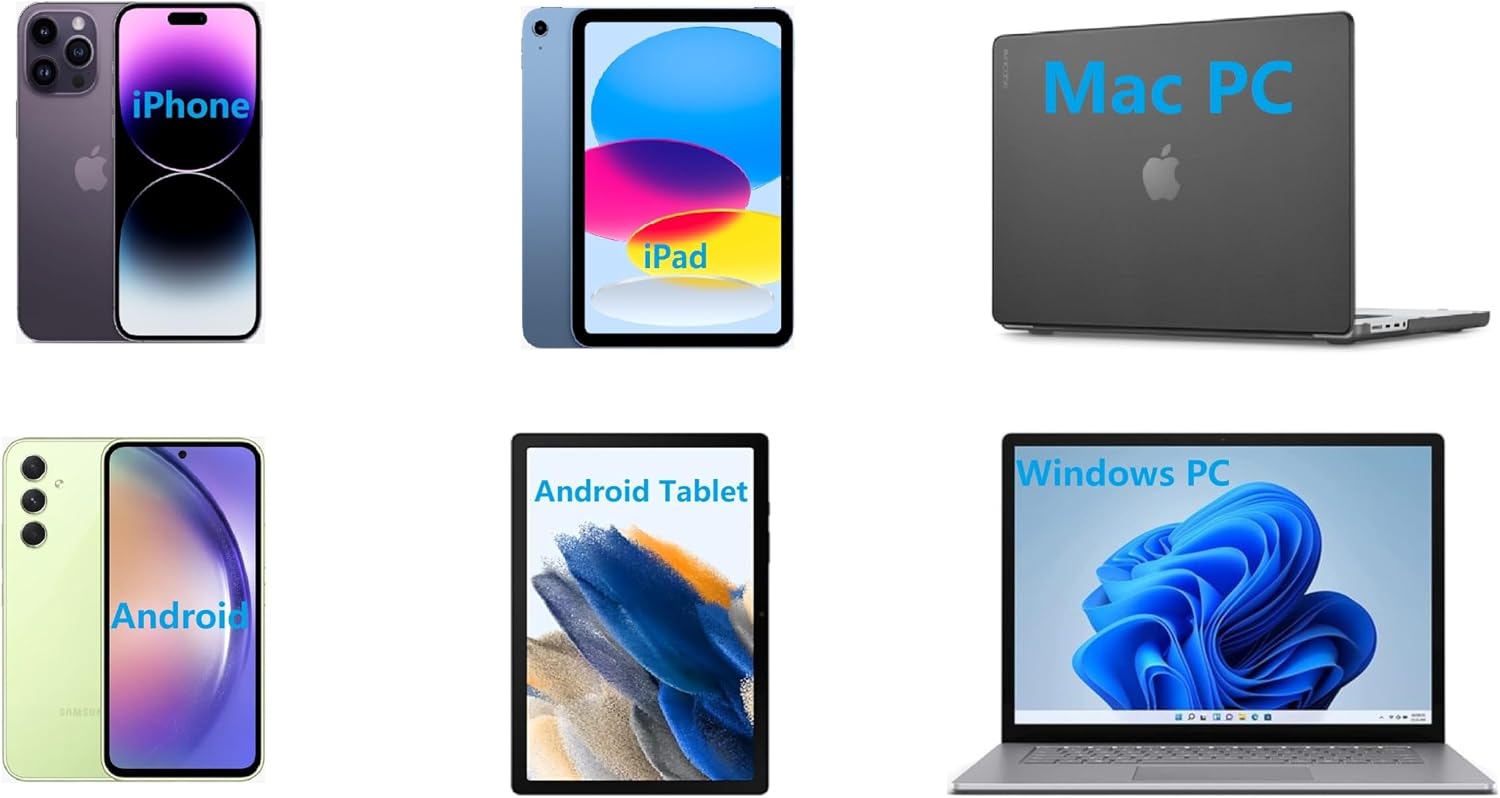
4.2.1 Bluetooth Connection (for Phones and Windows PC)
- Ensure the printer is powered on and the LED is green.
- On your phone, open the "SharpFox" app. On your Windows PC, ensure Bluetooth is enabled.
- Within the app or PC Bluetooth settings, search for and select the "IOOIOO A80" printer to pair.
- 画面上の指示に従ってペアリングプロセスを完了します。
4.2.2 USB Connection (for Windows PC, Mac PC, Linux, Raspberry Pi)
- Ensure the printer is powered on and the LED is green. If the LED is not green, the printer will not print via USB.
- 付属の USB ケーブルを使用してプリンターをコンピューターに接続します。
- Install the appropriate drivers as described in Section 3.2.
- Once drivers are installed, the printer should be recognized by your computer.
4.3 印刷
After connecting your printer, you can initiate printing from your chosen application (e.g., SharpFox app, word processor, PDF viewえー)。
- Select the print option within your application.
- Choose "IOOIOO A80" from the list of available printers.
- Adjust print settings (e.g., paper size: US letter/legal/A4/A5, 2", 3", 4" sticky/non-sticky, flat folded/rolled thermal paper, tattoo stencil transfer paper) as needed.
- Click "Print" to begin printing.
Note on Tattoo Stencil Printing: This printer is suitable for normal tattoo lines only. It is not recommended for sharp lines, large blocks, gradients, or color patterns.
5. メンテナンス
Proper maintenance ensures the longevity and optimal performance of your IOOIOO A80 printer.
5.1 プリントヘッドのクリーニング
Regularly clean the print head to maintain print quality.
- プリンタの電源をオフにして、電源から外します。
- 用紙入れを開きます。
- Gently wipe the print head with a lint-free cloth lightly dampイソプロピルアルコールで消毒しました。
- カバーを閉じてプリンタの電源を入れる前に、プリントヘッドが完全に乾くまでお待ちください。
5.2 紙の保管
Store thermal paper in a cool, dry place away from direct sunlight and heat to preserve its quality and ensure prints last for the expected duration (2 to 15 years depending on paper type).
6。 トラブルシューティング
If you encounter issues with your IOOIOO A80 printer, please refer to the official Troubleshooting Guide for detailed solutions.
よくある問題と簡単なチェック:
- プリンターの電源が入らない: バッテリーが充電されていることを確認してください。
- 印刷出力なし: Check paper loading, ensure the LED is green (for USB connection), and verify connectivity (Bluetooth/USB).
- 印刷品質が悪い: Clean the print head, ensure you are using compatible thermal paper.
- 接続の問題: Restart both the printer and the device you are trying to connect from. Re-pair Bluetooth or re-plug the USB cable.
7. 仕様
| 特徴 | 詳細 |
|---|---|
| ブランド | イオーイオー |
| モデル名 | A80 |
| 製品寸法 | 奥行き3.6インチ x 幅11.4インチ x 高さ2.4インチ |
| アイテム重量 | 1.8ポンド |
| 印刷技術 | サーマル |
| 最大白黒印刷解像度 | 200dpi |
| 最大印刷速度(モノクロ) | 4 ppm (approx. 10mm/s) |
| 最大メディアサイズ | A4 (supports US Letter/Legal/A4/A5) |
| 接続技術 | Bluetooth for Phone, USB for PC |
| インク色 | Black (Monochrome) |
| プリントヘッドライフ | Approx. 170,000 letter pages |
| バッテリー | リチウムイオン電池1個(付属) |
8. 保証とサポート
For any questions, technical assistance, or warranty inquiries, please contact IOOIOO customer service.
- 米国の電話サポート: Available for direct assistance.
- WhatsAppサポート: Available for convenient messaging support.
Please refer to your product packaging or the official IOOIOO web最新の連絡先情報については、サイトをご覧ください。


