1. はじめに
The MIPRO ACT-311/ACT-32H Single-Channel Handheld Wireless System is engineered for professional audio applications, offering high-fidelity sound and dependable performance. This system features a premium condenser microphone capsule for clear, dynamic vocal reproduction. Its design prioritizes ease of use with MIPRO's patented ACT technology for rapid frequency synchronization and an Auto Scan function to identify interference-free channels. Advanced diversity technology further enhances reliability by minimizing signal dropouts. This manual provides essential information for the proper setup, operation, and maintenance of your wireless system.
2. パッケージ内容
Please inspect the package contents carefully. If any items are missing or damaged, contact your dealer.
- ACT-311 シングルチャンネルレシーバー
- ACT-32H Handheld Wireless Microphone (Transmitter)
- 受信機用電源アダプター
- Audio Cable (XLR to 1/4" Phone Jack)
- AA Batteries (for Transmitter)
- ユーザーマニュアル(このドキュメント)
3.製品オーバーview
The MIPRO ACT-311/ACT-32H system consists of a receiver unit and a handheld microphone transmitter.
3.1. ACT-311 Receiver
The ACT-311 receiver processes the wireless signal from the transmitter and outputs it as an audio signal. It features a clear LCD display, control buttons, and antenna inputs.
3.2. ACT-32H Handheld Transmitter
The ACT-32H is a robust handheld microphone with an integrated wireless transmitter. It includes a power switch, battery compartment, and an ACT sync port.
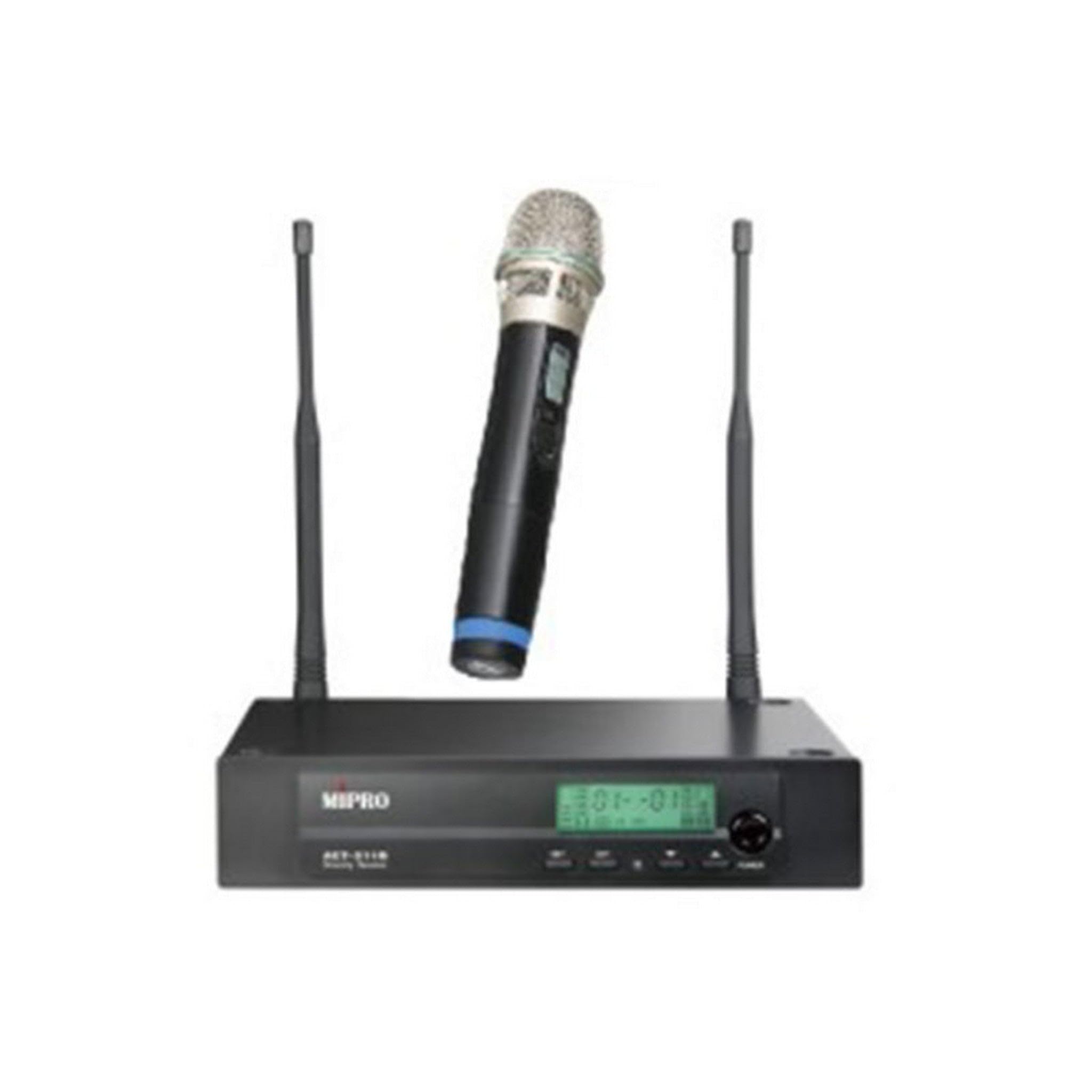
Figure 1: The MIPRO ACT-311/ACT-32H Single-Channel Handheld Wireless System, showing the receiver and handheld microphone.
4. セットアップ
Follow these steps to set up your MIPRO wireless system.
4.1. 受信機の配置
- Place the ACT-311 receiver in a location free from obstructions and away from potential sources of interference (e.g., computers, digital processors, other wireless devices).
- Ensure the receiver's antennas are fully extended and positioned vertically for optimal signal reception.
- Maintain a clear line of sight between the receiver and the area where the transmitter will be used.
4.2. 電源接続
- Connect the supplied power adapter to the DC input jack on the rear panel of the ACT-311 receiver.
- Plug the power adapter into an appropriate AC power outlet.
- Do not power on the receiver yet.
4.3. オーディオ出力接続
Connect the receiver's audio output to your mixer, ampライター、またはサウンド システム。
- バランス出力(XLR): Use an XLR cable to connect the receiver's XLR output to a balanced input on your mixer.
- Unbalanced Output (1/4" Phone Jack): Use a 1/4" phone jack cable to connect the receiver's unbalanced output to an unbalanced input on your mixer or amplifier。
4.4. 送信機の電池の取り付け
- Unscrew the lower part of the ACT-32H handheld microphone to reveal the battery compartment.
- 電池ボックス内に表示されている正しい極性 (+/-) に注意して、新しい AA 電池を 2 本挿入します。
- Securely screw the lower part back onto the microphone.
5. 操作手順
This section details how to operate your MIPRO wireless system.
5.1.電源のオン/オフ
- 受信機(ACT-311): フロントパネルの電源ボタンを押します。LCDディスプレイが点灯します。
- Transmitter (ACT-32H): Slide the power switch on the handheld microphone to the "ON" position. The power indicator will light up.
- Always power on the receiver before the transmitter, and power off the transmitter before the receiver.
5.2. Frequency Synchronization (ACT Function)
MIPRO's patented ACT (Automatic Channel Targeting) function allows for quick and precise frequency matching between the receiver and transmitter.
- 受信機と送信機の両方の電源がオンになっていることを確認してください。
- On the ACT-311 receiver, press the 活動 button. The ACT indicator on the receiver will flash.
- Align the ACT sync port on the ACT-32H handheld microphone (usually near the base or battery compartment) with the ACT window on the receiver.
- Hold them together within a few centimeters until the receiver's ACT indicator stops flashing and the transmitter's frequency display matches the receiver's.
- The system is now synchronized and ready for use.
5.3. Channel Selection (Auto Scan)
Use the Auto Scan function to find the clearest available frequency channel.
- On the ACT-311 receiver, press the スキャン ボタン。
- The receiver will automatically scan for an interference-free channel.
- Once a clear channel is found, the receiver will display it.
- Perform the ACT synchronization process (Section 5.2) to match the transmitter to this newly selected channel.
5.4. 音量調整
Adjust the audio output level of the receiver using the 音量 control knob on the front panel of the ACT-311. Start with a low volume and gradually increase it to a suitable level on your mixer or amplifier。
5.5. マイクの使用方法
- Hold the ACT-32H microphone approximately 2-6 inches (5-15 cm) from your mouth for optimal vocal pickup.
- Avoid covering the microphone grille with your hand, as this can affect sound quality and signal transmission.
- Be aware of the microphone's unidirectional polar pattern, which means it primarily picks up sound from the front, reducing background noise.
6. メンテナンス
Proper maintenance ensures the longevity and optimal performance of your wireless system.
6.1. 清掃
- Wipe the receiver and transmitter with a soft, dry cloth.
- 頑固な汚れには、軽くこすったamp 布で拭いてから完全に乾かしてください。
- 研磨剤入りの洗剤、溶剤、または強力な化学薬品は、仕上げや内部の部品を損傷する恐れがあるので使用しないでください。
- ゴミがたまらないように、定期的にマイクのグリルを掃除してください。
6.2. バッテリーの交換
- Replace the AA batteries in the ACT-32H transmitter when the low battery indicator appears on the microphone or receiver, or if you notice a decrease in performance.
- Always use fresh, high-quality alkaline or rechargeable batteries.
- 長期間送信機を使用しない場合は、液漏れを防ぐために電池を取り外してください。
6.3. ストレージ
- システムは、直射日光、極端な温度、高湿度を避け、涼しく乾燥した場所に保管してください。
- If transporting, use a protective case to prevent physical damage.
7。 トラブルシューティング
If you encounter issues with your MIPRO wireless system, refer to the following common problems and solutions.
7.1.音が出ない
- 電力を確認します: Ensure both the receiver and transmitter are powered on and their respective power indicators are lit.
- 接続を確認してください: Verify that the receiver's audio output is correctly connected to your mixer/amplifier and that all cables are secure.
- ボリュームを確認: Ensure the receiver's volume control is not set to minimum and that your mixer/amplifier input gain is appropriately set.
- チェック頻度: Confirm that the transmitter and receiver are synchronized to the same frequency. Perform ACT synchronization if necessary.
- バッテリーを確認してください: Replace the batteries in the handheld transmitter if they are low or depleted.
7.2. Interference or Signal Dropouts
- レシーバーの配置: Relocate the receiver to a higher position or away from metal objects and other electronic devices that may cause interference.
- アンテナの位置: 受信機のアンテナが完全に伸びて正しい位置に配置されていることを確認します。
- Scan for Clear Channel: Use the Auto Scan function on the receiver to find a new, clear frequency, then re-synchronize the transmitter.
- 動作範囲: Ensure the transmitter is within the recommended operating range of the receiver.
- バッテリー残量: Low transmitter batteries can cause signal instability. Replace them if needed.
7.3. Poor Sound Quality (Distortion, Weak Signal)
- Microphone Proximity: Ensure the microphone is held at an appropriate distance from the sound source (typically 2-6 inches).
- ゲイン設定: Adjust the input gain on your mixer/amplifier. If the signal is too hot, it can cause distortion; if too low, it will be weak.
- バッテリー残量: Weak batteries can affect audio quality. Replace them.
- 障害物: Ensure there are no physical obstructions between the transmitter and receiver.
8. 仕様
Key technical specifications for the MIPRO ACT-311/ACT-32H Wireless System.
| 特徴 | 仕様 |
|---|---|
| モデル名 | ACT-311/ACT-32H |
| ブランド | ミプロ |
| チャンネル数 | 1 |
| 周波数応答 | 506-530 MHz (5A Band) |
| 信号対ノイズ比 | 70デシベル |
| 接続技術 | 無線 |
| マイクフォームファクター | ハンドヘルド |
| 極性パターン | 一方向 |
| 電源(送信機) | 電池駆動(単3電池) |
| アイテム重量 | 6 pounds (System total, approximate) |
9. 保証とサポート
MIPRO製品は信頼性と性能を重視して設計されています。具体的な保証情報については、製品に付属の保証書を参照するか、MIPROの公式ウェブサイトをご覧ください。 webサイト。
If you require technical assistance or have questions not covered in this manual, please contact your authorized MIPRO dealer or MIPRO customer support.