1.製品オーバーview
The VCHOO Keyless Entry Door Lock Deadbolt with Handle Set offers a secure and convenient solution for accessing your home or property. This smart lock features multiple unlocking methods, including user codes, one-time codes, and physical keys. It is designed for easy installation and includes automatic locking functions for enhanced security.

Image: VCHOO Keyless Entry Door Lock installed on a white door, showcasing the keypad and lever handle.
主な特徴:
- Multiple Access Methods: Supports up to 100 user codes, one-time codes, and includes 2 physical keys.
- Automatic Locking: Features auto-lock functionality (10-30 seconds) and one-touch auto-lock.
- Enhanced Security: ANSI level 3 smart door lock core, zinc alloy body, IP54 waterproof rating, and anti-peeping password protection.
- Convenience Features: Low battery alert and emergency Type-C charging port.
- Easy Installation: Designed for quick replacement of existing locks with minimal tools.
2. パッケージ内容
インストールを開始する前に、パッケージにすべてのコンポーネントが含まれていることを確認してください。

Image: All components of the VCHOO Keyless Entry Door Lock, including deadbolt parts, lever handles, keys, screws, and a screwdriver.
- Deadbolt Front/Rear Lock x 1
- Door Handle Front/Rear Lock x 1
- キー×2
- Lock Latch x2
- ネジアクセサリーパッケージx2
- Hole Opening Diagram x 1
- Installation Tutorial Card x 2
- 手順x1
3. セットアップとインストール
インストール前のチェック
Ensure your door meets the required dimensions for proper installation. The lock is compatible with door thickness ranging from 1.31" to 2.16" (35-55mm) and supports backsets of 2-3/8" or 2-3/4" (60 or 70mm).

Image: Detailed measurements for door thickness, backset, and latch hole requirements.

Image: Visual guide for checking door compatibility, showing suitable latch holes and incompatible mortise, integrated, and rim cylinder locks.
インストール手順
Installation typically takes 15-30 minutes with just a screwdriver. For a detailed visual guide, please refer to the official installation video below.
Video: VCHOO Keyless Entry Door Lock Easy to Install Black. This video provides a comprehensive step-by-step guide for installing the lock.
After physical installation, you may need to initialize the lock. Follow the instructions in the video below.
Video: VCHOO Keyless Entry Door Lock Initialization Setup. This video demonstrates how to reset and initialize the lock to factory settings.
4. 操作手順
ロック解除方法
The VCHOO Keyless Entry Door Lock offers multiple convenient ways to unlock:
- ユーザーコード: Program up to 100 unique user codes for family, friends, or regular visitors.
- ワンタイムコード: Generate temporary codes for single use, ideal for couriers or service personnel.
- 物理キー: Two physical keys are included for traditional unlocking or emergency access.
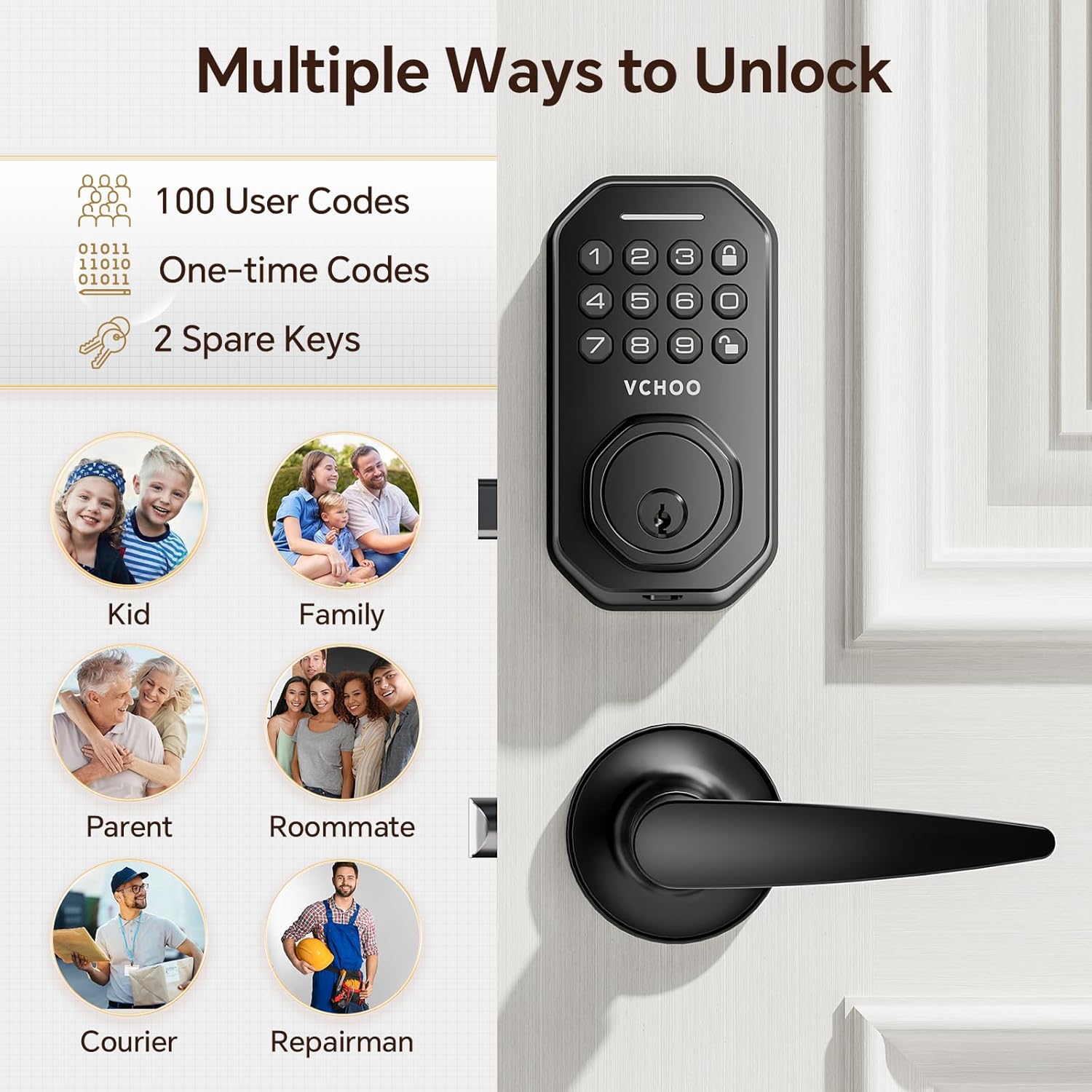
Image: Visual representation of different users who can benefit from the lock's multiple access options.

Image: A woman receiving a one-time code on her phone to grant access to a visitor, highlighting the convenience of temporary access.
自動ロック機能
The lock can be set to automatically lock after a period of 10-30 seconds. There is also a one-touch auto-lock feature for immediate security.

Image: A woman and child approaching a door with the auto-lock feature enabled, illustrating effortless security.
覗き見防止パスワード
To prevent others from guessing your code, you can enter random digits before or after your actual password. The lock will still recognize the correct sequence within the longer string of numbers.

Image: A visual explanation of the anti-peeping password feature, showing how random digits can be added before or after the actual code for security.
パスワード設定
Learn how to set and manage your lock's passwords by following the instructions in this video.
Video: Password Setting. This video guides you through the process of setting and changing user passwords on the lock.
Constant Open Setting
This feature allows the lock to remain unlocked for continuous access when needed. Please pay attention to safety when using this mode.
Video: VCHOO Keyless Entry Door Lock Constant Open Setting. This video explains how to activate and deactivate the constant open mode.
5. メンテナンス
バッテリー交換
The lock is powered by 4 AA batteries (not included). A low battery alert function will indicate when replacement is needed by displaying a green light. In emergencies, you can use the Type-C charging port for temporary power to unlock.

Image: Details on battery type, low battery warning indicator, and the emergency Type-C charging port.
一般的なケア
- ロックの表面は柔らかく乾いた布で拭いてください。研磨剤入りの洗剤や溶剤は使用しないでください。
- Ensure the lock is protected from extreme weather conditions, although it is IP54 waterproof.
- Regularly check for any loose screws or components and tighten as necessary.
6。 トラブルシューティング
If you encounter issues with your VCHOO Keyless Entry Door Lock, refer to the common problems and solutions below.
| 問題 | 考えられる原因 | 解決 |
|---|---|---|
| ロックがキーパッドの入力に応答しません。 | Low batteries, incorrect code, or temporary malfunction. | Replace batteries. Re-enter code carefully. Try using a physical key. Perform a factory reset if necessary (refer to Initialization Setup video). |
| ハンドルが緩んでいたりぐらついているように感じます。 | 取り付けネジが緩んでいます。 | Check and tighten all mounting screws on both the interior and exterior assemblies. |
| 自動ロックが機能しません。 | 自動ロック機能が無効になっているか、正しく設定されていません。 | Verify auto-lock settings. Ensure the door closes completely and the latch is not obstructed. |
| ロックが異常な音を出します。 | Internal mechanism issue or obstruction. | Ensure no foreign objects are obstructing the latch or deadbolt. If sounds persist, contact customer support. |
7. 製品仕様
| 仕様 | 詳細 |
|---|---|
| ブランド | VCHOO |
| モデル名 | SL01 |
| ロックタイプ | キーパッド |
| 材料 | 亜鉛 |
| 色 | マットブラック |
| スタイル | レバー |
| 商品の寸法 (長さ x 幅 x 高さ) | 10.23 x 9.05 x 3.82インチ |
| アイテム重量 | 3.41 ポンド |
| 電源 | 単三電池4本(別売) |
| 特集 | 自動ロック |
| 防水等級 | IP54 |
8.保証とサポート
VCHOO is committed to providing quality products and customer service. We strictly check and control every link of the product. If you have any questions about your front door lock, please contact us. We are at your service.
For any inquiries regarding operation, after-sales service, or technical support, please reach out to the VCHOO support team. We aim to resolve any problems within 24 hours.
This product may be eligible for extended protection plans. Please refer to your purchase documentation for details on available protection plans.


