1. はじめに
This manual provides detailed instructions for the proper use and maintenance of your Sandberg Pocket Radio FM+AM Recharge, Model 421-02. Please read this manual thoroughly before operating the device to ensure optimal performance and longevity.
2.製品オーバーview
The Sandberg Pocket Radio is a compact, portable device designed for receiving FM and AM radio broadcasts. It features a built-in rechargeable battery and a digital display for easy tuning.
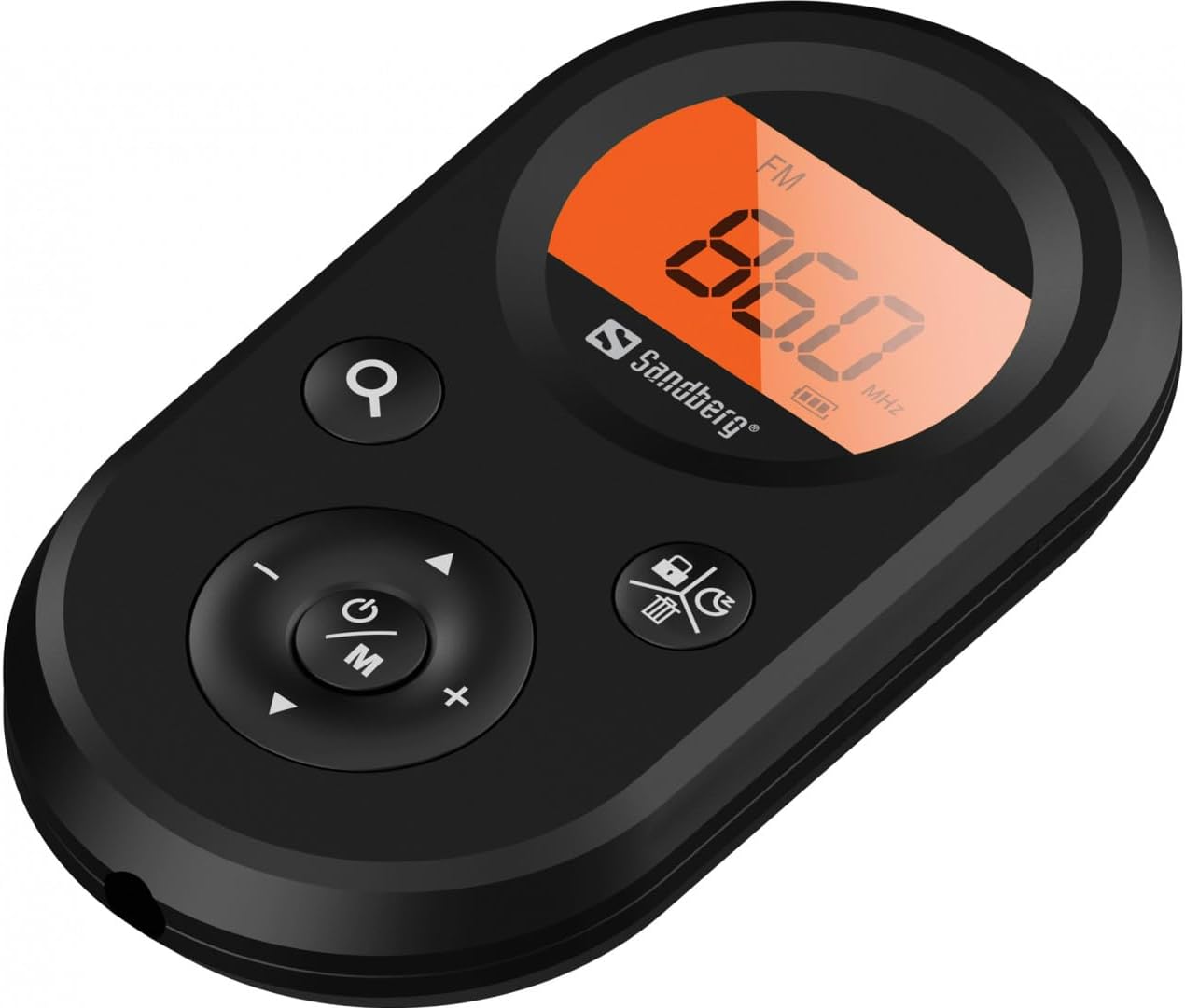
図1: 前面 view of the Sandberg Pocket Radio, displaying the frequency and controls.
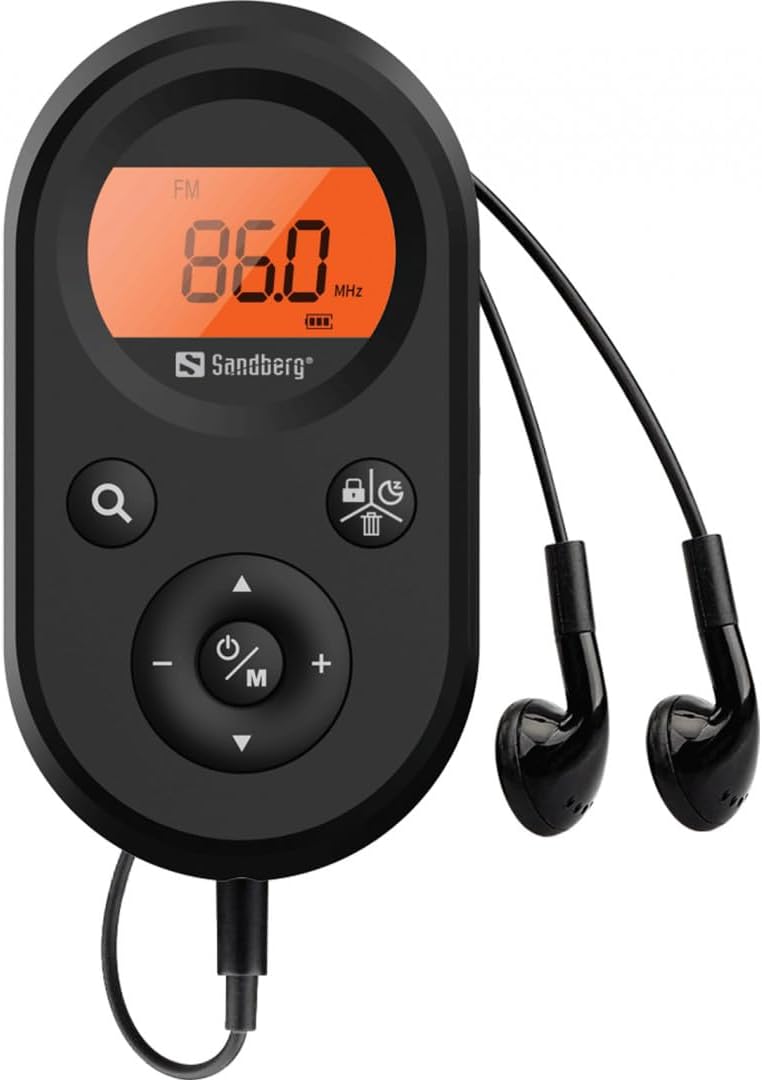
Figure 2: The radio connected to the included earphones, which also function as the FM antenna.
パッケージ内容:
- 1 x Sandberg Pocket Radio FM+AM Recharge (Model 421-02)
- イヤホン x 1
- 1 x Charging cable (USB-A to USB-C, 50 cm)
3. セットアップ
3.1 バッテリーの充電
- Connect the small end of the included USB-C charging cable to the charging port on the radio.
- ケーブルの標準 USB-A 端子を USB 電源アダプター (別売) またはコンピューターの USB ポートに接続します。
- The radio's display will indicate charging status. A full charge typically takes a few hours.
- バッテリーが完全に充電されたら充電ケーブルを外します。
3.2 イヤホンの接続
The included earphones are essential for operation as they serve as the antenna for FM reception. Without them, FM reception will be severely limited or non-existent.
- イヤホンの3.5mmジャックをラジオのイヤホンポートに挿入します。
- 接続が安全であることを確認してください。
4. 操作手順
4.1 電源オン/オフ
- ラジオの電源を入れるには、 Power/Mode (ⓘ/M) button for approximately 2-3 seconds. The display will light up.
- ラジオの電源を切るには、 Power/Mode (ⓘ/M) button again for approximately 2-3 seconds. The display will turn off.
4.2 モード選択(FM/AM)
- ラジオの電源が入っているときに、 Power/Mode (ⓘ/M) button to switch between FM and AM radio bands. The current band will be indicated on the display.
4.3 チューニングステーション
- 自動スキャン: To automatically scan for and store available stations, press and hold the Search (⌕) button. The radio will scan through the frequency range and save stations with strong signals.
- 手動チューニング: To manually tune to a specific frequency, short press the 上へ(▲) or 下へ(▼) ボタンを押して周波数を段階的に調整します。
4.4 ボリュームコントロール
- 音量を上げるには、を押します ボリュームアップ(+) ボタン。
- 音量を下げるには、 ボリュームダウン (-) ボタン。
4.5 表示情報
The digital display shows the current radio band (FM or AM), the tuned frequency, and the battery level indicator.
5. メンテナンス
5.1 クリーニング
- ラジオの外側を柔らかく乾いた布で拭いてください。
- 研磨剤入りの洗剤、溶剤、強力な化学薬品は表面を傷つける恐れがあるので使用しないでください。
- 開口部に湿気が入らないようにしてください。
5.2バッテリーケア
- バッテリーの寿命を延ばすには、バッテリーを頻繁に完全に放電しないようにしてください。
- 長期間使用しない場合は、ラジオを涼しく乾燥した場所に保管してください。
- 長期間保管する場合は、過放電を防ぐために定期的にバッテリーを充電してください。
6。 トラブルシューティング
- 電源なし: Ensure the battery is charged. Connect the radio to a power source using the USB-C cable.
- 音が出ない: Check that the earphones are securely plugged in. Adjust the volume using the ボリュームアップ(+) ボタン。
- FM受信状態が悪い: Ensure the earphones are fully plugged in, as they function as the FM antenna. Try repositioning the radio or the earphone cable for better signal.
- Cannot Save Favorite Stations: This model does not support saving favorite radio stations. Stations are found via automatic scan or manual tuning each time.
- ディスプレイが動作しない: ディスプレイが真っ暗またはちらつく場合は、バッテリーを充電してみてください。問題が解決しない場合は、カスタマーサポートにお問い合わせください。
7. 仕様
| 特徴 | 仕様 |
|---|---|
| モデル番号 | 421-02 |
| AM周波数範囲 | 522~1710 KHz (9KHz) / 520~170 KHz (10KHz) |
| FM周波数範囲 | 76-108 MHz |
| AM感度 | <20mV/m |
| FM信号対雑音比 | >40デシベル |
| 最大出力 | 6.5mW |
| バッテリー容量 | 5000 mAh, 3.7V (1.85 Wh) |
| 接続技術 | 補助(イヤホン/アンテナ用) |
| 電源 | 電池駆動 |
| アイテム重量 | 60グラム(2.12オンス) |
8. 保証とサポート
Sandberg products are manufactured to high quality standards. For information regarding warranty terms and conditions, or for technical support, please refer to the official Sandberg web購入サイトをご覧いただくか、カスタマーサービスに直接お問い合わせください。購入証明書としてレシートを保管してください。


