1. はじめに
This manual provides instructions for the safe and efficient use of your ELECTROPRIME HOCO AC7 Storm Power Strip. This device features three AC outlets, one USB-C port, and three USB-A ports, designed for convenient power distribution and charging of multiple electronic devices. Please read this manual thoroughly before operation and retain it for future reference.
2. 安全に関する注意事項
To prevent injury or damage to the device, always follow these basic safety precautions:
- Do not exceed the maximum power rating of 2500W (10A / 250V).
- 本製品は屋内使用のみを目的として設計されています。湿気や極端な温度にさらさないでください。
- 本製品を分解、改造、または修理しないでください。修理はすべて資格のある担当者にご依頼ください。
- お子様の手の届かない場所に保管してください。
- 過熱を防ぐため、使用中は電源コードが完全に伸びており、巻き付けられたり覆われたりしていないことを確認してください。
- Insert plugs fully into the outlets. Loose connections can cause overheating.
- Do not use with appliances that draw more power than the strip's maximum capacity.
3.製品オーバーview
The ELECTROPRIME HOCO AC7 Storm power strip provides multiple power and charging options. It features a durable, flame-retardant PC material construction for enhanced safety.
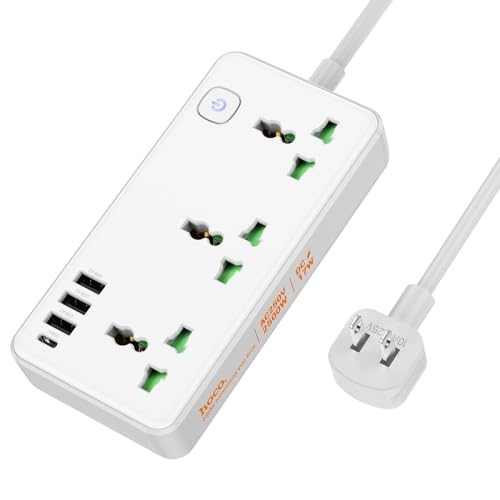
画像1: 以上view of the ELECTROPRIME HOCO AC7 Storm Power Strip, illustrating both white and black color variants with their respective AC and USB ports, power button, and attached power cable with a US plug.
4. セットアップ
- 開梱: 電源タップをパッケージから慎重に取り出します。
- 配置: Place the power strip on a stable, dry surface, away from heat sources, water, and direct sunlight. Ensure adequate ventilation around the unit.
- 壁のコンセントに接続します: Plug the power strip's US plug into a standard 250V wall outlet.
- 電源オン: Press the power button located on the unit to turn on the power strip. An indicator light will illuminate when the unit is powered on.
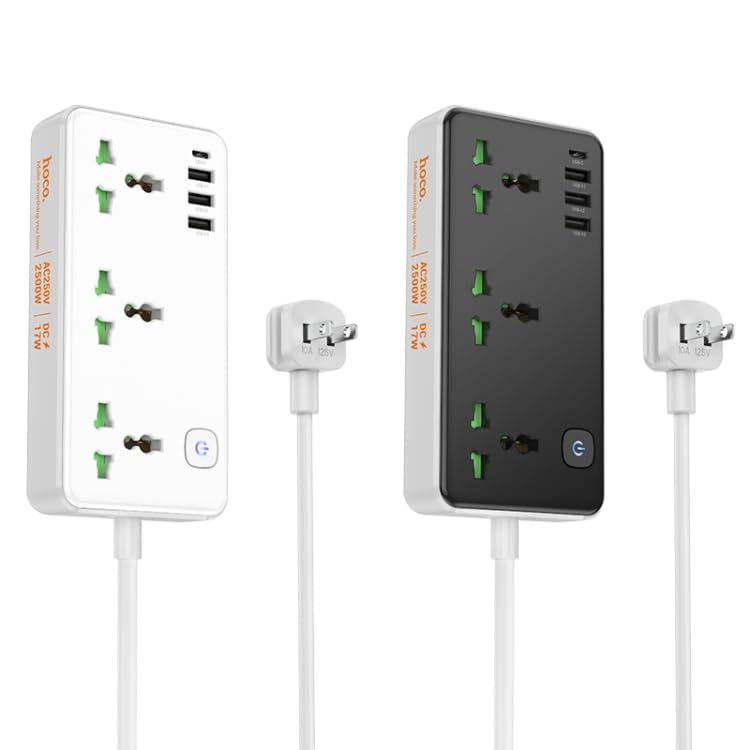
画像2: 角度付き view of the white power strip, highlighting the arrangement of AC and USB ports.
5. 操作手順
5.1 ACコンセントの使用
The power strip features three universal AC outlets. To use, simply plug your appliances into the available sockets. Ensure the total power consumption of all connected devices does not exceed 2500W.
5.2 USB充電ポートの使用
The power strip includes one USB-C port and three USB-A ports for charging mobile devices, tablets, and other USB-powered electronics. The total USB output is 5V/3.4A.
- Connect your device's USB charging cable to the appropriate USB-C or USB-A port on the power strip.
- デバイスの充電が開始されていることを確認します。
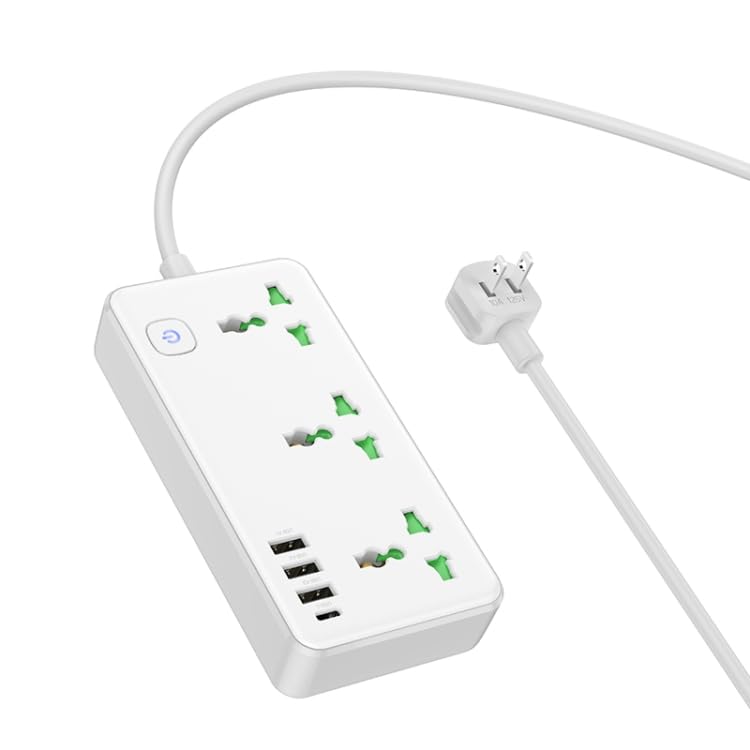
画像3: トップダウン view of the white power strip, illustrating the layout of the AC outlets and USB ports, along with the attached power cable.
6. メンテナンス
- クリーニング: 清掃する前に、電源タップを壁のコンセントから抜いてください。乾いた柔らかい布で表面を拭いてください。液体洗剤やエアゾールは使用しないでください。
- ストレージ: When not in use for extended periods, unplug the power strip and store it in a cool, dry place.
- 検査: 電源コードとプラグに損傷がないか定期的に点検してください。損傷している場合は使用を中止し、カスタマーサポートにご連絡ください。
7。 トラブルシューティング
- 電源なし:
- 電源タップが壁の正常なコンセントにしっかりと差し込まれていることを確認します。
- Check if the power button on the strip is pressed to the "ON" position.
- 別のデバイスを接続して、壁のコンセント自体が機能していることを確認します。
- USB経由で充電されないデバイス:
- 電源タップの電源がオンになっていることを確認します。
- USB ケーブルに損傷がないか確認し、電源タップとデバイスの両方に正しく接続されていることを確認します。
- Verify that your device is compatible with 5V/3.4A USB charging.
- 過負荷保護: If the power strip stops providing power, it may have triggered its overload protection. Unplug all devices, wait a few minutes, and then press the power button to reset. Reduce the number of high-power devices connected.
8. 仕様
| 特徴 | 仕様 |
|---|---|
| 材料 | 難燃性PC |
| AC出力 | 10A/250V |
| 最大パワー | 2500W |
| USB出力 | 5V / 3.4A(合計) |
| 電源コードの長さ | 1.5メートル |
| 電源コードタイプ | 0.75 square PVC wire |
| 寸法(長さ×幅×高さ) | 198 x 110 x 107 ミリメートル |
| 重さ | 340グラム |
| プラグタイプ | 米国プラグ |
9. 保証とサポート
This product comes with a standard manufacturer's warranty. For detailed warranty information, technical support, or service inquiries, please contact ELECTROPRIME customer service through your purchase platform or the contact information provided with your product packaging.


