1. はじめに
Thank you for choosing the GOOJODOQ Portable Handheld Turbo Fan. This manual provides essential information for the safe and efficient operation, maintenance, and troubleshooting of your device. Please read it thoroughly before use and retain it for future reference.
2. 安全に関する注意事項
- ファンを水やその他の液体に浸さないでください。
- Keep the fan away from open flames, heat sources, and direct sunlight to prevent battery damage or overheating.
- ファングリルに指や異物を入れないでください。
- このデバイスはおもちゃではありません。 小児の手の届かない場所に保管。
- 充電には付属の充電ケーブルまたは認定された USB-C ケーブルのみを使用してください。
- Do not attempt to disassemble, repair, or modify the fan. Contact customer support if service is required.
- Dispose of the fan and its battery according to local regulations.
3. パッケージ内容
パッケージに以下の項目が含まれているか確認してください。
- GOOJODOQ Portable Handheld Turbo Fan
- USB-C充電ケーブル
- ユーザーマニュアル
- Hand Strap (may be pre-attached or included separately)
4.製品オーバーview
4.1 ファンコンポーネント
The GOOJODOQ Portable Handheld Turbo Fan features a compact design with a powerful motor and intuitive controls.

図1: フロント view of the GOOJODOQ Portable Handheld Turbo Fan, showing the digital display and airflow.
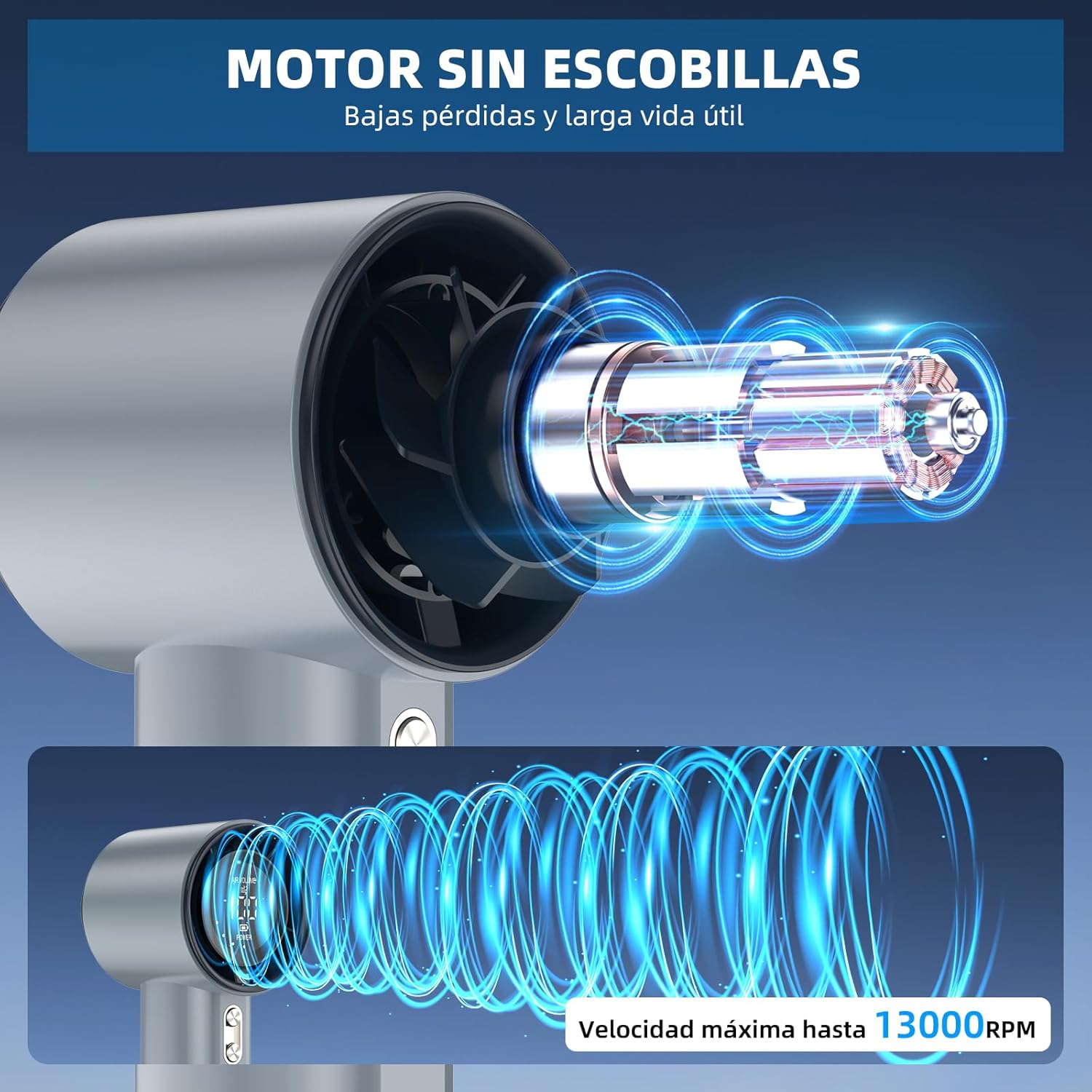
図2: Internal structure illustrating the brushless motor and optimized airflow design, capable of up to 13000 RPM.
4.2つの制御ボタン
The fan is equipped with two control buttons for easy operation.
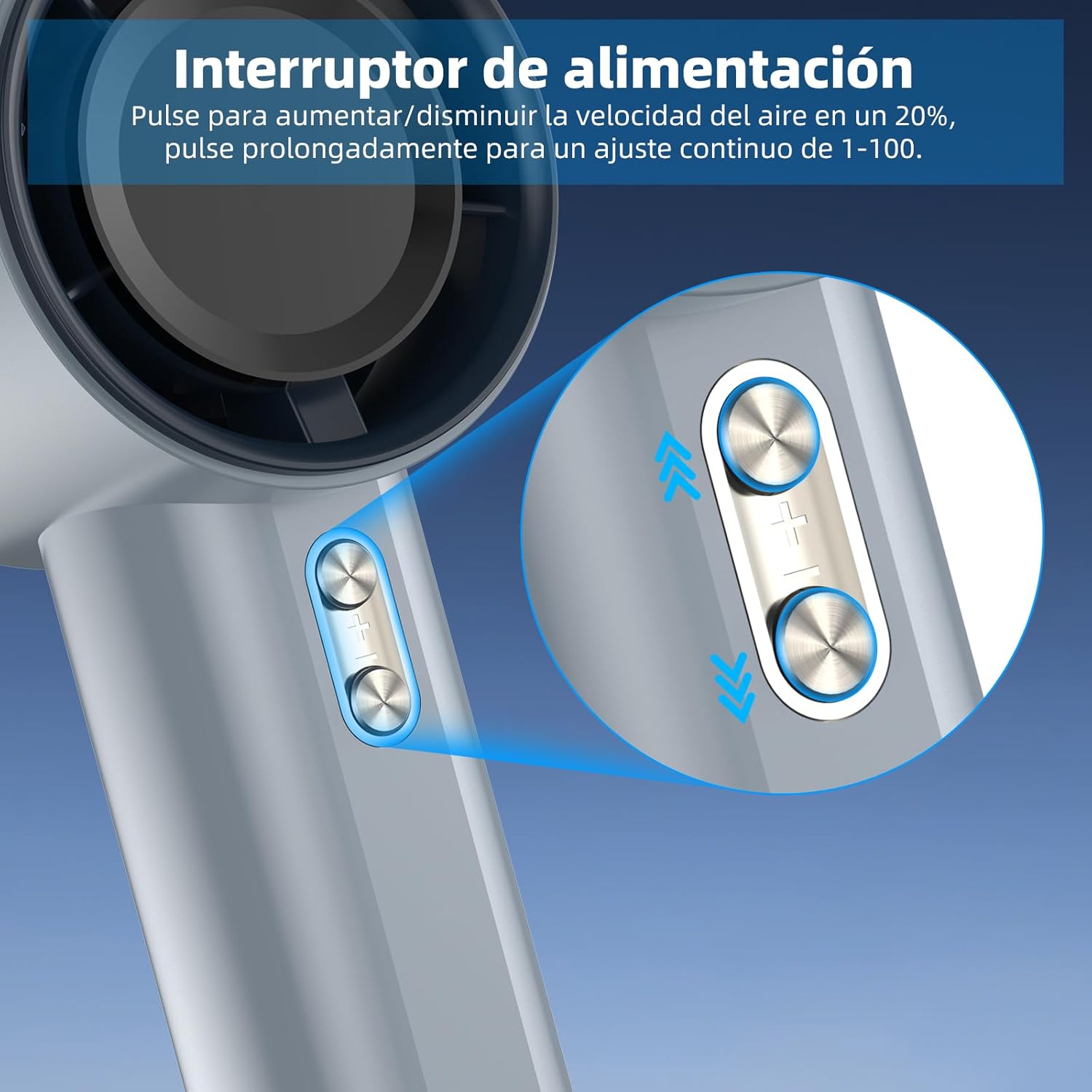
図3: Detail of the power/speed adjustment buttons. Short press to adjust speed by 20%, long press for continuous 1-100 speed adjustment.
4.3デジタルディスプレイ
The integrated digital display provides real-time information about the fan's status.

図4: The digital display indicates the current air volume (speed level from 1-100) and battery power level.
ディスプレイには次のように表示されます:
- 空気量: Indicates the current fan speed level (1-100).
- 力: バッテリー残量を表示します。
5. セットアップ
5.1 初期充電
Before first use, fully charge the fan. The fan is equipped with a 4000mAh battery.
- Connect the provided USB-C charging cable to the charging port on the fan.
- Connect the other end of the USB-C cable to a compatible USB power adapter (e.g., phone charger, computer USB port) or power bank.
- The digital display will show the charging status. A full charge typically takes approximately 2.5 hours.
- 完全に充電されたら、充電ケーブルを取り外します。

図5: The fan's USB-C charging port and internal 4000mAh battery, indicating a 2.5-hour charging time for up to 12 hours of operation.
A full charge can provide up to 12 hours of working time, depending on the speed setting.
5.2 ハンドストラップの取り付け
For added security and portability, attach the hand strap to the designated loop on the fan handle.
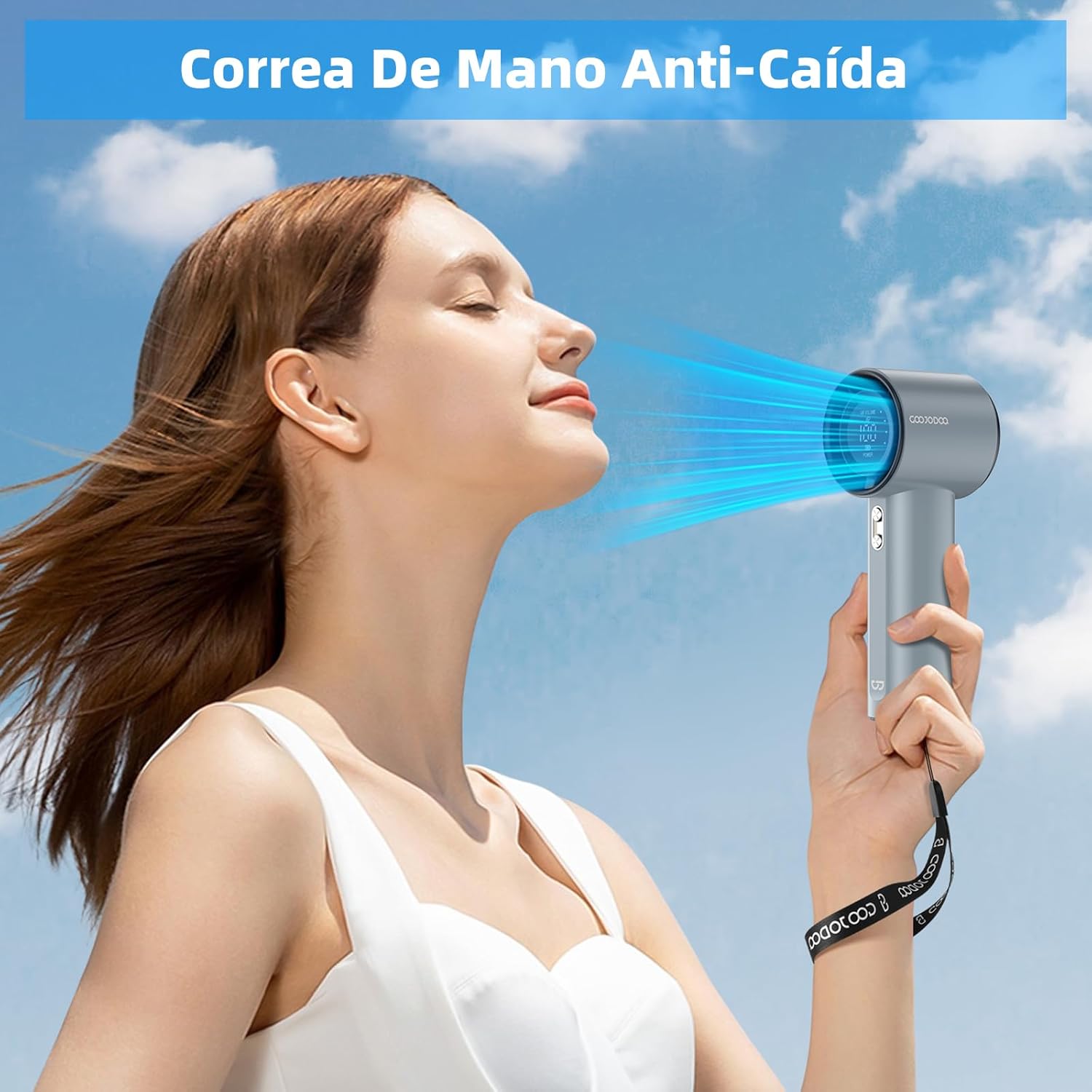
図6: The fan with an attached hand strap, demonstrating its use for secure carrying.
6. 操作手順
6.1 電源オン/オフ
- To turn on the fan: Press and hold either the '+' or '-' button for a few seconds until the display illuminates and the fan starts.
- To turn off the fan: Press and hold either the '+' or '-' button for a few seconds until the display turns off.
6.2 ファン速度の調整
The fan offers 100 adjustable speed levels.
- 増分調整: Short press the '+' button to increase the fan speed by 20 levels. Short press the '-' button to decrease the fan speed by 20 levels.
- 連続調整: Press and hold the '+' button to continuously increase the fan speed. Press and hold the '-' button to continuously decrease the fan speed. Release the button when the desired speed is reached.
The current speed level (AIR VOLUME) will be displayed on the digital screen.
7. メンテナンス
7.1 クリーニング
- 清掃する前に、ファンがオフになっており、電源から切断されていることを確認してください。
- ファンの外側を柔らかく乾いた布で拭いてください。
- Use a soft brush or cotton swab to gently remove dust from the air inlet and outlet grilles. Do not use water or harsh cleaning agents.
7.2 ストレージ
- ファンは直射日光や極端な温度を避け、涼しく乾燥した場所に保管してください。
- 長期間保管する場合は、バッテリー寿命を延ばすために、3 か月ごとにバッテリーを約 50% まで充電してください。
8。 トラブルシューティング
| 問題 | 考えられる原因 | 解決 |
|---|---|---|
| ファンが作動しません。 | 電池が消耗しています。 | USB-Cケーブルを使用してファンを完全に充電します。 |
| ファンが作動しません。 | 電源ボタンが正しく押されていません。 | Press and hold either the '+' or '-' button for a few seconds to power on. |
| Fan speed cannot be adjusted. | ボタンが反応しません。 | Ensure the fan is on. If issue persists, try charging the fan. |
| 気流の減少。 | 空気の吸気口や排気口がほこりで塞がれています。 | Clean the air grilles as described in the Maintenance section. |
| ファンが突然停止します。 | バッテリー残量が少なくなりました。 | ファンを充電してください。 |
If you encounter issues not listed here or if problems persist, please contact GOOJODOQ customer support.
9. 仕様
| ブランド | GOOJODOQ |
| モデル | ポータブルハンドヘルドターボファン |
| パワー/ワットtage | 5ワット |
| 材料 | プラスチック |
| 速度の数 | 100(調整可能) |
| バッテリー容量 | 4000mAh(約) |
| 充電時間 | 約2.5時間 |
| 動作時間 | 最大12時間(速度によって異なります) |
| アイテム重量 | 400グラム |
| 製品寸法 | 6.1D x 5.9W x 16Hセンチメートル |
| 電源 | USB-C |
| コントロールタイプ | Touch Panel Control (Buttons) |

図7: The compact and portable design of the fan, shown being placed into a small bag. While the image indicates 225g, the product specifications state an item weight of 400g.
注:仕様は予告なく変更される場合があります。
10. 保証とサポート
For warranty information, technical support, or customer service inquiries, please refer to the contact details provided on the product packaging or visit the official GOOJODOQ webサイトをご覧ください。サポートにお問い合わせの際は、製品のモデルと購入日をお知らせください。