1. はじめに
Welcome to the user manual for your Jooeniok L81 Smart Watch. This guide provides detailed instructions on how to set up, operate, and maintain your device, ensuring you get the most out of its features. The Jooeniok L81 is designed to enhance your daily life with its communication, fitness tracking, and health monitoring capabilities.
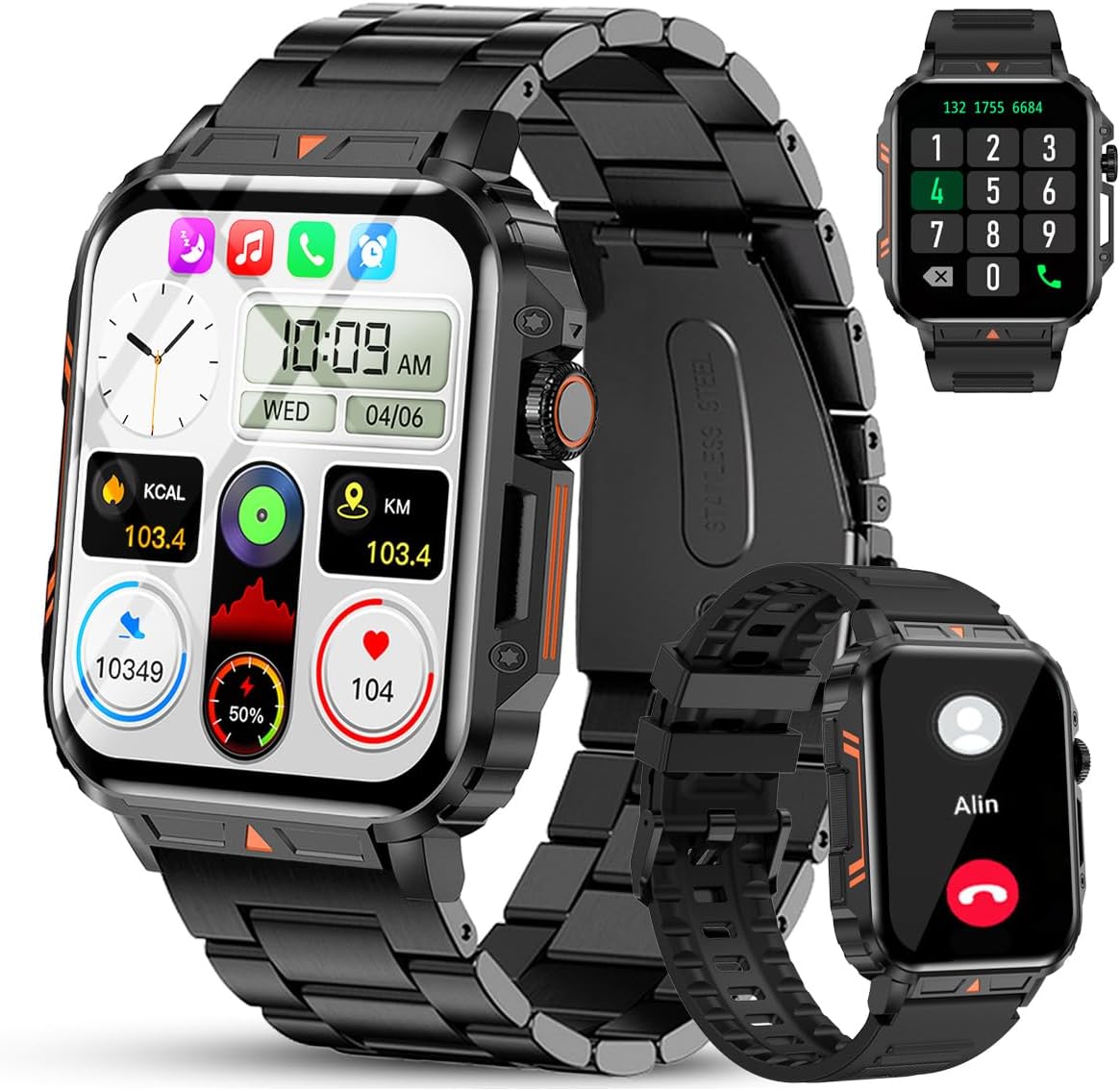
Image 1.1: The Jooeniok L81 Smart Watch, showcasinメインディスプレイと交換可能なストラップを備えています。
2. 主な特徴
- Bluetooth Calling & Message Alerts: Make and receive calls, read messages, and receive notifications from various apps directly on your watch.
- 1.95'' HD Touch Screen & DIY Dial: Enjoy a clear display and personalize your watch face.
- 112以上のスポーツモード: Track a wide range of activities including running, cycling, badminton, and hiking.
- IP68防水: Suitable for daily use, hand washing, and outdoor activities in rain. (Note: Not recommended for diving, showering, or sauna.)
- 健康モニタリング: Monitor heart rate, blood oxygen (SpO2), blood pressure, and sleep patterns.
- 長持ちバッテリー: 長時間使用に耐える340mAhバッテリーを搭載。
- 多機能: Includes features like timer, alarm, stopwatch, weather, calendar, water reminder, sedentary reminder, and remote photo control.
3.セットアップガイド
3.1. スマートウォッチの充電
Before initial use, fully charge your Jooeniok L81 Smart Watch. Connect the magnetic charging cable to the charging contacts on the back of the watch and plug the USB end into a standard USB power adapter (not included) or a computer's USB port. The watch display will indicate charging status.

Image 3.1: Illustration of the watch dimensions and the location of the charging contacts.
3.2. アプリのインストールとペアリング
- アプリをダウンロード: Scan the QR code provided in the watch's quick start guide or search for the official companion app (e.g., "FitCloudPro" or similar, check packaging for exact name) in the Apple App Store (for iOS) or Google Play Store (for Android).
- Bluetoothを有効にする: スマートフォンでBluetoothが有効になっていることを確認します。
- アプリを開きます: インストールしたアプリを起動し、画面の指示に従ってアカウントを作成するか、ログインします。
- デバイスを追加: Within the app, navigate to the "Device" or "Add Device" section. The app will search for available Bluetooth devices. Select "L81" or the corresponding device name when it appears.
- ペアリングの確認: 時計とスマートフォンにペアリングリクエストが表示される場合があります。両方のデバイスでペアリングを確認してください。
- 権限を付与: アプリが正しく機能するために必要な権限 (通知、位置情報、連絡先など) を許可します。
この時計は、Android 5.1 以上、iOS 10.0 以上と互換性があります。
3.3. Initial Settings and Language
After successful pairing, the watch should automatically synchronize time and language settings with your phone. If the watch displays an incorrect language, navigate to the watch's settings menu (usually by swiping down from the main screen or pressing the side button to access the app list, then finding the 'Settings' icon). Look for 'Language' or 'System' settings to change it to English or your preferred language.
4. 操作手順
4.1. 基本的なナビゲーション
- タッチスクリーン: 左右または上下にスワイプしてメニューや機能を操作します。タップして選択します。
- サイドボタン: Press to return to the main screen or access the app list. Long press for power options.
- Crown Button (if present): Rotate to scroll through lists or adjust settings, press to select.
4.2. Bluetooth通話と通知
Once paired, your watch can handle calls and display notifications. Ensure Bluetooth is connected and the companion app has the necessary permissions.
- 電話をかける: Access the dial pad or contact list on your watch to initiate calls.
- 電話を受ける: 電話がかかってきたら、時計から直接応答したり拒否したりできます。
- 通知: Swipe down from the main screen or access the notification center to view incoming messages from SMS, WhatsApp, Facebook, and other apps.
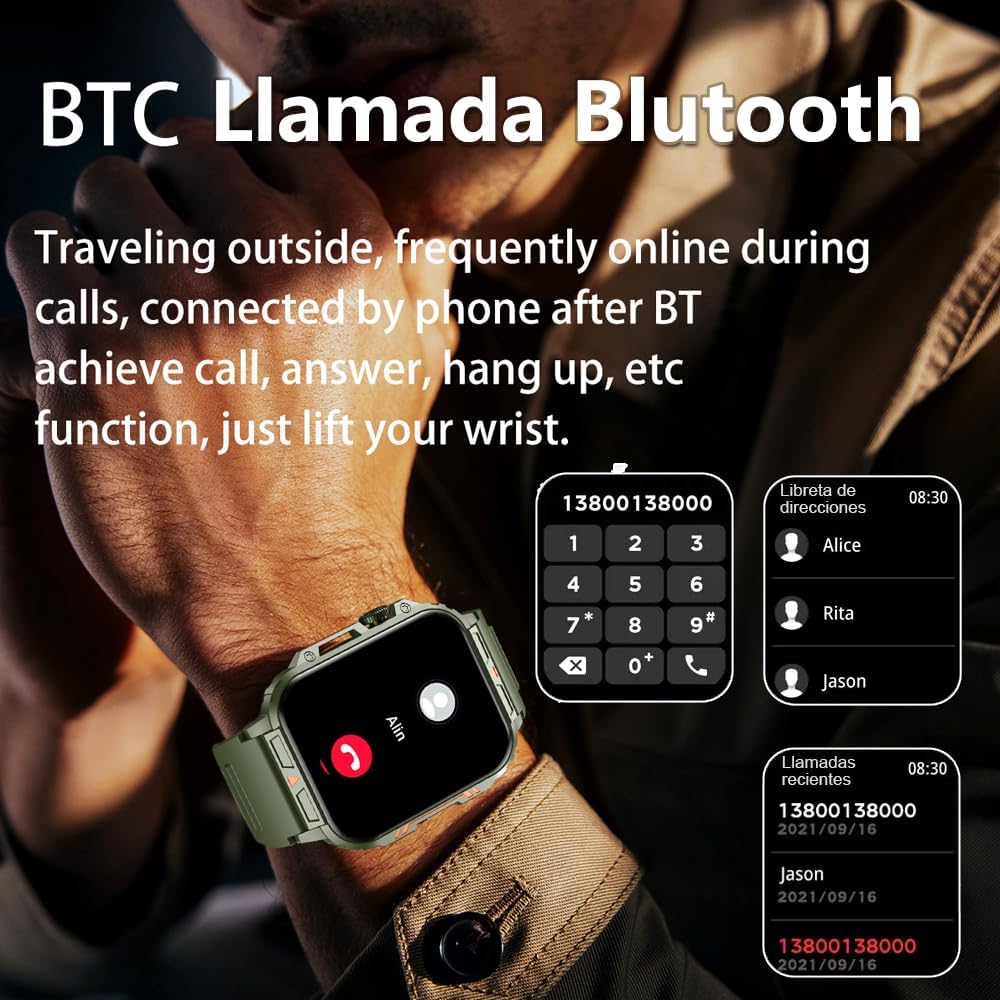
Image 4.1: The watch screen showing an incoming call and the dial pad for making calls.

Image 4.2: The watch displaying notifications from various social media and messaging applications.
4.3. スポーツモード
The watch supports over 112 sports modes. To access them, navigate to the 'Sports' or 'Workout' section on your watch. Select your desired activity to start tracking. The watch will record steps, distance, and calories.

Image 4.3: Icons representing various sports modes available on the watch.
4.4. 健康モニタリング
The Jooeniok L81 provides continuous monitoring of several health metrics. Access these features through the watch's menu or the companion app.
- 心拍: The watch uses an optical sensor to monitor your heart rate. View 時計でリアルタイムのデータを確認したり、アプリで詳細な傾向を確認したりできます。
- 血中酸素濃度(SpO2)と血圧: Initiate a measurement from the watch. Results are displayed on the screen and recorded in the app for historical analysis.
- 睡眠モニタリング: Wear the watch to bed for automatic sleep tracking. It analyzes deep sleep, light sleep, and awake times, providing a comprehensive sleep quality report in the app.
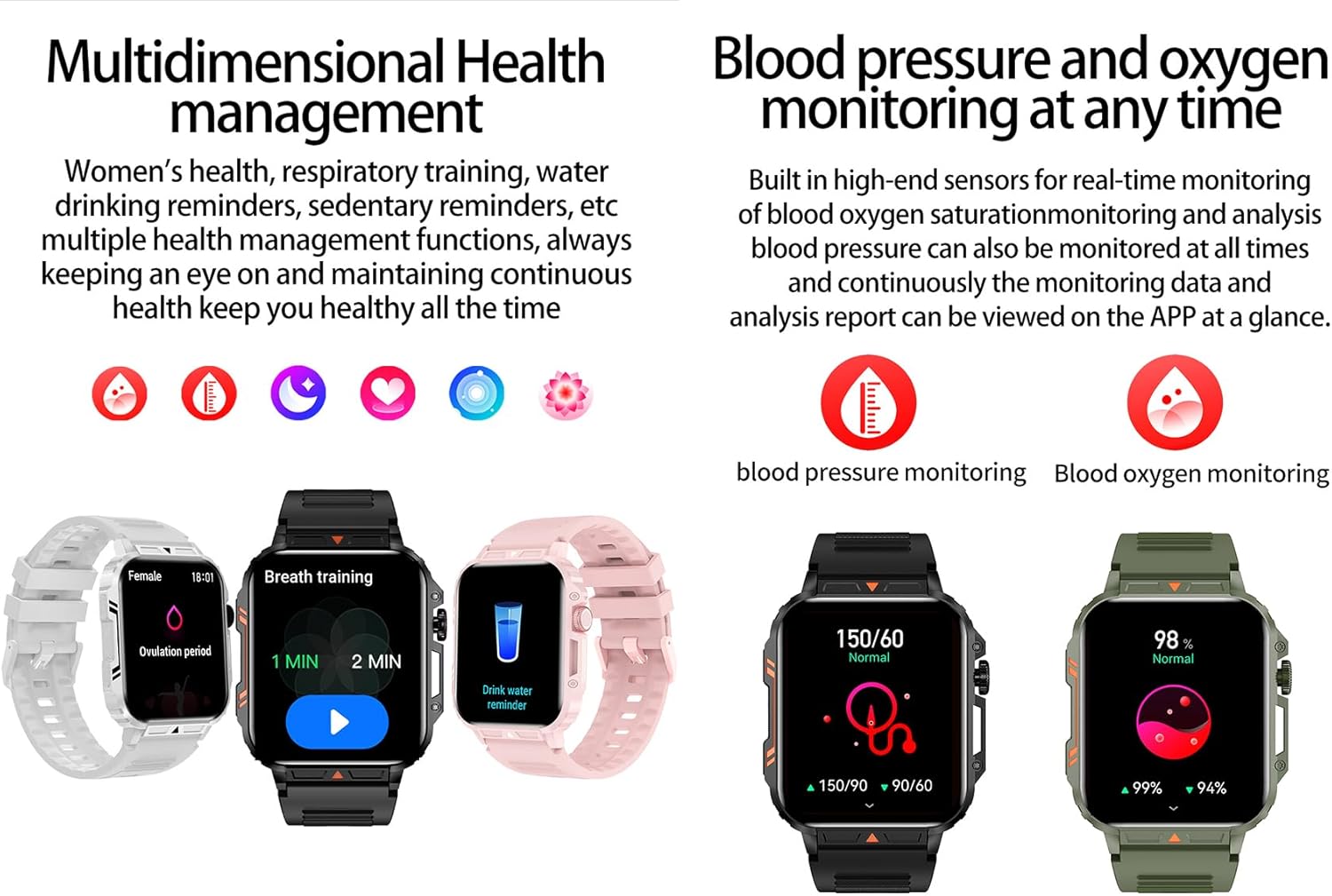
Image 4.4: Watch screens showing blood pressure and blood oxygen monitoring results.

Image 4.5: Watch screens showing real-time heart rate and a summary of sleep data.
4.5. AI Intelligent Voice Function
After connecting the watch to your phone via Bluetooth, activate the voice function on the watch. This allows you to use voice commands to open applications, check weather, make calls, or navigate, offering a hands-free experience.
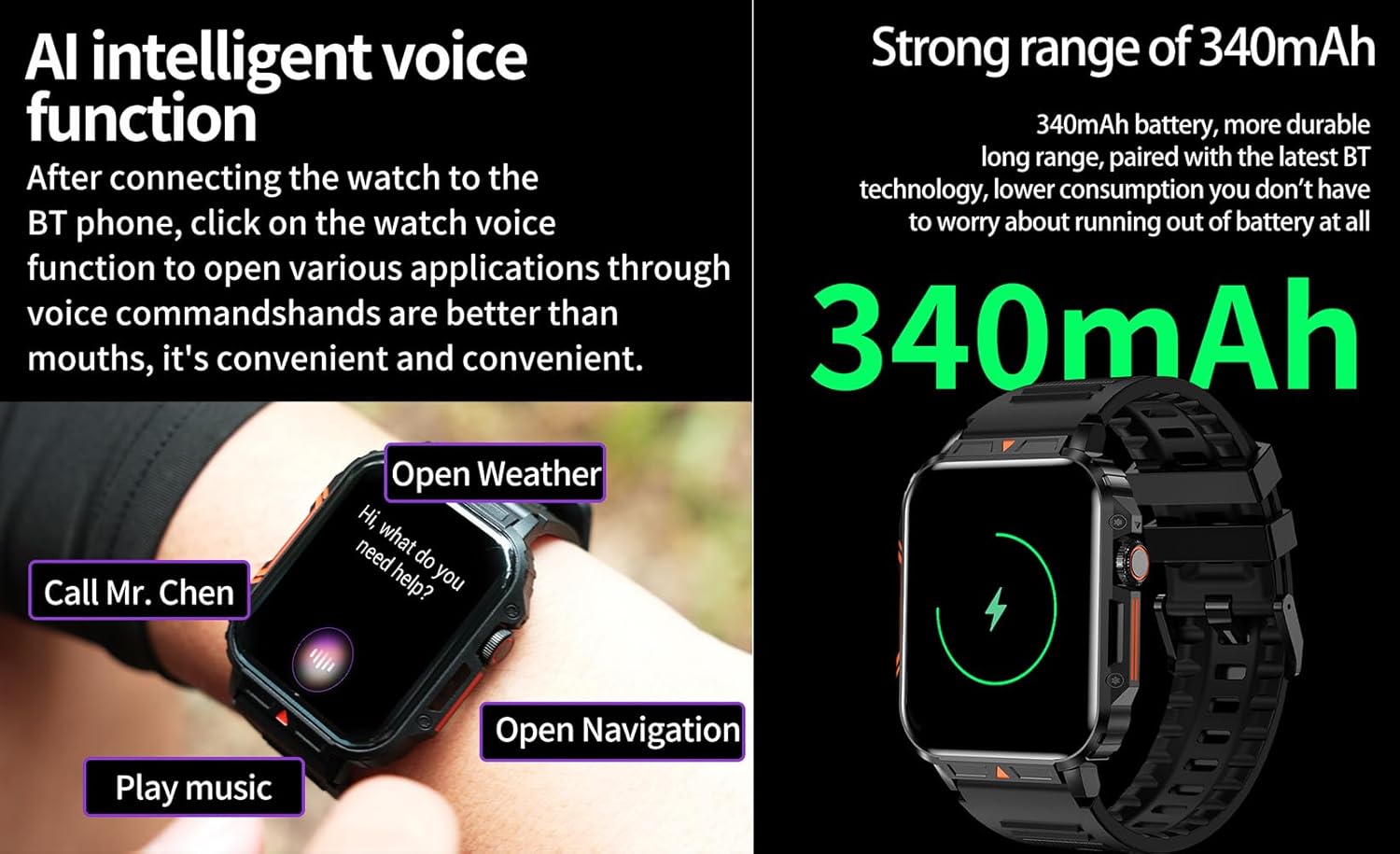
Image 4.6: The watch screen illustrating the AI voice assistant interface with example コマンド。
4.6. DIY Dial
Personalize your watch face by using the DIY dial feature within the companion app. You can often upload custom images or choose from a variety of pre-designed watch faces.
5. メンテナンス
5.1. 耐水性
The Jooeniok L81 Smart Watch is IP68 waterproof and dustproof. This means it is resistant to dust and can withstand immersion in water up to 1.5 meters for up to 30 minutes. It is suitable for daily use, hand washing, and light rain.
重要: 時計は ない recommended for diving, hot showers, or saunas, as steam and high water pressure can compromise the seals and cause damage.

Image 5.1: The watch shown with water splashes, indicating its water resistance.
5.2. 清掃
時計とストラップは定期的に洗浄し、肌への刺激を防ぎ、機能性を維持してください。柔らかくて清潔な布を使用してください。amp cloth to wipe the screen and body. For the strap, follow the manufacturer's recommendations for the specific material (e.g., silicone, metal).
- 強力な化学薬品や研磨材の使用は避けてください。
- 充電または長時間使用する前に、時計が完全に乾いていることを確認してください。
5.3. バッテリーのお手入れ
バッテリー寿命を延ばすには:
- 極端な温度を避けてください。
- バッテリーを頻繁に完全に消耗させないでください。
- 付属のケーブルを使用して時計を充電します。
Image 5.2: The watch screen highlighting its 340mAh battery capacity.
6。 トラブルシューティング
| 問題 | 考えられる解決策 |
|---|---|
| 時計の電源が入りません。 | 時計が完全に充電されていることを確認してください。充電器に少なくとも30分間接続してください。 |
| スマートフォンとペアリングできません。 |
|
| Incorrect language displayed. | Navigate to the watch's settings menu, find 'Language' or 'System' settings, and select your preferred language. If paired, the app might also have a language setting. |
| Touch screen unresponsive or intermittent. |
|
| 通知を受信できませんでした。 |
|
| Health monitoring data seems inaccurate. |
|
7. 仕様
| 特徴 | 詳細 |
|---|---|
| モデル名 | L81 |
| ブランド | ジュエニオク |
| 画面サイズ | 1.95インチ |
| 接続技術 | ブルートゥース |
| 無線通信規格 | ブルートゥース |
| オペレーティング·システム | Android(Android 5.1以降およびiOS 10.0以降に対応) |
| メモリストレージ容量 | 128MB |
| バッテリー | リチウムポリマー電池 1 個(340mAh、付属) |
| 耐水性 | IP68 |
| 特集 | Activity Tracker, Notifications, Phone Call, Time Display, Heart Rate Monitor, Blood Oxygen Monitor, Sleep Monitor, 112+ Sports Modes, AI Voice Function |
| 寸法(約) | Watch face: 44mm (width) x 52mm (height); Thickness: 12mm; Strap length: 260mm |
8.保証とサポート
The Jooeniok L81 Smart Watch is backed by a 365日間の保証 ご購入日から有効です。この保証は、通常の使用における製造上の欠陥および故障を対象としています。
For technical support, warranty claims, or any questions regarding your product, please contact Jooeniok customer service through the retailer's platform or the contact information provided on the product packaging or official webサイト。
保証を有効にするために購入証明書を保管してください。


