導入
Welcome to the GOBOULT UFO True Wireless Earbuds user manual. These earbuds are designed to provide a superior audio experience with features like extended playtime, low latency gaming, advanced noise cancellation, and robust bass drivers. Please read this manual carefully to ensure proper use and optimal performance of your device.
箱の中身
- GOBOULT UFO True Wireless Earbuds
- ワイヤレス充電ケース
- Type-C急速充電ケーブル
- 追加のイヤーチップのペア
- ユーザーマニュアル
- 保証書
製品終了view
The GOBOULT UFO earbuds feature a distinctive design with integrated breathing LEDs on both the earbuds and the charging case. They are equipped with 13mm drivers for rich bass and Quad Mic ENC for clear calls.

Image: GOBOULT UFO Earbuds and Charging Case. This image highlights key features such as Bluetooth 5.3 connectivity, 48 hours of playtime, Quad Mic ENC, 13mm drivers, 45ms low latency, and Type-C fast charging.
呼吸するLED
The breathing LEDs on the case and earbuds provide visual feedback for various actions, including opening/closing the case, charging, and when buds are connected.

Image: The GOBOULT UFO charging case and earbuds displaying their distinctive breathing LED lights, which indicate various operational states.
オーディオ品質
Experience high-fidelity sound with precision-tuned 13mm drivers, ensuring clear audio across all frequencies and rich bass. The Quad Mic ENC (Environmental Noise Cancellation) system ensures crystal-clear, interference-free calls.
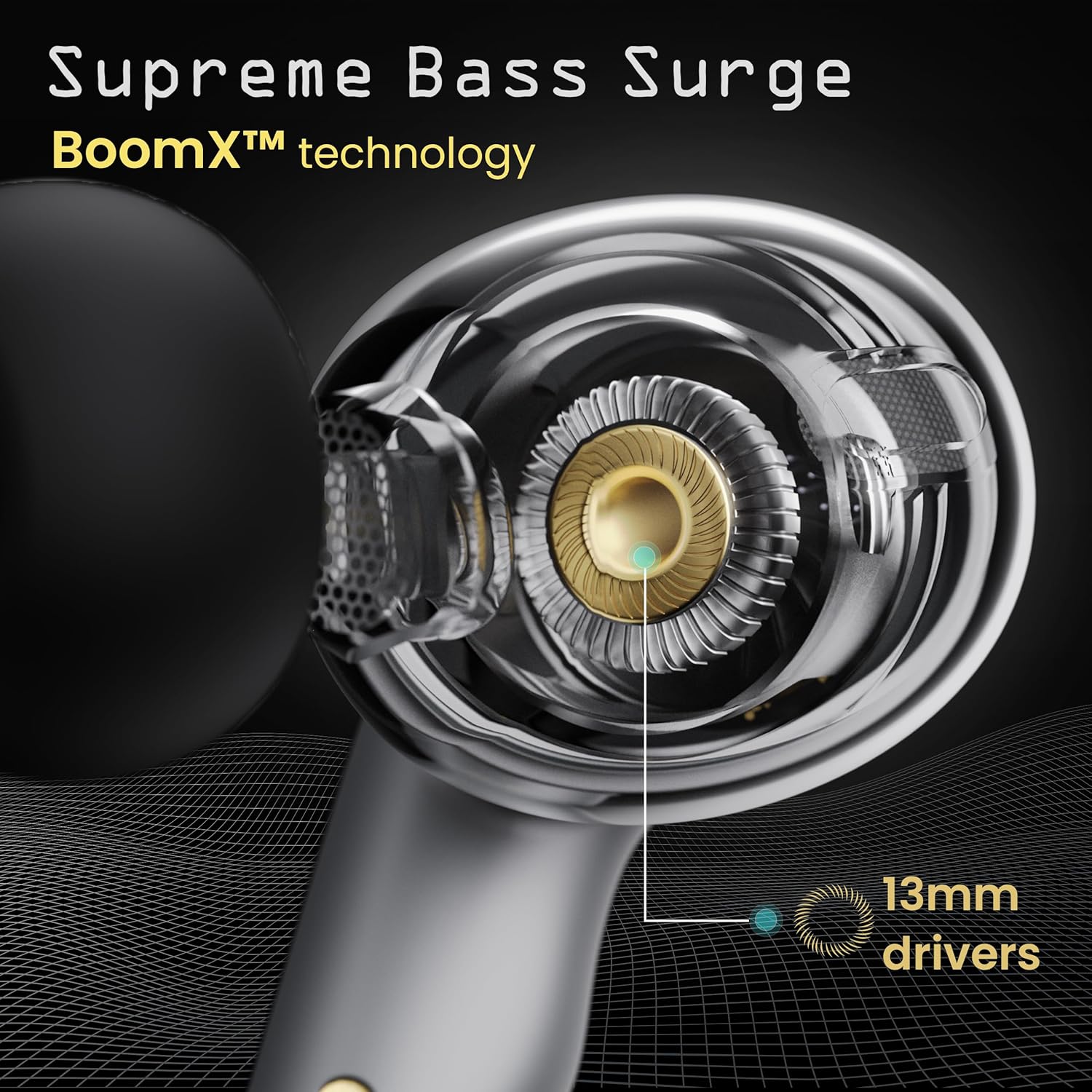
Image: A close-up of a GOBOULT UFO earbud, highlighting the 13mm drivers responsible for supreme bass surge.

画像: 詳細な view of a GOBOULT UFO earbud, showcasing the AI-powered Quad Mic AI-ENC technology for high-definition call clarity and Zen™ mode for silence.
設定
初期ペアリング
- 充電ケースを開けると、イヤホンは自動的にペアリングモードになります。
- デバイス(スマートフォン、タブレットなど)で Bluetooth を有効にします。
- 検索する "GOBOULT UFO" in the list of available Bluetooth devices and select it to connect.
- 接続されると、音声プロンプトが聞こえ、イヤホンの LED インジケーターが変化します。
The earbuds utilize Bluetooth 5.3 for stable and efficient connection, featuring Blink & Pair™ technology for fast pairing.

Image: GOBOULT UFO Earbuds illustrating stable connectivity with Bluetooth 5.3 and fast pairing technology.
アプリサポート
Enhance your experience by downloading the dedicated GOBOULT app. The app allows you to:
- Switch between 6 Equalizer Modes.
- タッチ コントロールをカスタマイズします。
- イヤホンの名前を変更します。
- 追加の設定と機能にアクセスします。
操作手順
タッチコントロール
The GOBOULT UFO earbuds feature intuitive touch controls on each earbud.
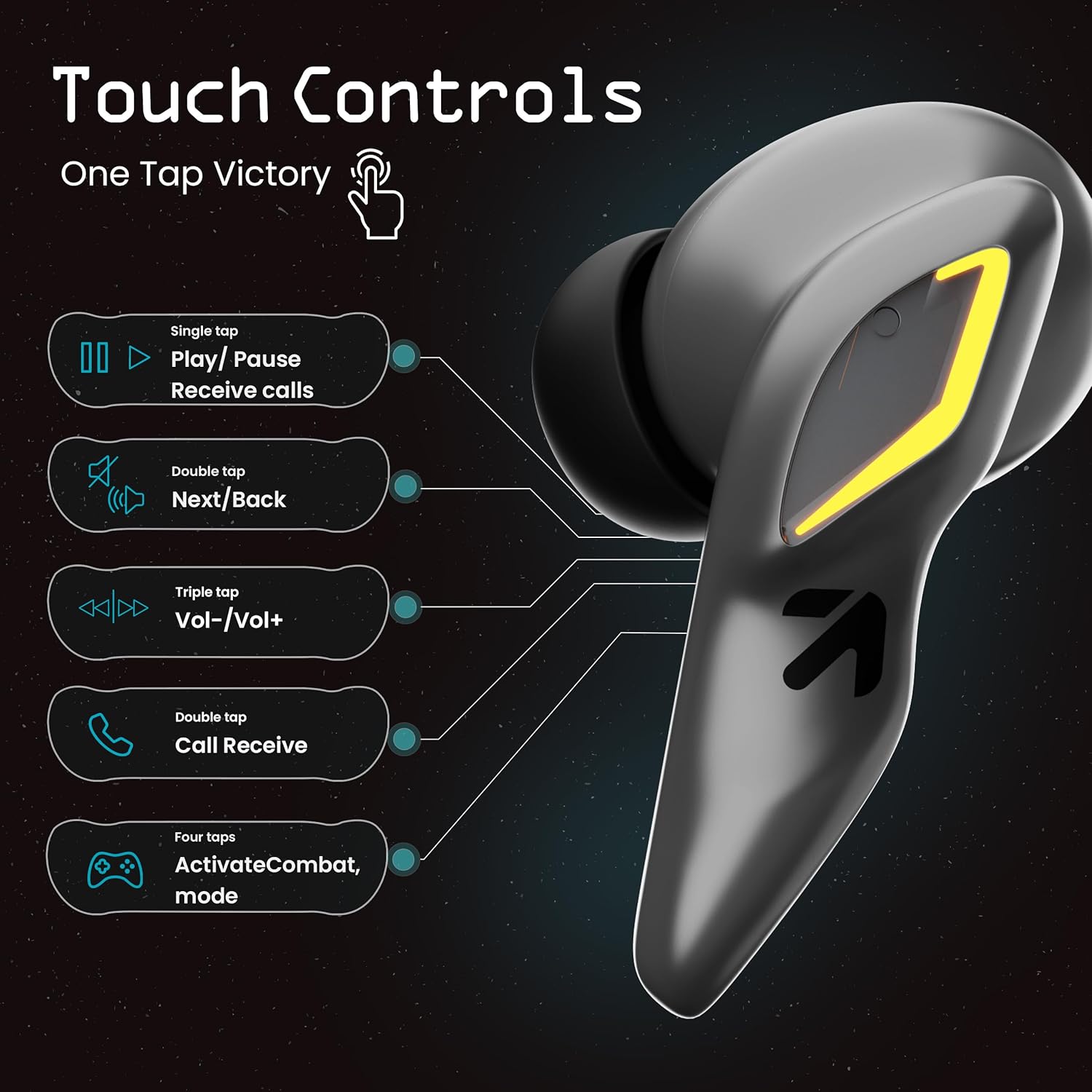
Image: A visual guide to the touch controls on the GOBOULT UFO Earbuds, detailing single, double, triple, and four-tap functions.
- シングルタップ: Play/Pause music, Receive calls.
- ダブルタップ: Next/Back track.
- トリプルタップ: 音量アップ/ダウン。
- 4つのタップ: Activate Combat Mode (Gaming Mode).
- 長押し: Activate Voice Assistant (Google Assistant, Siri).
Gaming Mode (Combat Mode)
Activate Combat Mode for an ultra-low latency experience of 45ms, ideal for gaming. Tap the earbud four times to toggle this mode.

Image: The GOBOULT UFO Earbuds case open, highlighting the Combat Gaming Mode with 45ms ultra-low latency, activated by four taps.
音声アシスタント
Long press the touch control area on either earbud to activate your device's voice assistant (e.g., Google Assistant, Siri).

Image: GOBOULT UFO Earbuds demonstrating the long-press gesture to activate the voice assistant feature.
充電
The GOBOULT UFO earbuds offer up to 48 hours of total playtime with the charging case.
ケースとイヤホンの充電
- イヤホンを充電ケースに入れてください。しっかりと固定されていることを確認してください。
- Connect the Type-C fast charging cable to the charging port on the case and to a power source.
- ケースの LED インジケーターで充電状態が表示されます。
- A full charge for the earbuds and case takes approximately 100 minutes.
- With Type-C fast charging, a 10-minute charge can provide up to 1.5 hours of playtime.
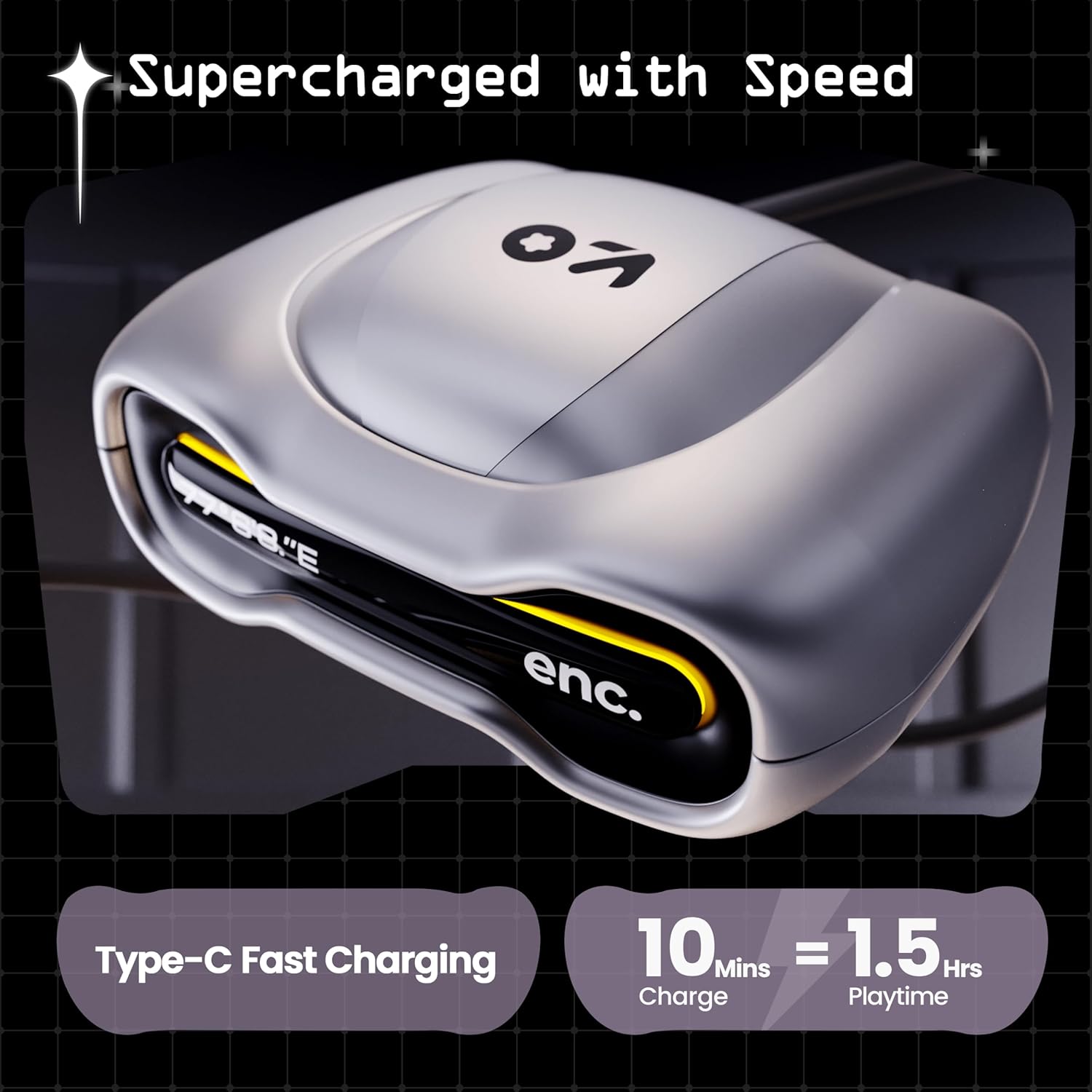
Image: The GOBOULT UFO charging case, illustrating its Type-C fast charging capability, providing 1.5 hours of playtime from a 10-minute charge.
メンテナンス
耐水性
The GOBOULT UFO earbuds are IPX5 water-resistant, making them sweatproof, rainproof, and splashproof. This protection allows for use during workouts or in light rain.

Image: GOBOULT UFO Earbuds on a metallic surface, indicating their IPX5 water resistance, making them suitable for sweat, rain, and splashes.
クリーニング
最適なパフォーマンスと衛生状態を維持するために、イヤホンと充電ケースを定期的に清掃してください。
- 柔らかく乾いた、糸くずの出ない布を使用して、イヤホンとケースを拭いてください。
- 頑固な汚れには、軽くamp布に水を含ませてください。刺激の強い化学薬品や研磨剤の使用は避けてください。
- イヤホンとケースの両方の充電接点が清潔でゴミがないことを確認してください。
- Allow all components to dry completely before placing earbuds back in the case or charging.
トラブルシューティング
If you encounter any issues with your GOBOULT UFO earbuds, please refer to the following common solutions:
- 音が出ない: Ensure earbuds are charged and properly connected to your device. Check device volume.
- ペアリングの問題: Make sure Bluetooth is enabled on your device. Try forgetting the device in your Bluetooth settings and re-pairing. Ensure earbuds are fully charged.
- 片方のイヤホンが動作しない: Place both earbuds back in the case, close it, and then open it again. This often resets the connection.
- 通話品質が悪い: Ensure microphones are clean. Check for strong Bluetooth connection.
- タッチコントロールが反応しない: 指が清潔で乾いていることを確認してください。イヤホンをケースに入れてから取り出し、再起動してみてください。
さらにサポートが必要な場合は、GOBOULT カスタマー サポートにお問い合わせください。
仕様
| 特徴 | 詳細 |
|---|---|
| モデル名 | UFO (Airbass Earbuds) |
| Bluetoothバージョン | 5.3 |
| 遊びの時間 | 最大48時間(充電ケース使用時) |
| 音声遅延 | 45ミリ秒(ゲームモード) |
| ドライバー | 13mmダイナミックドライバー |
| マイク | クアッドマイクENC(環境ノイズキャンセル) |
| 耐水性 | IPX5(防汗、防雨、防滴) |
| 充電ポート | タイプC急速充電 |
| 充電時間 | 約100分 |
| Bluetooth範囲 | 10メートル |
| 周波数応答 | 20Hz |
| 感度 | 115デシベル |
| インピーダンス | 32オーム |
| アイテム重量 | 60グラム |
| 製品寸法 | 4.7 x 9 x 10 cm |
| 材料 | 金属 |
保証とサポート
保証情報
The GOBOULT UFO True Wireless Earbuds come with a 1年間のメーカー保証 from the date of purchase. Please retain your proof of purchase for warranty claims. The warranty covers manufacturing defects. It does not cover damage caused by misuse, accidents, or unauthorized modifications.
カスタマーサポート
For any questions, technical support, or warranty claims, please contact GOBOULT customer service.
メーカー: Exotic Mile Pvt. Ltd.
住所: B67 Wazirpur Industrial Area, New Delhi 110052, India.
Please refer to the warranty card included in your product packaging for specific contact details and procedures.


