1. はじめに
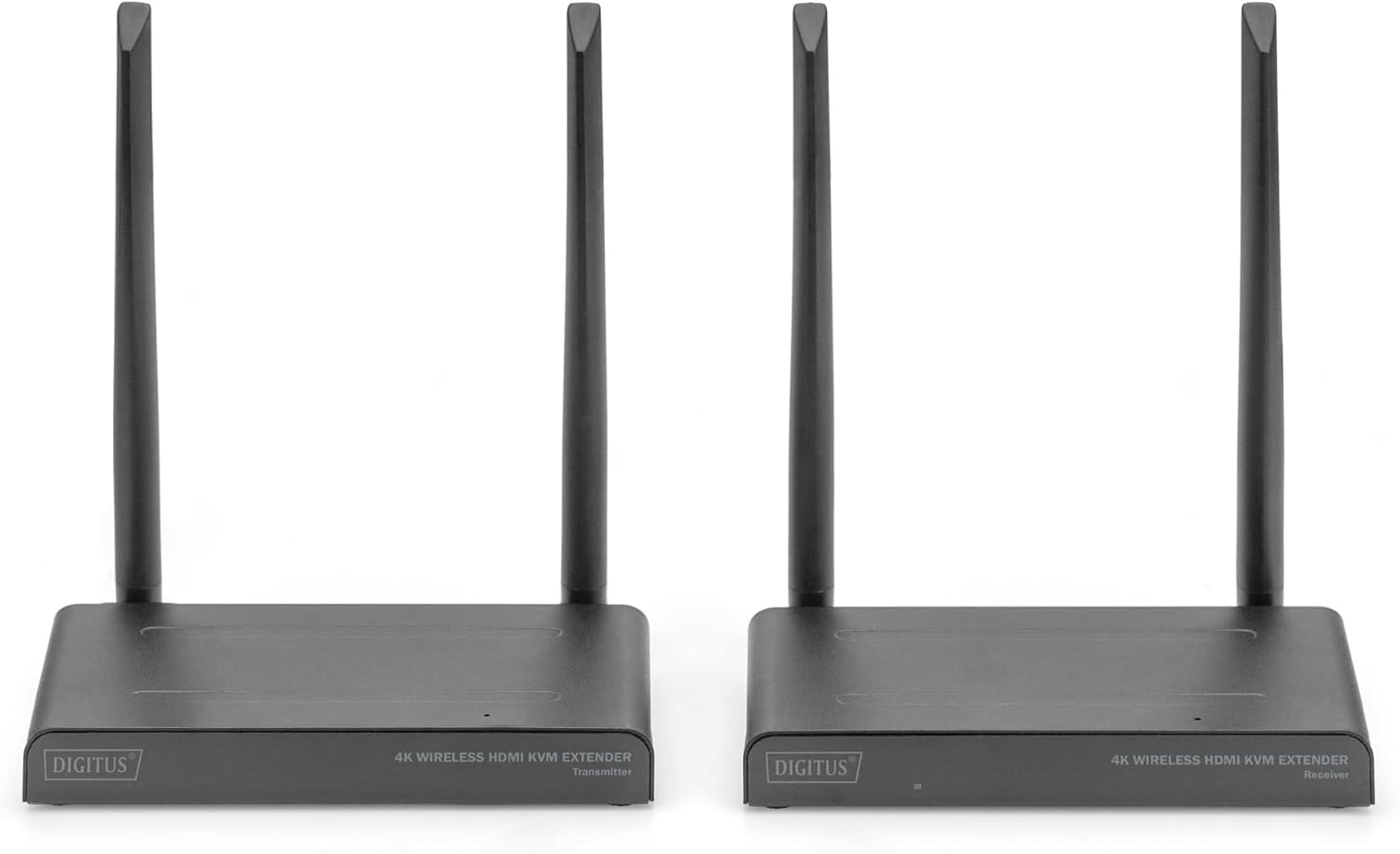
The DIGITUS DS-55328 Wireless HDMI KVM Extender Kit is designed to transmit HDMI video and audio signals wirelessly. This kit supports UHD 4K/30Hz resolution over distances up to 150 meters in an unobstructed environment. It consists of a sending unit (Transmitter) and a receiving unit (Receiver).
Key features include KVM functionality, allowing control of the signal source from the receiver unit using a connected mouse and keyboard. An HDMI Loop-Out port on the sending unit enables a local monitor connection for monitoring the output. The system supports point-to-multipoint connections, allowing one transmitter to connect with up to four receivers (additional receivers, model DS-55329, are sold separately).
- HDMI信号を最大150メートルまでワイヤレス伝送(無料 view).
- Point-to-multipoint connection: 1 sender (source) + up to 4 receivers (output devices).
- Supports wireless transmission of AV signals with resolutions up to 4K UHD (2160p/30Hz).
- HDMI2.0およびHDCP2.2に準拠。
- KVM functionality for mouse/keyboard control at the receiver.
- HDMI Loop-Out on the transmitter for local monitoring.
- Easy plug & play operation, no drivers or software required.
- Touch Screen Back Control compatible via USB connection on receiver.
- Power via USB-C connection and included power supply.
- 128-bit AES encoding and WPA2 protocol for secure transmission.
2. パッケージ内容
下記のすべての品目がパッケージに含まれていることをご確認ください。不足または破損している品目がある場合は、販売店までご連絡ください。
- 1x DIGITUS DS-55328 Transmitter Unit
- 1x DIGITUS DS-55328 Receiver Unit
- 2x Power Adapters (USB-C)
- HDMIケーブル2本
- USB-C電源ケーブル2本
- 1x IR Link Cable
- ユーザーマニュアル(このドキュメント)
画像2.1: Contents of the DS-55328 package, including the transmitter, receiver, power adapters, HDMI cables, USB-C cables, and an IR link cable.
3.製品オーバーview
Familiarize yourself with the ports and indicators on both the Transmitter and Receiver units.
3.1. 送信ユニット(TX)
- HDMI入力: Connects to your HDMI source device (e.g., PC, laptop, media player).
- HDMI 出力(ループ出力): Connects to a local monitor for direct display of the source signal.
- USB-C: 電源入力ポート。
- IR Link: Connects to the IR blaster cable for controlling the source device.
- ボタン: For pairing or mode selection.
- 電源スイッチ: ユニットの電源をオンまたはオフにします。
3.2. 受信ユニット(RX)
- HDMI出力: Connects to your display device (e.g., TV, monitor, projector).
- USB ポート: Connects to a keyboard, mouse, or touch screen panel for KVM functionality.
- USB-C: 電源入力ポート。
- ステータス表示: Indicates connection status and other operational information.
- ボタン: For pairing or mode selection.
- 電源スイッチ: ユニットの電源をオンまたはオフにします。

画像3.1: Detailed diagram showing the various ports and features on both the Transmitter and Receiver units of the DS-55328.

画像3.2: フロント view of the DS-55328 Transmitter and Receiver units, highlighting their compact design.

画像3.3: 後方 view of the DS-55328 Transmitter and Receiver units, showing all input and output ports.
4. セットアップ手順
Follow these steps to set up your Wireless HDMI KVM Extender Kit.
4.1. ポイントツーポイント接続
- ソースを送信機に接続します: Use an HDMI cable to connect your source device (e.g., PC, laptop) to the HDMI IN port on the DS-55328 Transmitter unit.
- Connect Local Monitor (Optional): If you wish to monitor the source locally, connect an HDMI cable from the HDMI 出力(ループ出力) port on the Transmitter to your local monitor.
- 送信機の電源を入れます: Connect one of the provided USB-C power cables to the USB-C port on the Transmitter, and then plug the power adapter into an electrical outlet.
- Connect Receiver to Display: Use an HDMI cable to connect your display device (e.g., TV, monitor) to the HDMI出力 port on the DS-55328 Receiver unit.
- Connect KVM Peripherals (Optional): For KVM functionality, connect your USB keyboard and mouse to the USBポート 受信機ユニット上。
- 受信機の電源を入れます: Connect the second USB-C power cable to the USB-C port on the Receiver, and then plug the power adapter into an electrical outlet.
- 電源オン: Turn on both the Transmitter and Receiver units using their respective power switches. Ensure your source device and display are also powered on.
- ペアリング(必要な場合): The units should automatically pair. If not, refer to the operating instructions for manual pairing.

画像4.1: Diagram illustrating a typical point-to-point connection setup for the DS-55328, showing connections from a source to the transmitter and from the receiver to a display with KVM peripherals.
4.2. ポイントツーマルチポイント接続
The DS-55328 supports connecting one Transmitter to up to four Receiver units (DS-55329, sold separately).
- Follow steps 1-3 from the Point-to-Point Connection for setting up the Transmitter unit.
- For each additional Receiver unit (DS-55329), follow steps 4-6 from the Point-to-Point Connection.
- Ensure all Transmitter and Receiver units are powered on. The Transmitter will broadcast the signal to all paired Receivers.

画像4.2: Diagram showing a point-to-multipoint connection setup, where one DS-55328 Transmitter sends signals to multiple DS-55329 Receiver units.
5. 操作手順
5.1. 電源のオン/オフ
Use the power switch on each unit to turn it on or off. Ensure both Transmitter and Receiver units are powered on for operation.
5.2. KVM機能
Once a USB keyboard and mouse are connected to the Receiver's USB ports, you can control the source device connected to the Transmitter. This allows for remote operation of your computer or other KVM-compatible source.
5.3. IR制御
Connect the IR Link cable to the IR port on the Transmitter. Position the IR blaster head near the IR receiver of your source device. This enables you to use the source device's remote control from the location of the Receiver unit.
5.4. ステータスインジケーター
The Status Display on the Receiver unit provides visual feedback on the connection status. Refer to the device's LED indicators for specific states (e.g., power, signal, connection status).
5.5. ペアリング
In most cases, the Transmitter and Receiver units will automatically pair upon power-up. If pairing does not occur, press the 'Button' on both the Transmitter and Receiver units simultaneously for a few seconds until the status indicators confirm a successful connection.
6. メンテナンス
To ensure optimal performance and longevity of your DIGITUS DS-55328, follow these maintenance guidelines:
- クリーニング: Use a soft, dry cloth to clean the units. Do not use liquid or aerosol cleaners, as they may damage the casing または内部コンポーネント。
- 環境: Operate the device in a well-ventilated area. Avoid exposing the units to extreme temperatures, high humidity, or direct sunlight.
- ストレージ: When not in use for extended periods, store the units in a cool, dry place, away from dust and moisture.
- ケーブル: Ensure all cables are connected securely and are not bent or crimped, which could lead to signal loss or damage.
7。 トラブルシューティング
If you encounter issues with your DS-55328, refer to the following troubleshooting steps:
| 問題 | 考えられる原因 | 解決 |
|---|---|---|
| No image or black screen on display. |
|
|
| Poor image quality or flickering. |
|
|
| KVM (keyboard/mouse) not responding. |
|
|
| IR コントロールが機能しません。 |
|
|
| Audio delay/synchronization issues. |
|
|
8. 仕様
| 特徴 | 詳細 |
|---|---|
| モデル番号 | DS-55328 |
| 伝送距離 | Up to 150 meters (unobstructed viewing) |
| サポートされている解像度 | UHD 4K/30Hz (2160p/30Hz) |
| HDMIバージョン | HDMI 2.0 |
| HDCPバージョン | 2.2 の |
| KVM機能 | Yes (Keyboard/Mouse via USB) |
| ループアウト | はい(送信機側) |
| IRコントロール | はい |
| ポイントツーマルチポイント | 1 Transmitter to up to 4 Receivers (DS-55329) |
| 安全 | 128-bit AES encryption, WPA2 protocol |
| 電源 | USB-C(5V DC) |
| 製品寸法 | 3.11 x 6.06 x 0.87インチ |
| アイテム重量 | 2.64ポンド |
| メーカー | デジタス |
9. 保証とサポート
For warranty information, please refer to the documentation provided with your purchase or visit the official DIGITUS website. Technical support may be available through your retailer or the manufacturer's support channels.
保証請求のために購入証明書を保管してください。


