1. はじめに
This manual provides detailed instructions for the installation, setup, operation, and maintenance of your Intelbras MFR 7000 Smart Embedded Deadbolt with Handleset. Please read this manual thoroughly before installation and use to ensure proper function and safety. Keep this manual for future reference.
2. 安全情報
- 取り付ける前に、すべてのコンポーネントが揃っていて損傷がないことを確認してください。
- ロックを分解したり改造したりしないでください。保証が無効になり、セキュリティが損なわれる可能性があります。
- 指定された単3アルカリ電池のみを使用してください。古い電池と新しい電池、または異なる種類の電池を混ぜて使用しないでください。
- Keep physical keys in a secure location outside the property.
- Protect your passwords and biometric data. Do not share them with unauthorized individuals.
- This lock is designed for indoor use or protected outdoor environments. Avoid direct exposure to extreme weather conditions.
3. パッケージ内容
パッケージに以下のすべての項目が含まれていることを確認してください。
- 1 x Digital Lock (MFR 7000 unit)
- 単三電池4本
- 1×インストールテンプレート
- 1 x Fixing Kit (screws and mounting hardware)
- ユーザーマニュアル (本書) x 1
- 物理キー x 2
- ステッカー3枚 Tags
- 3 x Proximity Tags
- 1 x Installation Manual (separate guide for physical installation)
4.製品オーバーview
The Intelbras MFR 7000 is a smart embedded deadbolt with a handleset, offering multiple access methods for enhanced security and convenience. It integrates with the Intelbras Mibo ecosystem for smart home functionalities when paired with a compatible automation hub.
主な特徴:
- Multiple Access Methods: Biometrics (up to 100), Proximity Tags (up to 100), Passwords (up to 15), and Physical Keys.
- Smart Home Integration: Remote access and management via the Mibo app (requires MCA 1001 Automation Hub, sold separately).
- Auto-Lock Function: Automatically locks the door after closing.
- Non-Disturb Function: Prevents external access for privacy.
- Reversible Lever: Adaptable for left or right-handed doors.
- Standard Mortise: Compatible with ABNT 14913 standard mortise for easy replacement.
製品コンポーネント:
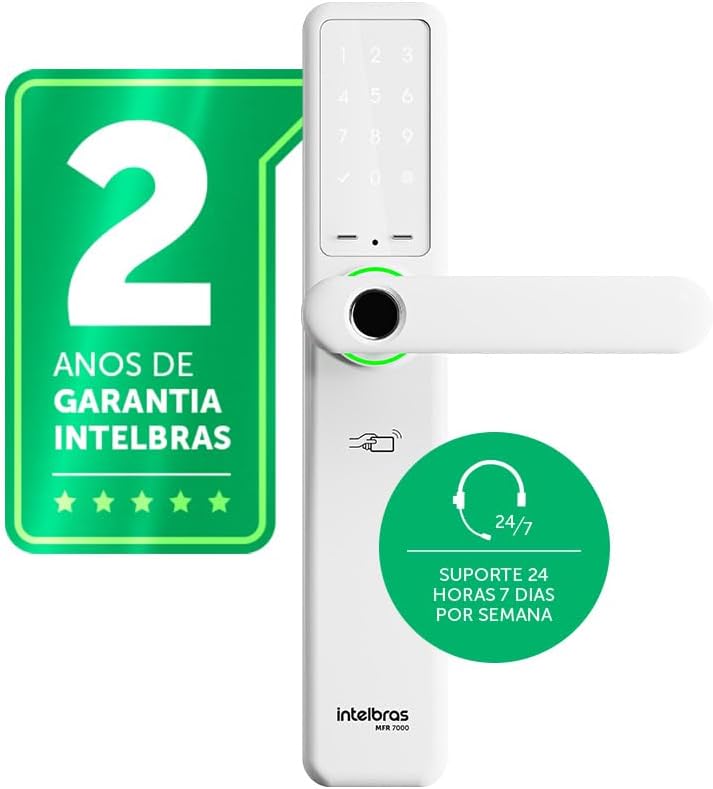
図4.1: フロント view of the Intelbras MFR 7000 Smart Embedded Deadbolt, showing the keypad, fingerprint reader, and handleset.

図4.2: 側 view of the MFR 7000, illustrating its slim profile.

図4.3: 戻る view of the MFR 7000, showing the interior handleset and battery compartment.
5. インストール
The MFR 7000 is designed for straightforward installation, compatible with doors from 30mm to 60mm thick and utilizing the ABNT 14913 standard mortise. For detailed physical installation steps, refer to the separate Installation Manual included in your package. Professional installation is recommended.
一般的なインストール手順:
- ドアの準備: If replacing an existing lock, remove the old lock mechanism. Ensure the door meets the thickness requirements and mortise standard.
- ほぞ穴を取り付けます。 Insert the MFR 7000 mortise mechanism into the door edge.
- Mount the Handleset: Attach the exterior and interior handleset components, ensuring proper alignment and cable connections.
- ロックを固定する: Use the provided fixing kit to secure all components firmly.
- テスト機能: After installation, test the mechanical operation of the handleset and deadbolt before proceeding with electronic setup.

図5.1: Diagram illustrating the easy installation process with the ABNT 14913 standard mechanism. This image shows the steps: remove old lock, insert MFR 7000 mechanism, and finalize installation.

図5.2: The MFR 7000 Smart Deadbolt handleset installed on a door, demonstrating its integrated appearance.
6. Setup and User Management
After physical installation, proceed with the electronic setup and user registration.
6.1 Initial Power-Up and Master Code Setup
- Insert the 4 AA batteries into the battery compartment on the interior unit.
- The lock will power on and prompt for initial setup. Follow the voice prompts or display instructions to set a master password. This master password is crucial for managing other users and settings.
6.2 Registering Users
The MFR 7000 supports up to 100 biometrics, 100 proximity tags, and 15 passwords.
- Biometric Registration: Access the user management menu using your master password. Select the option to add a new biometric user. Follow the on-screen prompts to scan the fingerprint multiple times for accurate registration.
- 近接性 Tag 登録: In the user management menu, select to add a new tag. Present the sticker tag or proximity tag ロック上の指定されたリーダー領域に。
- パスワード登録: From the user management menu, choose to add a new password. Enter a 6-10 digit password and confirm it.
重要: For remote access, user management, and smart home integration features, you must purchase and connect the MCA 1001 Automation Hub (sold separately) and use the Intelbras Mibo app.
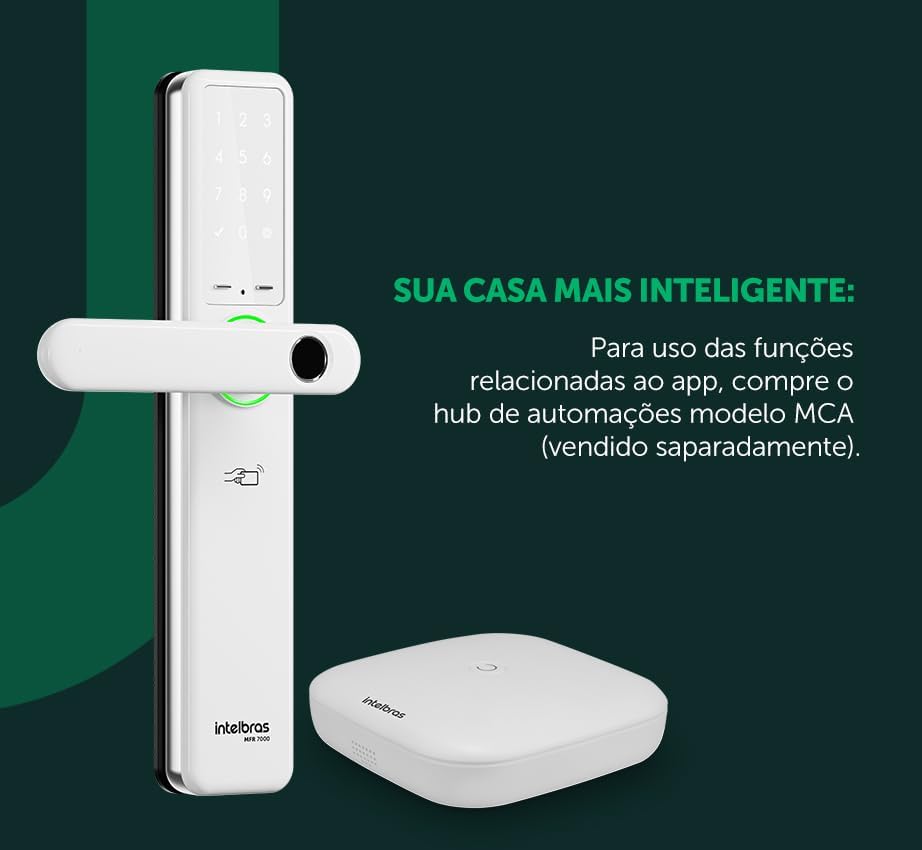
図6.1: The MFR 7000 Smart Deadbolt shown alongside the Mibo Automation Hub, which is required for app-related smart functions.
7. 操作手順
7.1ドアのロックを解除する
- Using Biometrics: 登録した指を指紋リーダーに置きます。指紋が認識されるとロックが解除されます。
- Using Proximity Tags: Present a registered proximity tag に tag reader area on the lock. The lock will unlock.
- パスワードの使用: Enter your registered password on the keypad, then press the '#' or 'Enter' key. The lock will unlock.
- Using Physical Keys: In case of battery depletion or electronic malfunction, insert the physical key into the keyhole and turn to unlock.
- Remote Unlocking (with Mibo Hub): Open the Intelbras Mibo app on your smartphone and select the MFR 7000 lock to remotely unlock it.
7.2ドアをロックする
- 自動ロック: The MFR 7000 features an auto-lock function that engages the deadbolt automatically a few seconds after the door is closed.
- 手動ロック: From the exterior, press the '#' key on the keypad. From the interior, turn the thumb-turn or lift the handleset (if applicable for manual deadbolt engagement).
- Remote Locking (with Mibo Hub): Use the Intelbras Mibo app to remotely lock the door.
7.3 Non-Disturb Function
Activate the non-disturb function from the interior unit to prevent external access, even with valid credentials. This provides enhanced privacy and security when inside.
8. メンテナンス
8.1 電池の交換
- The lock is powered by 4 AA alkaline batteries, providing an average duration of 10 months (based on 10 daily accesses).
- The lock will provide a low battery warning when replacement is needed.
- To replace, open the battery compartment on the interior unit, remove old batteries, and insert new ones, ensuring correct polarity.
8.2 クリーニング
- Clean the lock's exterior surfaces with a soft, dry cloth.
- 研磨剤入りのクリーナー、溶剤、化学スプレーは、仕上げや電子部品を損傷する恐れがあるので使用しないでください。
- 最適なパフォーマンスを得るために、指紋センサーとキーパッドを清潔に保ってください。
9。 トラブルシューティング
| 問題 | 考えられる原因 | 解決 |
|---|---|---|
| ロックが反応しない/電源がない。 | 電池が切れているか、正しく取り付けられていない。 | 極性が正しいことを確認して、単三電池 4 本をすべて交換してください。 |
| 指紋が認識されません。 | Finger is wet, dirty, or improperly placed; fingerprint not registered; sensor is dirty. | Ensure finger is clean and dry. Place the entire pad of the registered finger firmly on the sensor. Clean the sensor. Re-register fingerprint if issues persist. |
| パスワードが受け入れられません。 | Incorrect password entered; password not registered. | Verify the password and re-enter. Ensure the password has been correctly registered. |
| 近接性 tag 動作しません。 | Tag not registered; tag 破損した。 | 確実に tag is registered. Try another registered tag. If still not working, the tag 破損する可能性があります。 |
| 自動ロックが作動しません。 | Door not fully closed; auto-lock feature disabled. | Ensure the door is completely closed. Check lock settings to confirm auto-lock is enabled. |
| Remote functions not working. | MCA 1001 Automation Hub not connected or configured; network issues. | Ensure the MCA 1001 Hub is properly installed and connected to your network. Verify the Mibo app is updated and connected to the hub. |
10. 仕様
| 特徴 | 詳細 |
|---|---|
| モデル | 製造者7000 |
| ブランド | インテルブラス |
| アクセス方法 | Biometrics (up to 100), Proximity Tags (up to 100), Passwords (up to 15), Physical Keys |
| 電源 | 4 x AAアルカリ電池 |
| バッテリー寿命 | Approx. 10 months (based on 10 daily accesses) |
| ドアの厚さの互換性 | 30mmから60mm |
| Mortise Standard | ABNT 14913 |
| 寸法(製品) | 8 x 5 x 27 cm |
| 重量(商品) | 2.89キログラム |
| 色 | 白 |
| 特集 | MCA 1001 Automation Hub Required (Sold Separately) for smart functions, Reversible Lever |
11. 保証とサポート
- 保証: The Intelbras MFR 7000 Smart Embedded Deadbolt comes with a 2-year Intelbras warranty保証請求のために購入証明書を保管してください。
- テクニカルサポート: Intelbras offers 24時間7日のテクニカルサポート for its products. For assistance, please refer to the contact information provided on the Intelbras official website or your regional support channels.
- オンラインリソース: Visit the official Intelbras website for updated manuals, FAQs, and additional support resources.


