1. はじめに
The Vimar Smart Line Actuator 30803.C is an electronic line control unit designed for smart home integration. It offers both local button control and remote operation via Bluetooth 5.0 or Zigbee 3.0, enabling seamless integration into Vimar wireless mesh systems or other compatible smart home hubs. This device also features energy and current measurement capabilities, along with a load disconnection threshold for enhanced safety and efficiency.
This manual provides essential information for the safe and efficient installation, operation, and maintenance of your Vimar Smart Line Actuator 30803.C.
2. 安全情報
警告:感電の危険があります。設置は、すべての地域および国の電気工事規定に従い、資格のある電気技師が行う必要があります。
- Disconnect power at the circuit breaker before installation, maintenance, or servicing.
- 濡れた手で装置を操作しないでください。
- 製品は指定された容量内で使用してくださいtage and current ratings (100-240V~, 16A).
- Do not attempt to modify or repair the device. Refer to qualified personnel for service.
- デバイスを水や極端な温度から遠ざけてください。
3.製品オーバーview
The Vimar Smart Line Actuator 30803.C is a compact device designed to control electrical loads and monitor energy consumption. It supports dual IoT technology for flexible integration into smart home ecosystems.
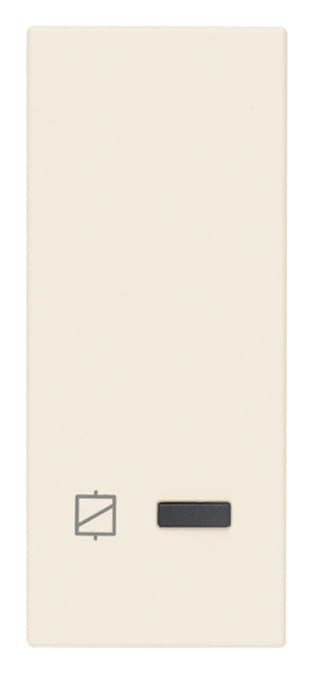
Image 1: Vimar Smart Line Actuator 30803.C. This image shows the compact, rectangular device with a brushed aluminum finish, designed for integration into electrical systems.
主な特徴:
- ローカル制御: Manual operation via a button touch.
- リモートコントロール: Control via Bluetooth 5.0 (Vimar View app) or Zigbee 3.0 (Amazon app, SmartThings hub, etc.).
- エネルギー測定: Monitors current and energy consumption.
- Load Disconnection Threshold: Configurable threshold for automatic load disconnection.
- 互換性: Works with Alexa, Google Home, and IFTTT through compatible gateways or Zigbee hubs.
4. セットアップ
4.1. インストール
Before proceeding with installation, ensure the main power supply is disconnected at the circuit breaker.
- 配線: Connect the actuator according to the wiring diagram provided with the product packaging. Typically, this involves connecting the line input, load output, and neutral wires. Ensure all connections are secure.
- 取り付け: Install the actuator in a standard electrical box or suitable enclosure. Ensure proper ventilation and avoid obstructing the device.
- 電力の回復: Once installation is complete and all connections are verified, restore power at the circuit breaker.
4.2. ペアリングと設定
The Vimar Smart Line Actuator 30803.C supports two primary wireless technologies for smart home integration:
- Bluetooth 5.0 (Vimar View アプリ):
- Vimarをダウンロード View デバイスのアプリ ストアからアプリをダウンロードします。
- アプリを開き、画面上の指示に従って新しいデバイスを追加します。
- The app will guide you through the pairing process using Bluetooth.
- Zigbee 3.0 (Amazon App, SmartThings, etc.):
- Ensure you have a compatible Zigbee hub (e.g., Amazon Echo with built-in Zigbee, SmartThings Hub).
- Put your Zigbee hub into pairing mode (refer to your hub's instructions).
- The actuator should automatically be discovered by the hub. If not, consult the hub's manual for manual device addition.
- Once paired, you can control the device via the corresponding app (e.g., Amazon Alexa app, SmartThings app).
5. 操作手順
5.1. ローカル コントロール
Press the physical button on the actuator to toggle the connected load ON or OFF. The button may also serve other functions depending on the configuration (e.g., reset, pairing initiation).
5.2. リモートコントロール
Once paired with your smart home system (Bluetooth or Zigbee), you can control the actuator remotely using the respective mobile application or voice commands through compatible assistants (Alexa, Google Home).
- ヴィマールを開く View app (for Bluetooth) or your Zigbee hub's app (e.g., Amazon Alexa, SmartThings).
- Locate the Vimar Smart Line Actuator 30803.C in your device list.
- Tap to toggle the power ON/OFF or access advanced settings.
5.3. エネルギー監視
The actuator provides real-time current and energy consumption data. This information is accessible through the Vimar View app or your Zigbee hub's application, depending on the pairing method. Consult your app's interface for details on viewing historical data and setting up alerts.
5.4. Load Disconnection Threshold
You can configure a load disconnection threshold within the device's settings via the app. If the connected load exceeds this threshold, the actuator will automatically disconnect the power to prevent overload and potential damage. This feature enhances safety and protects your appliances.
6. メンテナンス
The Vimar Smart Line Actuator 30803.C requires minimal maintenance.
- クリーニング: 清掃する前に電源を切ってください。柔らかく乾いた布で拭いてください。研磨剤入りの洗剤や溶剤は使用しないでください。
- ファームウェアの更新: 定期的にVimarをチェックする View app or your Zigbee hub's app for available firmware updates. Keeping the firmware updated ensures optimal performance and access to new features.
7。 トラブルシューティング
| 問題 | 考えられる原因 | 解決 |
|---|---|---|
| Device not responding to local control. | No power; device malfunction. | Check circuit breaker. Ensure proper wiring. If problem persists, contact support. |
| Device not responding to remote control. | Not paired; out of range; hub issue. | Ensure device is paired correctly. Check wireless signal strength. Restart your smart home hub. |
| Energy readings are incorrect or unavailable. | Improper installation; software glitch. | Verify wiring connections. Check for firmware updates. Re-pair the device if necessary. |
| Device automatically disconnects load. | Load exceeds threshold; short circuit. | Reduce connected load. Check for short circuits in the wiring or appliance. Adjust load disconnection threshold in the app if appropriate. |
If you encounter issues not listed here or if solutions do not resolve the problem, please contact Vimar technical support.
8. 仕様
| 特徴 | 仕様 |
|---|---|
| メーカー | ヴィマール |
| モデル番号 | 30803.C |
| 部品番号 | 30803.C |
| 入力ボリュームtage | 100-240V〜、50/60 Hz |
| 最大電流 | 16A |
| 接続性 | Bluetooth 5.0、Zigbee 3.0 |
| 機能 | Local/Remote Control, Energy/Current Measurement, Load Disconnection |
| 製品寸法 | 5.28 x 4.85 x 4.85 cm |
| アイテム重量 | 57グラム |
| 材料 | アルミニウム |
| 仕上げる | ブラシ仕上げ |
| 色 | 麻 |
| 含まれるコンポーネント | Smart Actuator 30803.C |
| 電池が必要 | いいえ |
| ASIN | B0CTMJM9GT |
| 初回利用可能日 | 2年2024月XNUMX日 |
9. 保証とサポート
For warranty information, please refer to the documentation included with your purchase or visit the official Vimar webサイトをご覧ください。保証条件は地域によって異なる場合があります。
For technical assistance, product support, or to report an issue, please contact Vimar customer service or your local authorized distributor. Contact details can typically be found on the Vimar web地点 (www.vimar.com) または製品パッケージに記載されています。


