1. はじめに
This manual provides detailed instructions for the installation, operation, and maintenance of your ABSOSO Single Din Car Radio Receiver. Please read this manual thoroughly before using the product to ensure proper function and to prevent damage. Keep this manual for future reference.
2. 箱の中身
- Single Din Car Audio Unit
- Wireless IR Remote Control
- Mounting Kits & Harness
- ユーザーマニュアル(このドキュメント)
3 製品の特徴
The ABSOSO Single Din Car Radio Receiver offers a range of features designed to enhance your in-car audio experience:
- Bluetooth Audio & Calling: Connect your smartphone for hands-free calls and music streaming from apps like Spotify and Pandora.
- AM/FMラジオ: Tune into 30 preset AM/FM radio stations with automatic and manual search options for news, weather, and music.
- ハイパワー出力: Delivers 4 channels x 75 watts (300W total) built-in power audio amplifier for robust sound.
- LCD Display & Physical Buttons: Features an HD digital LCD screen and illuminated buttons/knob for comfortable viewingと簡単な制御。
- Multiple Music Modes Input: Supports 3.5mm AUX-input, SD card, and dual USB ports (one for up to 64GB flash drive, the other for 2.1A quick charge).
- オーディオフォーマットのサポート: Compatible with MP3, WAV, and WMA music formats.
- ID3 Tag 画面: Shows additional data like title and artist for audio files.
- Preset EQ Configuration: Access various music styles such as Rock, POP, and Jazz for high-quality sound.
4. セットアップとインストール
最適なパフォーマンスを得るには、適切な設置が不可欠です。このユニットの設置は、資格を持った専門家に依頼することをお勧めします。
4.1.配線図
Refer to the diagram below for correct power and speaker connections. Ensure all connections are secure to prevent short circuits or damage to the unit and vehicle's electrical system.

Figure 4.1: Wire Connection Diagram. This diagram illustrates the power cable connections (A) including +12V Constant Power Supply, Ground Wire, +12V Ignition Switch, and Antenna. It also shows the speaker cable connections (B) for 4-channel speaker output, including Rear Right, Front Right, Front Left, and Rear Left speakers. The rear panel of the unit is shown with Radio Antenna, SUB, Audio RCA, External Mic, Fuse (15A), and Power port.
4.2. 取り付け
The unit is designed for a standard single DIN opening. Secure the unit using the provided mounting kits. Ensure adequate ventilation around the unit to prevent overheating.

Figure 4.2: Rear Panel with RCA Outputs. This image displays the rear of the car radio, showing the various ports including RCA outputs for subwoofer (SUB-1, SUB-2), rear left (R-L), rear right (R-R), front left (F-L), and front right (F-R) channels, indicating its 300W high power and pre-amp 機能。
5. 操作手順
5.1. 一般的なコントロール
The front panel features an LCD display, a rotary knob, and various buttons for control. The rotary knob typically controls volume and can be pressed for menu selections. Buttons are illuminated for visibility.

Figure 5.1: LCD Display and Rotary Knob. This image highlights the digital LCD screen and the central rotary knob, which features dynamic color-changing illumination, providing a comfortable viewing experience and matching various car interior styles.
5.2.Bluetoothペアリング
モバイルデバイスを Bluetooth 経由で接続するには:
- モバイルデバイスでBluetoothが有効になっていることを確認します。
- Select the Bluetooth source on the car radio. The display will show 'BT'.
- 検索する available devices on your mobile phone and select 'ABSOSO Car Audio' (or similar name).
- ペアリングすると、ハンズフリー通話やオーディオのストリーミングが可能になります。

Figure 5.2: Hands-Free Calling & Wireless Streaming. This image shows the car radio installed in a dashboard, with a smartphone displaying music playback, illustrating the seamless Bluetooth connectivity for hands-free calls and wireless music streaming.
5.3. AM/FMラジオの操作
Press the 'BAND' button to switch between AM and FM bands. Use the seek buttons to automatically search for stations or manually tune using the rotary knob.
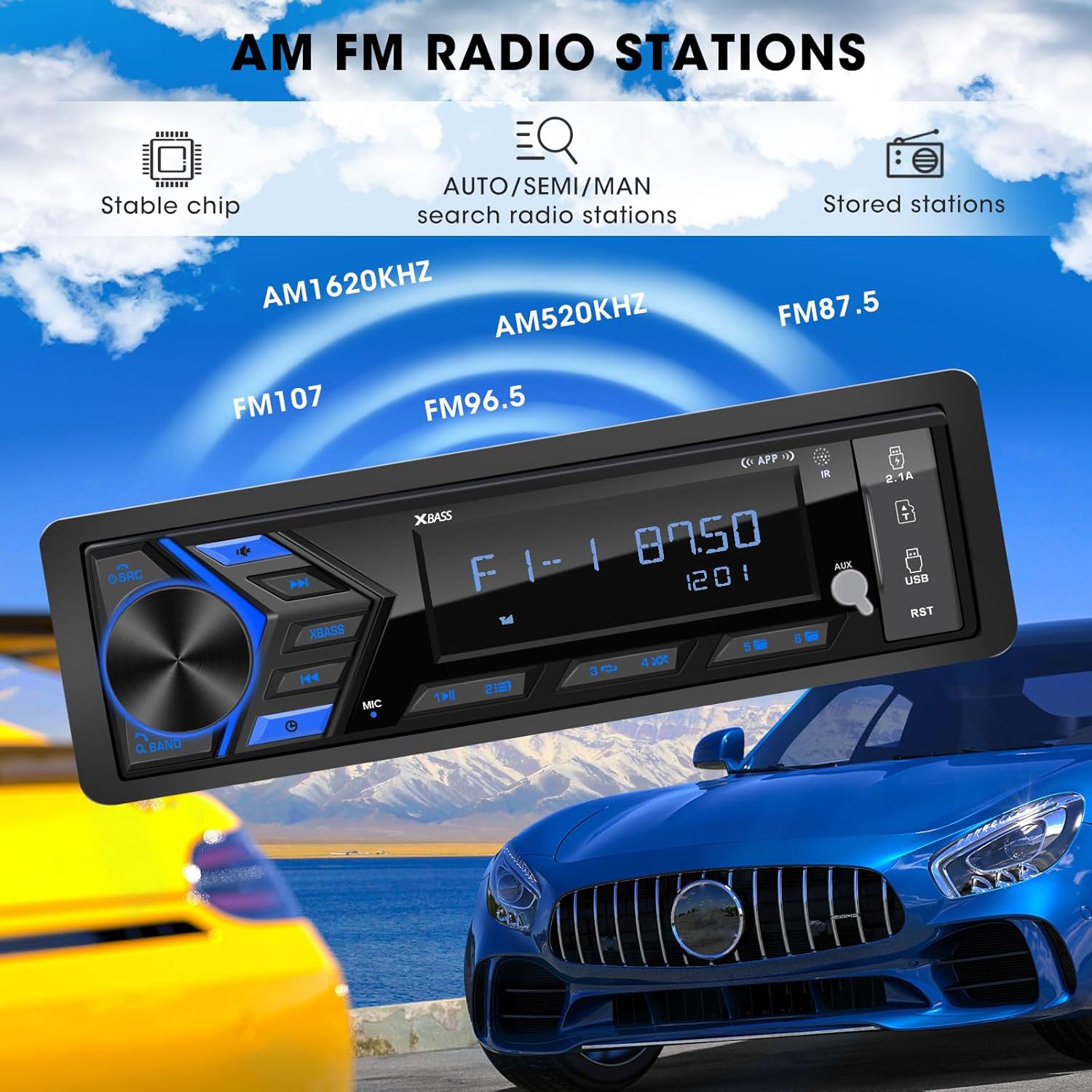
Figure 5.3: AM/FM Radio Stations. This image shows the car radio displaying a radio frequency (FM 87.50), with visual cues indicating its capability to receive AM (520KHz, 1620KHz) and FM (96.5, 107) radio stations, supported by a stable chip for auto/semi/manual search and stored stations.
5.4. メディア再生(USB、SD、AUX)
Insert a USB flash drive or SD card into the respective ports. The unit will automatically switch to the corresponding mode and begin playback. Connect external audio devices via the 3.5mm AUX-input.

Figure 5.4: SD USB AUX-IN for Media Play. This image focuses on the front panel of the car radio, clearly labeling the 3.5mm Aux-in, 32GB SD Port, 64GB USB Flash Drive port, and a 2.1A Fast Charge USB port, indicating support for MP3/WAV/WMA music formats.
5.5. サウンド設定(EQ)
Access the equalizer settings through the menu to adjust audio output. Choose from preset EQ modes (Rock, POP, Jazz) or customize bass and treble levels to your preference.

Figure 5.5: Customizable EQ. This image shows the car radio's display with 'X-BASS ON' and 'BASS' settings, accompanied by a vibrant graphic of equalizer bars, illustrating the customizable sound settings available.
6. メンテナンス
カーラジオの寿命を延ばし、最適なパフォーマンスを確保するには、次のメンテナンス ガイドラインに従ってください。
- クリーニング: 本体の表面を拭く際は、柔らかく乾いた布をご使用ください。頑固な汚れには、軽く拭き取ってください。amp布を水で拭いてください。刺激の強い化学薬品、溶剤、研磨剤入りの洗剤の使用は避けてください。
- 防塵: Keep the unit free from dust and debris, especially around the ports and ventilation areas.
- 温度: ユニットを極端な温度、長時間の直射日光、高湿度にさらさないでください。
- 接続: すべての配線接続が安全で腐食がないことを定期的に確認してください。
7。 トラブルシューティング
If you encounter issues with your ABSOSO Car Radio Receiver, refer to the table below for common problems and their solutions:
| 問題 | 考えられる原因 | 解決 |
|---|---|---|
| 電源なし | ヒューズが切れている、配線が間違っている、電源接続が緩んでいる。 | Check and replace fuse (15A); Verify wiring according to diagram; Secure power connections. |
| 音が出ない | 音量が低すぎる、ミュート機能がアクティブ、スピーカーの配線が間違っている、スピーカーに障害がある。 | Increase volume; Deactivate mute; Check speaker connections; Test with different speakers. |
| Bluetoothが接続されない | デバイスで Bluetooth が有効になっていません。ユニットがペアリング モードではありません。干渉が発生しています。 | Ensure Bluetooth is on; Put unit in pairing mode; Move closer to unit; Restart both devices. |
| ラジオの受信状態が悪い | アンテナが接続されていない、信号が弱い領域、干渉。 | Check antenna connection; Try in a different location; Avoid strong electromagnetic fields. |
| USB/SDが再生されない | サポートされていません file フォーマット; 破損したメディア; 正しく挿入されていません。 | 確保する files are MP3/WAV/WMA; Try different media; Reinsert or reformat media. |
8. 仕様
| 特徴 | 仕様 |
|---|---|
| 製品寸法 | 奥行き1.9インチ x 幅7.4インチ x 高さ4.5インチ (4.8 x 18.8 x 11.4 cm) |
| アイテム重量 | 1.28ポンド(0.58kg) |
| 出力電力 | 300ワット(最大) |
| サラウンドサウンドチャンネル構成 | 4チャンネル |
| オーディオ出力モード | ステレオ |
| 接続技術 | 補助、Bluetooth、USB |
| 対応デバイス | Amplifier, MP3, Smartphone, Speaker |
| 商品型番 | Single Din Car Radio Receiver |
| メーカー | アブソソ |
9. 保証とサポート
For warranty information and technical support, please refer to the documentation included with your purchase or contact ABSOSO customer service through the retailer where the product was purchased. Keep your proof of purchase for warranty claims.


