1. はじめに
Thank you for choosing the VirtuFit VF11007 Vibration Plate Fitness machine. This manual provides essential information for the safe and effective use of your new fitness equipment. Please read it thoroughly before operation and retain it for future reference.

図1: The VirtuFit VF11007 Vibration Plate, including the remote control and resistance bands.
2. 安全情報
Before using the vibration plate, please observe the following safety precautions:
- 特に既往症がある場合は、新しい運動プログラムを開始する前に医師に相談してください。
- 振動板が安定した水平な面に置かれていることを確認してください。
- 妊娠中、ペースメーカーを装着している場合、重度の骨粗鬆症、てんかん、急性血栓症を患っている場合は、本機を使用しないでください。
- 操作中は子供やペットを機械から遠ざけてください。
- 常に適切な運動靴を着用してください。
- めまい、吐き気、痛みを感じた場合は、直ちに運動を中止してください。
- 使用していないときや清掃する前には、本機のプラグを抜いてください。
3. セットアップ
The VirtuFit VF11007 Vibration Plate requires minimal setup. Follow these steps:
- 開梱: Carefully remove all components from the packaging. Verify that all parts are present: the vibration plate, remote control, power cable, and resistance bands.
- 配置: Position the vibration plate on a flat, stable, and non-slip surface. Ensure there is enough clear space around the unit for safe operation.
- 電源接続: Plug the power cable into the vibration plate's power input, then into a suitable electrical outlet.
- 抵抗バンド(オプション): If desired, attach the resistance bands to the designated attachment points on the sides of the vibration plate.
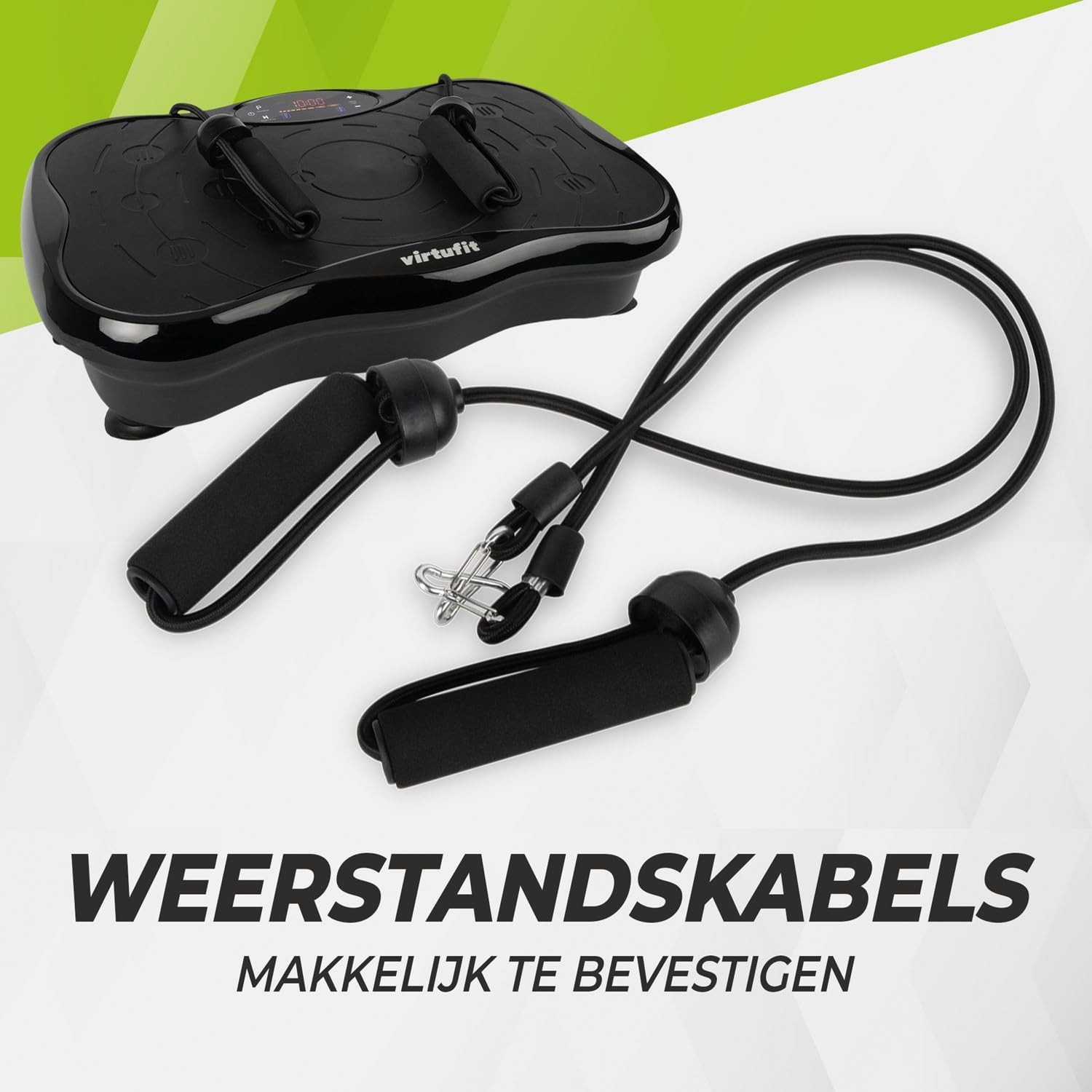
図2: Resistance bands ready for attachment to the vibration plate.
4. 操作手順
The VirtuFit VF11007 features an intuitive display and a convenient remote control for easy operation.
4.1. コントロールパネルとディスプレイ
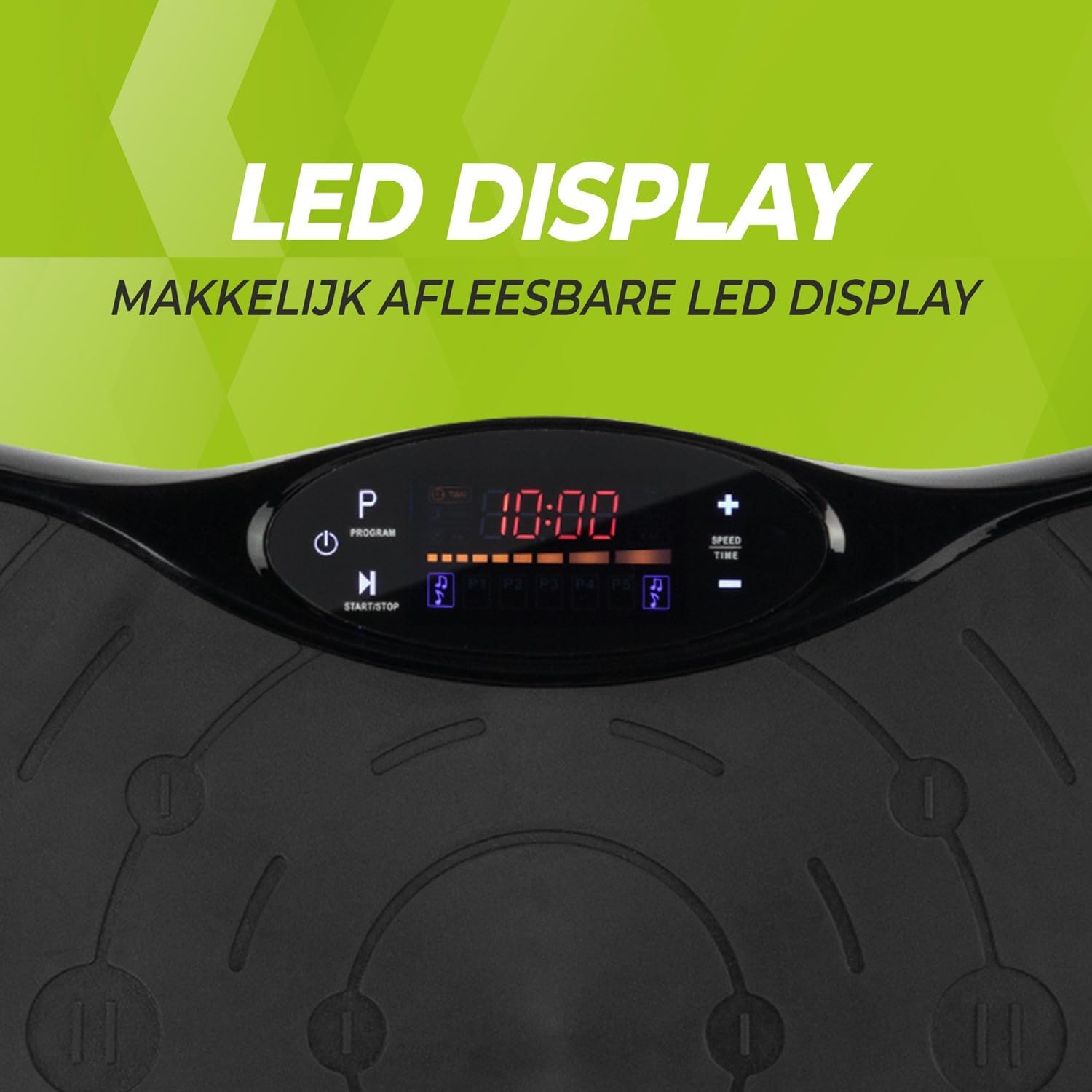
図3: 詳細 view of the LED display, showing time, program, and speed settings.
The integrated computer features an LED display showing time, speed, and program information. Buttons on the panel allow for basic control.
- 電源ボタン: ユニットのオン/オフを切り替えます。
- 開始/停止ボタン: Initiates or pauses manual operation.
- プログラムボタン(P): Cycles through the pre-set programs.
- 速度+/-ボタン: Adjusts the vibration speed in manual mode.
- 時間+/-ボタン: Adjusts the exercise duration in manual mode.
4.2. リモートコントロール
The remote control provides full functionality, allowing you to adjust settings without interrupting your workout.

図4: The remote control for convenient adjustment of settings.
- 電源ボタン: ユニットのオン/オフを切り替えます。
- 開始/停止ボタン: Initiates or pauses manual operation.
- プログラムボタン(P): Selects one of the 5 automatic programs or the manual program.
- 速度+/-ボタン: Increases or decreases the vibration speed (99 levels).
- 時間+/-ボタン: 運動時間を調整します。
- 音楽コントロール: Play/Pause, Next/Previous track, Volume +/- for Bluetooth audio.
4.3. Exercise Programs
The vibration plate offers 10 training programs, including 5 automatic programs (P1-P5) and a manual program.
- Automatic Programs (P1-P5): These programs automatically vary the speed over a 10-minute duration. Select the desired program using the 'P' button on the control panel or remote.
- 手動プログラム: Allows you to set your preferred speed (1-99) and duration. Use the Speed +/- and Time +/- buttons to customize your workout.
Program Speed Examples (for a 10-minute duration):
| プログラム | Speed Progression (Example) |
|---|---|
| P1 | 10 - 30 - 40 - 50 |
| P2 | 15 - 25 - 20 - 30 |
| P3 | 20 - 40 - 60 - 80 |
| P4 | 25 - 45 - 50 - 85 |
| P5 | 30 - 50 - 70 - 90 |
Note: These are example speed progressions. Actual speeds may vary slightly.
4.4. Bluetooth Speaker and USB Port
The vibration plate includes an integrated Bluetooth speaker and a USB charging port.

図5: Location of the integrated Bluetooth speaker.
- Bluetooth接続: Turn on the vibration plate. Activate Bluetooth on your smartphone or tablet and search for "VirtuFit" or a similar device name. Pair your device.
- 音楽再生: Once connected, you can play music through the integrated speakers. Use your device or the remote control to manage playback and volume.
- USB充電: Connect your phone or tablet to the USB port to charge it during your workout.
5. メンテナンス
Regular maintenance ensures the longevity and optimal performance of your VirtuFit Vibration Plate.
- クリーニング: 振動板の表面を柔らかくて乾いた布で拭いてください。amp 使用後は毎回布で拭いてください。研磨剤入りの洗剤や溶剤は使用しないでください。
- ストレージ: 機械は直射日光や湿気を避け、涼しく乾燥した場所に保管してください。
- 検査: 電源コードに損傷がないか定期的に点検してください。すべての接続が確実に行われていることを確認してください。
- 滑り止め表面: The anti-slip rubber surface is designed for durability. Keep it clean to maintain its grip.

図6: The durable anti-slip rubber surface for secure footing.
6。 トラブルシューティング
If you encounter any issues with your VirtuFit Vibration Plate, refer to the following common problems and solutions:
| 問題 | 考えられる原因 | 解決 |
|---|---|---|
| マシンの電源が入りません。 | Power cord not properly connected; Power outlet not working. | Ensure the power cord is securely plugged into both the machine and the wall outlet. Test the outlet with another device. |
| 振動はありません。 | Machine is paused; Speed setting is too low; Program not started. | Press the Start button. Increase the speed setting. Ensure a program is selected and running. |
| リモコンが機能しない。 | Batteries are dead or incorrectly inserted; Obstruction between remote and sensor. | Replace batteries with new ones, ensuring correct polarity. Remove any obstructions. Point the remote directly at the display sensor. |
| Bluetoothが接続されていません。 | Bluetooth on device is off; Incorrect pairing. | Ensure Bluetooth is enabled on your device. Forget the device on your phone/tablet and re-pair. Ensure the vibration plate is powered on. |
問題が解決しない場合は、カスタマー サポートにお問い合わせください。
7. 仕様
Key technical specifications for the VirtuFit VF11007 Vibration Plate:
- モデル番号: VF11007
- ブランド: バーチュフィット
- 寸法(長さ×幅×高さ): 54 x 12.5 x 32 cm
- 重さ: 7.5キロ
- 材料: ABS rubber
- コントロールタイプ: リモコン
- 表示タイプ: Graphic display (LED)
- Maximum Speed Levels: 99
- プログラム数: 10
- 動作モード: 自動 / 手動
- 電源: 電気ケーブル
- 統合機能: Bluetooth speaker, USB charging port
8. 保証情報
VirtuFit products are manufactured to high-quality standards. This product is covered by the standard legal warranty applicable in your region. Please retain your proof of purchase for any warranty claims.
For specific warranty terms and conditions, please refer to the VirtuFit official webサイトをご覧いただくか、販売店にお問い合わせください。
9. カスタマーサポート
Should you require assistance, have questions, or need to report an issue, please contact VirtuFit customer support or your authorized retailer.
For more information, visit the official VirtuFit webサイト: VirtuFit Brand Store


