1. はじめにview
The Codnida 2K Security Camera is a versatile outdoor/indoor surveillance solution designed to provide comprehensive monitoring with advanced features. This camera offers 2K resolution for clear imaging, 360° pan-tilt-zoom (PTZ) capabilities for wide coverage, and intelligent motion detection with PIR human detection to minimize false alarms. It supports 24/7 recording, two-way audio communication, and integrates with smart home systems like Alexa. This manual provides detailed instructions for setup, operation, and maintenance of your Codnida security camera.

Figure 1.1: Codnida 2K Security Camera with live view スマートフォンで。
2. パッケージ内容
パッケージを開封したら、すべてのアイテムが揃っていて良好な状態であることを確認してください。
- 1 x Codnida Q30S Surveillance Camera
- 1 x 3-meter USB Cable
- 電源アダプター x 1
- クイックスタートガイド x 1
- 取り付け用ネジ1パック
3.セットアップガイド
3.1. 物理的な設置
Choose a suitable location for your camera, either indoors or outdoors. The camera is IP66 weatherproof, suitable for various environmental conditions. Use the provided screws to securely mount the camera to a wall or ceiling. Ensure the mounting surface is stable and can support the camera's weight.
3.2. 電源接続
Connect the provided 3-meter USB cable to the camera and then plug the power adapter into a standard electrical outlet. The camera will power on and initiate its startup sequence.
3.3. アプリのダウンロードとセットアップ
The Codnida camera operates via the CloudEdge application. Follow these steps to set up the app and connect your camera:
- アプリをダウンロード: 検索する "CloudEdge" on the Apple App Store (for iOS devices) or Google Play Store (for Android devices) and download the application.
- アカウント登録: Open the CloudEdge app and follow the on-screen prompts to register a new account. If you already have an account, simply log in.
- デバイスを追加: In the app, tap the "+" icon or "Add Device" to begin the camera pairing process.
- Wi-Fi接続: 2.4GHz Wi-Fi ネットワークを選択し、パスワードを入力します。 重要: The camera only supports 2.4GHz Wi-Fi. Connection errors will occur if attempting to use a 5GHz network. Ensure your mobile device is also connected to the 2.4GHz network during setup.
- QRコードをスキャンします: The app will display a QR code. Hold your camera approximately 15-20 cm (6-8 inches) in front of your phone screen until you hear a confirmation sound from the camera, indicating successful scanning.
- セットアップを完了します: Follow any remaining prompts in the app to name your camera and finalize the setup.

Figure 3.1: Visual guide for camera setup steps.
4. 操作手順
4.1. PTZ制御(パン、チルト、ズーム)
The camera features 360° PTZ functionality, allowing you to remotely adjust its viewing angle. Use the directional controls within the CloudEdge app to pan (rotate horizontally up to 355°) and tilt (rotate vertically up to 90°) the camera lens. This helps eliminate blind spots and provides comprehensive coverage of your monitored area.

Figure 4.1: PTZ control range of the Codnida camera.
4.2. 24時間7日の記録と保存
The camera supports continuous 24/7 recording. You have two primary options for video storage:
- TFカードストレージ: Insert a Micro SD card (16GB, 32GB, 64GB, or 128GB) into the camera's SD card slot. The camera will automatically begin recording to the card. (SD card not included).
- オプションのクラウドストレージ: Subscribe to the CloudEdge cloud storage service for secure, remote storage of your video footage. This allows for easy playback and access from anywhere.

Figure 4.2: Recording options for the Codnida camera.
4.3. Motion Detection and Alarm
The camera is equipped with advanced PIR human detection technology to accurately identify human movement and reduce false alarms. When motion is detected, the camera can trigger the following actions:
- 内蔵サイレン: An audible alarm will sound from the camera.
- Motion-Activated Light Alarm: The camera's spotlights will illuminate.
- メッセージプッシュ: You will receive real-time notifications on your mobile device via the CloudEdge app.
You can customize detection zones and sensitivity settings within the CloudEdge app to focus monitoring on specific areas and optimize performance.
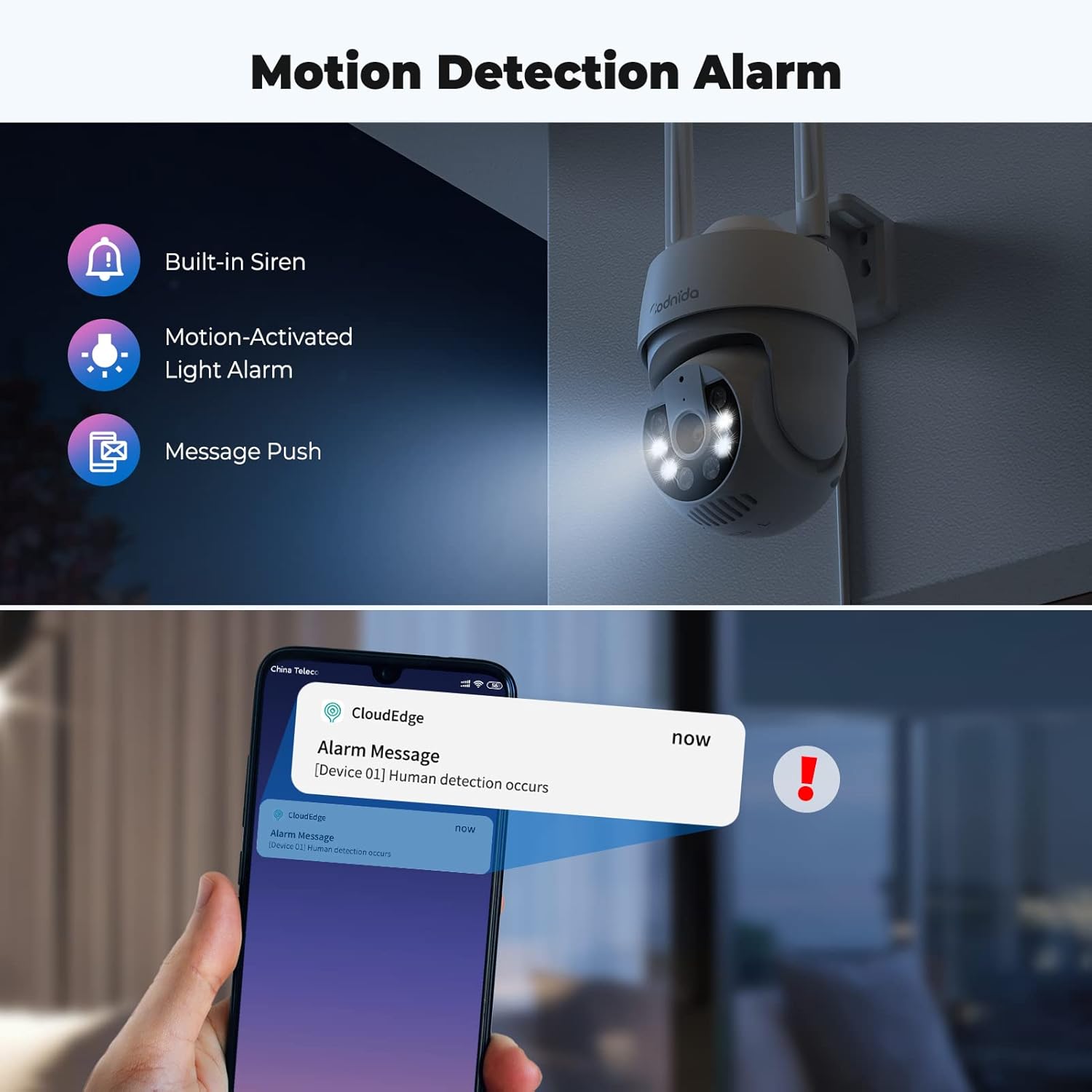
Figure 4.3: Motion detection and alarm capabilities.
4.4. 双方向オーディオ
The integrated microphone and speaker allow for two-way audio communication. You can listen to the camera's surroundings and speak through the camera using the CloudEdge app. This feature is useful for communicating with visitors or deterring intruders.

Figure 4.4: Using the two-way audio feature.
4.5. AI Automatic Tracking
動きが検出されると、カメラは自動的に視野内の動く物体を追跡します。 view. This ensures that the subject remains in the frame, providing continuous surveillance of activity.

Figure 4.5: AI automatic tracking in action.
4.6. Ultra 2K Night Vision
The camera provides clear visibility even in low-light conditions. It features 2K resolution night vision with a distance of up to 10 meters. The built-in spotlights can be activated to provide color night vision, enhancing detail and clarity in the dark.
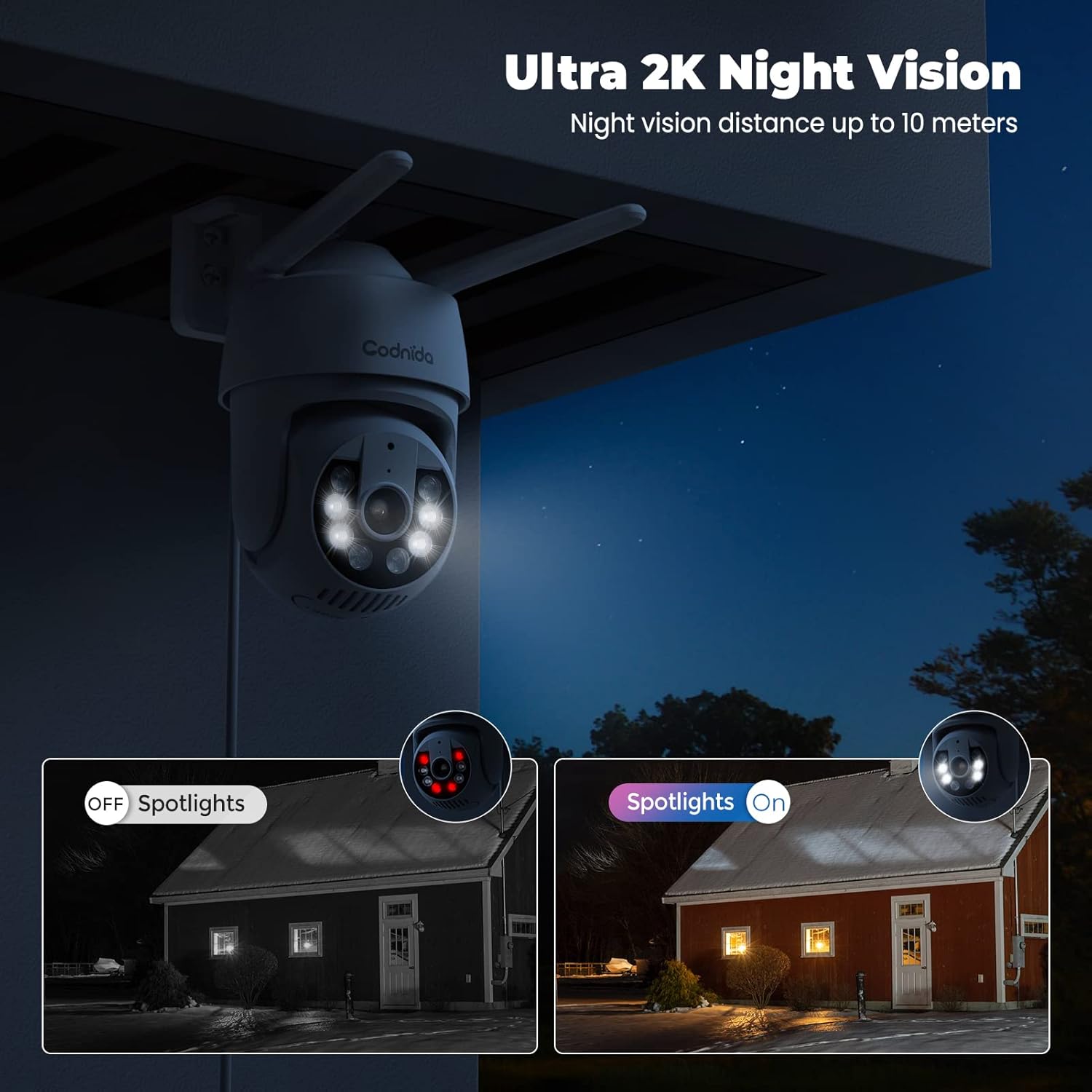
Figure 4.6: Night vision capabilities with and without spotlights.
5. メンテナンス
Regular maintenance helps ensure the longevity and optimal performance of your Codnida security camera:
- クリーニング: カメラのレンズと本体を定期的に柔らかくて乾いた布で拭いてください。amp 布で埃や汚れを拭き取ってください。刺激の強い化学薬品や研磨剤入りの洗剤は使用しないでください。
- ファームウェアの更新: Check the CloudEdge app regularly for available firmware updates. Keeping your camera's firmware updated ensures you have the latest features and security enhancements.
- 電源: 電源アダプタとケーブルが破損しておらず、しっかりと接続されていることを確認してください。
- 環境保護: While the camera is IP66 weatherproof, extreme weather conditions (e.g., direct lightning strikes, prolonged submersion) should be avoided.
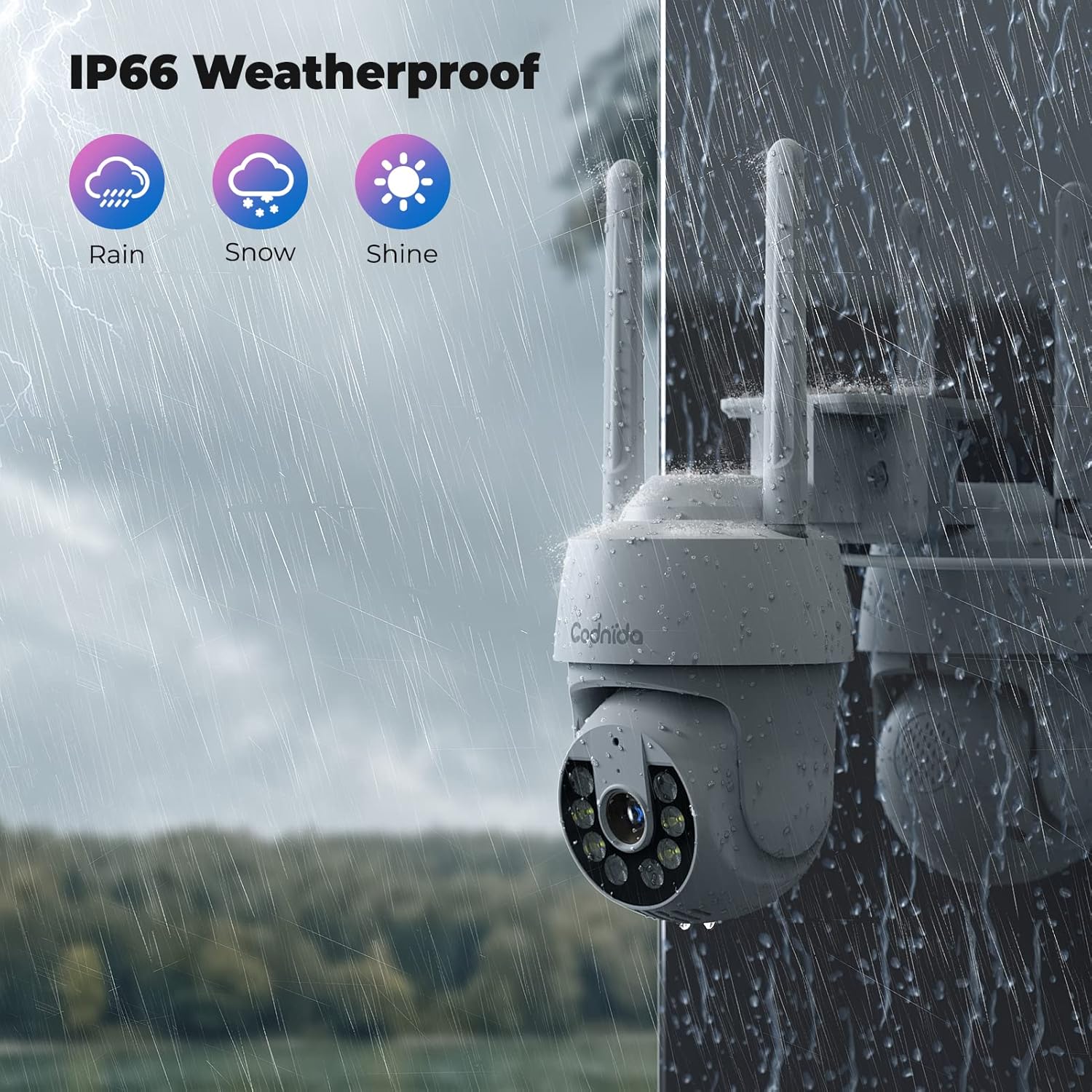
Figure 5.1: The camera's IP66 weatherproof rating ensures durability in various conditions.
6。 トラブルシューティング
If you encounter issues with your Codnida camera, refer to the following common problems and solutions:
| 問題 | 考えられる原因 | 解決 |
|---|---|---|
| カメラがWi-Fiに接続できません。 | Wi-Fi バンド (5GHz) が正しくない、パスワードが間違っている、信号が弱い。 | 2.4GHzのWi-Fiネットワークに接続していることを確認してください。Wi-Fiパスワードを再確認してください。カメラをルーターに近づけるか、Wi-Fiエクステンダーを使用してください。 |
| 誤報が頻繁に発生します。 | High motion detection sensitivity, environmental factors (e.g., swaying trees, shadows). | Adjust the motion detection sensitivity in the CloudEdge app. Define specific detection zones to exclude areas with frequent irrelevant motion. |
| SDカードに録画できません。 | SD card not inserted correctly, card full, card not formatted, incompatible card. | Ensure the SD card is inserted correctly. Format the SD card via the app. Check if the card is within the supported capacity (16-128GB). |
| 画質が悪い。 | レンズが汚れている、帯域幅が低い、照明が悪い。 | Clean the camera lens. Ensure stable internet connection. Utilize the camera's spotlights for enhanced night vision. |
| 双方向オーディオが機能しません。 | Microphone/speaker disabled in app, volume too low, network issues. | Check audio settings in the CloudEdge app. Ensure your phone's volume is up. Verify stable network connection. |
For further assistance, please refer to the CloudEdge app's help section or contact Codnida customer support.
7. 仕様
| 特徴 | 詳細 |
|---|---|
| モデル | B0CSSQJSDS |
| ブランド | コドニダ |
| 解決 | 2K (Video capture resolution listed as 720p in some specs, but product title indicates 2K) |
| PTZ範囲 | パン355°、チルト90° |
| 接続性 | Wi-Fi(2.4GHzのみ) |
| ストレージオプション | Micro SD Card (16-128GB), Cloud Storage (Subscription required) |
| 検出 | PIR Human Detection, Motion Tracking |
| オーディオ | 双方向オーディオ |
| ナイトビジョン | Infrared, Color Night Vision with Spotlights (up to 10 meters) |
| 耐候性評価 | IP66 |
| 対応デバイス | Tablet, Smartphone (via CloudEdge App), Works with Alexa |
| 電源入力 | 10ワット時 |
| アイテム重量 | 610グラム |
| パッケージ寸法 | 18.1 x 17.9 x 10.7 cm |
| 原産国 | 中国 |
8. 保証とサポート
Codnida products are designed for reliability and performance. For information regarding warranty coverage, technical support, or service inquiries, please refer to the contact details provided in your product packaging or visit the official Codnida webサイトでご確認ください。保証請求のために購入証明書を保管してください。