1.製品オーバーview
The SANPTENT Portable 9-inch FHD Touch Screen Car Stereo is designed to enhance your in-car entertainment and navigation experience. It features wireless Apple CarPlay and Android Auto, Mirror Link functionality, Bluetooth connectivity, an FM transmitter, and support for a rear camera. This manual provides instructions for proper installation, operation, and maintenance.

画像1.1: 以上view of the SANPTENT Portable Car Stereo, showing the 9-inch display, included backup camera, and wireless connectivity options for Android Auto and Apple CarPlay.
2. パッケージ内容
インストールを続行する前に、パッケージにすべてのアイテムが揃っていることを確認してください。
- 1 x 9-Inch Portable Car Stereo
- 1 x Waterproof AHD Rear Camera with 26.2ft cable
- 1フィートの補助ケーブル x 4.65
- 1 x 4.92ft Car Charger Cable
- 1×デスクトップブラケット

Image 2.1: Visual representation of the package contents, including the main unit, cables, and rear camera.
3. セットアップとインストール
3.1 ディスプレイユニットの取り付け
The portable car stereo can be mounted on your dashboard using the provided desktop bracket. Ensure the mounting location does not obstruct your view または車両の制御を妨害します。
- Attach the display unit to the desktop bracket.
- Clean the desired mounting surface on your dashboard thoroughly.
- Apply the provided gel sticker to the base of the desktop bracket.
- Securely press the bracket onto the cleaned dashboard surface. The gel sticker allows for secure attachment without drilling.

Image 3.1: The portable car stereo mounted on a dashboard, demonstrating its placement and integration with the car's interior.
3.2電源接続
Connect the car charger cable to the portable stereo and plug the other end into your vehicle's 12V power outlet (cigarette lighter socket).
3.3 オーディオ出力接続
There are three primary methods to output audio from the portable stereo to your car's audio system:
- FMトランスミッター: Tune the portable stereo's FM transmitter to an unused FM frequency, then tune your car's radio to the same frequency.
- AUXケーブル: Connect the provided 4.65ft AUX cable from the portable stereo's AUX output to your car's AUX input.
- 内蔵スピーカー: The unit has a local 4Ω 3W speaker for direct audio output.

Image 3.2: Illustration of the three audio output methods: FM transmission, AUX connection, and the unit's internal speaker.
3.4リアカメラの取り付け
The included waterproof AHD rear camera provides a 170° viewing angle and supports HD color night vision. Professional installation is recommended for optimal performance.
- リアカメラを車両の後ろに取り付けて、クリアな映像を確保します。 view.
- Route the 26.2ft camera cable from the rear of the vehicle to the portable stereo unit.
- Connect the camera cable to the "Rear Camera In" port on the portable stereo.
- Connect the camera's power cable to your vehicle's reverse light circuit so it activates automatically when shifting into reverse.

Image 3.3: Details of the backup camera, highlighting its waterproof design, wide-angle lens, night vision, and 1080P resolution.
4. 操作手順
4.1 電源のオン/オフ
- 電源オン: The unit will power on automatically when connected to the car's power supply and the vehicle is started.
- 電源を切る: Disconnect the car charger cable or turn off your vehicle's ignition.
4.2 ワイヤレス Apple CarPlay / Android Auto
This unit supports wireless connectivity for both Apple CarPlay and Android Auto, providing access to your phone's features on the 9-inch display.
- スマートフォンでBluetoothが有効になっていることを確認します。
- On the portable stereo, navigate to the CarPlay or Android Auto interface.
- On your phone, search for and connect to the portable stereo's Bluetooth device name.
- Follow any on-screen prompts on both your phone and the stereo to complete the pairing process.
- Once connected, your phone's CarPlay or Android Auto interface will appear on the stereo display.

Image 4.1: Step-by-step guide for wirelessly connecting an iPhone to Apple CarPlay on the SANPTENT stereo.

Image 4.2: Step-by-step guide for wirelessly connecting an Android phone to Android Auto on the SANPTENT stereo.
4.3 ミラーリンク機能
Mirror Link allows you to display your smartphone's screen directly onto the portable stereo. This feature is useful for viewing content not natively supported by CarPlay or Android Auto, such as certain video streaming applications.
- Connect your iPhone and the portable stereo to the same Wi-Fi network.
- On your iPhone, access the Control Center and select "Screen Mirroring."
- Choose the portable stereo from the list of available devices (often labeled "SmartScreen").
- Your iPhone's screen will now be mirrored on the stereo display.
- For Android devices, connect via USB cable and follow on-screen prompts for screen mirroring.
注記: This unit does not support Netflix via Mirror Link.

Image 4.3: Demonstration of Mirror Link, showing a smartphone screen duplicated on the car stereo display.
4.4 音声コントロール(Siri/Google アシスタント)
Utilize voice commands for hands-free operation through Siri (for Apple CarPlay) or Google Assistant (for Android Auto). The built-in microphone ensures clear voice input.
- Activate Siri or Google Assistant by saying "Hey Siri" or "Hey Google," or by pressing the voice command button on the screen.
- Issue commands such as "Play music," "Get directions to [destination]," "Send message to [contact]," or "Make a phone call."
4.5 バックアップカメラの操作
When the rear camera is properly installed and connected to your vehicle's reverse light circuit, the display will automatically switch to the camera view when you shift into reverse gear. This provides a visual aid for parking and reversing maneuvers.
重要: The backup camera is an auxiliary reversing aid and does not record video. Always check your surroundings manually before and during reversing.
4.6 表示設定
The 9-inch HD touchscreen offers various display adjustments for optimal viewing。
- 輝度: Adjust screen brightness through the settings menu to suit ambient light conditions.
- 昼/夜モード: The unit may automatically switch between day and night display modes or allow manual selection for improved visibility.
- 解決: The screen supports 1080P video playback for a clear viewing の経験。

Image 4.4: Comparison of 1080P Full HD display quality versus 720P, highlighting the clarity of the SANPTENT unit's screen.
5. メンテナンス
To ensure the longevity and optimal performance of your SANPTENT Portable Car Stereo, follow these maintenance guidelines:
- 画面の掃除: 柔らかく糸くずの出ない布でタッチスクリーンを優しく拭いてください。頑固な汚れには、軽くamp布を水またはスクリーンに安全なクリーナーで拭いてください。刺激の強い化学薬品や研磨剤は使用しないでください。
- ケーブル管理 引っ掛かりや過度の曲げによる損傷を防ぐために、すべてのケーブルがきちんと配線され、固定されていることを確認してください。
- 温度暴露: Avoid exposing the unit to extreme temperatures for prolonged periods. While designed for automotive use, extreme heat or cold can affect performance and lifespan.
- ソフトウェアアップデート: メーカーの web最高のパフォーマンスと互換性を確保するために、定期的にサイトでファームウェアのアップデートを確認してください。
6。 トラブルシューティング
If you encounter issues with your portable car stereo, refer to the following common troubleshooting steps:
- 電源なし:
- Ensure the car charger cable is securely plugged into both the unit and the vehicle's 12V power outlet.
- 車両の 12V 電源コンセントが機能しているかどうかを確認します (別のデバイスを接続するなど)。
- Verify the vehicle's fuse for the 12V power outlet is not blown.
- オーディオ出力なし:
- FMトランスミッター: Confirm the stereo's FM frequency matches your car radio's frequency and that the chosen frequency is clear of other broadcasts.
- AUXケーブル: Ensure the AUX cable is fully inserted into both the portable stereo and your car's AUX input. Select the correct AUX input source on your car's audio system.
- ブルートゥース: Verify your phone is connected via Bluetooth and the volume on both the phone and the stereo is turned up.
- Check the volume settings on the portable stereo itself.
- CarPlay/Android Autoが接続されない:
- Ensure Bluetooth is enabled on your phone and the stereo.
- 携帯電話の Bluetooth 設定からデバイスを削除し、再度ペアリングします。
- Restart both your phone and the portable stereo.
- Confirm your phone's operating system is up to date and supports CarPlay/Android Auto.
- Touchscreen Unresponsive or Slow:
- 電源を切断して再度接続し、ユニットを再起動します。
- 画面がきれいでゴミなどがないことを確認してください。
- バックアップカメラが表示されない:
- Check all camera cable connections, ensuring they are secure.
- Verify the camera's power connection to the reverse light circuit is correct.
- 車両がバックギアになっていることを確認してください。
これらの手順で問題が解決しない場合は、カスタマー サポートにお問い合わせください。
7. 仕様
| 特徴 | 詳細 |
|---|---|
| 製品寸法 | 10 x 4 x 6インチ |
| アイテム重量 | 2ポンド |
| ASIN | B0CSFSRW39 |
| 接続技術 | 補助、Bluetooth |
| 特集 | Built-In Microphone, Reverse Assist, Siri/Google Assistant Voice Control, Touch Screen, Wireless & Wired Apple CarPlay Android Auto |
| その他の表示機能 | 無線 |
| 色 | 黒 |
| メーカー | サンプテント |
| 車両サービスタイプ | 車、トラック |
| Video Capture Resolution (Camera) | 1080p |
| 取り付けタイプ | ダッシュボードマウント |
| の分野 View (カメラ) | 175度 |
| 制御方法 | 触る |
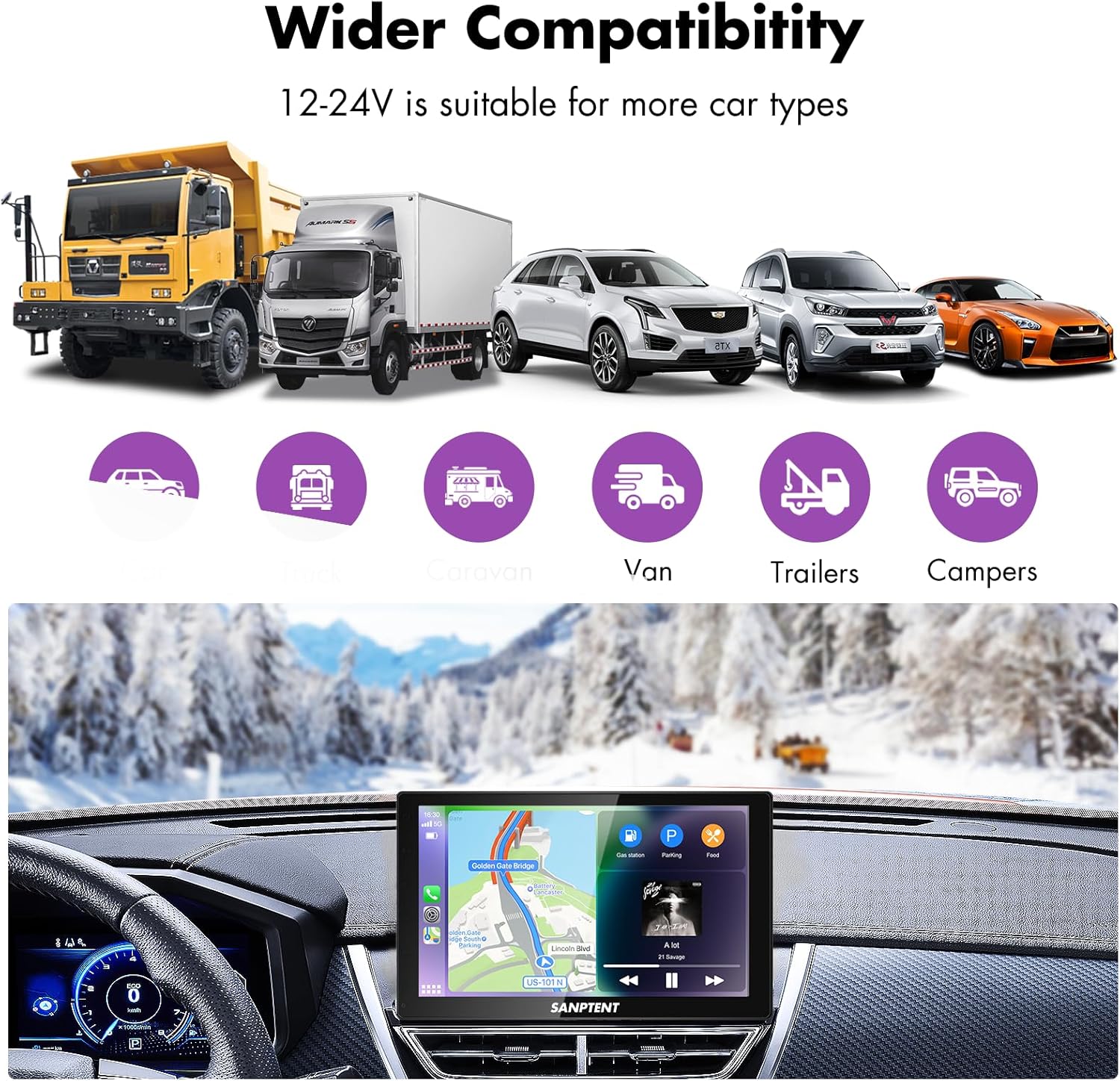
Image 7.1: The portable car stereo is compatible with 12-24V power systems, suitable for various vehicle types including cars, trucks, caravans, vans, trailers, and campERS。
8. 保証とサポート
8.1 限定保証
SANPTENT products are covered by a limited warranty against defects in materials and workmanship from the date of purchase. Please refer to the warranty card included in your package or visit the official SANPTENT web保証条件の詳細については、ウェブサイトをご覧ください。保証請求の際は、購入証明書を保管してください。
8.2 カスタマーサポート
For technical assistance, troubleshooting, or warranty inquiries, please contact SANPTENT customer support. Contact information can typically be found on the product packaging, the official SANPTENT webサイト、または小売店を通じてご購入いただけます。

