1. はじめに
This user manual provides essential information for the safe and effective use of your UpBright 12V AC/DC Adapter. This adapter is designed to provide reliable power to various compatible Lenovo Smart Speaker Docks and other electronic devices requiring a 12V DC, 2A power supply.

Figure 1: UpBright 12V AC/DC Adapter with power cord and barrel connector.
2. セットアップと接続
Follow these steps to properly set up and connect your AC/DC adapter:
- 互換性の確認: Ensure your device requires a 12V DC input with a current draw of 2A (2000mA) or less, and has a compatible barrel round connector. This adapter is compatible with various Lenovo Smart Speaker Docks including models HA-200, 07642C, 275A7B, 276F31, 27E40F, ADE1CF, SG38C43976, C55BA1, SG38C77660, 07BDD7, SG38D27355, SA18C59877, and CYSE20-120200U.
- デバイスに接続します: Insert the barrel connector end of the adapter firmly into the power input port of your electronic device.
- 電源コンセントに接続します。 Plug the AC prongs of the adapter into a standard 100-240VAC 50/60Hz wall power outlet.
- 電源オン: 接続すると、デバイスに電力が供給されるはずです。

Figure 2: UpBright products may include suitable outlet adapters for international orders. This image also shows a limited warranty certificate.
3. 操作手順
The UpBright 12V AC/DC Adapter is designed for simple plug-and-play operation. It automatically converts the incoming AC voltage to the required 12V DC output for your compatible device.
This adapter incorporates multiple safety features to protect your devices and the adapter itself:
- OVP(オーバーボリュームtage出力保護): 過度のボリュームによるダメージを防ぎますtage出力。
- OCP(過電流出力保護): 過剰な電流による損傷から保護します。
- SCP(短絡出力保護): 短絡に対する安全策。

Figure 3: Illustration of the adapter's multiple professional security protections, including good heat resistance, VO-grade fire-retardant material, overcharge, overvoltage, overheat, and overcurrent protection.
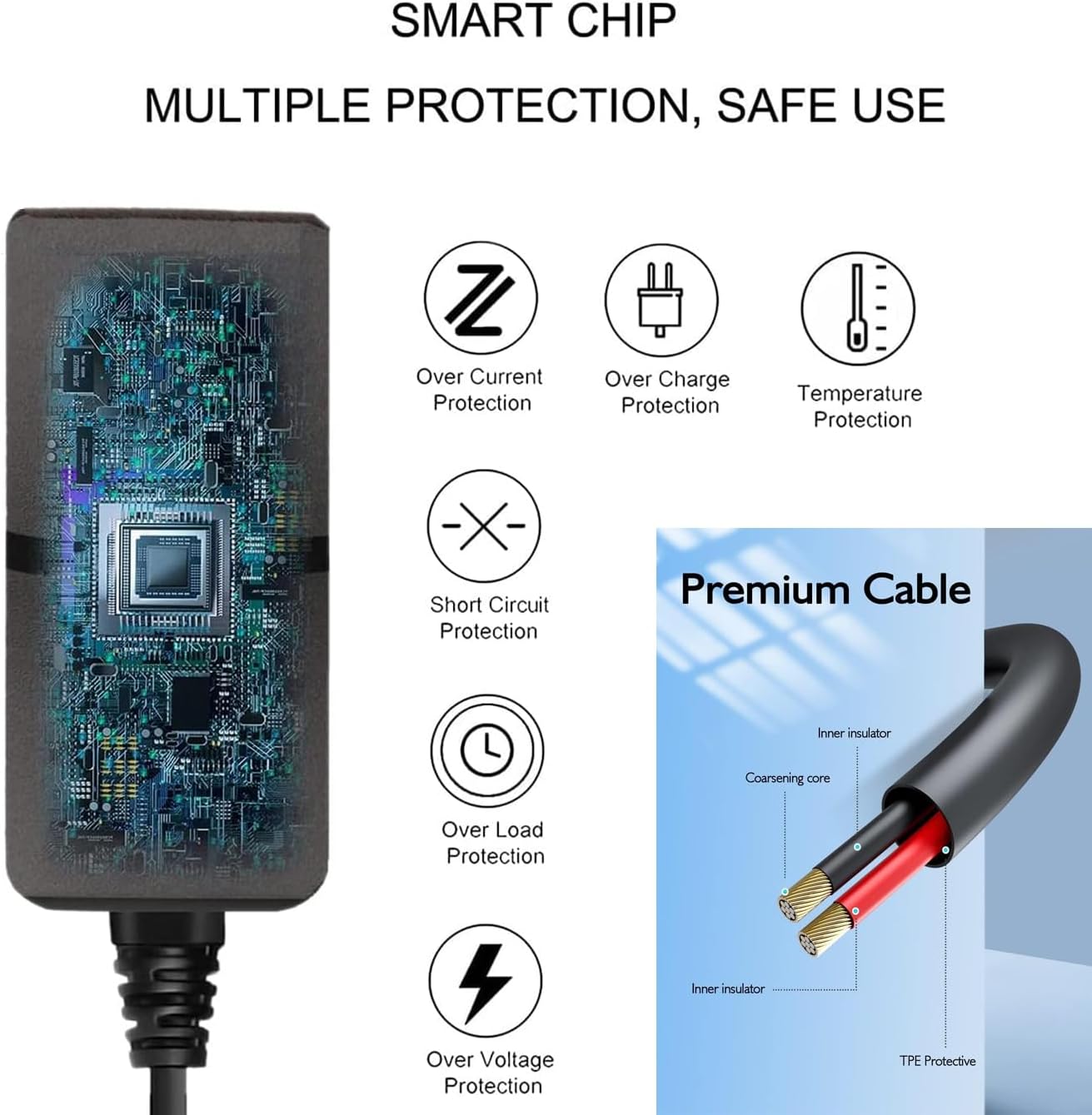
Figure 4: Details on the smart chip's multiple protections (over current, over charge, temperature, short circuit, over load, over voltage) and the premium cable's construction (inner insulator, coarsening core, TPE protective layer).
4. メンテナンス
To ensure the longevity and optimal performance of your UpBright AC/DC Adapter, follow these maintenance guidelines:
- ストレージ: アダプタは、直射日光や極端な温度を避け、涼しく乾燥した場所に保管してください。
- クリーニング: 清掃する前に、アダプターをコンセントとデバイスから外してください。表面は柔らかく乾いた布で拭いてください。液体クリーナーや研磨剤は使用しないでください。
- 取り扱い: Avoid bending or crimping the power cord excessively. Do not pull the cord to disconnect the adapter from the outlet; always grasp the plug itself.
- 換気: Ensure the adapter has adequate ventilation during use. Do not cover it or place it in enclosed spaces that could trap heat.
5。 トラブルシューティング
If you encounter issues with your UpBright AC/DC Adapter, refer to the following common problems and solutions:
| 問題 | 考えられる原因 | 解決 |
|---|---|---|
| デバイスに電力が供給されていません。 |
|
|
| 使用中にアダプタが熱くなります。 |
|
|
If the problem persists after trying these solutions, please contact UpBright customer support for further assistance.
6. 仕様
Below are the technical specifications for the UpBright 12V AC/DC Adapter:
- モデル番号: Lenovo HA-200 12V Power Supply (Compatible with various Lenovo Smart Speaker Docks)
- メーカー: UpBright
- 入力ボリュームtage: 100-240VAC, 50/60Hz (World Wide Input Voltage)
- 出力巻tage: 12V直流
- 出力電流: 2A(2000mA)
- コネクタタイプ: Barrel Round Connector
- 保護機能: OVP(オーバーボリュームtage Output Protection), OCP (Over Current Output Protection), SCP (Short Circuit Output Protection), Overcharge Protection, Overheat Protection, Good Heat Resistance, VO-Grade Fire-Retardant.
- 製品寸法: 約4×3×2インチ
- 商品の重量: 約4オンス
- 含まれるコンポーネント: 1 x AC / DCアダプター
7. 保証とサポート
UpBright stands behind the quality of its products. This adapter comes with:
- 30日間返金ポリシー: ご購入いただいた商品にご満足いただけない場合は、30 日以内に返金を受けられる場合があります。
- 24ヶ月交換ポリシー: The product is covered by a 24-month exchange policy for manufacturing defects.
For warranty claims, technical support, or any inquiries, please contact UpBright customer service through the retailer where the product was purchased or visit the official UpBright store online.
詳細については、 UPBRIGHT Store on Amazon.