1. はじめに
Thank you for choosing the VOLTCRAFT OM-100 Oxygen Meter. This device is designed for precise measurement of oxygen concentration in various environments. This manual provides essential information for the safe and efficient operation, setup, maintenance, and troubleshooting of your oxygen meter. Please read this manual thoroughly before using the device and keep it for future reference.
2. 安全に関する注意事項
- Always operate the device within the specified environmental conditions.
- デバイスを極端な温度、湿度、または直射日光にさらさないでください。
- 強い衝撃を与えたり、デバイスを落としたりしないでください。
- デバイスを開けたり改造したりしないでください。修理は資格のある担当者のみが行ってください。
- デバイスを子供の手の届かない場所に保管してください。
- 電池とデバイスは地域の規制に従って廃棄してください。
- Ensure the oxygen sensor is clean and free from obstructions for accurate readings.
3. パッケージ内容
Please check the contents of your package upon unpacking. If any items are missing or damaged, contact your retailer immediately.
- VOLTCRAFT OM-100 Oxygen Meter
- Oxygen Sensor with connection cable
- ユーザーマニュアル
4.製品オーバーview
4.1 デバイスコンポーネント
The VOLTCRAFT OM-100 consists of a main display unit and a detachable oxygen sensor. The main unit features a large LCD display, control buttons, and a port for the sensor connection.

画像1: フロント view of the VOLTCRAFT OM-100 Oxygen Meter. The digital display shows an oxygen concentration of 23.8%. Below the display are three buttons: 'MODE', a red power button with a lightbulb icon, and 'APO'. The oxygen sensor is connected to the top right of the device.

画像2: 角度付き view of the VOLTCRAFT OM-100 Oxygen Meter. The display shows 20.9% O2. The sensor is clearly visible connected to the side of the main unit.

画像3: トップダウン view showing the VOLTCRAFT OM-100 Oxygen Meter and its separate oxygen sensor. The sensor is not connected to the main unit, illustrating its detachable nature.
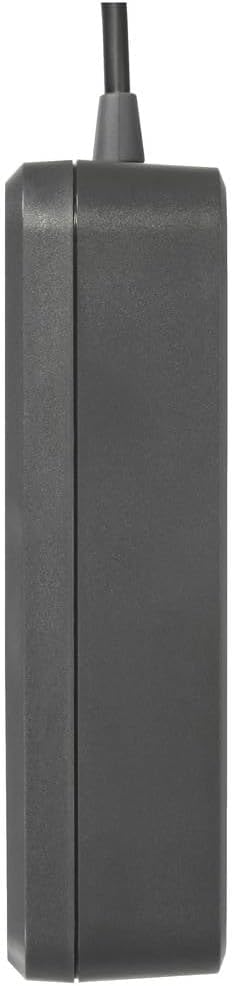
画像4: 側 view of the VOLTCRAFT OM-100 Oxygen Meter, showing its compact profile.
5. セットアップ
5.1 バッテリーの取り付け
The VOLTCRAFT OM-100 requires batteries for operation. Locate the battery compartment on the back of the device. Open the compartment cover, insert the batteries according to the polarity markings, and close the cover securely.
5.2 センサー接続
Connect the oxygen sensor cable to the designated port on the top or side of the main unit. Ensure the connection is firm to prevent inaccurate readings or disconnections during use.
6. 操作手順
6.1 電源のオン/オフ
- 電源を入れるには: Press and hold the red power button (with the lightbulb icon) until the display illuminates.
- 電源を切るには: Press and hold the red power button again until the display turns off.
6.2測定を行う
Once powered on, the device will automatically begin measuring oxygen concentration. Position the sensor in the environment where you wish to take a reading. Allow a few seconds for the reading to stabilize on the LCD display.
6.3モードボタン
The 'MODE' button allows you to cycle through different display modes or functions, if available. Refer to the on-screen indicators for the current mode. Pressing the button briefly will typically switch between modes.
6.4 APO (Automatic Power Off) Function
The 'APO' button controls the Automatic Power Off function. Pressing this button may enable or disable the feature, which conserves battery life by automatically turning off the device after a period of inactivity. Consult the display for APO status indicators.
7. キャリブレーション
Regular calibration is crucial for maintaining the accuracy of your oxygen meter. The VOLTCRAFT OM-100 is factory calibrated, but environmental factors and sensor aging can affect readings. It is recommended to calibrate the device periodically or if you suspect inaccurate measurements.
7.1 校正手順
The calibration process for the OM-100 can be intricate. Follow these steps precisely:
- ゼロ校正: Place the oxygen sensor in an oxygen-free atmosphere (e.g., nitrogen gas or a zero-oxygen calibration chamber). Access the calibration menu (often by holding down a combination of buttons, refer to specific on-screen prompts). Initiate zero calibration.
- Span Calibration (20.9% O2): After zero calibration, expose the sensor to fresh ambient air (which typically contains 20.9% oxygen). Access the calibration menu again and initiate span calibration.
- 検証: After calibration, verify the readings in both oxygen-free and ambient air environments to ensure accuracy.
注記: If calibration consistently fails or yields inconsistent results, the sensor may need replacement or there might be an issue with the calibration environment. Refer to the troubleshooting section.
8. メンテナンス
8.1 クリーニング
デバイスとセンサーを柔らかくて乾いた布で拭いてください。amp 布で拭いてください。研磨剤入りの洗剤や溶剤は使用しないでください。デバイスの開口部に液体が入らないようにしてください。
8.2 ストレージ
長期間使用しない場合は、液漏れを防ぐため電池を取り外してください。直射日光や極端な温度を避け、涼しく乾燥した場所に保管してください。
8.3 センサーの交換
The oxygen sensor has a limited lifespan and may require replacement over time, especially if calibration becomes difficult or impossible. Consult VOLTCRAFT support for information on replacement sensors and procedures.
9。 トラブルシューティング
| 問題 | 考えられる原因 | 解決 |
|---|---|---|
| デバイスの電源が入らない | 電池切れまたは電池の取り付け間違い | 電池を交換してください。極性を確認してください。 |
| 不正確または不安定な測定値 | Sensor not properly connected; sensor dirty; device needs calibration; sensor end-of-life | Check sensor connection; clean sensor; perform calibration; consider sensor replacement |
| Calibration fails or is difficult | Incorrect calibration procedure; unstable calibration environment; sensor issue | Review calibration steps carefully; ensure stable oxygen-free and ambient air environments; if persistent, sensor may need replacement |
| ディスプレイが空白または暗い | Low battery; display malfunction | 電池を交換してください。問題が解決しない場合は、サポートにお問い合わせください。 |
10. 仕様
| 特徴 | 価値 |
|---|---|
| ブランド | VOLTCRAFT |
| モデル番号 | VC-12870870 |
| 製品寸法(長さ x 幅 x 高さ) | 7.3 x 3 x 11.1 cm |
| アイテム重量 | 192グラム |
| ASIN | B0CLTKVX79 |
| 初回利用可能日 | 27年2023月XNUMX日 |
11. 保証とサポート
VOLTCRAFT products are designed for quality and reliability. This product comes with a standard manufacturer's warranty. For specific warranty terms, duration, and to obtain technical support or service, please refer to the warranty card included with your product or visit the official VOLTCRAFT website. Please have your model number (OM-100 or VC-12870870) and purchase information ready when contacting support.


