導入
This instruction manual provides essential information for the safe and efficient use of your Goobay USB-C to Lightning Charging and Sync Cable. Please read this manual thoroughly before using the product and retain it for future reference. This cable is designed for charging and data synchronization between devices equipped with a USB-C port and Apple devices featuring a Lightning port.
製品終了view
The Goobay USB-C to Lightning Cable (Model 49270) is a durable and versatile cable designed for connecting Apple Lightning-enabled devices to USB-C power adapters or computers. It supports both fast charging up to 60 watts and high-speed data transfer up to 0.48 Gigabits per second. The cable features a braided design for enhanced durability and flexibility, with a length of 0.5 meters.
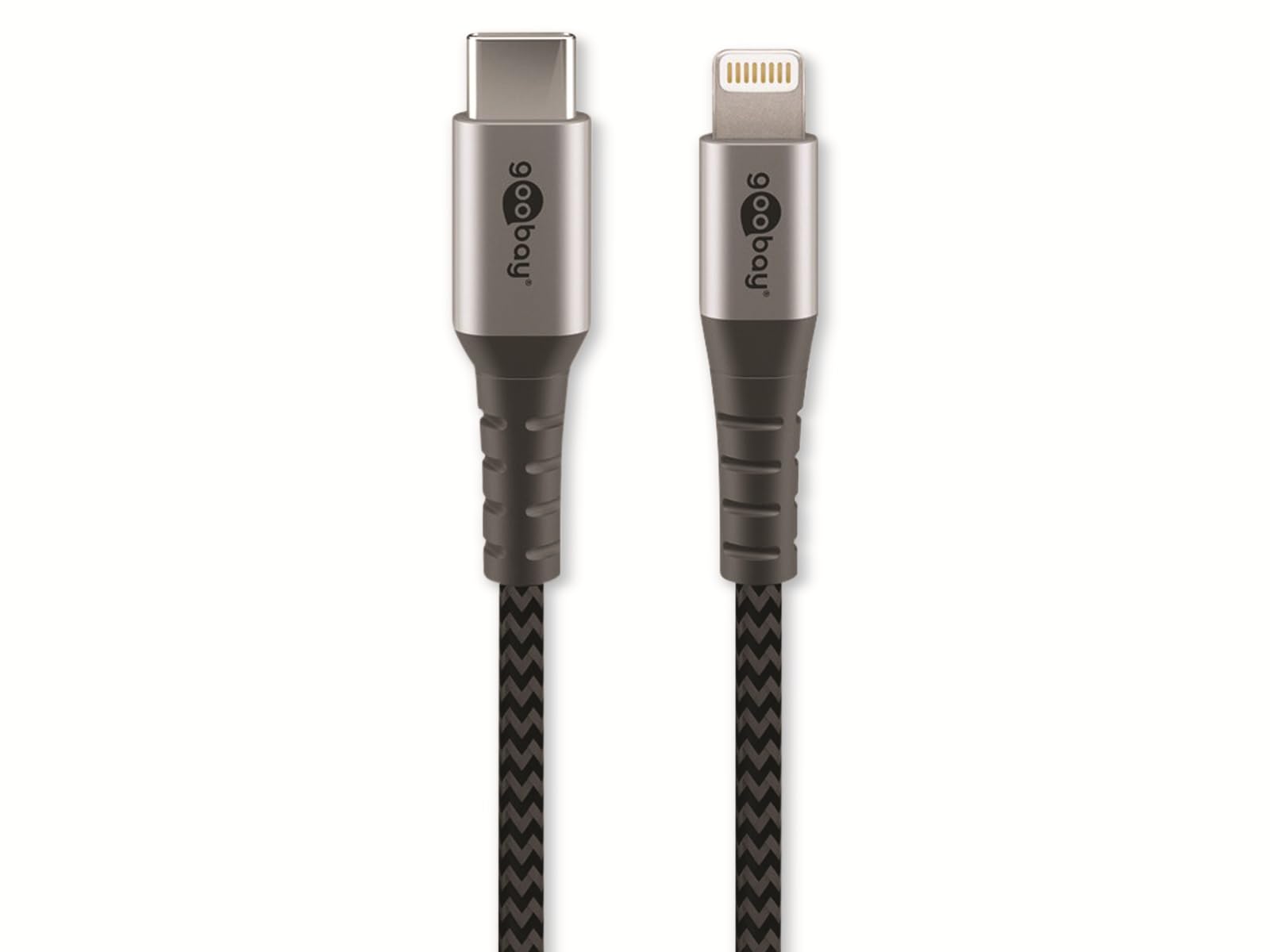
Image: Goobay USB-C to Lightning Cable. This image shows the cable with a USB-C connector on one end and a Lightning connector on the other, highlighting its braided exterior and space grey color.
パッケージ内容:
- 1x Goobay USB-C to Lightning Cable (0.5m)
設定
Using the Goobay USB-C to Lightning cable is straightforward. Follow these steps to connect your devices:
- コネクタを識別します。 Locate the USB-C connector (smaller, oval-shaped) and the Lightning connector (larger, rectangular with rounded corners).
- 電源またはコンピューターに接続します。 Insert the USB-C connector into a compatible USB-C port on a power adapter, laptop, or desktop computer. Ensure the connection is firm.
- Appleデバイスに接続します: Insert the Lightning connector into the Lightning port of your Apple iPhone, iPad, or iPod. Ensure the connection is firm.
- 接続を確認します: Your Apple device should indicate that it is charging or connected for data transfer.
操作手順
デバイスの充電:
To charge your Apple device, connect the USB-C end of the cable to a compatible USB-C power adapter (e.g., a wall charger or power bank) and the Lightning end to your Apple device. The cable supports fast charging up to 60W, provided your power adapter and device also support this wattage.
データの同期:
To synchronize data between your Apple device and a computer, connect the USB-C end of the cable to a USB-C port on your computer and the Lightning end to your Apple device. Your computer should recognize the device, allowing you to transfer files, photos, and other data using iTunes or Finder (macOS Catalina and later).
メンテナンス
Proper care and maintenance will extend the life of your Goobay cable:
- ストレージ: Store the cable in a clean, dry place when not in use. Avoid extreme temperatures.
- 取り扱い: Do not bend the cable sharply or pull it forcefully from connectors. Always grip the connector housing when plugging or unplugging.
- クリーニング: 必要に応じて、ケーブルとコネクタを柔らかく乾いた布で優しく拭いてください。液体クリーナーや研磨剤は使用しないでください。
- 検査: Periodically inspect the cable for any signs of damage, such as fraying, cuts, or bent pins on the connectors. Discontinue use if damage is observed.
トラブルシューティング
If you encounter issues with your Goobay USB-C to Lightning cable, refer to the following common solutions:
- デバイスが充電されない:
- ケーブルの両端がしっかりと接続されていることを確認してください。
- Try a different USB-C power adapter or port.
- Test the cable with a different Apple device, if available, to rule out a device issue.
- 電源アダプターが正しく機能しているかどうかを確認してください。
- Data Synchronization Failure:
- Verify that the USB-C end is connected to a data-enabled USB-C port on your computer.
- コンピュータのオペレーティング システムと iTunes/Finder が最新であることを確認してください。
- Restart both your Apple device and computer.
- Check for any prompts on your Apple device asking to "Trust This Computer."
- 遅い充電:
- 電源アダプターが十分な電力を供給していることを確認してくださいtage (e.g., 20W or higher for fast charging).
- 充電中はデバイスの過度な使用を避けてください。
仕様
| ブランド: | グーベイ |
| モデル番号: | 49270 |
| コネクタタイプ: | USB Type C (Male) to Lightning (Male) |
| ケーブルタイプ: | Charging and Data Sync Cable |
| ケーブル長さ: | 0.5メートル |
| 特集: | Braided design for durability |
| データ転送速度: | Up to 0.48 Gigabits Per Second (USB 2.0 speed) |
| 最大電力供給: | 最大60ワット |
| 色: | スペースグレイ |
| 対応デバイス: | Apple iPhone (e.g., iPhone 8, X, XR, XS, 11, 12, 13 series), iPad, iPod with Lightning port, and USB-C enabled laptops, power adapters, and headphones. |
| 認証: | MFI (Made For iPhone/iPad/iPod) |
保証とサポート
Goobay products are manufactured with quality and reliability in mind. For information regarding warranty terms, technical support, or customer service, please refer to the official Goobay website or contact your retailer. Please have your product model number (49270) available when seeking support.
メーカー: グーベイ
Webサイト: www.goobay.de (注意:これはメーカーの一般的なプレースホルダーです。 website. Actual support links may vary.)


