1. はじめに
Thank you for choosing the Trust Halyx 5-in-1 USB-C Hub. This manual provides essential information for the proper setup, operation, and maintenance of your device. This hub is designed to expand the connectivity of your PC, laptop, or MacBook Pro by adding four USB-C data ports and one USB-C Power Delivery (PD) port.
2.製品オーバーview
The Trust Halyx 5-in-1 USB-C Hub (Model 25136) features a durable aluminum housing and a compact design. It connects to your host device via an integrated 10cm USB-C cable.
2.1 主な特徴
- 5-Port Connectivity: Adds 4 USB-C data ports and 1 USB-C Power Delivery port.
- 100W USB-C PD Power Port: Allows pass-through charging for your laptop (additional charger required).
- 高速データ転送: Supports data transfer speeds up to 5 Gbps.
- 耐久性に優れたデザイン: Constructed with an aluminum housing for enhanced durability.
- プラグアンドプレイ: ほとんどのオペレーティング システムではドライバーは必要ありません。
2.2 パッケージ内容
- Trust Halyx 5-in-1 USB-C Hub
- ユーザーマニュアル(このドキュメント)

Image: The Trust Halyx 5-in-1 USB-C Hub showing its five convenient ports and integrated USB-C cable.

画像: 詳細な view of the five USB-C ports on the Trust Halyx hub, including the Power Delivery port.
3. セットアップ手順
Follow these steps to set up your Trust Halyx 5-in-1 USB-C Hub:
- ホストデバイスに接続します: Plug the integrated USB-C cable of the hub into an available USB-C port on your PC, laptop, or MacBook Pro.
- 電源接続(オプション): If you wish to charge your laptop through the hub, connect your laptop's USB-C power adapter to the dedicated 100W USB-C PD port on the hub. Note: An additional charger is required for pass-through charging.
- 周辺機器を接続します。 Plug your USB-C devices (e.g., external drives, keyboards, mice, other USB-C accessories) into the four USB-C data ports on the hub.
- 接続を確認します: Your operating system should automatically detect the hub and connected devices. No additional drivers are typically needed.

Image: The Trust Halyx hub connected to a laptop, demonstrating how to plug in additional USB-C devices.

Image: The 100W USB-C Power Delivery port on the Trust Halyx hub, with a power cable connected for laptop charging.
4. 操作手順
Once connected, the Trust Halyx hub operates as a direct extension of your computer's USB-C capabilities.
4.1 デバイスの接続
- Simply plug your USB-C peripherals into any of the four available USB-C data ports.
- The hub supports data transfer speeds of up to 5 Gbps, suitable for most external storage devices, keyboards, mice, and other accessories.
4.2 電力供給機能
- The dedicated USB-C PD port allows you to charge your laptop while using the hub. Connect your laptop's original USB-C power adapter to this port.
- The hub supports up to 100W pass-through power delivery. Ensure your power adapter is compatible with your laptop's charging requirements.

Image: A complete workstation setup utilizing the Trust Halyx hub to connect various peripherals to a laptop and external monitor.
5. メンテナンスとケア
To ensure the longevity and optimal performance of your Trust Halyx USB-C Hub, follow these guidelines:
- クリーニング: ハブの清掃には、柔らかく乾いた布をご使用ください。液体クリーナーや研磨剤は使用しないでください。
- ストレージ: Store the hub in a cool, dry place when not in use. Its compact size makes it suitable for travel.
- 取り扱い: Avoid dropping the hub or subjecting it to strong impacts. Do not bend the integrated cable excessively.
- 温度: Operate the hub within normal room temperatures. Avoid extreme heat or cold.
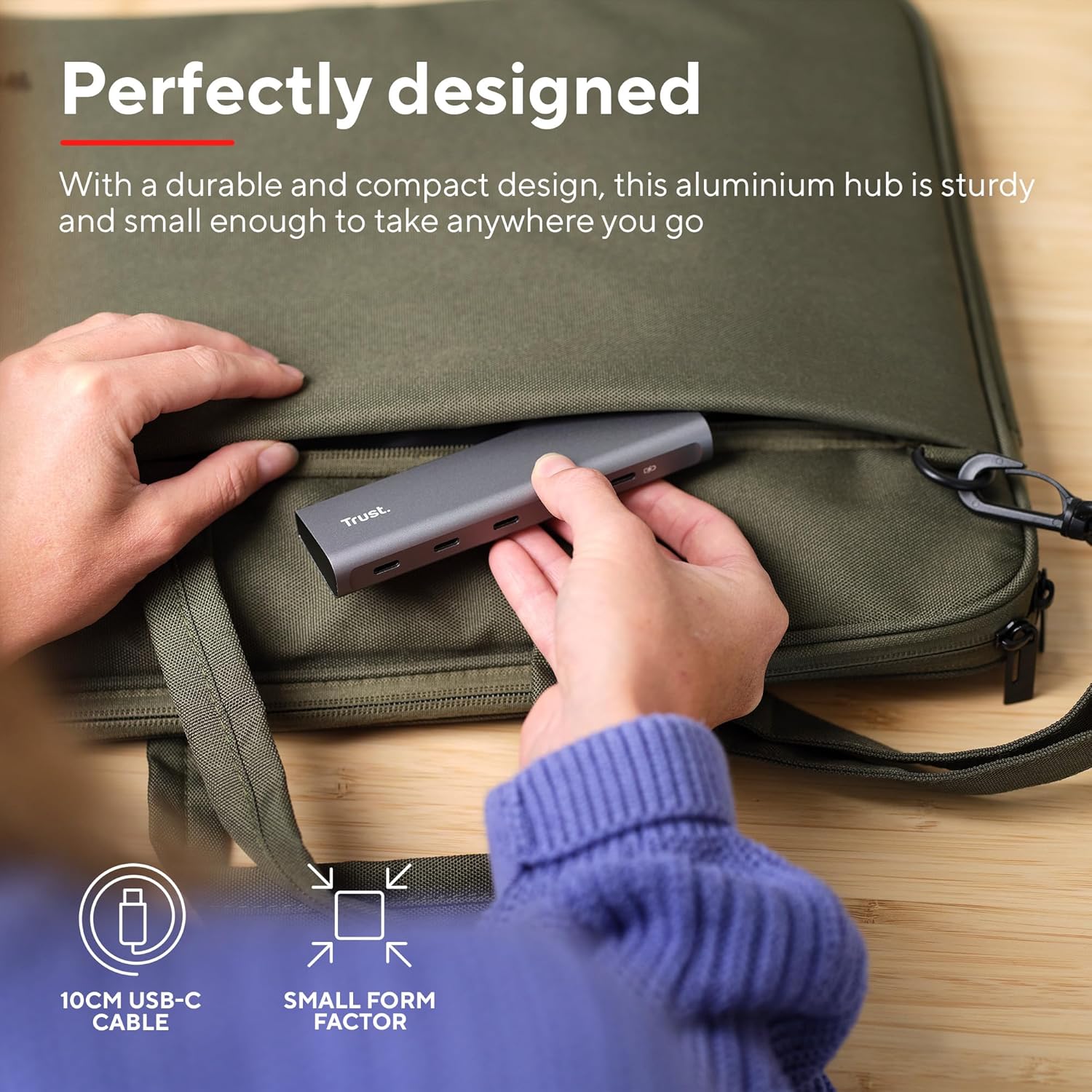
Image: The compact and durable design of the Trust Halyx hub, shown being placed into a laptop bag for portability.
6。 トラブルシューティング
If you encounter issues with your Trust Halyx USB-C Hub, refer to the following common solutions:
6.1 Devices Not Detected
- 接続を確認してください: Ensure the hub's USB-C cable is securely plugged into your host device and that peripherals are firmly connected to the hub.
- Restart Host Device: Sometimes, a simple restart of your computer can resolve detection issues.
- 周辺機器を直接テストする: Connect the peripheral directly to your computer's USB-C port (if available) to confirm it is functioning correctly.
- 別のポートを試す: If your computer has multiple USB-C ports, try connecting the hub to a different one.
6.2 Charging Not Working
- 電源アダプタを確認します: Ensure your USB-C power adapter is correctly connected to the hub's PD port and is capable of providing sufficient power for your laptop.
- Check Laptop Compatibility: Confirm your laptop supports USB-C Power Delivery for charging.
- ケーブルの完全性: Ensure the USB-C cable from your power adapter to the hub is not damaged.
6.3 データ転送速度が遅い
- デバイスの互換性: Ensure the connected peripheral supports USB 3.0 (5 Gbps) speeds. Older USB 2.0 devices will operate at their native slower speeds.
- ホストポート速度: Verify that the USB-C port on your computer supports USB 3.0 or higher data transfer rates.
- 過負荷を避ける: While the hub provides multiple ports, extremely demanding devices might perform better when connected directly to the host device if possible.
7. 仕様
| 特徴 | 詳細 |
|---|---|
| モデル番号 | 25136 |
| ブランド | 信頼 |
| 接続性 | 1x USB-C Host Connector (integrated cable), 4x USB-C Data Ports, 1x USB-C Power Delivery Port |
| データ転送速度 | 最大5Gbps(USB 3.0) |
| 電力供給 | Up to 100W pass-through charging |
| ハウジング材質 | アルミニウム |
| ケーブル長さ | 10センチ |
| 寸法(長さx幅x高さ) | 1.26 x 5 x 0.63 インチ (32 x 127 x 16 mm) |
| 重さ | 2.86オンス(81グラム) |
| 互換性のあるオペレーティングシステム | Chrome OS, Windows 10 or 11, macOS 11, 12 or 13 |
8. 保証とサポート
保証情報およびテクニカルサポートについては、公式Trustをご覧ください。 web購入サイトをご覧いただくか、カスタマーサービスに直接お問い合わせください。保証請求のために購入証明書を保管してください。
オンラインサポート: www.trust.com/support