1. はじめに
The Aideepen 4-30V 0-5.0A USB C Tester Voltmeter is a compact and versatile device designed to measure various electrical parameters of USB-C compatible devices. It features a 0.96-inch IPS color LCD screen for clear data display and supports bidirectional testing. This manual provides essential information for the safe and effective use of your USB C Tester.

Image: The Aideepen USB C Tester Voltmeter, showcasing its compact form factor and the vibrant display.
2 製品の特徴
- Multifunctional Type-C Tester: ボリュームを検出tage, current, capacity, power, and other real-time data.
- 高解像度ディスプレイ: 0.96-inch IPS color LCD screen with 160-degree wide viewing angle, high brightness, and long lifespan.
- パワーオフメモリ機能: Stores capacity and energy data for later viewing, suitable for mobile power measurements.
- 双方向テスト: Supports connection in both directions.
- 幅広い適用性: Compatible with QC2.0, QC3.0, and PD fast charging protocols. Ideal for quality inspection of 3C digital peripherals.

Image: The USB C Tester highlighting its HD color screen and compatibility features.
3. セットアップと接続
The USB C Tester is designed for simple plug-and-play operation. It can be connected in two directions, allowing for flexible use with various devices and chargers.
- Identify the USB-C port on your power source (e.g., USB charger, PD charger, power bank).
- Connect one end of the Aideepen USB C Tester to the power source's USB-C port.
- Connect your device (e.g., mobile phone, notebook) to the other end of the Aideepen USB C Tester.
- The tester's screen will automatically light up and display the measurement data.

Image: Connection diagram illustrating how to connect the USB C Tester between a charger and a device, supporting both USB and PD chargers.
4. 操作手順
4.1 Display and Data Interpretation
The 0.96-inch IPS color screen displays multiple parameters simultaneously, including voltage (V), current (A), capacity (mAh), energy (mWh), load resistance (Ω), power (W), temperature (℃), and measurement time (T).

画像: 拡大した view of the tester's display, emphasizing its 4-digit precision for accurate readings.
4.2 ボタンの機能
- ショートプレス: Switches between different display pages to view various data sets.
- Double Quick Press: Rotates the display orientation by 180 degrees for convenience.
- 長押し(3秒): Clears all stored capacity and energy data.
4.3 電源オフメモリ
The device retains capacity and energy data even after being disconnected from power. This allows for cumulative measurements over time, particularly useful for evaluating power banks or battery capacities.
5. メンテナンス
- デバイスを清潔で乾燥した状態に保ち、液体や過度の湿気にさらさないようにしてください。
- デバイスを分解または改造しないでください。保証が無効になり、損傷が発生する可能性があります。
- Store the tester in a cool, dry place when not in use.
- 落としたり、強い衝撃を与えないでください。
6。 トラブルシューティング
- 表示なし: Ensure the tester is correctly connected between a power source and a load. Check if the power source is active.
- 不正確な読み取り: Ensure connections are secure. If issues persist, try connecting to a different power source or device to rule out external factors.
- Data not clearing: Ensure you press and hold the button for at least 3 seconds to clear stored data.
7. 仕様
| パラメータ | 価値 |
|---|---|
| 巻tag測定範囲 | 4-30V |
| 現在の測定範囲 | 0-5 A |
| 巻tage解決策 | 0.002A |
| 現在の解像度 | 0.002A |
| 容量測定範囲 | 0-999999 mWh |
| 負荷抵抗範囲 | 1-9999.9Ω |
| 電力測定範囲 | 0-150 ワット |
| 温度測定範囲 | 0~80℃ |
| エネルギー測定範囲 | 0-999999 mWh |
| Measurement Time Range | 0~99時間 |
| 製品インターフェース | USB-C 24-pin |
| Test Direction | 双方向の |
| 表示タイプ | 0.96インチIPSカラースクリーン |
| モデル番号 | A7X-JM0425A |
| 製品重量 | 20グラム |
| 寸法 | 12 x 10.3 x 2.1 cm(パッケージ) |
8. Wide Application Exampレ
The Aideepen USB C Tester is suitable for a variety of applications, including:
- Testing mobile power banks
- Evaluating USB chargers and PD chargers
- Monitoring car chargers
- Checking the performance of cell phones and notebooks
- Verifying data line quality
- Interfacing with electronic loads for testing
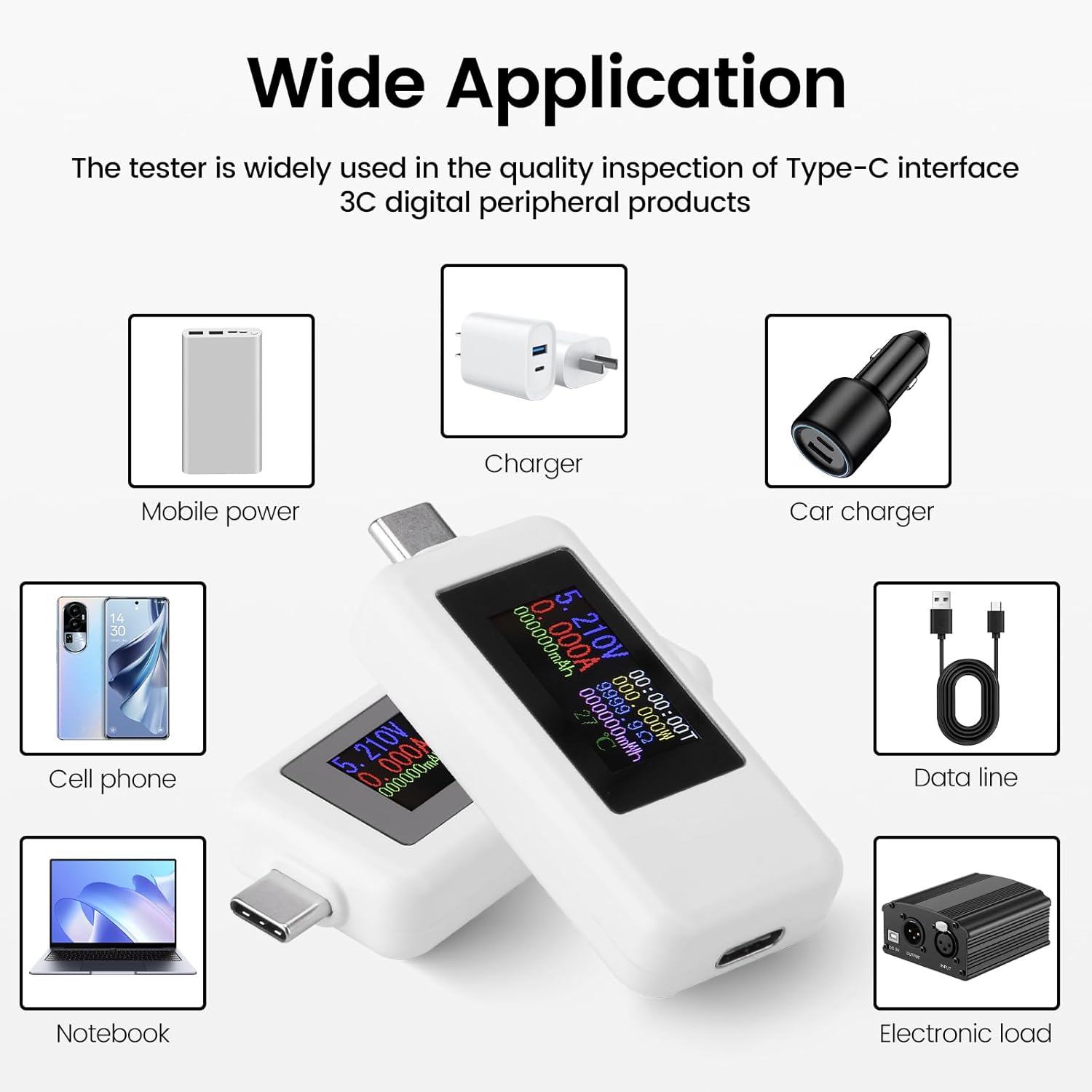
Image: An illustration demonstrating the wide range of applications for the USB C Tester with different devices and power sources.