導入
This manual provides essential information for the safe and efficient operation, maintenance, and troubleshooting of your Dapper Supply Battery Powered Floor Scrubber. Designed for effective floor care, this machine features a wide 20-inch cleaning path and large capacity solution and recovery tanks. It is powered by a 3/4 peak horsepower brush motor offering 220 RPM, incorporating soft-start technology for extended lifespan. Please read this manual thoroughly before initial use.
主な特徴
- 強力な洗浄: 220 RPM brush speed for efficient cleaning performance.
- 大容量タンク: 13-gallon solution tank and 14.5-gallon recovery tank for prolonged cleaning sessions.
- Wide Squeegee Coverage: Equipped with a 32-inch squeegee for effective water and solution recovery.
- デュアルバッテリーシステム: Includes two 12V batteries, providing a 4.5-hour runtime per charge.
- 急速充電: Fully charges in just 6 hours, minimizing downtime.
- 充実したアクセサリー: Comes with a scrub brush, pad driver, and a set of 3 scouring pads.
- 広範囲にわたるカバレッジ: Capable of cleaning up to 23,000 sq. ft. per hour.
- コンパクトな寸法: Product dimensions are 51 inches x 31 inches x 43.5 inches.
設定
1。 開梱と検査
Carefully remove all components from the packaging. Inspect the machine for any signs of damage that may have occurred during shipping. Report any damage to Dapper Supply immediately.
2. バッテリーの取り付けと初期充電
The floor scrubber comes with two 12V batteries. Ensure they are properly installed in the designated battery compartment. For initial use, fully charge the batteries for approximately 6 hours. Refer to the charging port location for connection.

Image: Open battery compartment showing the two 12V batteries.
3. Attaching the Scrub Brush and Pad Driver
Attach the scrub brush or the pad driver with the appropriate scouring pad to the underside of the machine. Ensure it is securely fastened before operation.
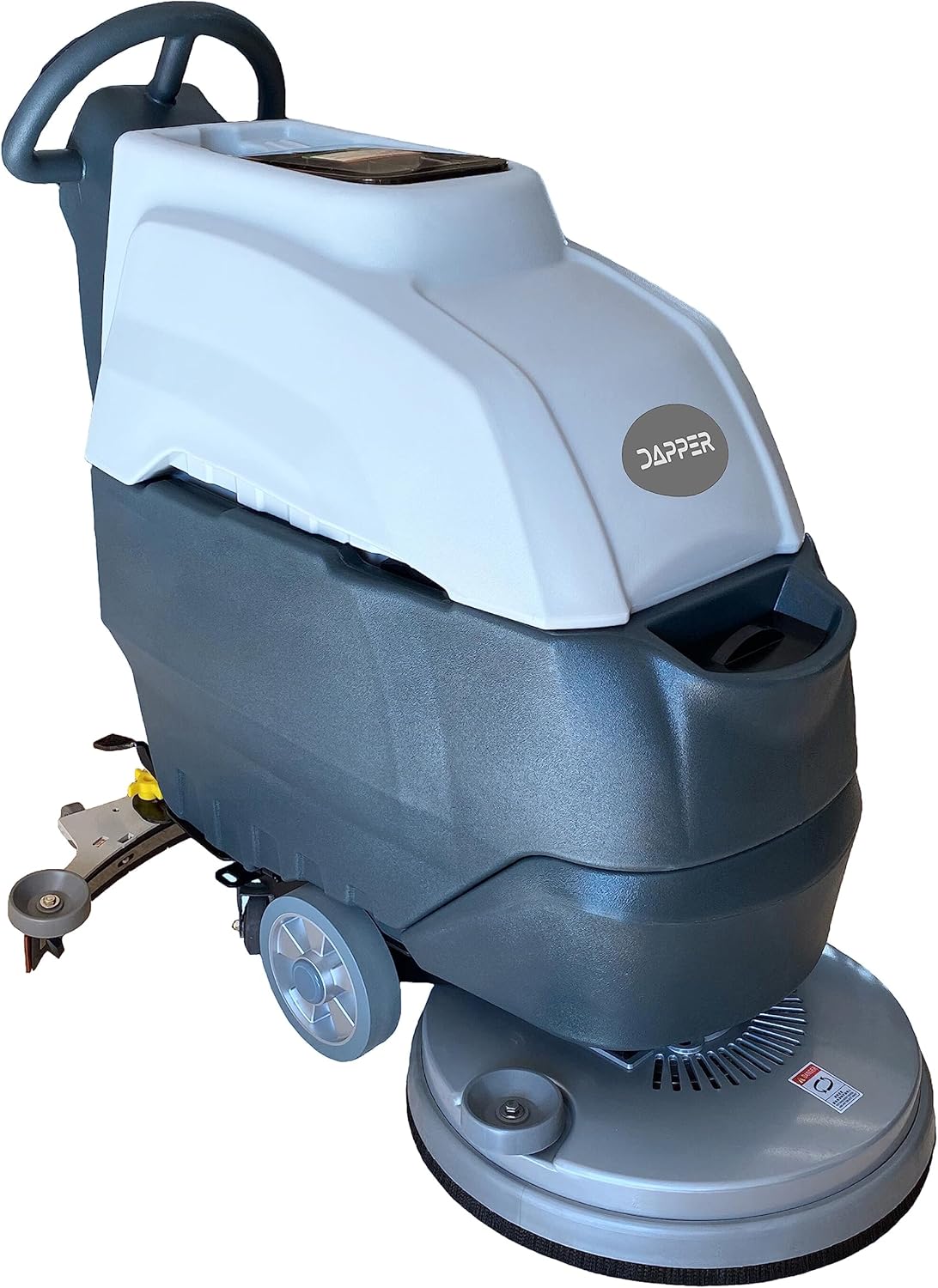
画像: 正面 view of the scrubber, highlighting the brush assembly.
4. 溶液タンクへの充填
Locate the 13-gallon solution tank. Fill it with clean water and an appropriate, non-foaming floor cleaning solution as recommended for your floor type. Do not overfill.
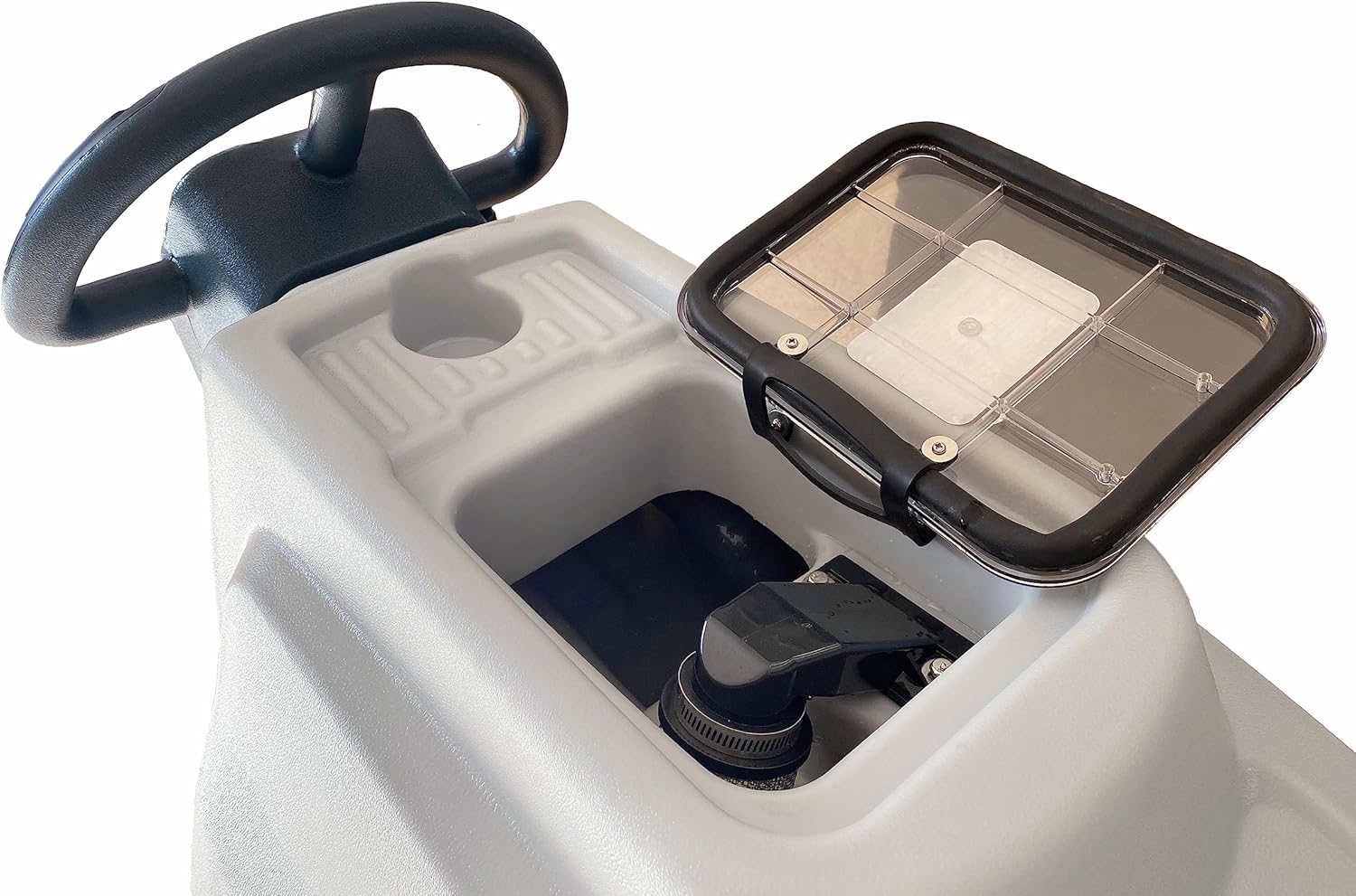
Image: Solution tank fill port.
操作手順
1. マシンの起動
Ensure the machine is fully charged and the solution tank is filled. Grip the starting handle firmly. The control panel is located on the handle for easy access to power and brush controls.

Image: Control panel and starting handle.
2. 洗浄工程
Engage the brush motor and solution flow. Guide the scrubber across the floor in overlapping passes. The 220 RPM brush speed ensures thorough scrubbing, while the 32-inch squeegee efficiently recovers dirty water into the 14.5-gallon recovery tank.
Video: Demonstration of the Dapper Supply Battery Powered Floor Scrubber in operation, showing its efficient cleaning and water recovery capabilities.
3. Dirty Water Disposal
Once cleaning is complete or the recovery tank is full, locate the dirty water outlet to drain the collected water. Dispose of dirty water according to local regulations.

Image: Dirty water outlet hose.
メンテナンス
1。 バッテリーの充電
After each use, connect the scrubber to the charger. A full charge takes approximately 6 hours. Do not overcharge the batteries. Store the machine in a cool, dry place when not in use.
2. タンク洗浄
Regularly clean both the solution and recovery tanks to prevent residue buildup and maintain hygiene. Rinse thoroughly with clean water after each use.
3. Brush and Squeegee Inspection
Inspect the scrub brush and squeegee blades regularly for wear and tear. Replace them as needed to ensure optimal cleaning performance and water recovery.

Image: Squeegee assembly.
トラブルシューティング
| 問題 | 考えられる原因 | 解決 |
|---|---|---|
| マシンの電源が入りません。 | Low battery charge; Power switch off; Loose battery connection. | Charge batteries; Turn on power switch; Check battery connections. |
| 洗浄性能が悪い。 | Worn brush/pad; Incorrect solution concentration; Clogged solution nozzle. | Replace brush/pad; Adjust solution; Clean nozzle. |
| Water not being recovered. | Worn squeegee blades; Recovery tank full; Clogged recovery hose. | Replace squeegee blades; Empty recovery tank; Clear hose. |
仕様
- ブランド: ダッパーサプライ
- モデル番号: DP-WBFS1200
- ブラシ速度: 220 回転
- 溶液タンク容量: 13ガロン
- 回収タンク容量: 14.5ガロン
- スクイジー幅: 32インチ
- バッテリーシステム: Dual 12V batteries (included)
- 充電時間: 約6時間
- ランタイム: 4.5回の充電でXNUMX時間
- 清掃範囲: 1時間あたり最大23,000平方フィート
- 製品寸法: 51 x 31 x 43.5インチ
- 含まれるコンポーネント: Pad Driver, Scrub Brush, Set of 3 Scouring Pads
- 材料: プラスチック
- 色: 白
- 電源: 電池駆動
- GTIN: 00860010434611
保証とサポート
Your Dapper Supply Floor Scrubber is covered by a 3年間のメーカー保証. This warranty protects your purchase against manufacturing defects or malfunctions. For warranty claims, technical support, or any inquiries, please contact Dapper Supply customer service. Refer to the product packaging or the official Dapper Supply web最新の連絡先情報については、サイトをご覧ください。
詳細については、 Dapper Supply Store.


