1. はじめにとシステムview
The staniot SecCube 3 WiFi Alarm System is a comprehensive smart home security solution designed for ease of use and robust protection. This 9-piece kit includes a base station, door/window sensors, a remote control, and RFID tags, offering multiple ways to manage your home security.
システムの主な機能は次のとおりです。
- Powerful WiFi Security System: The SecCube 3 base station features a minimalist design with powerful functionality, including a multi-function button for quick arming and a security light to indicate device status.
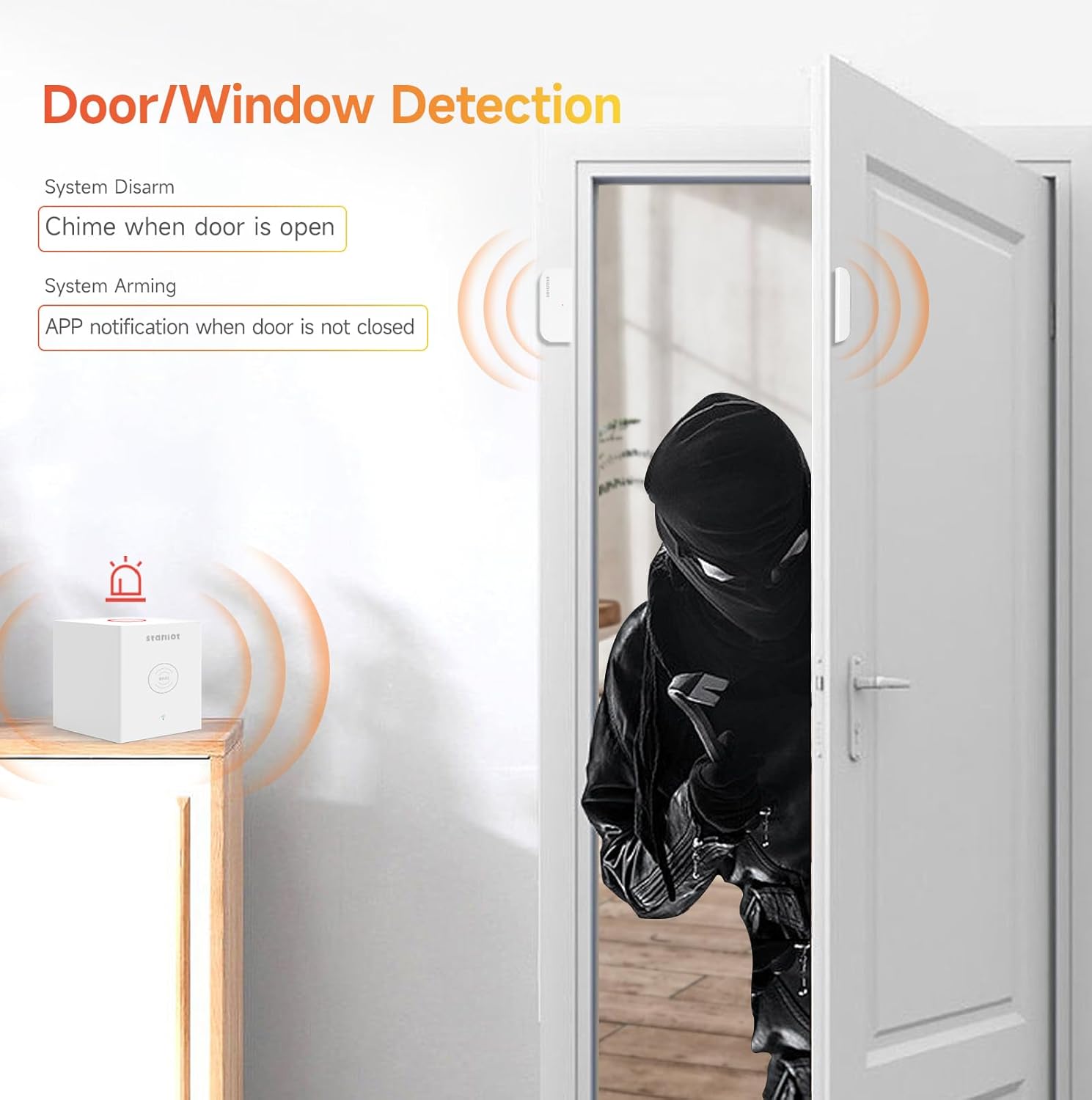
- Door Window Security Protection: Equipped with long battery life door and window alarm sensors to guard each entrance. Features door chimes when doors open, ideal for child safety and general home security.
- RFID/Remote Quick Arm/Disarm: User-friendly design allows arming/disarming by touching an RFID tag to the designated area on the base station or using the remote control. The remote also includes an SOS alarm function for emergencies.
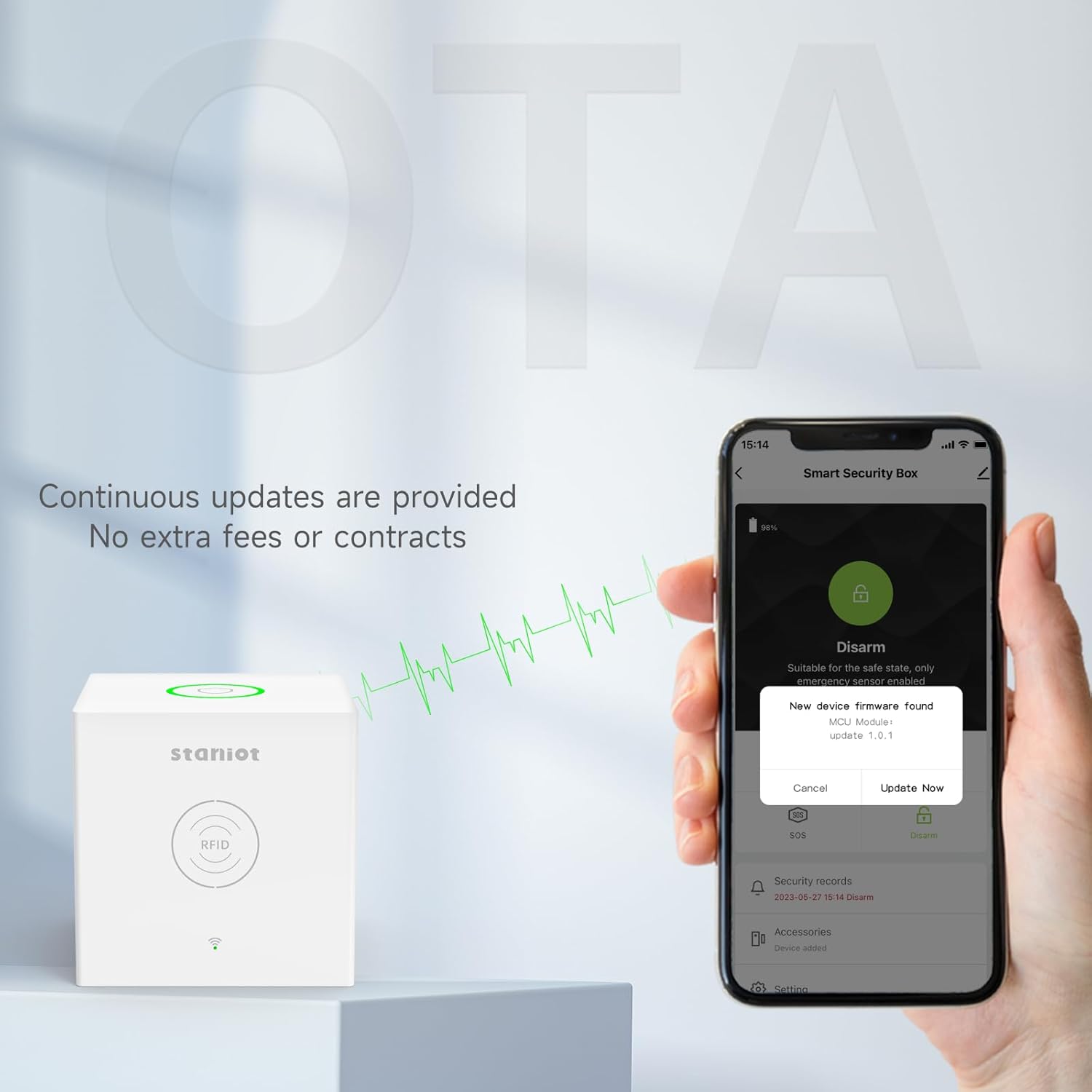
- OTAオンラインアップグレード: The system supports Over-The-Air (OTA) updates, ensuring continuous improvement and problem resolution without extra fees or subscriptions.
- Instant APP Notifications: Manage the system, add accessories, and modify settings via the dedicated app. Receive instant notifications on your phone when alarms are triggered or doors/windows are opened. (Supports 2.4GHz Wi-Fi networks only).
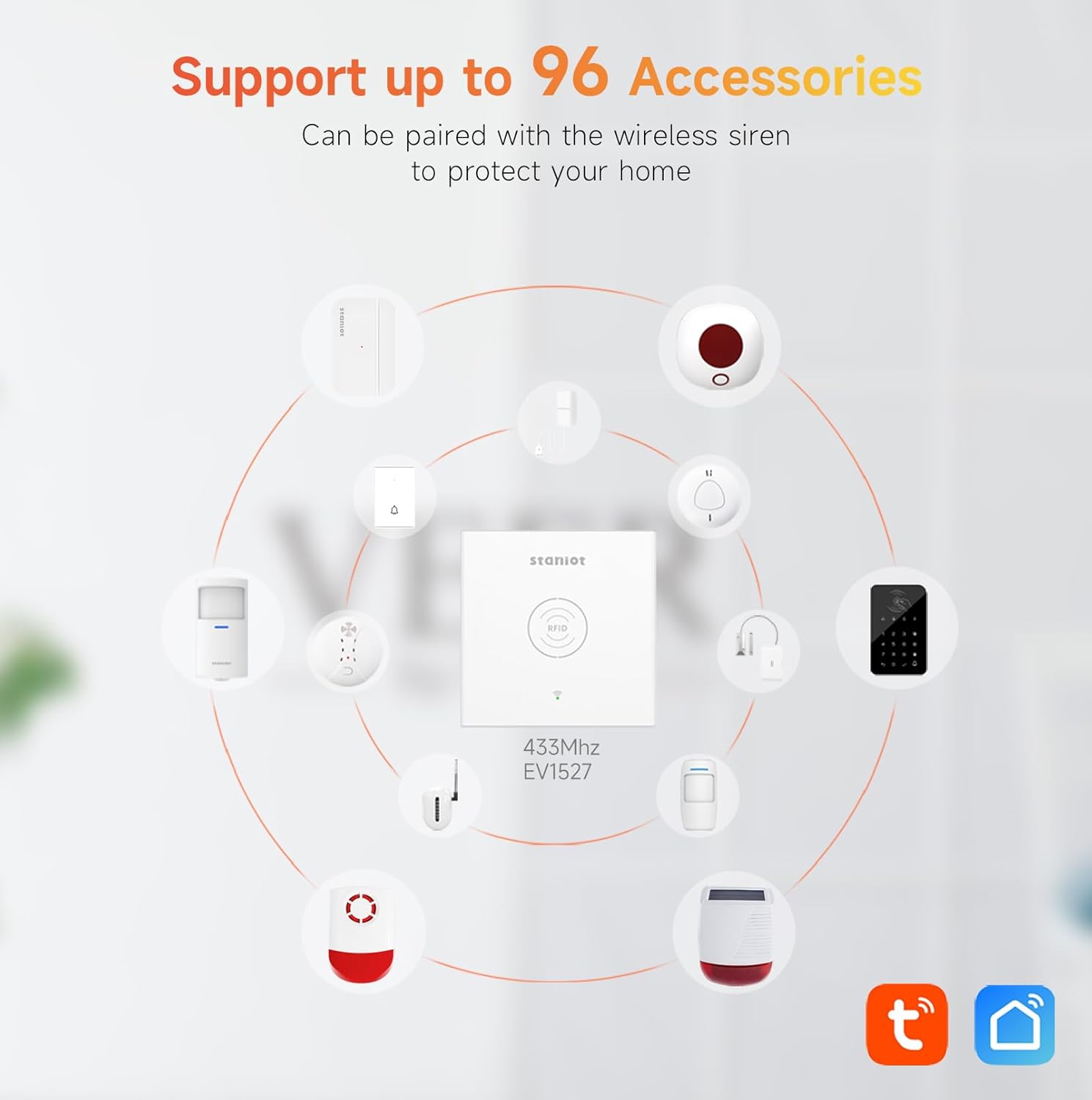
- Customizable DIY Alarm System: Expand your system by adding up to 96 accessories, including motion sensors, wireless sirens, smoke detectors, and alarm keypads, for 24/7 home protection.
- AlexaおよびGoogleアシスタントと互換性があります: Arm and disarm the alarm system using voice commands after setting up integration in the app.
- 低消費電力: The base station requires constant AC power connection. A built-in backup battery provides power for approximately 12 hours during emergencies.

2. パッケージ内容
Upon opening your staniot SecCube 3 WiFi Alarm Kit, please verify that all the following components are included:
- SecCube 3 Alarm Base Station × 1
- Door Contact Sensor × 4
- リモコン×1
- RFID Tag × 3
- ユーザーマニュアル × 1 (本書)

3.セットアップガイド
3.1 初回電源投入
Connect the SecCube 3 Alarm Base Station to an AC power outlet using the provided adapter. The base station must always be connected to AC power for normal operation. The built-in backup battery is for emergency use only.
3.2 アプリのダウンロードとペアリング
Download the official staniot app from your smartphone's app store. Follow the in-app instructions to pair the base station with your Wi-Fi network. Ensure your Wi-Fi network is 2.4GHz, as 5GHz networks are not supported.
3.3センサーの設置
The door contact sensors are designed for easy installation. Use the self-adhesive backing to attach the main sensor unit to the door or window frame and the smaller magnetic component to the moving part of the door or window. Ensure the two parts are aligned and close to each other when the door/window is closed.
3.4 RFID Tag and Remote Control Setup
付属のRFID tags and remote control are pre-paired with the base station for immediate use. No additional setup is required for these components.

3.5 音声アシスタント統合(Alexa/Google アシスタント)
To enable voice control, open the staniot app and navigate to the integration settings. Follow the prompts to link your staniot account with your Amazon Alexa or Google Assistant account. Once linked, you can use voice commands to arm and disarm your system.

4. 操作手順
4.1 システムの武装と武装解除
システムはいくつかの方法で起動または解除できます。
- Base Station Button: Press the multi-function button on top of the base station once to toggle between Away Arm and Home Arm modes.
- RFID Tag: Touch an authorized RFID tag to the designated area on the base station to quickly arm or disarm the system.
- リモートコントロール: Use the dedicated buttons on the remote control for Away Arm, Home Arm, Disarm, and SOS functions.
- モバイルアプリ: Use the staniot app to remotely arm or disarm the system from anywhere.
- 音声コマンド: If integrated with Alexa or Google Assistant, use voice commands to arm or disarm the system.

4.2SOSアラーム
In an emergency, long-press the multi-function button on the base station or the SOS button on the remote control to trigger an immediate alarm. The alarm sound can be silenced via the app if desired.
4.3 Notifications and Door Chimes
When the system is armed and an alarm is triggered, you will receive instant notifications on your smartphone via the staniot app. Door/window sensors can also be configured to produce a chime sound when opened, even when the system is disarmed, providing an alert for entries and exits.
4.4 Adding Additional Accessories
The staniot SecCube 3 system supports up to 96 additional accessories. To add new sensors or devices, open the staniot app and follow the instructions for adding new accessories. This allows for a highly customizable security setup tailored to your needs.
5. メンテナンス
5.1 電源
Ensure the base station remains connected to its AC adapter at all times. The internal backup battery is designed for short-term power outages (approximately 12 hours) and is not intended for continuous operation.
5.2 Sensor Battery Life
The door contact sensors are equipped with long-life batteries. The staniot app will notify you when a sensor's battery is low, indicating it's time for replacement.
5.3 ファームウェアアップデート(OTA)
The system receives continuous Over-The-Air (OTA) firmware updates to improve performance, add features, and resolve any issues. You will be prompted within the app when an update is available. It is recommended to install these updates to ensure optimal system functionality.
6。 トラブルシューティング
- System Not Connecting to Wi-Fi: Ensure your Wi-Fi network is 2.4GHz. The system does not support 5GHz networks. Verify your Wi-Fi password and signal strength.
- アプリ通知なし: Check your phone's notification settings for the staniot app to ensure notifications are enabled. Verify that the base station has a stable internet connection.
- Base Station Power Issues: Confirm the AC adapter is securely plugged into both the base station and a working power outlet. Remember, the base station requires constant AC power; the backup battery is for temporary use during outages。
- センサーが作動しない: Check the alignment of the two parts of the door/window sensor. They should be close enough when the door/window is closed. Replace the sensor battery if indicated by the app.
- Remote Control/RFID Tag 動作しない: Ensure the remote control battery is not depleted. For RFID tags, ensure you are touching the tag to the designated RFID area on the base station.
If you encounter any persistent issues not covered here, please refer to the "Customer Service" section for support.
7. 仕様
| 特徴 | 詳細 |
|---|---|
| ブランド | スタニオット |
| モデル番号 | 標準キット |
| 製品寸法 | 8 x 8 x 8 cm |
| アイテム重量 | 400グラム |
| 色 | 白 |
| 電源 | コード式電気 |
| 巻tage | 5ボルト |
| インストール方法 | Self-Adhesive Desktop placement |
| プラグプロfile | 英国プラグ |
| 認証 | CE、UKCA |
| 含まれるコンポーネント | SecCube 3 Alarm Base Station, Entry Sensor×4, RFID Tag×3, Remote Control×1 |
| 電池付属 | Yes (1 Lithium Ion battery for base station) |
| バッテリーセルタイプ | リチウムイオン |
| 対応デバイス | Smartphone (2.4GHz Wi-Fi only), Alexa, Google Assistant |
8. カスタマーサービスとサポート
Customer recognition and support are our primary goals. If you encounter any problems with your staniot SecCube 3 WiFi Alarm System, please do not hesitate to contact us first. We are committed to providing prompt assistance and resolving any issues you may experience as soon as possible.
For support, please visit the official staniot webサイトをご覧いただくか、製品パッケージに記載されている連絡先情報を参照してください。