導入
Welcome to the user manual for your boAt Airdopes Bliss ANC True Wireless Stereo (TWS) Earbuds. This guide provides detailed instructions on how to set up, operate, maintain, and troubleshoot your earbuds to ensure optimal performance.
箱の中身
- TWSイヤホン1個
- 1 X充電ケース
- 2 X Additional Earbuds (pairs of ear tips)
- 1 X USB充電ケーブル
- ユーザーマニュアル x 1
製品終了view
The boAt Airdopes Bliss ANC earbuds are designed for an immersive audio experience with Active Noise Cancellation (ANC) up to 32dB. They feature a long playback time, quick charging, and a low-latency BEAST Mode for gaming.

Image: boAt Airdopes Bliss ANC earbuds in their charging case.
設定
1. イヤホンとケースの充電
初めて使用する前に、イヤホンと充電ケースを完全に充電してください。
- USB 充電ケーブルを充電ケースの Type-C ポートと電源に接続します。
- ケースのインジケーターライトが充電状態を示します。
- 完全に充電されたら、ケーブルを外します。

Image: ASAP Charge feature, indicating 10 minutes of charge provides 180 minutes of playback.
The earbuds support ASAP Charging, providing 180 minutes of playback with just 10 minutes of charge. A full charge offers up to 42 hours of total playback time (earbuds + case).

Image: Visual representation of up to 42 hours of total playback time.
2. Initial Pairing (IWP™ Technology)
- 充電ケースのふたを開けます。 イヤホンの電源が自動的にオンになり、ペアリング モードに入ります。
- デバイス(携帯電話、タブレットなど)で Bluetooth を有効にします。
- 検索する "Airdopes Bliss ANC" in the list of available Bluetooth devices.
- Select "Airdopes Bliss ANC" to connect. Once connected, you will hear an audio prompt.

Image: IWP Technology showing the earbuds connecting to a smartphone upon opening the case.
IWP™ (Insta Wake N' Pair) Technology allows the earbuds to connect to your previously paired device as soon as you open the case lid.
3. イヤホンの装着
- Choose the ear tips that provide the most comfortable and secure fit.
- Insert the earbuds into your ears and gently twist them to ensure a snug seal for optimal sound and ANC performance.
操作手順
電源オン/オフ
- 電源オン: Open the charging case lid, or long-press the touch control on both earbuds for 3 seconds.
- 電源を切る: Place the earbuds back into the charging case and close the lid, or long-press the touch control on both earbuds for 5 seconds.
タッチコントロール
The Airdopes Bliss ANC features intuitive touch controls on each earbud.
| 関数 | アクション |
|---|---|
| 音楽の再生/一時停止 | どちらかのイヤフォンをシングルタップ |
| 次のトラック | 右のイヤホンをダブルタップ |
| 前のトラック | 左のイヤホンをダブルタップ |
| 通話の応答/終了 | どちらかのイヤフォンをシングルタップ |
| 通話を拒否 | どちらかのイヤホンを2秒間長押しします |
| 音声アシスタントを有効にする | どちらかのイヤホンをトリプルタップ |
| ANC/透明モードを切り替える | Long press on the left earbud for 2 seconds |
| Toggle BEAST Mode | Long press on the right earbud for 2 seconds |
アクティブノイズキャンセル(ANC)
The earbuds feature Active Noise Cancellation up to 32dB, reducing ambient noise for a focused listening experience. Long press the left earbud for 2 seconds to cycle between ANC On, Transparency Mode, and ANC Off.

Image: Representation of Active Noise Cancellation functionality.
BEASTモード(低遅延ゲーミング)
Activate BEAST Mode for a low-latency audio experience (60ms), ideal for gaming. Long press the right earbud for 2 seconds to toggle BEAST Mode On/Off.
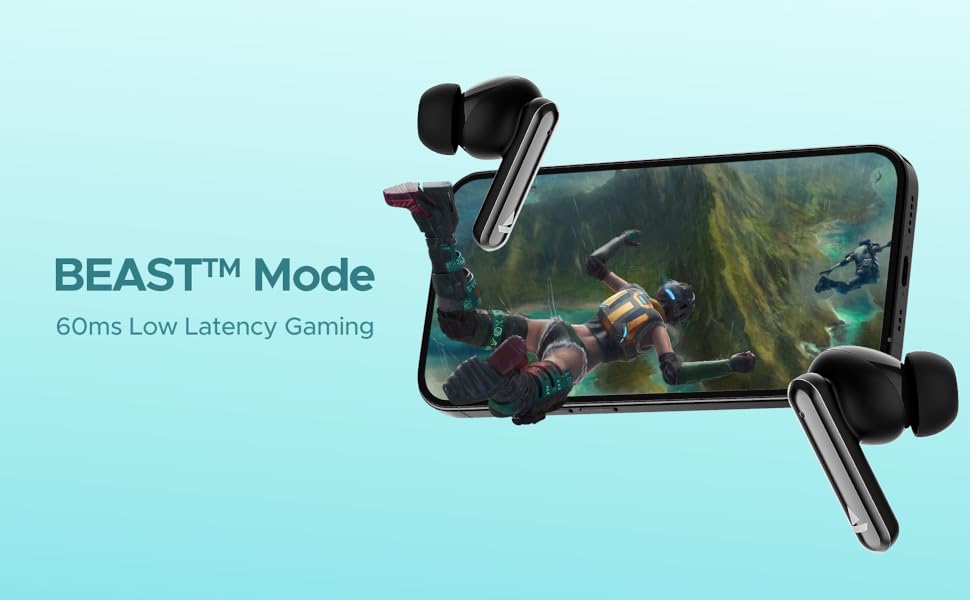
Image: Visual depicting the BEAST Mode for low-latency gaming.
ENx™ Technology (Quad Mics)
The earbuds are equipped with ENx™ Technology and Quad Mics for clear voice calls, ensuring your voice is heard clearly even in noisy environments.

Image: Diagram showing the internal components related to ENx Technology and Quad Mics.
メンテナンス
クリーニング
- イヤホンと充電ケースは、柔らかく乾いた糸くずの出ない布で定期的に清掃してください。
- イヤーチップを取り外し、中性洗剤と水で洗浄し、完全に乾かしてから再度取り付けます。
- 両方のイヤホンとケースの充電接点にほこりやごみがないことを確認してください。
- 研磨剤や溶剤は使用しないでください。
ストレージ
- 使用していないときは、イヤホンを保護し、充電を保つために、必ず充電ケースに保管してください。
- 高温多湿、直射日光を避けて保管してください。
バッテリーケア
- バッテリーを頻繁に完全に放電することは避けてください。
- 頻繁に使用しない場合でも、バッテリーの状態を維持するために、イヤホンとケースを定期的に充電してください。

Image: Earbuds and case with water droplets, illustrating IPX5 splash and sweat resistance. While resistant, avoid submerging the device.
トラブルシューティング
イヤホンがペアリングされない
- 両方のイヤホンが充電されていることを確認します。
- 両方のイヤホンを充電ケースに戻し、蓋を閉じて数秒待ってから再び蓋を開けます。
- デバイスの Bluetooth をオフにしてから、再度オンにして、ペアリングを再試行してください。
- 問題が解決しない場合は、イヤホンをリセットしてみてください(メーカーの webここで説明されていない場合は、具体的なリセット手順についてはサイトを参照してください。
音が出ない、または音量が小さい
- 接続されているデバイスとイヤホンの両方の音量レベルを確認してください。
- イヤホンが耳に正しく装着され、イヤーチップがしっかりと密着していることを確認します。
- イヤホンのスピーカーからゴミを取り除きます。
- イヤホンをデバイスに再接続します。
充電の問題
- 充電ケーブルがケースと電源の両方にしっかりと接続されていることを確認してください。
- 別の充電ケーブルまたは電源アダプターを試してください。
- イヤホンとケース内部の充電接点を清掃してください。
仕様
| 特徴 | 詳細 |
|---|---|
| モデル名 | Airdopes Bliss ANC |
| 接続技術 | ブルートゥース |
| 無線通信技術 | ブルートゥース |
| アクティブノイズキャンセリング | 最大32dB |
| 再生時間 | Up to 42 Hours (total with case) |
| ASAP Charging | 10分の充電 = 180分の再生時間 |
| BEAST モードの遅延 | 60ミリ秒 |
| マイク技術 | ENx Technology with Quad Mics |
| 制御方法 | 触る |
| 耐水性評価 | IPX5(防滴・防汗) |
| 電池のタイプ | リチウムポリマー |
| アイテム重量 | 50グラム |
| 製品寸法 | 5.9 x 4.9 x 2.6 cm |
| 含まれるコンポーネント | 1 X TWS Earbuds, 2 X Additional Earbuds, Cable, User Manual |
保証とサポート
保証情報およびカスタマーサポートについては、公式boAtを参照してください。 web公式サイトをご覧いただくか、カスタマーサービスまでお問い合わせください。保証請求のために購入時のレシートを保管してください。