1. はじめに
This manual provides essential information for the safe and efficient use of your Sharp NEC 86-inch 4K UHD Professional Display, model 4P-B86EJ2U. This display is designed for commercial and professional applications, offering high-resolution visuals and reliable performance for extended operating hours. Please read this manual thoroughly before installation and operation, and retain it for future reference.
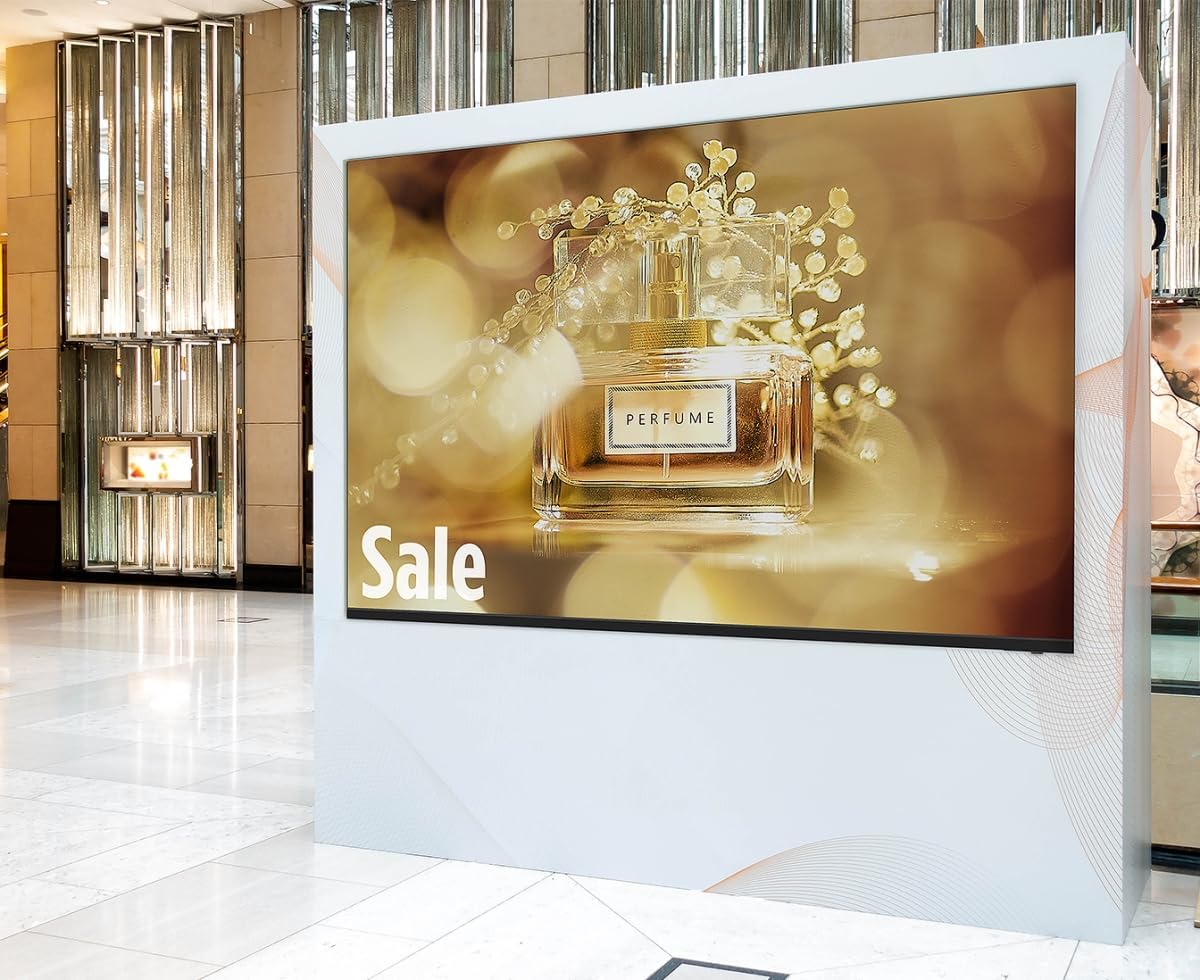
Image: The Sharp NEC 86-inch Professional Display, model 4P-B86EJ2U, is shown integrated into a commercial environment, displaying a vibrant advertisement for perfume. The display is mounted vertically within a white frame, highlighting its suitability for digital signage and promotional content in retail or public spaces.
2. 安全情報
Observe the following safety precautions to prevent damage to the display and ensure user safety:
- 電源: Connect the display only to a grounded power outlet with the specified voltage (120V AC). Do not overload power strips or extension cords.
- 換気: Ensure adequate ventilation around the display. Do not block ventilation openings or install the display in an enclosed space without proper airflow.
- 取り扱い: The display is heavy. Always use appropriate lifting techniques and sufficient personnel when moving or installing the unit.
- 水分: Keep the display away from water, rain, or excessive humidity. Do not operate with wet hands.
- クリーニング: Disconnect power before cleaning. Use a soft, dry cloth. Avoid liquid cleaners directly on the screen.
- サービス: ディスプレイの修理はご自身で行わないでください。修理はすべて資格を持ったサービス担当者にご依頼ください。
3. パッケージ内容
パッケージにすべてのアイテムが揃っていることを確認します。
- Sharp NEC 86-inch 4K UHD Professional Display (Model 4P-B86EJ2U)
- ディスプレイスタンド
- 電源コード
- リモコン(電池付)
- 取扱説明書(本書)
4. セットアップ
4.1 開梱
- Place the display carton on a flat, stable surface.
- Carefully open the carton and remove any packing materials.
- With assistance, lift the display out of the carton. Avoid touching the screen directly.
4.2 スタンドの取り付け
付属のスタンドを使用する場合:
- Carefully place the display face down on a soft, clean surface to prevent screen damage.
- Attach the stand to the designated mounting points on the back of the display using the provided screws. Ensure all screws are tightened securely.
- With assistance, carefully place the display upright on a stable, level surface.
4.3 壁掛け(オプション)
The display supports VESA-compliant wall mounts. Refer to your wall mount's instructions for proper installation. Ensure the wall mount can support the display's weight (approximately 123 pounds).
4.4 デバイスの接続
- 力: Connect the power cord to the display's power input and then to a grounded 120V AC power outlet.
- ビデオ入力: Connect your video source (e.g., media player, computer) to the display using an HDMI cable. The display supports 4K resolution via HDMI.
- USB: For firmware updates or media playback (if supported by the display's internal player), connect a USB device to the USB port.
4.5 初回電源投入
- すべての接続が安全であることを確認します。
- Press the power button on the display or the remote control.
- Follow any on-screen prompts for initial setup, such as language selection or input source.
5. 操作手順
5.1 基本的な制御
Use the remote control or the buttons on the display to navigate the menu and control functions:
- 力: 表示をオンまたはオフにします。
- 入力/ソース: Selects the desired input source (HDMI 1, HDMI 2, USB, etc.).
- メニュー: メイン設定メニューにアクセスします。
- ナビゲーションボタン: メニュー オプション間を移動するために使用されます。
- 入力/OK: 選択を確定します。
5.2 表示設定
Access the main menu to adjust various display parameters:
- 画像モード: Select from predefined picture settings (e.g., Standard, Dynamic, Custom).
- 輝度: Adjust the overall luminance of the screen (rated at 380 cd/m2).
- 対比: Adjust the difference between the lightest and darkest areas of the image (rated at 1,200:1).
- 解決: The display supports 4K Ultra-HD (3840 x 2160) resolution. Ensure your source device is configured to output at this resolution for optimal clarity.
- アスペクト比: Set the display aspect ratio to 16:9 or other available options to match your content.
5.3 ランドスケープモード
The display is designed for operation in landscape orientation. Ensure physical installation matches this orientation for proper viewing。
5.4 Extended Operation (16/7)
This professional display is engineered for reliable operation up to 16 hours a day, 7 days a week, making it suitable for demanding commercial environments.
6. メンテナンス
6.1 画面のクリーニング
- Turn off the display and unplug the power cord.
- 柔らかく糸くずの出ない布で画面を優しく拭いてください。頑固な汚れには、軽くampen the cloth with water or a screen-specific cleaning solution (do not spray directly onto the screen).
- Allow the screen to dry completely before plugging in the power cord and turning on the display.
6.2 キャビネットの清掃
Wipe the display cabinet with a soft, dry cloth. Avoid using abrasive cleaners or solvents.
6.3ファームウェアアップデート
Periodically check the Sharp NEC support website for available firmware updates. Follow the instructions provided with the update package for installation via USB.
7。 トラブルシューティング
ディスプレイに問題が発生した場合は、次の一般的な問題と解決策を参照してください。
| 問題 | 考えられる原因 | 解決 |
|---|---|---|
| 電源なし | Power cord disconnected; Power outlet faulty; Display off | Check power cord connection; Test outlet with another device; Press power button on display/remote |
| No signal/No picture | Incorrect input source selected; Video cable loose/faulty; Source device off/faulty | Select correct input source; Check video cable connections; Ensure source device is on and working |
| Picture too dark/bright | 明るさ/コントラストの設定が正しくありません | Adjust Brightness and Contrast settings in the OSD menu |
| リモコンが動作しない | Batteries depleted; Obstruction between remote and display; Remote sensor blocked | Replace batteries; Remove obstructions; Ensure remote sensor is clear |
If the problem persists after attempting these solutions, please contact Sharp NEC customer support.
8. 仕様
Key technical specifications for the Sharp NEC 86-inch 4K UHD Professional Display (Model 4P-B86EJ2U):
- モデル番号: 4P-B86EJ2U
- 画面サイズ: 86インチ(対角85.6インチ)
- ディスプレイ技術: LED (Direct LED Backlighting)
- 解決: 4K Ultra-HD (3840 x 2160)
- アスペクト比: 16:9
- 輝度: 380 cd/m²
- コントラスト比: 1,200:1
- リフレッシュレート: 60Hz
- 営業時間: 16/7(1日16時間、週7日)
- 接続性: HDMI、USB
- 製品寸法(奥行き x 幅 x 高さ): 3.7" x 75.7" x 3.7" (Note: H dimension seems incorrect based on typical display measurements, likely refers to depth)
- 商品の重量: 123 ポンド
- 巻tage: 120ボルト(AC)
- ワットtage: 8ワット(注:このワットはtage value is unusually low for a display of this size and resolution. Please refer to the product label for accurate power consumption.)
- 特集: Flat Panel Design
9. 保証とサポート
Your Sharp NEC Professional Display is covered by a manufacturer's warranty. For detailed warranty terms and conditions, please refer to the warranty card included with your product or visit the official Sharp NEC website. For technical assistance, troubleshooting beyond this manual, or to inquire about service, please contact Sharp NEC customer support directly.
オンラインサポート: www.sharpnecdisplays.us


