1. 重要な安全情報
除湿機をご使用になる前に、すべての取扱説明書をよくお読みください。この取扱説明書は、今後の参考のために保管してください。
- 水がこぼれないように、ユニットが水平で安定した面に設置されていることを確認してください。
- Maintain adequate clearance (at least 20 cm) around the unit for proper airflow.
- Do not operate the unit with a damaged power cord. Contact customer support for replacement.
- 清掃やメンテナンスを行う前に、除湿機のプラグを抜いてください。
- 吸気口や排気口に物を差し込まないでください。
- ユニットを熱源や直射日光から遠ざけてください。
- この機器は、安全に責任を負う人物による機器の使用に関する監督または指示がない限り、身体的、感覚的、または精神的能力が低下している人、あるいは経験と知識が不足している人(子供を含む)による使用を想定していません。
2.製品オーバーview
The Waykar 80 Pints Dehumidifier is designed to efficiently remove excess moisture from your environment, improving air quality and comfort. It is suitable for spaces up to 5,000 square feet.

図2.1: 前面 view Waykar 80 パイント除湿機。

Figure 2.2: Dehumidifier operating in a room, illustrating its coverage capability and adjustable humidity range (30-80% RH).
主な機能は次のとおりです。
- 80パイント容量: 80日あたり最大XNUMXパイントの水分を除去します。
- エナジースター認定: Designed for high energy efficiency.
- Wide-Angle Swing: Automatic 30°-90° swing function for improved air circulation.
- 静かな動作: 最低42 dBで動作します。
- スマートタッチコントロール: Intuitive panel for easy settings adjustment.
- 24時間タイマー: Schedule operations for convenience.
- Auto Defrost & Memory Restart: Ensures stable performance and resumes settings after power interruption.
- Flexible Drainage: Options for manual tank emptying or continuous drainage.
- 洗えるエアフィルター: 掃除やメンテナンスが簡単です。
- 360° Swivel Wheels & Integrated Handle: 簡単に移動できます。
3. セットアップとインストール
3.1 開梱
Carefully remove the dehumidifier from its packaging. Inspect the unit for any signs of damage. If any damage is found, do not operate the unit and contact customer support.
3.2 配置
Place the dehumidifier on a firm, level surface in a location where the ambient temperature will not fall below 5°C (41°F). Ensure there is at least 20 cm (8 inches) of space around the unit for proper air circulation. Avoid placing the unit near heat-generating appliances or in direct sunlight.

Figure 3.1: The dehumidifier features 360° swivel wheels and an integrated handle for easy movement, along with tidy cable storage.
3.3電源接続
電源コードをアース付きコンセントに差し込みます。電圧がtag電源の電圧と周波数が、ユニットの定格ラベルの仕様と一致していることを確認します。
4. 操作手順
コントロール パネルを使用すると、除湿機のすべての機能を管理できます。
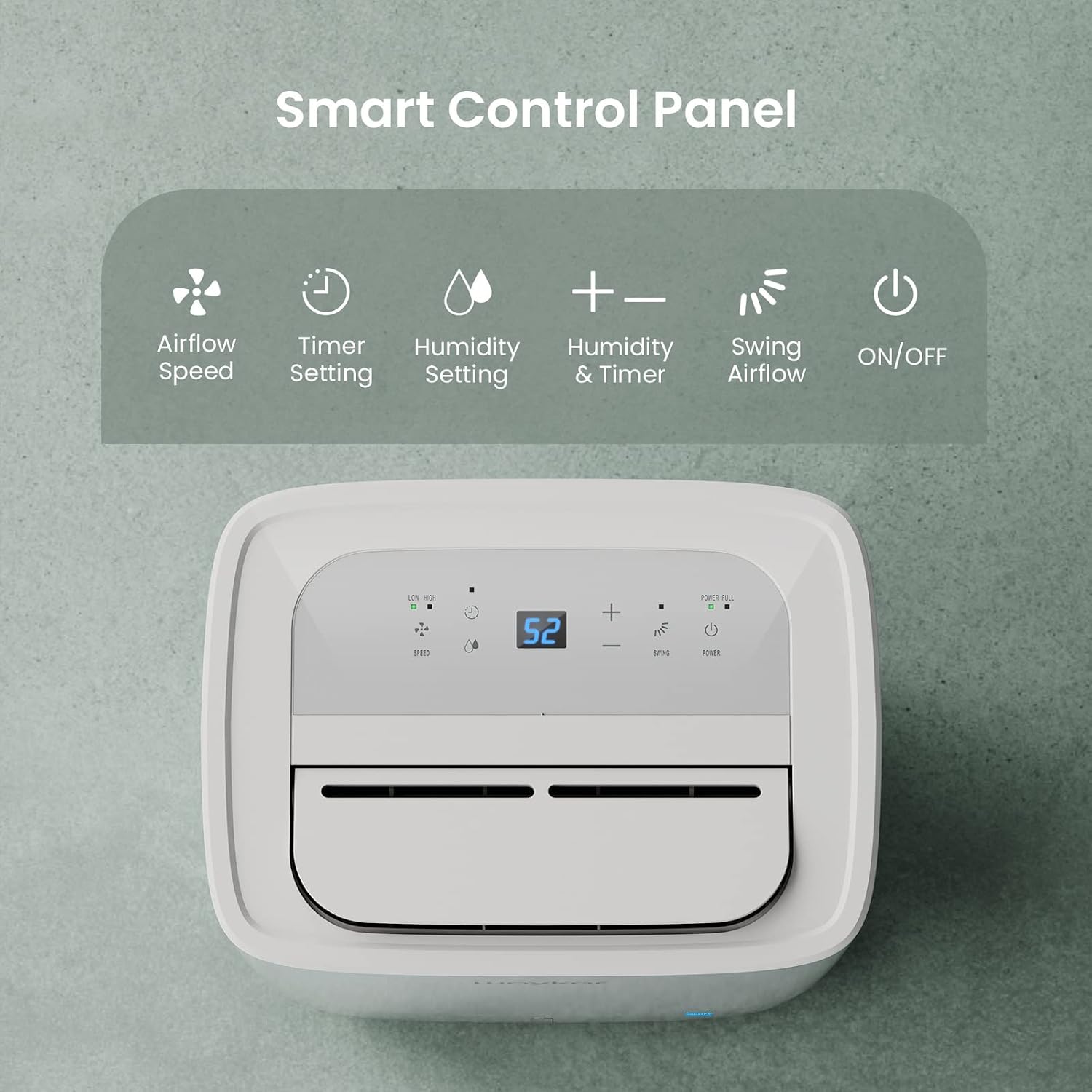
Figure 4.1: Smart Control Panel with buttons for Airflow Speed, Timer Setting, Humidity Setting, Swing Airflow, and ON/OFF.
4.1 電源のオン/オフ
- を押す 力 ユニットの電源をオンまたはオフにするボタン。
4.2 湿度レベルの設定
- を押す + or - buttons to adjust the desired humidity level between 30% and 80% Relative Humidity (RH). The unit will operate until the set humidity level is reached, then cycle ON/OFF to maintain it.
4.3 ファン速度
- を押す スピード button to toggle between Low and High fan speeds.
4.4 タイマー機能
- を押す タイマー button to set a delay for the unit to turn ON or OFF. The timer can be set from 0.5 to 24 hours.
4.5 Swing Airflow
- を押す スイング button to activate the automatic 30°-90° airflow oscillation. This helps distribute dehumidified air more evenly.
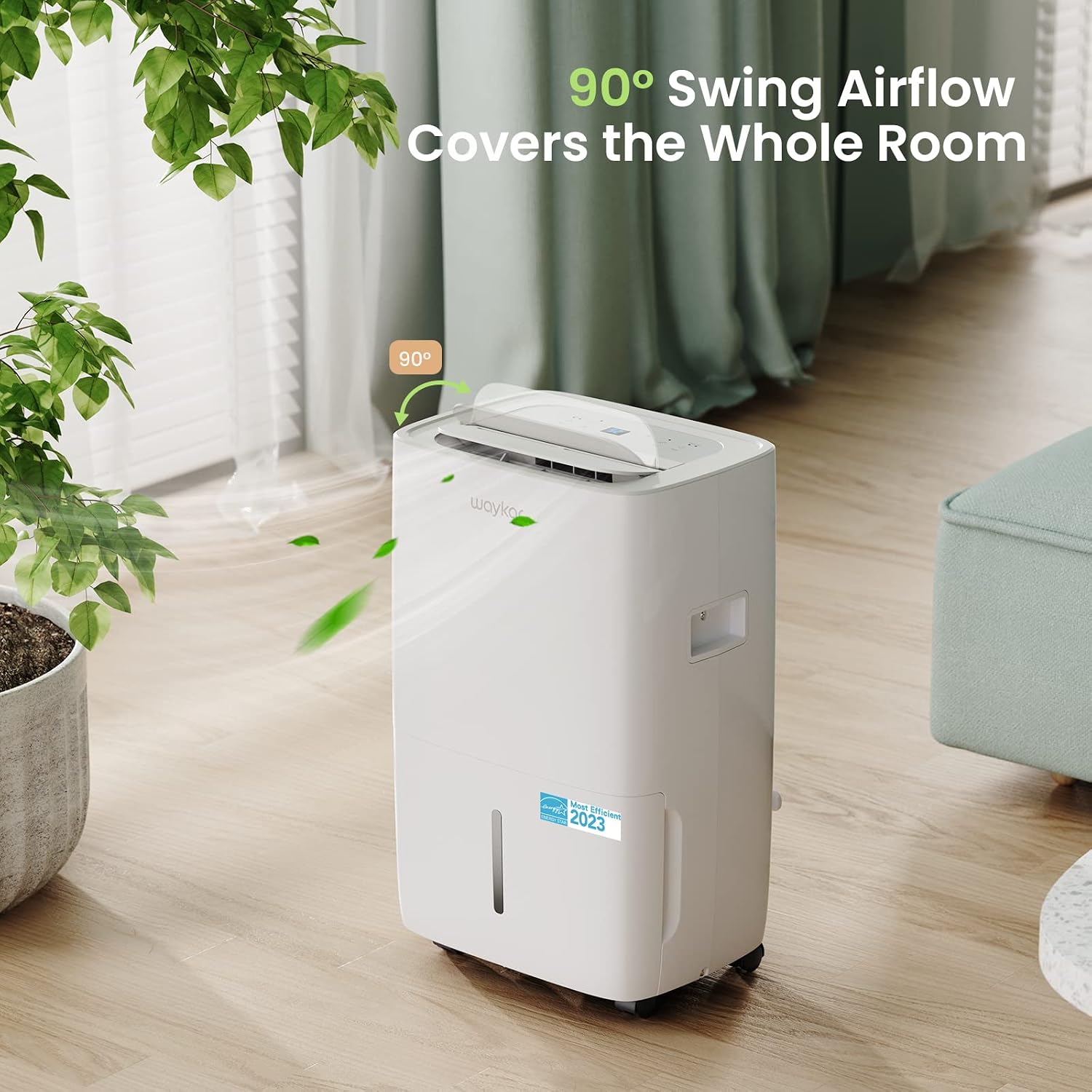
Figure 4.2: The 90° swing airflow feature helps cover the entire room for efficient dehumidification.
4.6チャイルドロック
- チャイルドロックを有効にするには、 タイマー button for 3 seconds. The control panel will be locked to prevent accidental changes. Repeat to unlock.
4.7 Auto Defrost and Memory Restart
- The unit features an automatic defrost function that activates when frost builds up on the evaporator coils, ensuring efficient operation in cooler environments.
- 停電の場合tage, the Memory Restart function will automatically resume the previous settings once power is restored.
5. 排水オプション
The Waykar dehumidifier offers two convenient drainage methods:
5.1 手動排水(水タンク)
- When the 1.14-gallon (4.3L) water tank is full, the unit will automatically shut off and an indicator light will illuminate on the control panel.
- 水タンクを本体前面から慎重に引き出します。
- 溜まった水を捨てます。
- Slide the empty tank back into the unit until it clicks into place. The unit will then resume operation.
5.2 連続排水(排水ホース)
- For continuous operation without needing to empty the tank, attach the included 3.3 ft (1 m) drain hose to the drainage outlet at the back of the unit.
- 漏れを防ぐためにホースがしっかりと締められていることを確認してください。
- Direct the other end of the hose to a suitable drain (e.g., floor drain, sink). Ensure the hose is sloped downwards to allow gravity drainage.

Figure 5.1: Illustration of both manual drainage (left) and continuous drainage (right) options.
6. メンテナンス
定期的なメンテナンスにより、除湿機の最適なパフォーマンスと寿命が確保されます。
6.1エアフィルターの清掃
The washable air filter should be cleaned regularly (approximately every 250 hours of operation or when the filter indicator light illuminates) to maintain efficiency.
- 本体の電源を切り、電源プラグをコンセントから抜きます。
- ユニットの背面からエアフィルターを取り外します。
- フィルターを温かい石鹸水で洗い、よくすすいでください。
- フィルターをユニットに再度挿入する前に、完全に自然乾燥させてください。
- Once the filter is reinstalled, press and hold the フィルター button for 3 seconds to reset the filter indicator.

Figure 6.1: The detachable and washable water tank, featuring a visible water level indicator.
6.2水タンクの清掃
Clean the water tank periodically to prevent mold and bacteria growth.
- ユニットから水タンクを取り外します。
- タンクを温水と中性洗剤で洗ってください。
- 十分にすすぎ、乾燥させてから除湿機に戻してください。
6.3 外装清掃
- 本体の外側を柔らかい布で拭いてください。amp 布で拭いてください。強力な化学薬品や研磨剤入りの洗剤は使用しないでください。
7. トラブルシューティングガイド
カスタマー サポートに連絡する前に、次の一般的な問題と解決策を参照してください。
| 問題 | 考えられる原因 | 解決 | ||||||||||
|---|---|---|---|---|---|---|---|---|---|---|---|---|
| Dehumidifier does not turn ON | 電源が供給されていない、電源コードが差し込まれていない、水タンクが満杯か正しく取り付けられていない。 | Check power outlet; Plug in power cord securely; Empty and correctly reinstall water tank. | ||||||||||
| ユニットは稼働しているが除湿していない | エアフィルターが詰まっている、室温が低すぎる、湿度設定が高すぎる。 | Clean air filter; Ensure room temperature is above 5°C (41°F); Lower desired humidity setting. | ||||||||||
| ユニットがうるさい | ユニットが水平面上にありません。エアフィルターが詰まっています。 | ユニットを平らで安定した面に置き、エアフィルターを清掃します。 | ||||||||||
| ユニットから水が漏れる | Water tank incorrectly installed; Drain hose not securely attached (continuous drainage). | Reinstall water tank correctly; Securely tighten drain hose connection. | ||||||||||
エラーコード
関連文書 - JD025CE-80-CA
|


