1. はじめに
The Machenike G6 Tri-mode Switch Controller is a versatile gamepad designed for a wide range of gaming platforms, including PC, Nintendo Switch, iOS, Android, and TV boxes. It features advanced technologies such as magnetic Hall sensing joysticks and triggers, Kailh mechanical micro switches, 6-axis gyro motion control, and multi-level vibration feedback. This manual provides detailed instructions for setting up, operating, and maintaining your controller to ensure optimal performance.
2. パッケージ内容
パッケージにすべてのアイテムが含まれていることを確認してください。
- Machenike G6 Tri-mode Switch Controller
- USB-C充電ケーブル
- 2.4Gワイヤレスレシーバー
- ユーザーマニュアル
3. コントローラーのレイアウト
Familiarize yourself with the buttons and features of your Machenike G6 controller.

The controller features standard gamepad buttons (A, B, X, Y), directional pad, dual joysticks, shoulder buttons (L1, R1), and triggers (L2, R2). Additional function buttons include Start, Select, Home, and programmable back buttons.

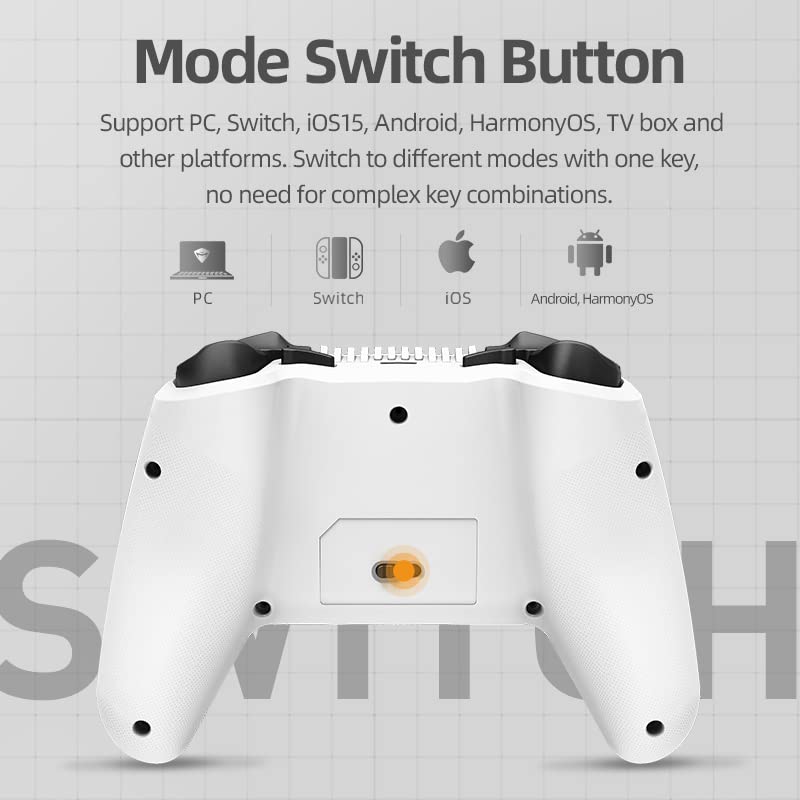
The back of the controller includes a mode switch slider and additional programmable buttons for enhanced gameplay customization.
4. セットアップと接続
4.1. コントローラーの充電
Connect the supplied USB-C cable to the controller's charging port and the other end to a USB power source (e.g., computer, wall adapter). The LED indicators will show charging status and power consumption.
4.2. Connecting via USB (Wired Mode)
Plug the USB-C cable directly from the controller to your PC or compatible device. The controller will automatically be recognized and ready for use.
4.3. 2.4Gワイヤレス接続
- Insert the 2.4G wireless receiver into a USB port on your device (PC, TV box, etc.).
- Switch the mode slider on the back of the controller to the 2.4G position.
- The controller will automatically pair with the receiver. LED indicators will confirm connection.
4.4. Bluetooth 5.0経由で接続する
- Switch the mode slider on the back of the controller to the Bluetooth position.
- On your device (NS, iOS, Android, PC with Bluetooth), go to Bluetooth settings and search for new devices.
- Select "Machenike G6" from the list of available devices to pair. LED indicators will confirm connection.
4.5.モード切り替え
The Machenike G6 supports multiple platforms. Use the mode slider on the back of the controller to select the appropriate connection mode for your device (PC, Switch, iOS, Android, TV box).


5. コントローラーの操作
5.1. Magnetic Hall Sensing Joysticks
The G6 controller features Hall effect joysticks that use magnetic induction for precise, drift-free input. This technology ensures long-term accuracy and smooth control without physical wear.

5.2. Three-Way Trigger Locks
Customize your trigger travel distance with three distinct settings:
- Gear 1 (FPS): Short pull for rapid response in first-person shooter games.
- Gear 2 (Universal): Normal travel distance for balanced gameplay across various genres.
- Gear 3 (RAC): Longer full pull for precise control in racing games or fine aiming.

5.3. Kailh Mechanical Micro Switches
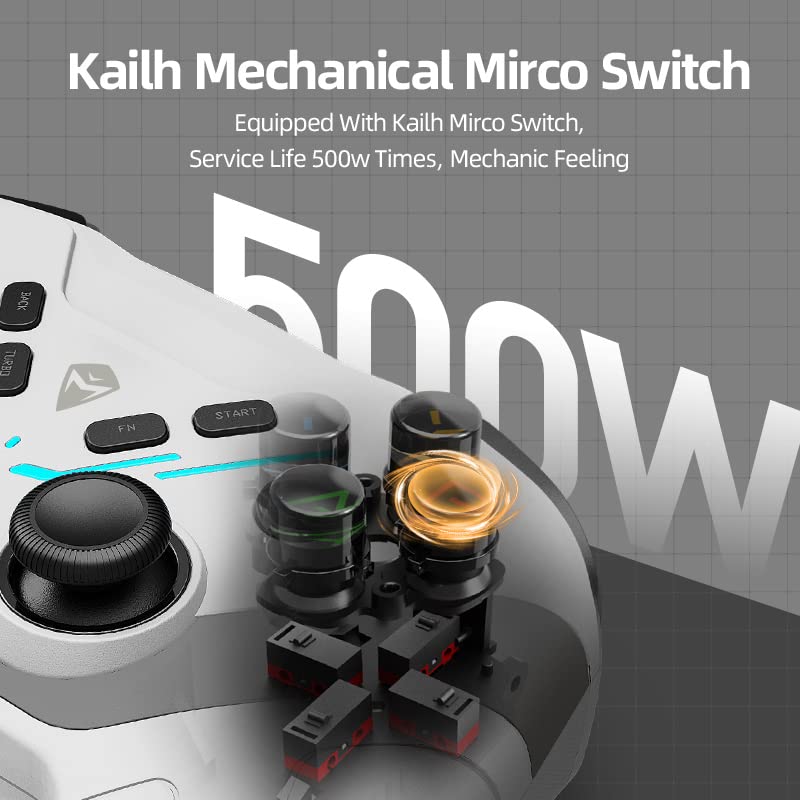
The action buttons utilize Kailh mechanical micro switches, providing a shorter trigger stroke and a tactile, responsive feel. This design allows for faster input and improved gaming performance.
5.4. 6軸ジャイロモーションコントロール
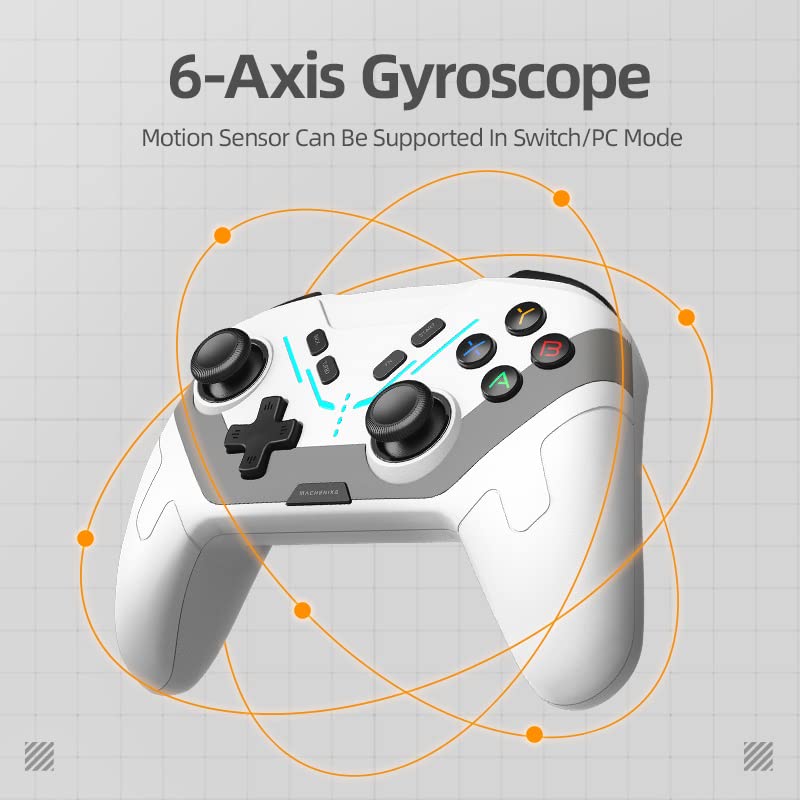
The integrated 6-axis gyro provides motion sensing capabilities, enhancing immersion and control in compatible games, particularly on Nintendo Switch and PC platforms. This allows for precise movements based on controller orientation.
5.5. Multi-level Vibration
The controller features dual motors with 100 adjustable levels of vibration. This provides realistic haptic feedback, enhancing immersion in games by simulating impacts, explosions, and other in-game events.
5.6. ターボ機能
Activate the Turbo function for rapid-fire inputs, useful in games requiring quick, repeated button presses. Refer to the in-app settings or specific button combinations for activation and customization.
5.7. LEDライト
The controller includes LED lights with four different modes to create an ambient gaming atmosphere. The visualized power display ensures you are aware of the battery status, allowing timely recharging.
6. APP Customization and Macro Programming
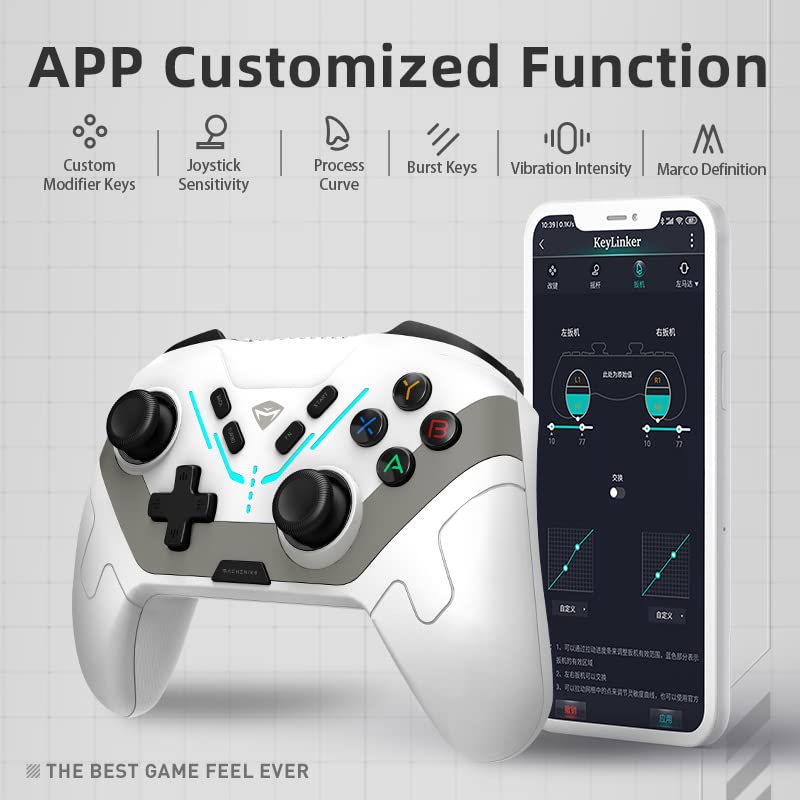
The Machenike G6 controller can be customized using a dedicated smartphone application (KeyLinker). This app allows for extensive personalization of your gaming experience.
アプリの主な機能は次のとおりです。
- マクロ編集: Record and assign up to 42 actions to programmable buttons.
- Linear Curve Adjustments: ジョイスティックとトリガーの感度を微調整します。
- Button Function Mapping: プレイスタイルに合わせてボタンを再マッピングします。
- 照明効果: LED ライト モードと明るさを調整します。
- 振動強度: 触覚フィードバックの強さを調整します。

7. メンテナンス
To ensure the longevity and optimal performance of your Machenike G6 controller, follow these maintenance guidelines:
- クリーニング: コントローラーは柔らかく乾いた布で拭いてください。頑固な汚れには、軽くamp布を水で濡らしてください。刺激の強い化学薬品や研磨剤は使用しないでください。
- ストレージ: コントローラーは、直射日光や極端な温度を避け、涼しく乾燥した場所に保管してください。
- ドロップを避ける: 内部コンポーネントを損傷する可能性のある衝撃や落下からコントローラーを保護します。
- ケーブルのお手入れ: Handle the USB-C cable gently. Avoid bending or twisting it excessively.
8。 トラブルシューティング
If you encounter issues with your Machenike G6 controller, refer to the following common problems and solutions:
Controller Not Connecting/Disconnecting Frequently
- モードスイッチを確認してください: Ensure the mode slider on the back of the controller is set to the correct position for your device (USB, 2.4G, or Bluetooth).
- Bluetoothを再ペアリングします: If using Bluetooth, unpair the controller from your device and attempt to pair it again.
- 2.4Gレシーバー: Ensure the 2.4G receiver is securely plugged into a working USB port. Try a different USB port.
- バッテリー残量: Low battery can cause connectivity issues. Charge the controller fully.
- 干渉: 干渉を引き起こす可能性のある他のワイヤレス デバイスから離れて移動してください。
- ファームウェアアップデート: 公式Machenikeをチェック website or app for any available firmware updates for the controller.
ボタン/ジョイスティックが反応しない、またはドリフトする
- 再調整: Use the companion app to recalibrate joysticks and triggers if available.
- クリーン: ボタンの動きを妨害するゴミがないことを確認してください。
- 再起動: Turn off and restart the controller and your device.
振動が機能しない
- Check In-Game Settings: ゲームの設定で振動が有効になっていることを確認してください。
- アプリの設定を確認します。 Verify vibration intensity is not set to zero in the companion app.
9. 仕様
| 特徴 | 詳細 |
|---|---|
| モデル | G6 |
| 接続性 | USB (Wired), Bluetooth 5.0, 2.4G Wireless |
| ジョイスティック | Magnetic Hall Sensing |
| トリガー | Magnetic Hall Sensing with Three-Way Trigger Locks |
| ボタン | Kailh Mechanical Micro Switches |
| モーションコントロール | 6-Axis Gyro (Switch/PC Mode) |
| 振動 | デュアルモーター、100段階調節可能 |
| カスタマイズ | Smartphone App (Macro Programming, Curve Adjustments) |
| 寸法 | 5.91 x 3.94 x 1.97インチ |
| 重さ | 14.9オンス |
| メーカー | マチェニケ |
| 最初に利用可能 | 14年2023月XNUMX日 |
10. 保証とサポート
The Machenike G6 Tri-mode Switch Controller comes with a standard manufacturer's warranty. For specific warranty terms, conditions, and duration, please refer to the warranty card included in your product packaging or visit the official Machenike support website. For technical assistance, troubleshooting beyond this manual, or customer service inquiries, please contact Machenike customer support through their official channels.
11. 製品ビデオ
Watch the official product video for a visual guide on the Machenike G6 Tri-mode Switch Controller's features and usage.


