製品終了view
The DEPOW Black Surge Protector Power Strip (Model: QT560-CU) is designed to provide power and protection for multiple electronic devices. It features 5 grounded AC outlets and 4 USB ports (2 USB-A, 2 USB-C) to charge up to 9 devices simultaneously. The ultra-thin flat plug and 5-foot extension cord offer flexible placement options, while its 1700 Joules surge protection safeguards your electronics from power fluctuations.
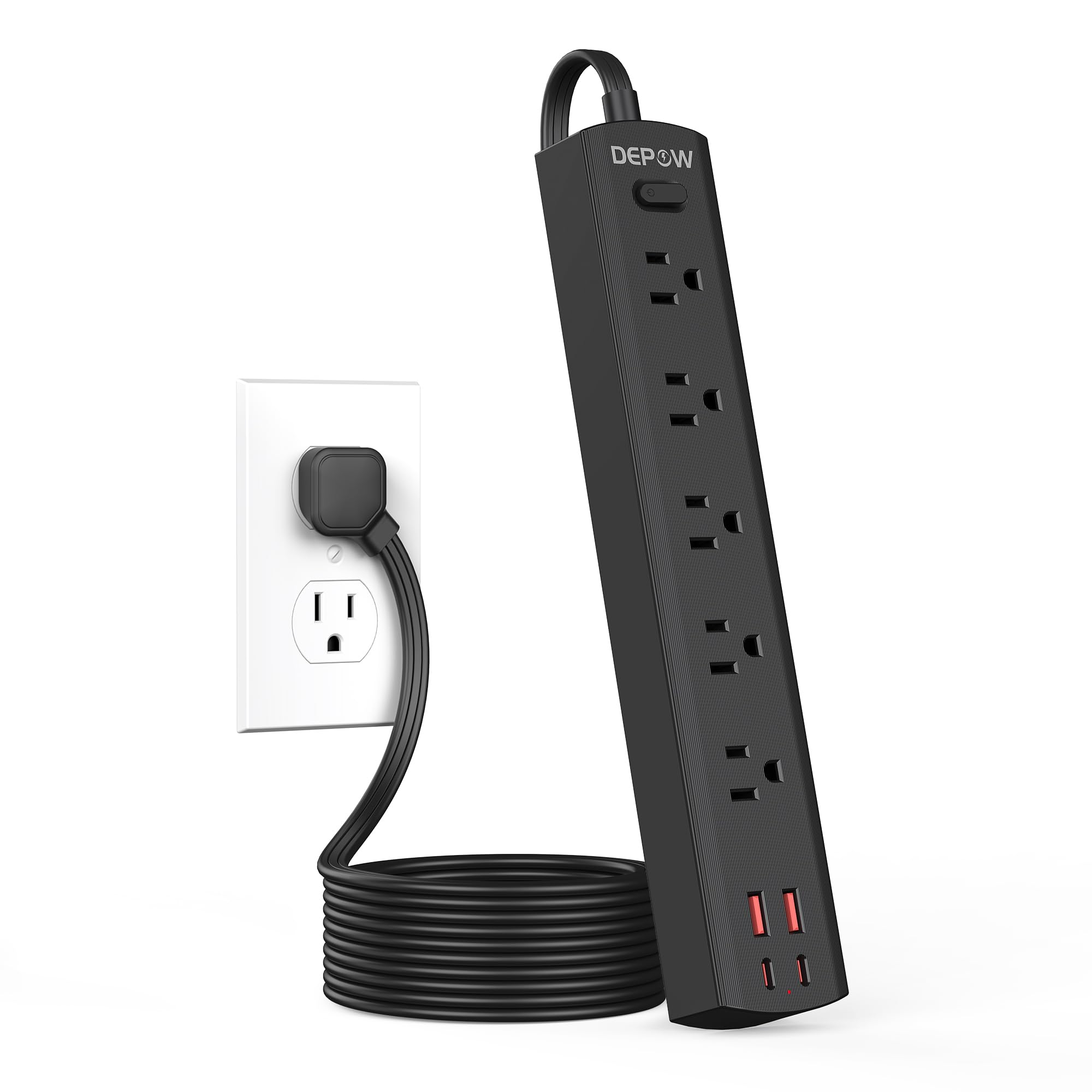
Image: The DEPOW Black Surge Protector Power Strip, showcasing its 5 AC outlets and 4 USB ports (2 USB-A, 2 USB-C) on a flat surface.
主な特徴:
- 9-in-1 電源ソリューション: 5 AC outlets and 4 USB ports (2 USB-A, 2 USB-C) for simultaneous charging.
- 高度なサージ保護: 1700 Joules rating protects devices from power surges and spikes.
- 省スペース設計: Ultra-thin flat plug (0.33-inch profile) with a 45° right-angle design allows placement behind furniture without blocking other outlets.
- 柔軟な配置: 5-foot flat extension cord and wall-mountable design with 2 mounting holes.
- スマートUSB充電: USB ports deliver optimized charging (Max 3.4A/17W Shared) for smartphones, tablets, and other USB-powered devices.
- 総合的な安全性: Features overload, short-circuit, grounded, USB over-voltage, USB over-current, USB over-heat, and flame retardant protection.
セットアップ手順
Follow these steps to set up your DEPOW Surge Protector Power Strip:
1. 開梱と検査:
- 電源タップをパッケージから慎重に取り出します。
- 本体に損傷がないか点検してください。損傷がある場合は使用しないでください。
- Ensure all components are present: power strip, mounting screws (if applicable).

Image: The underside of the DEPOW power strip, highlighting the two mounting holes and product dimensions (10.83in length, 1.97in width).
2. 場所の選択:
- Select a dry indoor location away from water sources and heat.
- Consider using the wall-mount feature for a tidy setup, especially in offices or behind furniture.
3. 電源への接続:
- Plug the power strip's flat plug into a standard 125V AC wall outlet. The 45° right-angle design ensures it doesn't block adjacent outlets.
- ストリップの電源インジケータ ライトが点灯し、電源が供給されていることが確認されます。

Image: A visual comparison demonstrating how the ultra-thin flat plug (0.33 inches) of the DEPOW power strip fits flush against a wall, unlike a thicker standard plug (2.04 inches).
4. 壁掛け(オプション)
- Identify the two mounting holes on the back of the power strip.
- Mark the desired screw locations on the wall, ensuring they align with the mounting holes.
- Drill pilot holes if necessary and insert the provided screws, leaving them slightly protruding.
- Align the power strip's mounting holes with the screws and slide the strip down to secure it.
操作手順
This section details how to use your DEPOW Surge Protector Power Strip effectively.
1. 電源のオン/オフ:
- The power strip features an On/Off switch. Press the switch to toggle power to all connected devices.
- The switch also acts as an overload protection reset button. If the strip experiences an overload (exceeding 1625W), it will automatically shut off. Press the switch to reset after reducing the load.
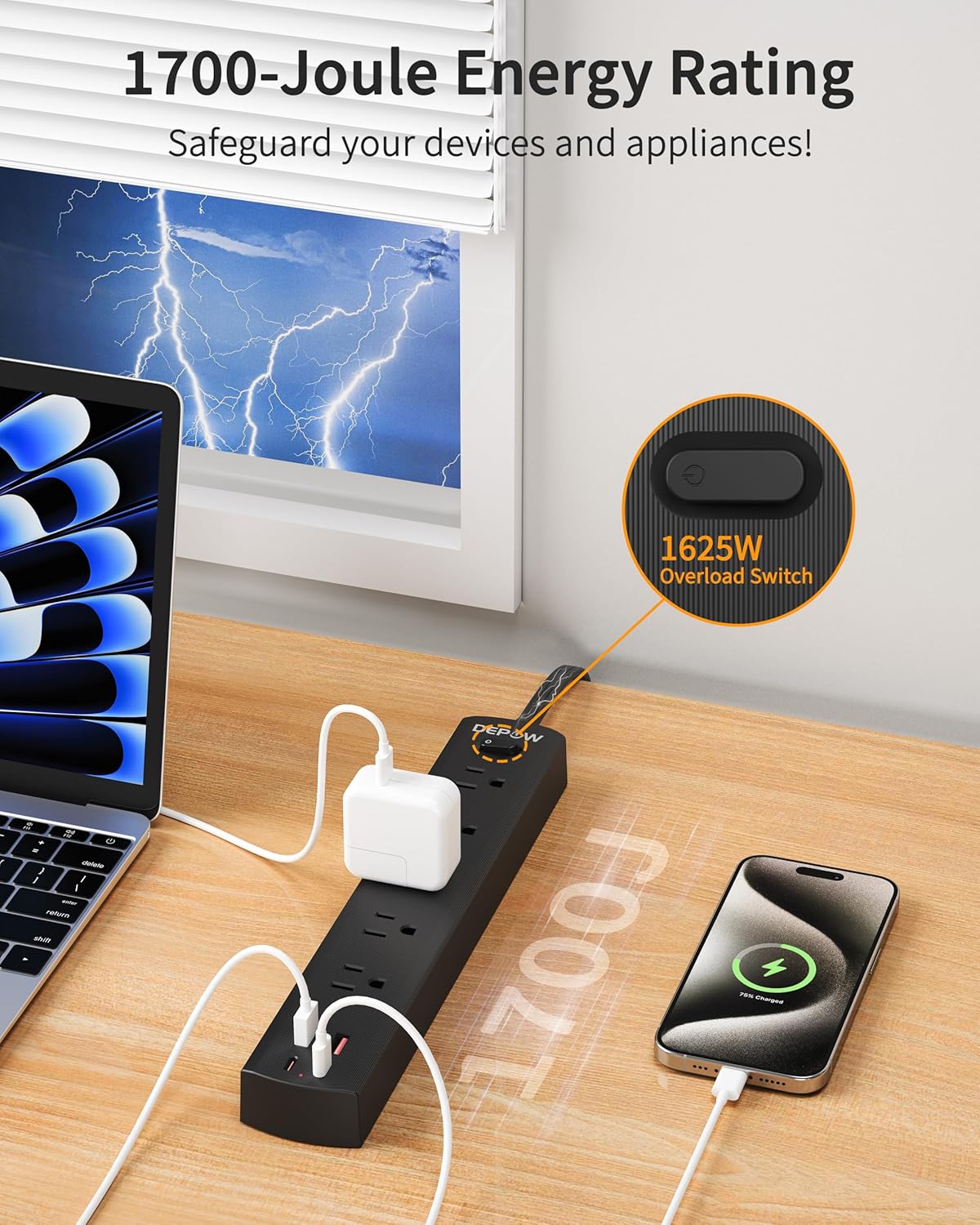
Image: The DEPOW power strip in use, highlighting the 1625W overload switch and indicating 1700 Joules of surge protection.
2. Connecting AC Devices:
- Plug your AC-powered devices into any of the 5 grounded AC outlets.
- The widely spaced outlets accommodate larger power adapters without blocking adjacent ports.
- Ensure the total power consumption of all connected AC devices does not exceed 1625W (13A at 125V).

Image: The DEPOW power strip on a desk, with various devices like laptops, phones, and chargers plugged into its AC and USB ports, demonstrating its multi-device charging capability.
3. Using USB Charging Ports:
- Connect your USB-powered devices (smartphones, tablets, smartwatches, etc.) to the 2 USB-A or 2 USB-C ports.
- The USB ports provide optimized charging with a maximum shared output of 3.4A/17W.

Image: A close-up of the DEPOW power strip's USB ports, illustrating the charging capabilities for USB-A (12W Max) and USB-C (15W Max) with a total shared output of 17W.
4. ビデオデモンストレーション:
Video: An official DEPOW video demonstrating the features and usage of the power strip, including its multiple outlets and USB ports. Note: This video title mentions "10 Ft" but the product is "5 Ft". The video content is generally applicable to the product's features.
メンテナンス
Proper maintenance ensures the longevity and safe operation of your power strip.
- クリーニング: 清掃する前に、電源タップを壁のコンセントから抜いてください。乾いた柔らかい布で表面を拭いてください。液体洗剤やエアゾールは使用しないでください。
- ストレージ: 長期間使用しない場合は、電源タップを涼しく乾燥した場所に保管してください。
- 定期点検: Periodically check the power cord and the unit for any signs of damage, such as frayed wires, cracks, or loose connections. If any damage is found, discontinue use immediately.
- 過負荷を避ける: 常に合計ワット数を確認してくださいtage of connected devices does not exceed the maximum rating of 1625W to prevent tripping the overload protection.
トラブルシューティング
If you encounter issues with your DEPOW Surge Protector Power Strip, refer to the following common problems and solutions:
| 問題 | 考えられる原因 | 解決 |
|---|---|---|
| デバイスに電力が供給されていません。 |
|
|
| デバイスがUSB経由で充電されない。 |
|
|
| 電源タップが暖かく感じます。 |
|
|
技術仕様
| 特徴 | 詳細 |
|---|---|
| モデル番号 | QT560-CU |
| ACアウトレット | 5つの接地コンセント |
| USBポート | USB-A 2個、USB-C 2個 |
| USB出力 | Max 3.4A/17W Shared |
| AC入力/出力 | 125V~, 60Hz, 13A, 1625W Max |
| サージ保護 | 1700ジュール |
| コードの長さ | 5 Feet (Flat Plug) |
| 寸法(長さ×幅×高さ) | 10.83 x 1.97 x 0.1インチ |
| アイテム重量 | 10.8オンス |
| 安全機能 | Overload, Short-circuit, Grounded, USB Over-voltage, USB Over-current, USB Over-heat, Flame Retardant Protection |
保証とサポート
保証情報:
DEPOW products are designed for reliability and performance. This product comes with a standard manufacturer's warranty. Please refer to the product packaging or the official DEPOW web具体的な保証条件については、サイトをご覧ください。
カスタマーサポート:
For technical assistance, troubleshooting, or warranty claims, please contact DEPOW customer support through the following channels:
- オンライン: Visit the official DEPOW webFAQ とサポート リソースのサイト。
- メールアドレス: Refer to your product packaging for the customer service email address.
- 電話: Contact details may be available on the DEPOW webサイトまたは製品のドキュメント。
Please have your model number (QT560-CU) and purchase information ready when contacting support.


