導入
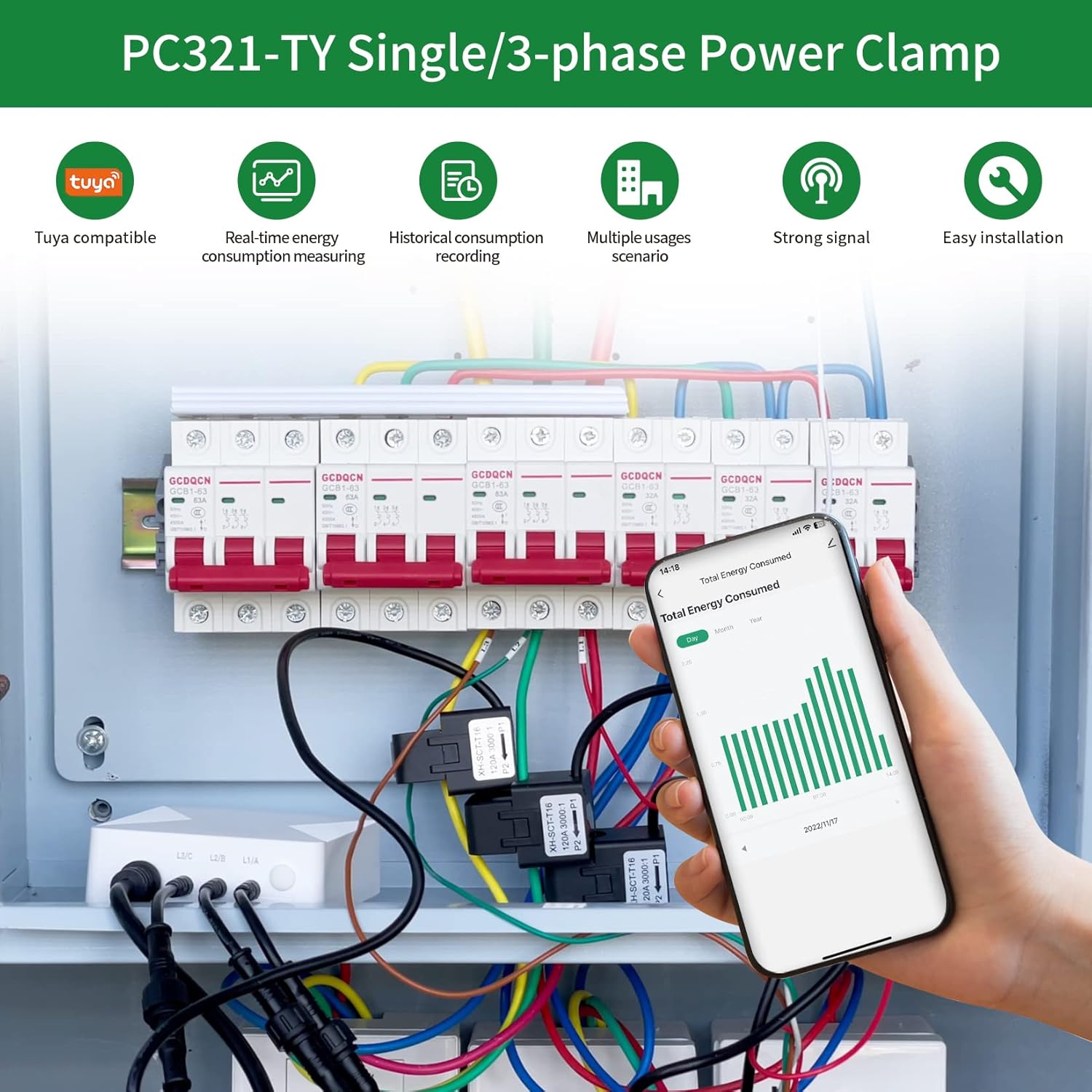
This manual provides instructions for the installation, operation, and maintenance of your OWON PC321-TY 3 Phase WiFi Smart Home Energy Monitor. This device is designed to help you monitor your home's electricity consumption in real-time, offering insights into voltage, current, and power factor.

重要な安全情報
警告: パワーclamp must be installed and serviced only by a qualified professional. Do not touch the terminals of the device during testing. Turn off all power supply to this equipment before installation to ensure safety.
製品の特徴
- エネルギーモニタリング: Real-time monitoring of power consumption, voltage, current, and power factor.
- リアルタイムデータ: Provides 2-second data updates with an accuracy of ±2% via a 2.4 GHz WiFi connection.
- Appliance Monitoring: Includes three 80A sensors for monitoring individual appliances like air conditioners, furnaces, water heaters, washers, and dryers.
- SmartLife アプリ統合: Compatible with the 'SmartLife' application for convenient monitoring and control.
- 簡単なインストール: Lightweight design for straightforward installation by clamping onto power cables.
セットアップとインストール
1。 開梱と検査
Verify all components are present: OWON PC321-TY main unit, three 80A current sensors (clamps), and antenna.
2.アプリのインストール
Download and install the 'SmartLife' application on your smartphone from your device's app store. Follow the in-app instructions to create an account and add your device.
3. Current Sensor (Clamp) インストール
重要: Ensure the main power supply to the circuit you are monitoring is turned OFF before proceeding.
Connect the current sensors to the main unit. Attach the current clamps to the power cables of the circuits you wish to monitor. Ensure the arrow on each clamp points towards the load (P1→P2 or K→L) for correct current flow direction.

4.配線図
単相配線
For single-phase systems, connect the main unit and clamp下図のとおりです。

3 Phase Wiring
For three-phase systems, ensure that each current transformer (CT) for L1, L2, and L3 corresponds to the respective phase of the circuit being measured.

5. Power On and WiFi Connection
Once all connections are secure and verified, restore power to the circuit. Follow the 'SmartLife' app instructions to connect the device to your 2.4 GHz WiFi network. An internet connection is required for real-time data monitoring.
操作手順
Monitoring Energy Data
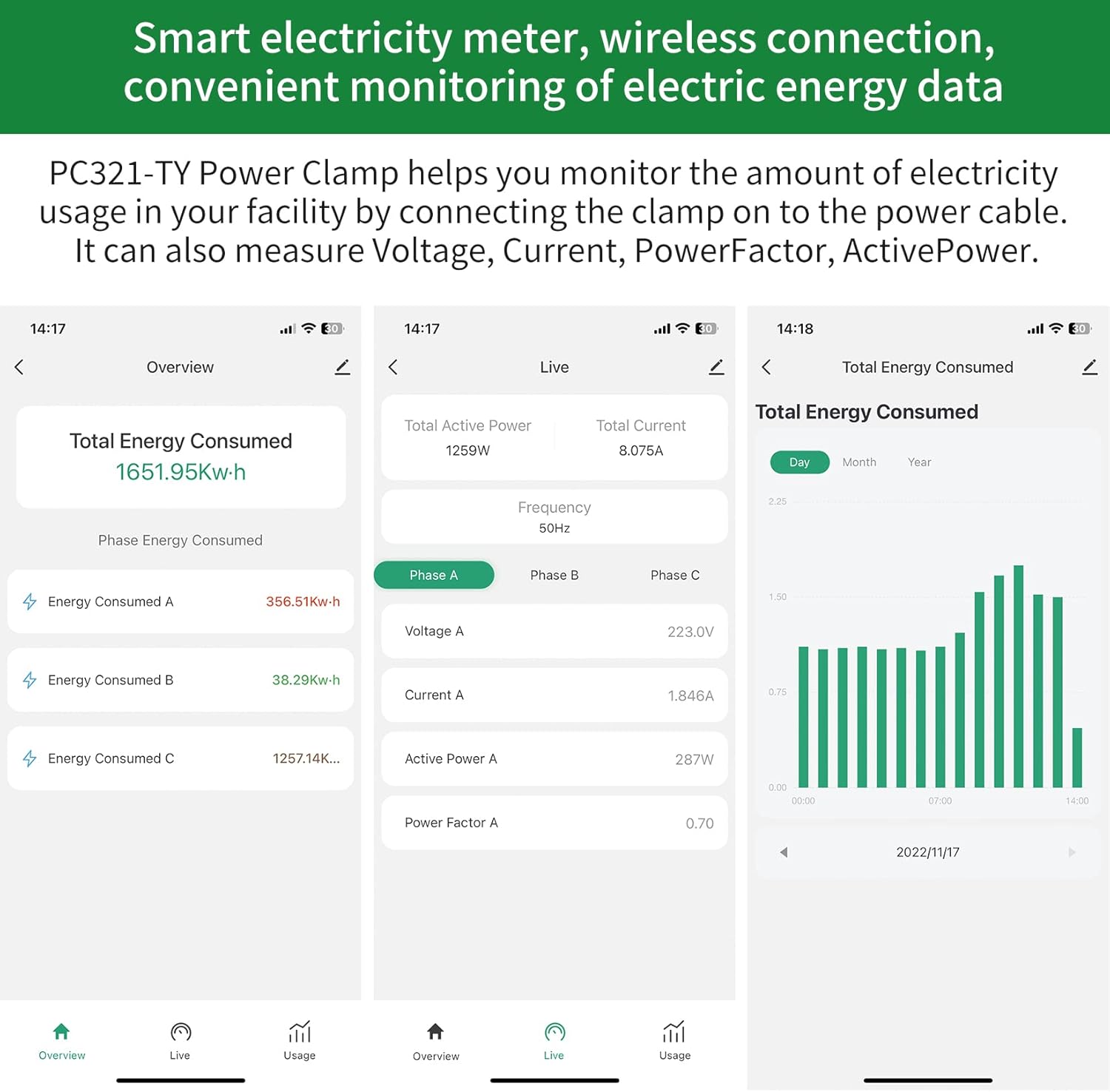
Open the 'SmartLife' app on your smartphone. The app will display real-time energy consumption data, including total energy consumed, individual phase consumption, voltage, current, active power, and power factor. The app provides data updates every 2 seconds.
履歴データ
The 'SmartLife' app allows you to view historical consumption records, enabling you to track energy usage over time (daily, monthly, yearly).
メンテナンス
The OWON PC321-TY is designed for low maintenance. Periodically check all wiring connections for security and ensure the device is free from dust and moisture. No user-serviceable parts are inside the main unit.
トラブルシューティング
Device Not Connecting to WiFi
- Wi-Fiネットワークが2.4GHzであることを確認してください。このデバイスは5GHzネットワークをサポートしていません。
- Verify the WiFi signal strength at the installation location. If weak, consider relocating the device or using a WiFi extender.
- Confirm correct WiFi password entry in the 'SmartLife' app.
- Restart your WiFi router and the OWON device, then attempt to reconnect.
不正確な読み取り
- Check that the arrows on the current clamps are pointing in the correct direction (towards the load). Incorrect orientation will result in inaccurate readings.
- clを確認してくださいamps are fully closed around the power cables.
- Verify that the correct CT (current transformer) is connected to the corresponding phase (L1, L2, L3) in a 3-phase setup.
App Not Displaying Data
- スマートフォンのインターネット接続を確認してください。
- Ensure the OWON device is connected to WiFi and has an active internet connection.
- Try closing and reopening the 'SmartLife' app.
Physical Damage to Antenna Cable
- Handle the antenna cable with care during installation to prevent damage. A damaged antenna cable can impair WiFi connectivity.
仕様
| 特徴 | 仕様 |
|---|---|
| モデル番号 | O-321-80A |
| ブランド | オウォン |
| スタイル | 3Phase/ 80A |
| 電源 | 電池駆動 |
| 巻tage | 240ボルト(動作電圧tage) |
| 電流センサ | 3 x 80A Clamp センサー |
| WiFi周波数 | 2.4GHz帯 |
| データの正確性 | ±2% |
| データ更新レート | 2秒 |
| 最初に利用可能 | 15年2023月XNUMX日 |

保証とサポート
For warranty information and technical support, please refer to the OWON official web公式サイトをご覧いただくか、カスタマーサービスまでお問い合わせください。保証請求のために購入時のレシートを保管してください。


