導入
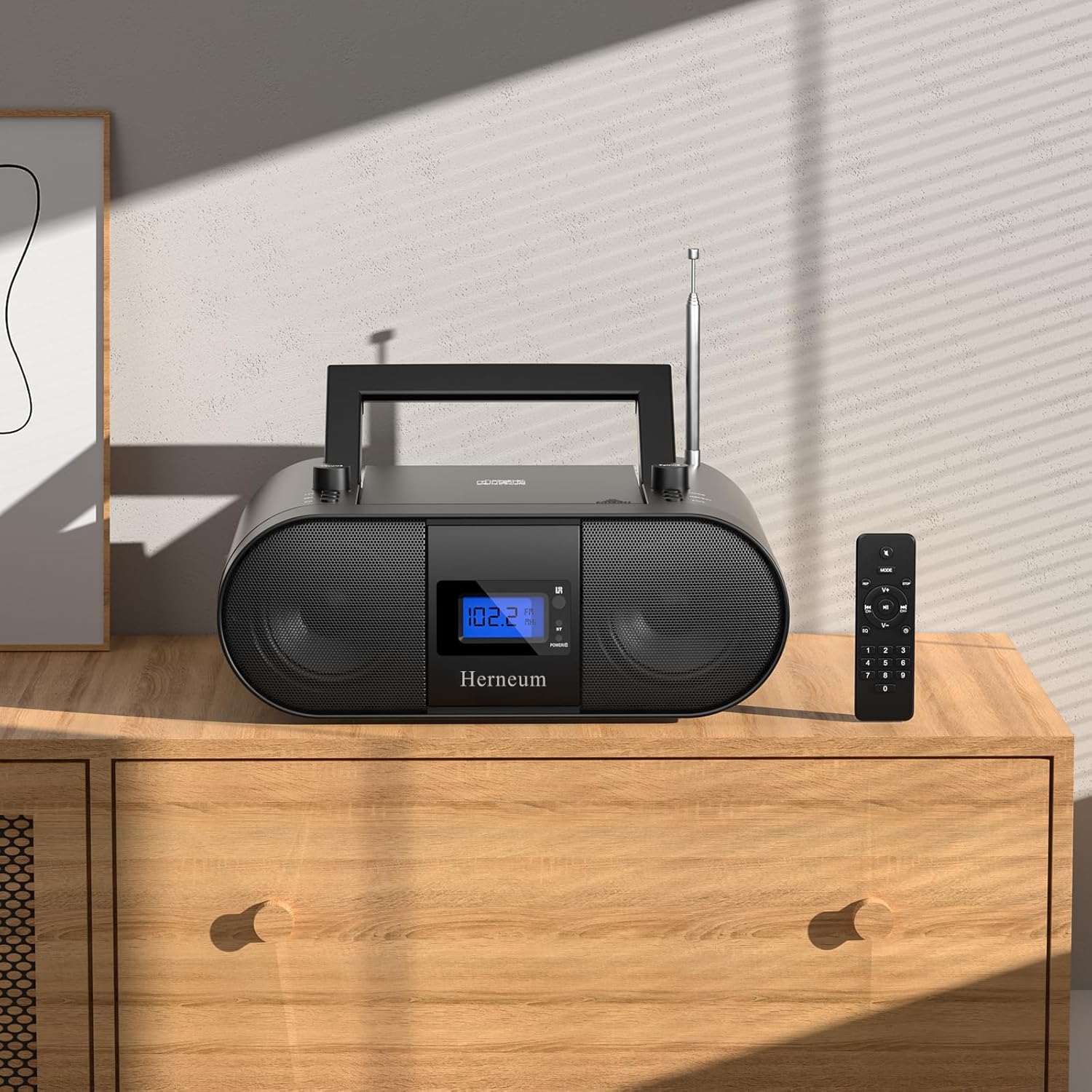
This manual provides essential instructions for the safe and efficient operation of your Herneum FC Portable CD Player Boombox. Please read this manual thoroughly before using the device and retain it for future reference.
製品の特徴
- ポータブルCDプレーヤー: Top-loading CD player with play/pause, skip, and repeat functions.
- FMラジオ: Built-in FM radio with telescopic antenna for enhanced reception.
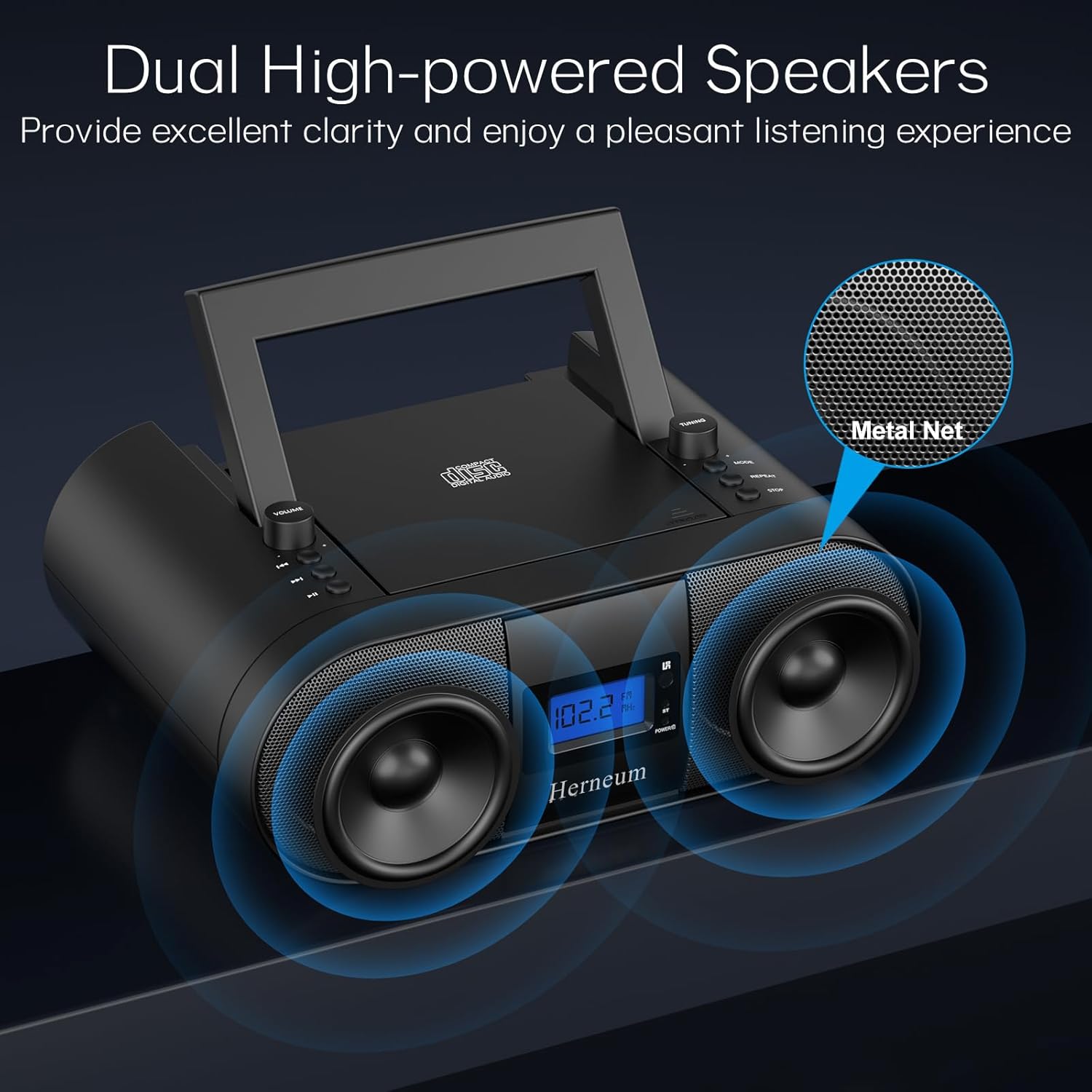
- Dual Stereo Sound System: High-performance speakers for clear audio.
- 充電式バッテリー: Integrated 2000mAh battery providing 4-5 hours of playback.
- Bluetooth接続: 互換性のあるデバイスからのワイヤレスオーディオストリーミング。
- 複数の入力: Supports USB and AUX-in for versatile audio sources.
- ヘッドフォン出力: プライベートリスニング用。
- リモートコントロール: Convenient operation from a distance, including sleep timer function.
パッケージ内容
開梱時にすべてのアイテムが揃っていることを確認してください。
- Herneum FC Portable CD Player Boombox
- リモートコントロール
- ユーザーマニュアル
- 電源ケーブル
安全情報
- デバイスを雨や湿気にさらさないでください。
- デバイスを熱源の近くや直射日光の当たる場所に置かないでください。
- デバイスを開けないでくださいasing; 修理は資格のある担当者に依頼してください。
- お子様の手の届かない場所に保管してください。
- 付属の電源アダプターのみを使用してください。
設定
1. デバイスの電源供給
The Herneum FC can be powered by its internal rechargeable battery or by connecting it to an AC power outlet.
- AC電源: Connect the provided power cable to the "Power socket" (19) on the back of the unit and then to a wall outlet.
- 充電式バッテリー: The unit has a built-in 2000mAh rechargeable battery. It charges automatically when connected to AC power. A full charge provides approximately 4-5 hours of playback.
2. アンテナ調整
For optimal FM radio reception, extend the telescopic antenna fully and adjust its position.

操作手順
1. 一般的なコントロール
The device features various controls on its top panel and a remote control for convenient operation.

- 電源スイッチ(18) ユニットの背面にあります。
- Volume +/- (1): 音声出力レベルを調整します。
- モード (7): CD、FM、Bluetooth、USB、AUX モードを切り替えます。
- ディスプレイ(14): Shows current mode, track number, and FM frequency.
2.CDの再生
- Open the CD compartment (10) by gently lifting the lid.
- ラベル面を上にしてCDを置きます。
- CDコンパートメントを閉じます。
- を押す モード button (7) to select CD mode.
- プレス 再生/一時停止 (4) 再生を開始します。
- 使用 前のトラック (2)そして 次のトラック (3) to navigate tracks.
- プレス 繰り返す (8) for single track or all track repeat.
- プレス 停止 (9)再生を終了します。
3. FMラジオの操作
- 伸縮アンテナを伸ばします。
- を押す モード button (7) to select FM radio mode.
- 使用 チューニング+/- (6) to manually tune to a station.
- For automatic scanning, press and hold チューニング+/- (6)。
4. Bluetooth接続
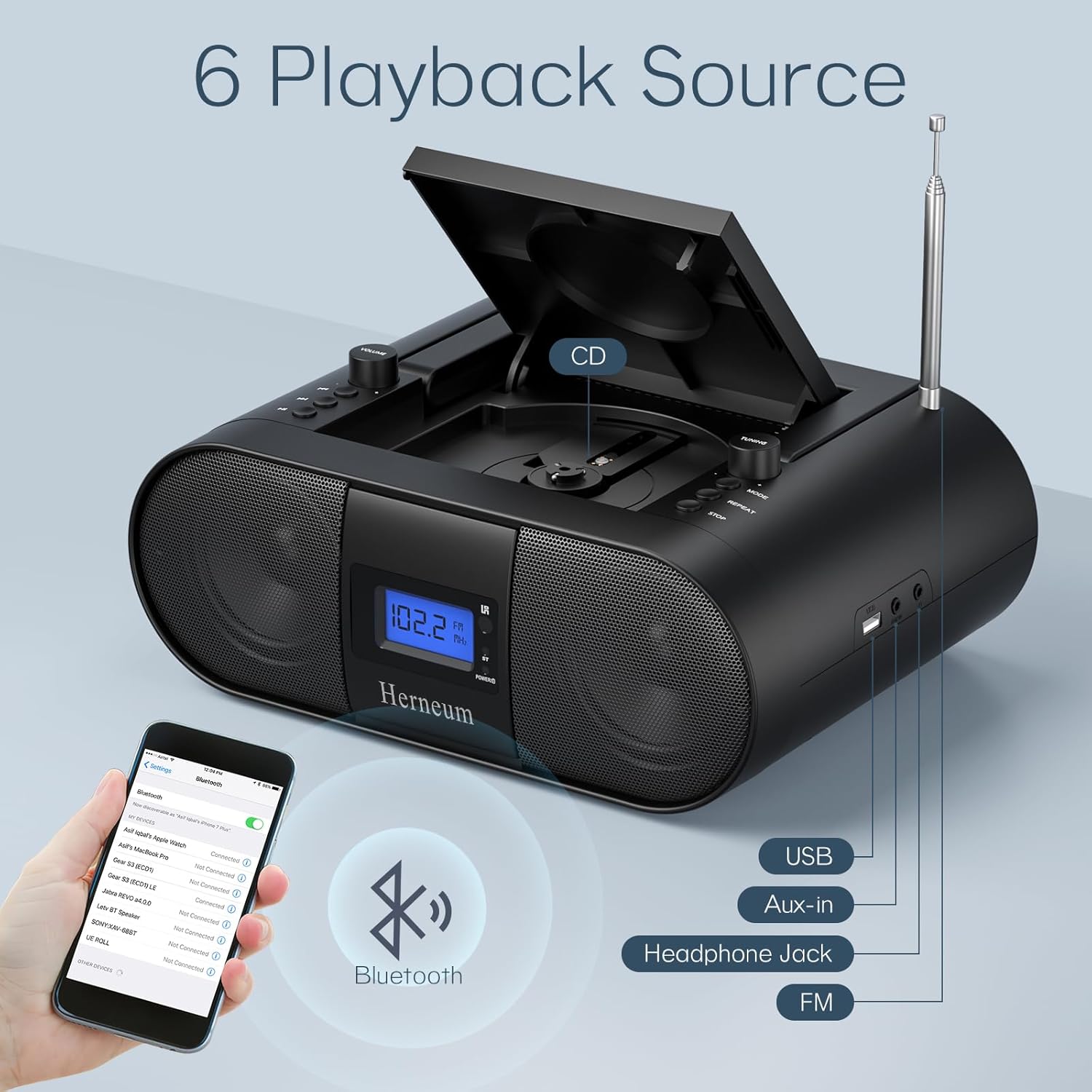
- を押す モード button (7) to select Bluetooth mode. The display will show "BT" and flash, indicating it's ready for pairing.
- On your mobile device, enable Bluetooth and search for "Herneum FC" (or similar device name).
- Select the device to pair. Once connected, the "BT" indicator will stop flashing.
- これで、デバイスからブームボックスにオーディオをストリーミングできるようになりました。
5.USB再生
- Insert a USB drive containing MP3/WMA files into the USB PORT (11).
- を押す モード button (7) to select USB mode.
- Playback will start automatically. Use track navigation buttons to select songs.
6. AUX入力接続
- Connect an external audio device (e.g., smartphone, MP3 player) to the AUX-in jack (12) using a 3.5mm audio cable.
- を押す モード ボタン(7)を押してAUXモードを選択します。
- 外部デバイスから再生と音量を制御します。
7. ヘッドホンの使用
Plug headphones into the Headphone jack (13) for private listening. The speakers will automatically mute.
8. リモートコントロール
The included remote control allows for convenient operation of all functions from a distance. Insert 2 x AAA batteries (not included) into the remote.
- ミュート/ミュート解除: Temporarily silences or restores audio.
- トラックをスキップ: Navigates to the next or previous track.
- Change Radio: FM周波数を調整します。
- コントロールボリューム: 音量を上げたり下げたりします。
- Stop Playing: Halts current playback.
- EQモード: サウンドイコライゼーション設定を調整します。
- 目覚まし時計: Set preferred running time (15, 30, 45, 60, or 90 minutes).

メンテナンス
- クリーニング: 本体の外装を清掃する際は、柔らかく乾いた布をご使用ください。研磨剤入りの洗剤や溶剤は使用しないでください。
- CDケア: CDは端を持って扱ってください。汚れたCDは、柔らかく糸くずの出ない布で中心から外側に向かって拭いてください。
- ストレージ: When not in use for extended periods, store the boombox in a cool, dry place.
トラブルシューティング
| 問題 | 考えられる原因 | 解決 |
|---|---|---|
| 電源なし | Power cable not connected; battery drained; power switch off. | Check power cable connection; charge battery; ensure power switch (18) is ON. |
| CDが再生されない/スキップする | CD が汚れているか傷がついている、CD が正しく挿入されていない、CD コンパートメントが閉じられていない。 | Clean or replace CD; ensure CD is label-side up; close compartment firmly. |
| FM受信状態が悪い | アンテナが延長/調整されていないため、信号が弱い。 | Extend and adjust antenna; try moving the unit to a different location. |
| Bluetoothがペアリングされない | Device not in pairing mode; Bluetooth disabled on external device. | Ensure boombox is in Bluetooth mode; enable Bluetooth on your device and search again. |
| リモコンが動作しない | Batteries drained or inserted incorrectly; obstruction between remote and unit. | Replace remote batteries; ensure correct polarity; remove obstructions. |
仕様
- モデル: FC
- ブランド: ヘルニアム
- 製品寸法: 12.6 x 8.66 x 5.9インチ
- 商品の重量: 4.36ポンド
- 接続技術: Bluetooth, CD, USB, AUX-in, FM Radio
- 色: 黒
- スピーカータイプ: デュアルスピーカー
- バッテリー: 2000mAh充電式バッテリー内蔵
- 再生時間(バッテリー): 4~5時間
保証とサポート
The Herneum FC Portable CD Player Boombox comes with an 18-month warranty. For warranty claims, technical support, or any inquiries, please contact Herneum customer service.
Visit the official Herneum store for more information: Herneum Store


