導入
This manual provides detailed instructions for the safe and proper installation, operation, and maintenance of your MOUNTUP Universal TV Stand MU0031 and Full Motion TV Wall Mount Bundle. Please read this manual thoroughly before beginning installation to ensure correct assembly and to prevent damage or injury. Keep this manual for future reference.

Image: The MOUNTUP Universal TV Stand MU0031 and Full Motion TV Wall Mount Bundle, showing both components.
安全情報
警告: すべての指示を読んでそれに従わなかった場合、人身傷害または財産損害が発生する可能性があります。
- Do not exceed the weight capacity specified for each component.
- Ensure the mounting surface for the wall mount can safely support the combined weight of the mount and the television.
- MOUNTUP が提供または指定したハードウェアのみを使用してください。
- Always use a stud finder to locate wood studs when installing the wall mount. Do not install into drywall alone.
- Two people are recommended for installation, especially when lifting the television.
- 設置中は子供やペットを近づけないでください。
- すべてのネジと接続がしっかりと固定されているか定期的に確認してください。
パッケージ内容
Verify that all parts are present and undamaged before assembly. If any parts are missing or defective, contact MOUNTUP customer support.
- 1 x MU0031 Universal TV Stand (Base, Support Column, TV Plate, TV Brackets)
- 1 x MU0008 Full Motion TV Wall Mount (Wall Plate, Articulating Arm, TV Plate)
- Hardware Kit (various screws, washers, spacers, anchors, level)
- 取扱説明書
設定
A. Universal TV Stand (MU0031) Setup
This section details the assembly of the universal TV stand.
Step 1: Assemble the Base and Support Column. Attach the support column to the glass base using the provided screws and Allen wrench. Ensure the column is securely fastened and stable.

画像: 正面 view of the assembled MOUNTUP Universal TV Stand, showing the base, column, and TV plate.
Step 2: Attach TV Brackets to your TV. Carefully lay your TV face down on a soft, clean surface. Identify the VESA mounting holes on the back of your TV. Select the appropriate screws, washers, and spacers from the hardware kit that fit your TV's mounting holes. Attach the two vertical TV brackets to the back of your TV. Ensure the hooks on the brackets face upwards.

Image: Diagram illustrating the dimensions of the TV stand and various VESA mounting patterns supported.
Step 3: Hang TV onto the Stand. With assistance, carefully lift the TV and hook the TV brackets onto the TV plate of the stand. Ensure the TV is centered and level. Secure the TV to the plate using the safety screws at the bottom of the brackets.
Step 4: Adjust Height (Optional). The TV stand offers 9 height adjustment options. You can adjust the height by selecting different mounting holes on the TV plate or by adjusting the position of the hooks on the TV brackets. Refer to the diagram for available height settings.

Image: Diagram showing the 9 height adjustment options for the TV stand, achieved by adjusting the TV plate and hook positions.
B. Full Motion TV Wall Mount (MU0008) Setup
This section details the installation of the full motion TV wall mount.
Step 1: Locate Wall Studs. Use a stud finder to locate the center of two adjacent wood studs in your desired mounting location. Mark the stud centers with a pencil. Ensure the chosen location is at the desired view高さ。
ステップ 2: 壁プレートを壁に取り付けます。 Position the wall plate of the mount against the wall, aligning the mounting holes with the marked stud centers. Use the included level to ensure the wall plate is perfectly horizontal. Drill pilot holes into the studs, then secure the wall plate to the wall using the provided lag bolts and washers. Tighten firmly but do not overtighten.
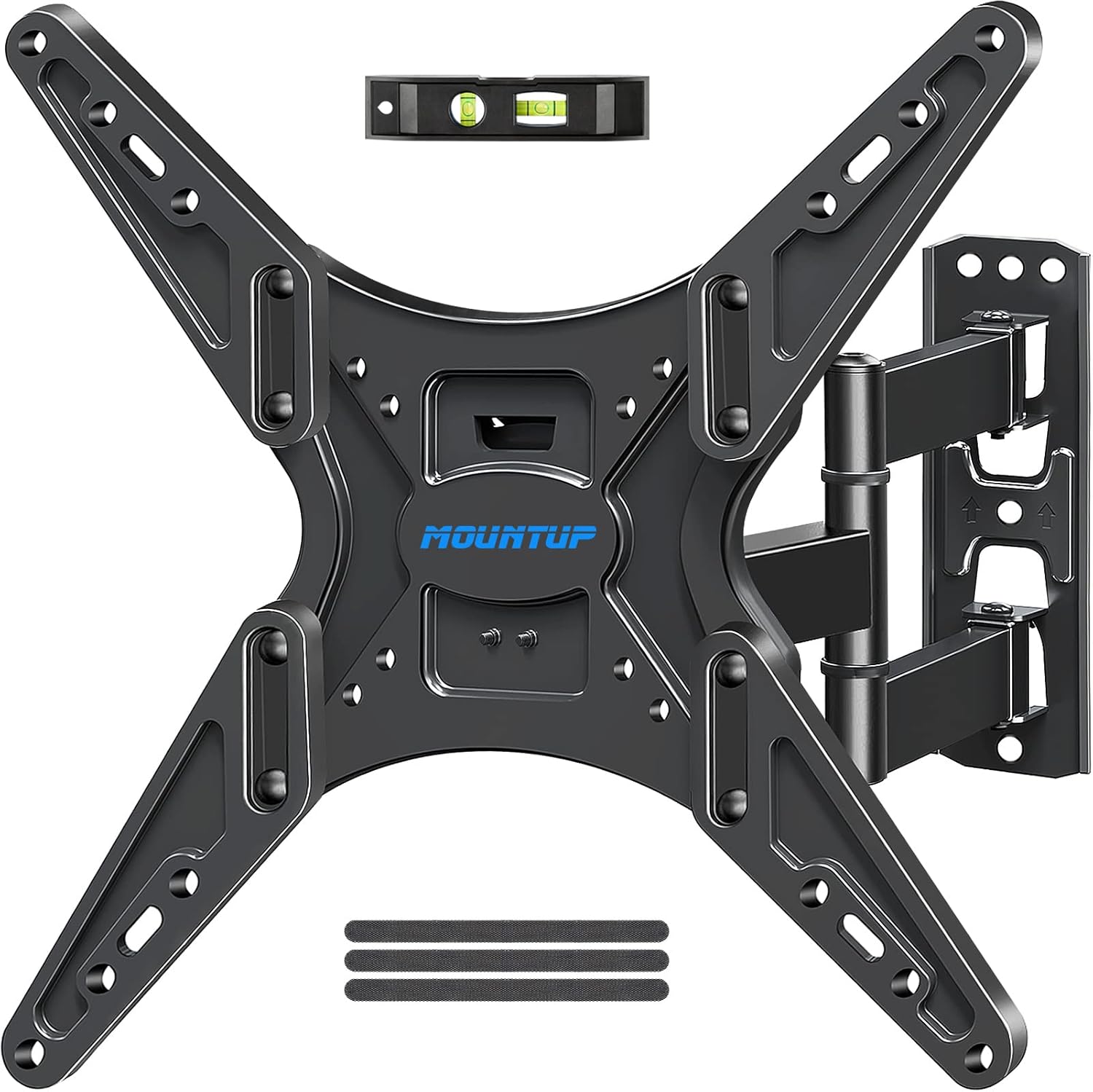
Image: Components of the MOUNTUP Full Motion TV Wall Mount, including the wall plate, articulating arm, and TV plate.
Step 3: Attach TV Brackets to your TV. Carefully lay your TV face down on a soft, clean surface. Identify the VESA mounting holes on the back of your TV. Select the appropriate screws, washers, and spacers from the hardware kit that fit your TV's mounting holes. Attach the two vertical TV brackets to the back of your TV. Ensure the brackets are oriented correctly according to the mount's design.

Image: Diagrams illustrating various VESA mounting patterns compatible with the MOUNTUP Full Motion TV Wall Mount.
Step 4: Hang TV onto the Wall Mount. With assistance, carefully lift the TV and hook the TV brackets onto the TV plate of the wall mount. Ensure the TV is securely seated. Tighten any safety screws or locking mechanisms on the mount to prevent accidental dislodgement.
オペレーティング
A. Universal TV Stand (MU0031) Operation
高さ調整: As described in the setup section, the TV height can be adjusted by repositioning the TV brackets on the TV plate or by changing the hook position on the brackets. Ensure the TV is removed from the stand before making height adjustments.
回転機能: The TV stand allows for a swivel motion of up to ±25 degrees. Gently push the sides of the TV to achieve the desired viewing angle. Do not force the swivel beyond its limits.

Image: Illustration demonstrating the ±25 degree swivel capability of the MOUNTUP Universal TV Stand.
B. Full Motion TV Wall Mount (MU0008) Operation
伸長と収縮: The articulating arm allows the TV to extend up to 18.9 inches from the wall and retract to 2.5 inches. Gently pull or push the TV to adjust the distance from the wall.

Image: Illustration showing the wall mount extending the TV up to 18.9 inches and retracting to 2.5 inches from the wall.
傾き調整: The mount allows for a tilt range of +5 degrees (upwards) to -15 degrees (downwards). Loosen the tilt adjustment knobs on the TV plate, adjust the TV to the desired angle, and then securely tighten the knobs.
スイベル調整: The mount provides a swivel range of up to ±45 degrees, depending on TV size and wall distance. Gently push the sides of the TV to rotate it left or right to achieve the optimal view角度。

Image: Illustration demonstrating the tilt (+5°/-15°) and swivel (±45°) flexibility of the MOUNTUP Full Motion TV Wall Mount.
メンテナンス
- クリーニング: Use a soft, dry cloth to wipe down the surfaces of the TV stand and wall mount. Do not use abrasive cleaners or solvents, as they may damage the finish.
- 定期点検: Regularly check all mounting screws and bolts to ensure they remain tight and secure. Over time, vibrations or adjustments can cause fasteners to loosen.
- 潤滑: The articulating joints of the wall mount are designed for smooth operation and typically do not require lubrication. If movement becomes stiff, contact customer support.
トラブルシューティング
| 問題 | 考えられる原因 | 解決 |
|---|---|---|
| TV is not level on stand/mount. | Improper installation; uneven wall surface. | For stand: Re-adjust TV brackets. For wall mount: Re-check wall plate level and adjust if necessary. Ensure all screws are tightened evenly. |
| Mount/Stand feels unstable. | Loose screws; incorrect hardware used; exceeding weight capacity. | Check all screws and bolts for tightness. Verify correct hardware was used. Ensure TV weight is within specified limits. Re-read safety information. |
| 傾き/回転の調整が難しい。 | Tilt knobs too tight (wall mount); mechanism stiff. | For wall mount tilt: Loosen tilt adjustment knobs slightly before adjusting, then re-tighten. If mechanism is stiff, contact customer support. |
| 不足している部品。 | 梱包エラーです。 | Contact MOUNTUP customer support immediately with your purchase details. |
仕様
- 製品モデル: MU0031 (Universal TV Stand) & MU0008 (Full Motion TV Wall Mount)
- ブランド: マウントアップ
- 取り付けタイプ: Wall Mount (MU0008), Tabletop Stand (MU0031)
- 移動タイプ: Articulating, Tilt (MU0008); Swivel, Height Adjustable (MU0031)
- 対応テレビ最大サイズ: Up to 65 Inches (for both components, verify individual product limits)
- 対応デバイス: テレビ
- VESA Compatibility (MU0031 Stand): 150x200, 200x200, 300x200, 400x200, 500x200, 500x300, 300x300, 400x300, 600x200, 600x300, 400x400, 600x400 (Horizontal x Vertical)
- VESA Compatibility (MU0008 Wall Mount): 100x100, 130x130, 200x100, 200x200, 300x200, 400x200, 200x300, 200x400, 400x300, 300x300, 400x400 (Horizontal x Vertical)
- 重量容量: Refer to individual product specifications for exact weight limits. Do not exceed.
保証とサポート
MOUNTUP products are designed for durability and performance. For specific warranty details, please refer to the warranty card included with your product or visit the official MOUNTUP website. If you have any questions regarding installation, missing parts, or product functionality, please contact MOUNTUP customer support:
- カスタマーサポート: We are glad to answer your pre-purchase and installation questions about TV mounts.
- オンラインサポート: 訪問する AmazonのMOUNTUPストア 詳細情報および連絡先については、こちらをご覧ください。


