1. はじめに
The Elna Excellence 720 Pro is a high-performance quilting and sewing machine designed for precision and versatility. This manual provides essential information for setting up, operating, maintaining, and troubleshooting your machine to ensure optimal performance and longevity.

図1: 前面 view of the Elna Excellence 720 Pro Quilting Sewing Machine.
2. セットアップ
Before operating your Elna Excellence 720 Pro, ensure proper setup by following these steps:
- 開梱: 梱包から本機を慎重に取り出してください。梱包材はすべて保管し、将来の輸送や保管に備えてください。
- 配置: 機械は安定した平らな場所に設置してください。生地を取り扱うために、機械の周囲に十分なスペースを確保してください。
- 電源接続: 電源コードをマシンに接続し、適切な電源コンセントに接続します。
- Extension Table (if applicable): For larger projects, attach the extension table.
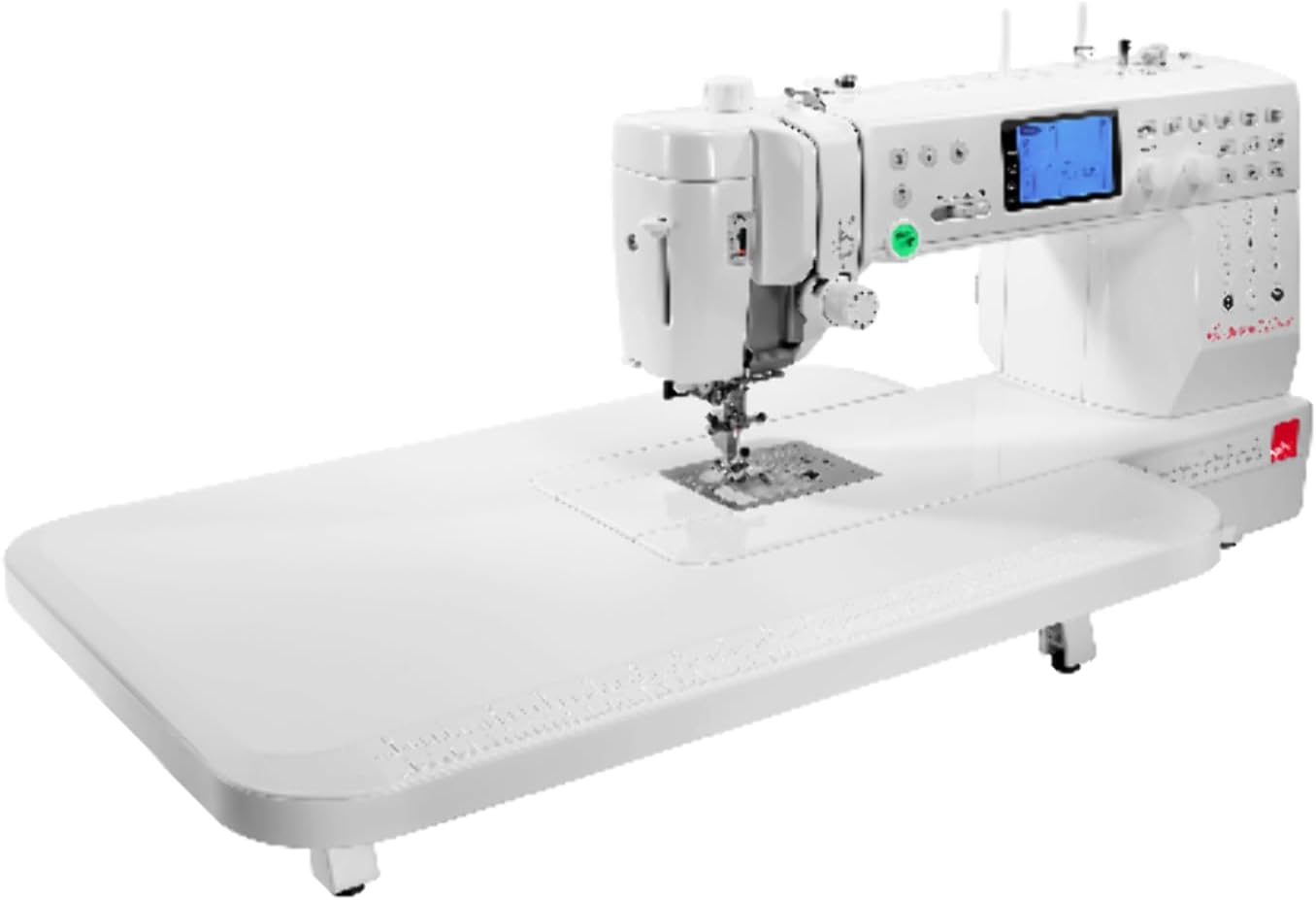
Figure 2: Elna Excellence 720 Pro with the extension table attached, providing a larger work surface.
- ボビン巻き: Wind a bobbin with your desired thread. Refer to the machine's internal diagrams for correct winding procedure.
- 機械に糸を通す: Follow the numbered threading path for the upper thread. Utilize the superior needle threader for convenience.
- 針の取り付け: Ensure the correct needle type and size are installed for your fabric.
3. 操作手順
The Elna Excellence 720 Pro offers a wide range of features for various sewing and quilting tasks. Familiarize yourself with the control panel and key functions.

図3:詳細 view of the 3.6-inch LCD screen and control buttons for stitch selection and adjustments.
主な特徴と機能:
- ステッチの選択: Access 200 built-in stitches, including 9mm decorative stitches, via the clear 3.6-inch LCD screen. Use the control buttons for navigation and selection.
- 縫製速度: The machine operates at up to 1200 stitches per minute. Adjust speed as needed for your project.
- AcuFeed Flex Fabric Feeding System: Engage this system for precise and even feeding of multiple layers of fabric, especially useful for quilting.
- Needle Plate Change: Utilize the one-step needle plate change mechanism for quick transitions between sewing modes (e.g., straight stitch plate).
- Easy Set Bobbin: The top-loading bobbin system allows for quick and easy bobbin insertion.
- Monogramming and Pattern Combination: Combine patterns and create monograms directly on the machine.
- ボタンホール: Create precise buttonholes with the dedicated buttonhole function.
- Stitch Adjustment: Fine-tune stitch length and width for optimal results.
- 押さえ圧力: Adjust presser foot pressure to accommodate different fabric thicknesses.
- 針の位置: The machine offers 91 needle positions for precise stitching.
- 点灯: Three powerful LED lights illuminate the sewing area.
4. メンテナンス
Regular maintenance ensures the longevity and smooth operation of your Elna Excellence 720 Pro.
- クリーニング: Regularly clean lint and dust from the bobbin area, feed dogs, and needle plate using a small brush.
- 給油: Refer to the machine's specific instructions for oiling points and frequency. Use only recommended sewing machine oil.
- 針の交換: Replace needles frequently (e.g., after every 8-10 hours of sewing) or when they become dull or bent.
- ストレージ: When not in use, cover the machine to protect it from dust. Store in a dry, stable environment.
- プロフェッショナルサービス: It is recommended to have your machine professionally serviced every 1-2 years, depending on usage.
5。 トラブルシューティング
このセクションでは、ミシンで発生する可能性のある一般的な問題について説明します。
| 問題 | 考えられる原因 | 解決 |
|---|---|---|
| スキップされたステッチ | 針が間違っている、針が曲がっている、糸通しが間違っている、生地に合わない針のサイズ。 | 針を交換し、機械に糸を通し直し、正しいタイプ/サイズの針を使用します。 |
| スレッドの切断 | 糸の張力が不適切、糸の品質が悪い、ボビンの巻き方が不適切、針板にバリがある。 | 張力を調整し、良質の糸を使用し、ボビンを巻き直し、バリがないか確認します。 |
| 生地のしわ | Incorrect tension, dull needle, incorrect stitch length, presser foot pressure too high. | Adjust tension, replace needle, adjust stitch length, reduce presser foot pressure. |
| マシンが起動しない | Power cord not connected, foot control not connected, machine in bobbin winding mode. | Check power and foot control connections, disengage bobbin winding. |
For more detailed troubleshooting, refer to the comprehensive guide in your full user manual or contact customer support.
6. 仕様
Technical specifications for the Elna Excellence 720 Pro Quilting Sewing Machine:
- モデル番号: 720
- 寸法(長さ×幅×高さ): 24 x 12 x 15インチ(約61 x 30.5 x 38 cm)
- 商品の重量: 21ポンド(約9.5kg)
- Throat Space: 10インチ
- 最大縫製速度: 毎分1200針
- Number of Stitches: 200
- 最大ステッチ幅: 9mm (for decorative stitches)
- 針の位置: 91
- 点灯: 3つのLEDライト
- 画面: 3.6インチ液晶画面
- メーカー: エルナ
- 色: 白
- 国際コード: 732212312540
7. 保証とサポート
The Elna Excellence 720 Pro Quilting Sewing Machine comes with a comprehensive warranty:
- 機械部品: 25年間の限定保証
- 電子部品: 5年間保証
- 労働: 1年間保証
For warranty claims, technical support, or service inquiries, please contact your authorized Elna dealer or visit the official Elna webサイトでご確認ください。保証を有効にするために購入証明書を保管してください。


