重要な安全情報
Please read these instructions carefully before installation. If you do not understand these instructions or have doubts about the safety of the installation, please contact a qualified installer. Check carefully to ensure there are no missing or defective parts. Improper installation may cause damage or serious injury. Do not use this product for any purpose not explicitly specified by the manufacturer.
- 重量容量: Do not exceed the maximum weight capacity specified for your TV stand model. Exceeding this limit may result in instability and potential injury.
- テレビサイズ: Ensure your TV's size and VESA pattern are compatible with the stand.
- 安定性: Always ensure the stand is placed on a stable, level surface. Avoid placing the stand near edges where it could be easily knocked over.
- 子供たち: Keep children away from the TV stand during assembly. Small parts can be a choking hazard.
- ツール: 組み立て手順書に指定されている適切な工具を使用してください。
パッケージ内容
Verify that all components are present and undamaged before beginning assembly. If any parts are missing or damaged, please contact PERLESMITH customer support.
代表的なコンポーネントは次のとおりです:
- Base Plate (Tempered Glass or Metal)
- サポートコラム
- テレビ取り付けブラケット
- VESA Adapters (if applicable)
- ハードウェアキット(各種ネジ、ワッシャー、スペーサー)
- Assembly Tools (e.g., Hex Key)
セットアップとインストール
Follow these steps for proper assembly and installation of your PERLESMITH Universal Swivel TV Stand Base.
ステップ1:ベースとサポートコラムを組み立てる
- すべてのコンポーネントを慎重に箱から取り出し、傷がつかないように柔らかく清潔な表面の上に広げます。
- Attach the support column to the base plate using the provided screws and tools. Ensure all connections are secure.

Image: The stand features a strong tempered glass base and a thicker support column for enhanced stability.
Step 2: Attach TV Mounting Brackets to Your Television
- テレビの背面にある VESA 取り付け穴を確認します。
- ハードウェア キットから、テレビの VESA パターンに適合する適切なネジ、ワッシャー、スペーサーを選択します。
- Attach the vertical TV mounting brackets to the back of your television. Ensure they are level and securely fastened. Do not overtighten.
Step 3: Mount the Television onto the Support Column
- With assistance, carefully lift your television and hook the attached mounting brackets onto the support column's mounting plate.
- Secure the TV to the stand using the safety screws or locking mechanisms provided.
- For model PSTVS13, assembly is designed for ease with fewer bolts required for installation.
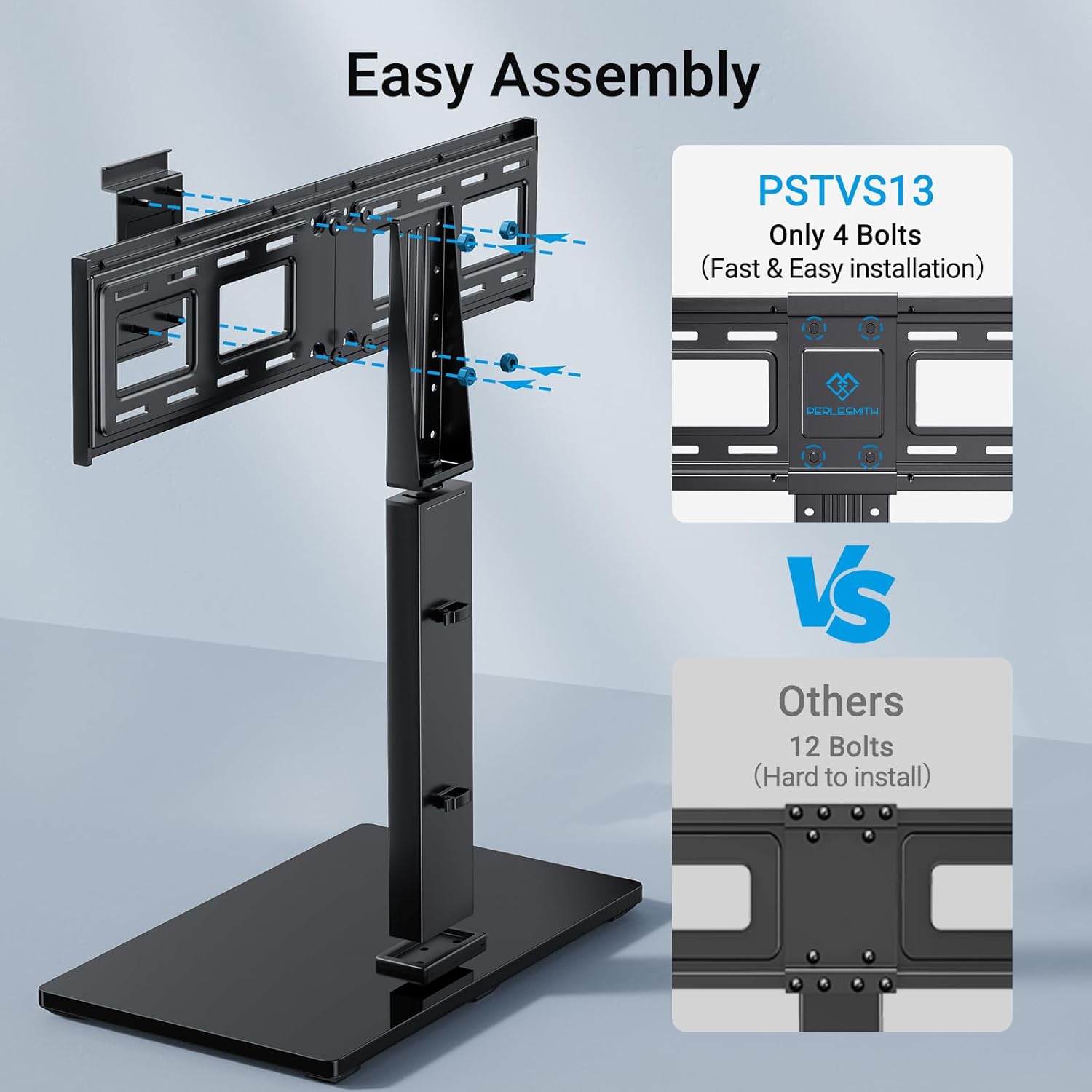
Image: PSTVS13 features an easy assembly design, requiring only 4 bolts for fast installation compared to other models.
操作手順
スイベル機能
PSTVS13とPSTVS09の両モデルには、最適な角度に調整できる回転機能が搭載されています。 viewing の経験。
- Gently grasp the sides of your television and rotate it to the desired angle.
- The stand allows for a swivel range of up to 30 degrees left or right (total 60 degrees).
- Avoid forcing the TV beyond its natural swivel limits.

Image: The TV stand allows for a swivel of up to 30 degrees left or right, providing flexible view角度を変える。
Height Adjustment (PSTVS13 Only)
The PSTVS13 model offers multiple height adjustment positions for an elevated view.
- The PSTVS13 provides 9 different height adjustment positions, allowing for a total of 8 inches of vertical movement.
- To adjust the height, you may need to temporarily remove the TV from the stand or loosen specific bolts on the support column (refer to the detailed assembly diagram for your specific model).
- Always ensure the TV is securely re-fastened at the new height.

Image: The PSTVS13 model features a taller pillar design, offering a 15% higher elevated view compared to other stands.
メンテナンス
Regular maintenance helps ensure the longevity and safe operation of your TV stand.
- クリーニング: Use a soft, dry cloth to clean the stand. For stubborn marks on the glass base, a mild glass cleaner can be used, applied to the cloth first, not directly to the stand. Avoid abrasive cleaners or solvents.
- 接続を確認してください: すべてのネジとボルトがしっかりと締まっているか定期的に確認してください。接続が緩んでいると安定性が損なわれる可能性があります。
- 検査: Inspect the stand for any signs of wear, damage, or corrosion. If any issues are found, discontinue use and contact customer support.
トラブルシューティング
If you encounter issues with your TV stand, refer to the following common problems and solutions.
Problem: TV is not stable or wobbles.
- 解決: Ensure all assembly screws are tightened securely. Verify the stand is on a flat, level surface. Check that the TV's weight and VESA pattern are within the stand's specifications.
Problem: TV does not fit the mounting brackets.
- 解決: Confirm your TV's VESA pattern (distance between mounting holes) matches the stand's compatibility. Ensure you are using the correct screws and spacers for your TV model.
Problem: Difficulty with swivel function.
- 解決: Ensure no cables are obstructing the swivel mechanism. Do not force the TV; the swivel is designed for smooth, controlled movement.
仕様
Detailed specifications for PERLESMITH Universal Swivel TV Stand Bases.
| 特徴 | PSTVS13 | PSTVS09 |
|---|---|---|
| 対応テレビサイズ | 37インチ~75インチ | 32インチ~60インチ |
| 最大積載量 | 99ポンド(45kg) | 88ポンド(40kg) |
| VESA互換性(mm) | 200x100, 200x200, 300x200, 300x300, 400x300, 400x400, 600x200, 600x400 | 100x100, 200x100, 200x200, 200x300, 300x200, 300x300, 300x400, 400x200, 400x300, 400x400 |
| スイベル範囲 | ±30°(合計60°) | ±30°(合計60°) |
| 高さ調整 | 9 positions, 8" total movement | Not applicable (fixed height) |
| 材料 | 合金鋼、強化ガラスベース | |
| 色 | 黒 | |
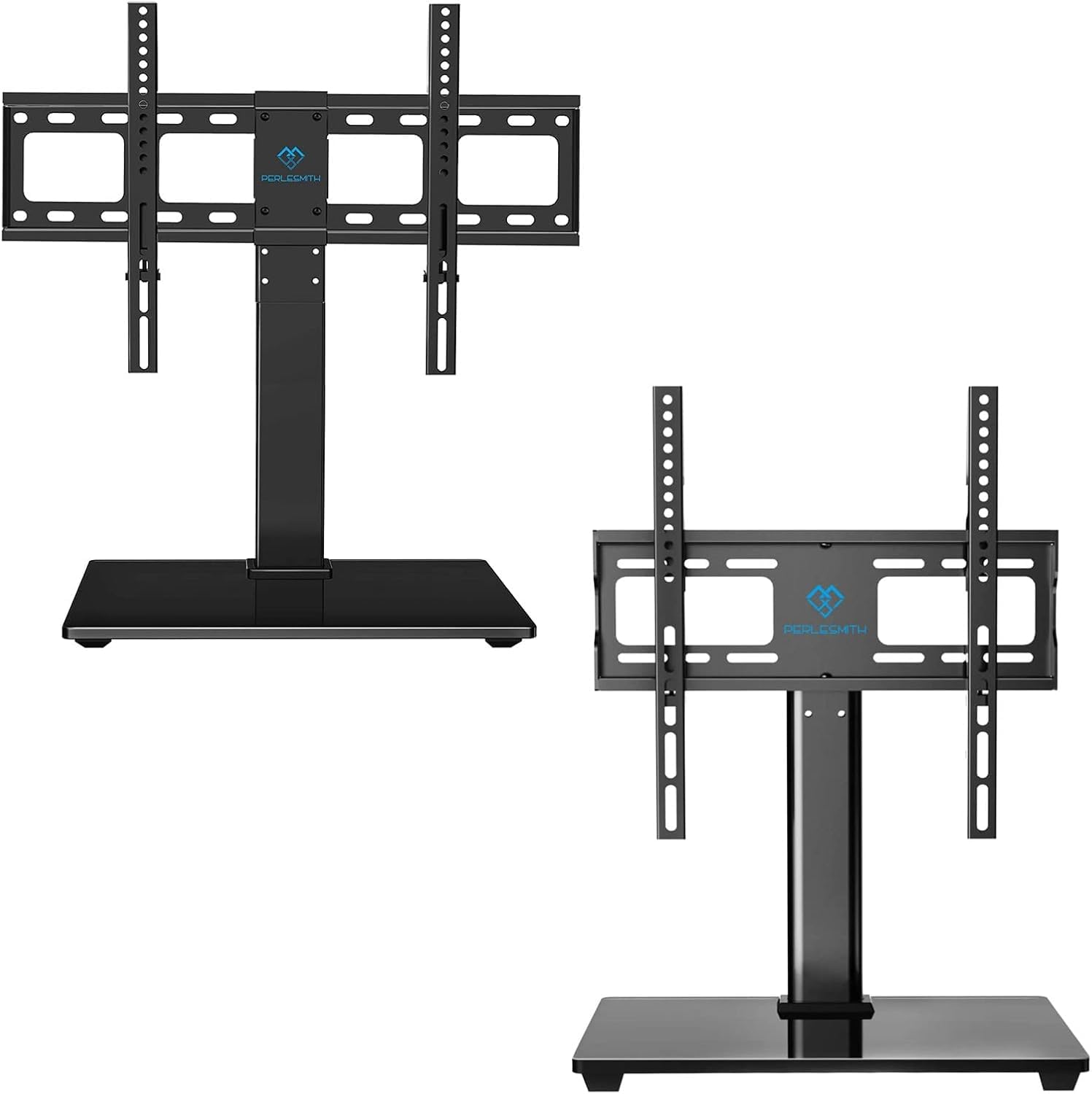
Image: PSTVS13 compatibility for 37"-75" TVs, max 99 lbs, and various VESA patterns.

Image: PSTVS09 compatibility for 32"-60" TVs, max 88 lbs, and various VESA patterns.

Image: The stand has passed a 4X load capacity test, demonstrating sturdy TV support.
保証情報
PERLESMITH products are manufactured with quality and care. This product is covered by a manufacturer's warranty against defects in materials and workmanship. Please refer to the warranty card included with your purchase or visit the official PERLESMITH web詳細な保証条件については、サイトをご覧ください。
カスタマーサポート
If you have any questions, require assistance with assembly, or need to report missing/damaged parts, please contact PERLESMITH customer support. Our team is available to help you.
- Webサイト: PERLESMITHの公式ウェブサイトをご覧ください webFAQ、製品情報、お問い合わせオプションについては、こちらのサイトをご覧ください。
- メールアドレス: 製品のパッケージまたはPERLESMITH webカスタマー サービス メール アドレスのサイト。
- 電話: Contact numbers may be available on the PERLESMITH webサイトまたは製品のドキュメント。


