1. はじめに
Thank you for choosing the realme TechLife Portable Room Air Purifier. This manual provides essential information for the safe and efficient operation, maintenance, and troubleshooting of your device. Please read this manual thoroughly before use and retain it for future reference.
2. 安全に関する注意事項
感電、火災、または怪我のリスクを軽減するために、次の安全上の注意事項を守ってください。
- 空気清浄機を清掃する前、メンテナンスを行う前、または使用していないときは、必ずプラグを抜いてください。
- コードやプラグが損傷している状態で本製品を操作しないでください。コードやプラグが損傷している場合は、カスタマーサポートにお問い合わせください。
- 吸気口や排気口を塞がないでください。適切な空気の流れを確保するために、ユニットの周囲に十分なスペースを確保してください。
- 空気清浄機をウェットまたはdで使用しないでくださいamp 浴室や洗濯室などの環境。
- ユニットを熱源、直射日光、可燃性物質から遠ざけてください。
- この機器は、安全に責任を負う人物による機器の使用に関する監督または指示がない限り、身体的、感覚的、または精神的能力が低下している人、あるいは経験と知識が不足している人(子供を含む)による使用を想定していません。
- Only use genuine realme replacement filters.
3. パッケージ内容
パッケージにすべてのアイテムが揃っていることを確認します。
- realme TechLife Portable Room Air Purifier Unit
- HEPA H12 Filter (pre-installed or separate)
- 電源アダプター
- ユーザーマニュアル
4.製品オーバーview
4.1 コンポーネント
The image below illustrates the main components of the realme TechLife Portable Room Air Purifier.
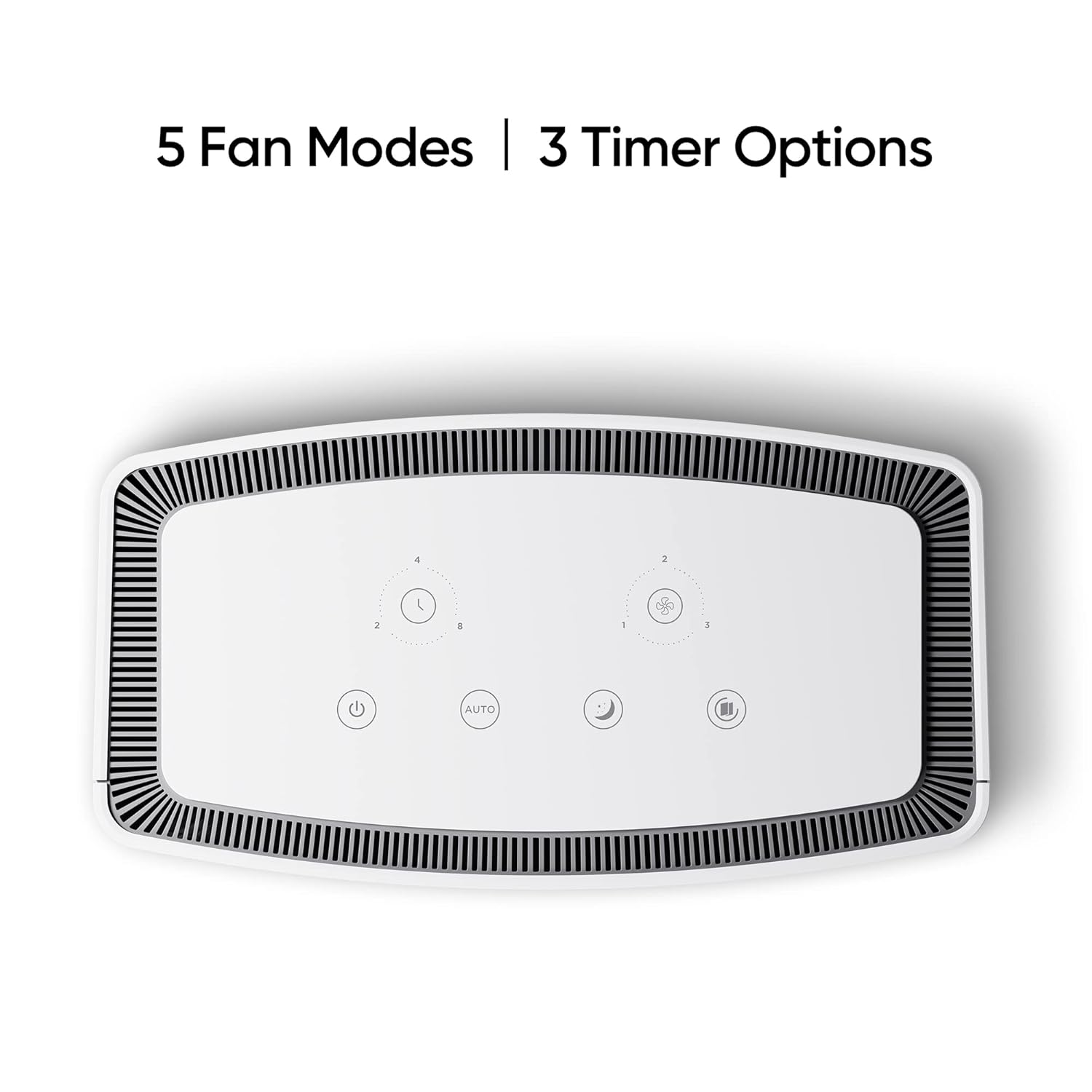
図1: 前面 view of the realme TechLife Portable Room Air Purifier. The unit is white with a sleek, minimalist design.
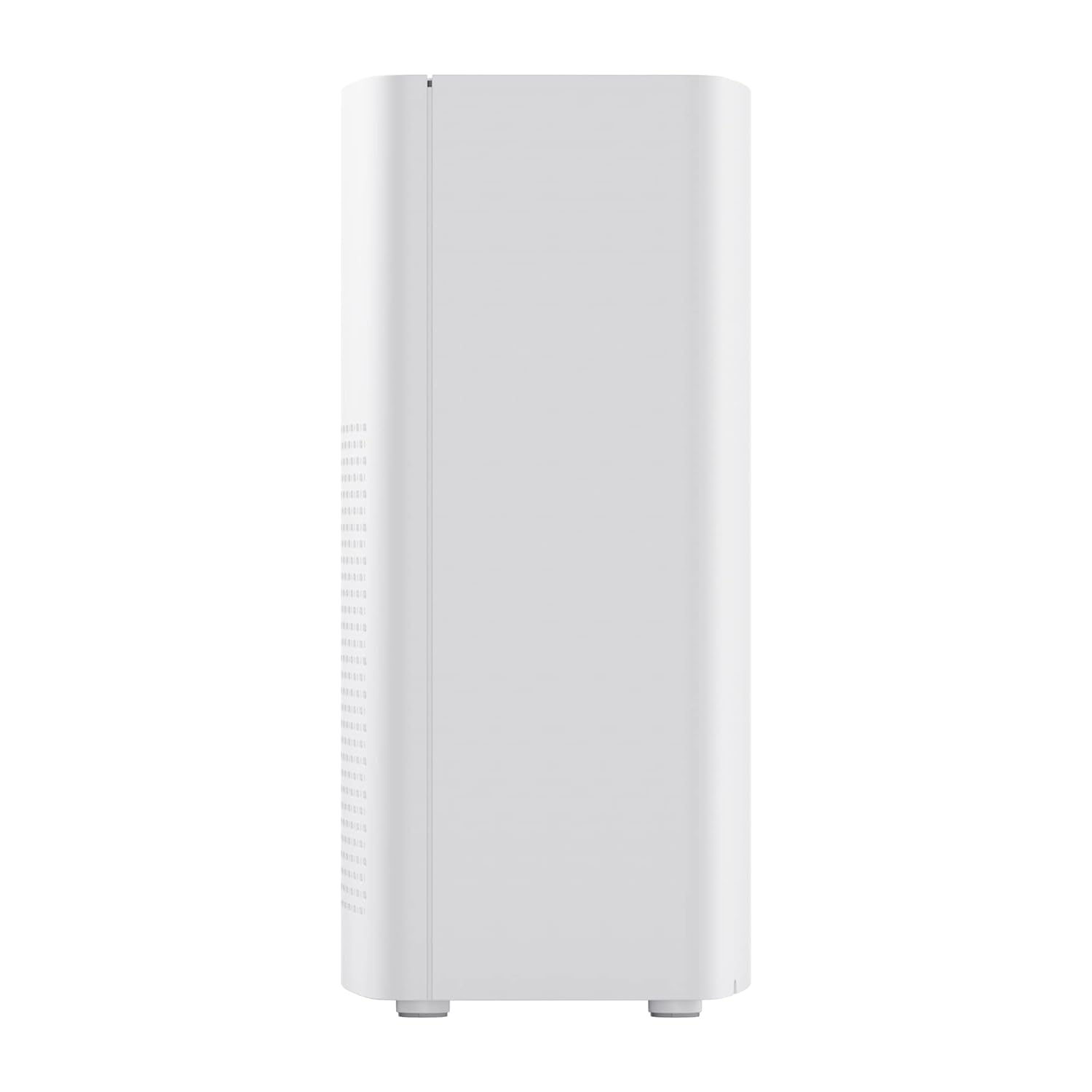
図2:側面 view of the realme TechLife Portable Room Air Purifier, showing its compact and lightweight profile.
4.2 コントロールパネル
The control panel is located on the top of the air purifier and features touch-sensitive buttons for various functions.

図3: トップダウン view of the control panel, displaying touch buttons for power, auto mode, sleep mode, fan speed, and timer settings.
- 電源ボタン: ユニットの電源をオンまたはオフにします。
- AUTO Mode Button: Activates automatic fan speed adjustment based on air quality.
- スリープモードボタン: Sets the fan to its lowest speed for quiet operation.
- ファン速度ボタン: Cycles through manual fan speed settings (e.g., Level 1, 2, 3).
- タイマーボタン: 動作時間(例:2、4、8時間)を設定します。
- 大気質指標: Displays current air quality (color-coded).
5. セットアップ
5.1フィルターの取り付け
The HEPA filter may be pre-installed or require installation before first use.
- Unpack the air purifier and place it on a stable, flat surface.
- Locate the filter compartment cover, usually at the bottom or rear of the unit.
- Open the cover and remove any plastic packaging from the HEPA filter.
- フィルターをコンパートメントに挿入し、正しく装着されていることを確認します。
- フィルター室のカバーをしっかりと閉じます。
5.2 配置
For optimal performance, place the air purifier in a location with good air circulation, away from walls or furniture that might obstruct airflow. Avoid placing it near windows or vents.
5.3電源接続
Connect the power adapter to the air purifier's power port, then plug the adapter into a standard electrical outlet.
6. 操作手順
6.1 電源オン/オフ
を押す 電源ボタン once to turn the air purifier on. Press it again to turn the unit off.
6.2 ファン速度モード
- 自動モード: を押す 自動ボタン. The purifier will automatically adjust its fan speed based on the detected air quality.
- スリープモード: を押す スリープモードボタン. The fan operates at its lowest speed for quiet purification, ideal for nighttime use.
- 手動ファン速度: を押す ファン速度ボタン repeatedly to cycle through different fan speed levels (e.g., Level 1, Level 2, Level 3).
6.3つのタイマー設定
を押す タイマーボタン repeatedly to set the desired operating duration (e.g., 2 hours, 4 hours, 8 hours). The unit will automatically turn off after the set time expires.
6.4 空気質指標
The air quality indicator light changes color to reflect the current air quality:
- 緑: 良い空気の質
- 黄色/オレンジ: 中程度の空気の質
- 赤: 空気の質が悪い
7. メンテナンス
7.1フィルターの交換
The HEPA filter has a limited lifespan and needs regular replacement to maintain purification efficiency. The filter life depends on usage and air quality. A filter replacement indicator light will typically illuminate when replacement is due.
- 空気清浄機のプラグをコンセントから抜きます。
- フィルター室のカバーを開きます。
- 古いフィルターを取り外して適切に廃棄してください。
- Insert a new, genuine realme HEPA H12 replacement filter.
- フィルター室のカバーをしっかりと閉じます。
- Plug in the air purifier and reset the filter life indicator (refer to specific model instructions if available, usually by pressing and holding the filter button for a few seconds).
Note: Replacement filters may need to be purchased separately. Ensure availability of replacement filters for continued use of the product.
7.2 ユニットのクリーニング
Regular cleaning helps maintain performance and appearance.
- 本体の外側は、乾いた柔らかい布で拭いてください。
- 研磨剤入りの洗剤、ワックス、溶剤は使用しないでください。
- 空気入口と排気口のグリルを丁寧に掃除機で掃除し、蓄積したほこりを取り除きます。
8。 トラブルシューティング
空気清浄機に問題が発生した場合、一般的な問題と解決策については以下の表を参照してください。
| 問題 | 考えられる原因 | 解決 |
|---|---|---|
| ユニットがオンにならない | 電源がありません。電源アダプターが接続されていません。ユニットが破損しています。 | Check power cord and outlet; Ensure adapter is securely connected; Contact customer support if damaged. |
| 風量が弱い | Air inlets/outlets blocked; Filter clogged; Filter not installed correctly. | Clear obstructions; Replace filter; Reinstall filter correctly. |
| 異常なノイズ | Foreign object inside; Unit not on a flat surface; Filter not seated correctly. | Unplug and check for obstructions; Place on a stable surface; Reinstall filter. |
| 空気質インジケーターは常に赤/オレンジ | High pollution level; Sensor dirty; Sensor malfunction. | Allow more time for purification; Clean the sensor area (if accessible); Contact customer support. |
If the problem persists after trying these solutions, please contact realme customer support.
9. 仕様
Technical specifications for the realme TechLife Portable Room Air Purifier:
| 特徴 | 仕様 |
|---|---|
| ブランド | リアルミー |
| モデル | TechLife Portable Room Air Purifier |
| 色 | 白 |
| フィルタータイプ | ヘパH12 |
| 汚染物質ろ過 | 99.97% |
| コントローラータイプ | タッチコントロール |
| 特集 | High Precision Air Quality Sensor, Lightweight |
| アイテム重量 | 5kg 780グラム |
| 電源 | Battery Powered (Please refer to product label for specific power input) |
10. 保証とサポート
The realme TechLife Portable Room Air Purifier comes with a limited warranty. Please refer to the warranty card included with your product for detailed terms and conditions, including warranty period and coverage.
For technical support, service, or to purchase genuine replacement parts and filters, please visit the official realme website or contact realme customer service through the contact information provided in your warranty documentation.
保証請求のための購入証明として購入レシートを保管してください。


