導入
This manual provides essential information for the Dell Latitude 5421 Laptop. It covers initial setup, operational guidelines, maintenance procedures, troubleshooting tips, and detailed product specifications. Please read this manual thoroughly to ensure optimal performance and longevity of your device.
設定
1. 開梱と初期検査
Carefully remove the laptop and all accessories from the packaging. Inspect for any signs of damage. Ensure all components are present: laptop, power adapter, and documentation.
2. 電源アダプタの接続
Connect the power adapter to the power connector on the laptop and then plug the power cable into a wall outlet. The battery will begin charging automatically.
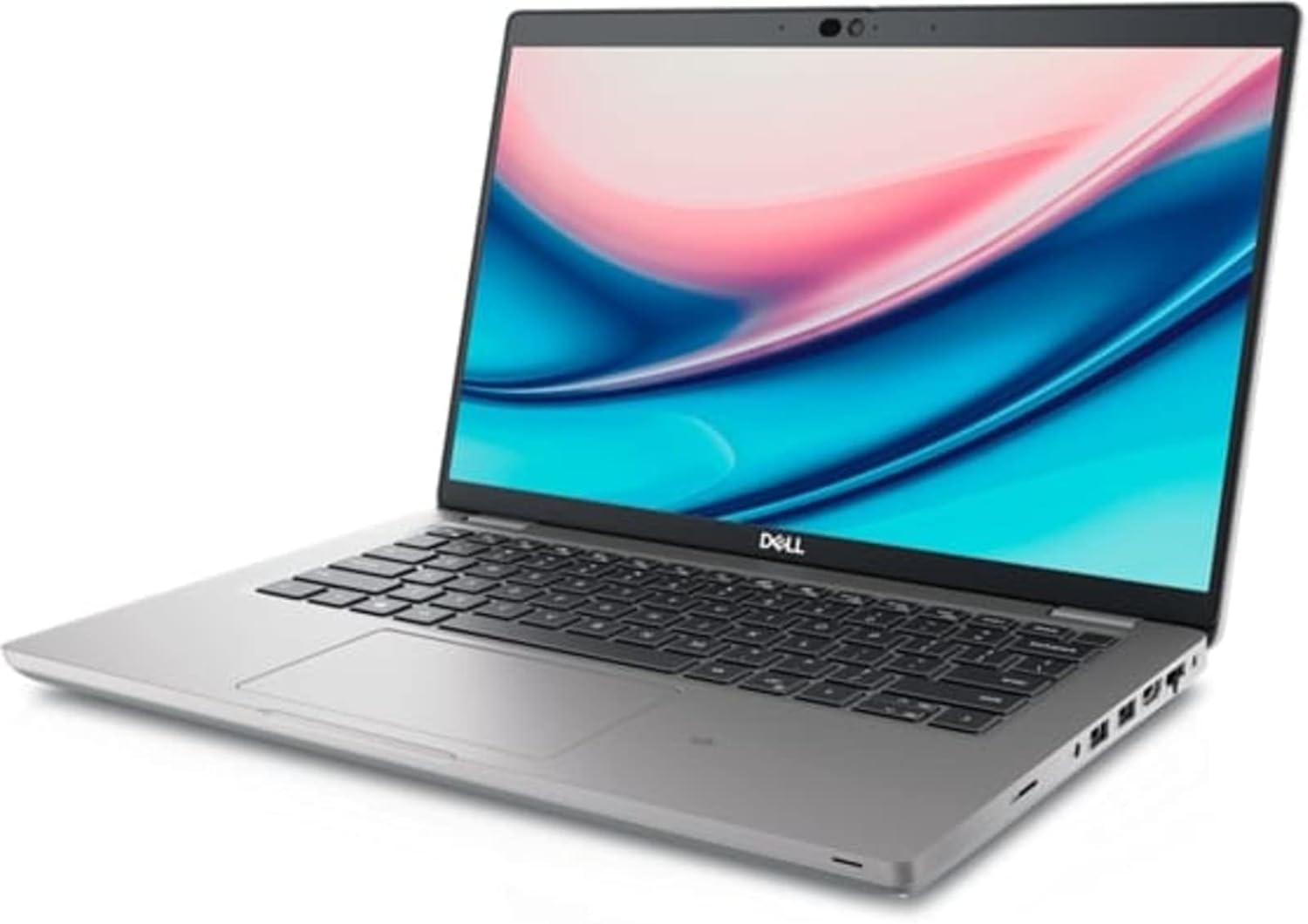
Image: Left side of the Dell Latitude 5421 Laptop, showing the power input, USB ports, HDMI port, and Ethernet port.
3. 初回電源投入とオペレーティングシステムのセットアップ
Open the laptop lid and press the power button. Follow the on-screen instructions to complete the Windows 11 Pro setup. This includes selecting your region, connecting to a network, and creating a user account.
4. 周辺機器の接続
Connect external devices such as a mouse, keyboard, or external monitor to the available ports. The Dell Latitude 5421 features various ports for connectivity:
- 左側ポート: SD card reader, Headset jack, USB 3.2 Gen 1 port, USB 3.2 Gen 1 port with PowerShare, HDMI 2.0 port, RJ45 Ethernet port.
- 右側面ポート: Wedge-shaped lock slot, USB 3.2 Gen 1 port, USB 3.2 Gen 2 Type-C Thunderbolt 4 port with Power Delivery and DisplayPort, Smart card reader (optional).
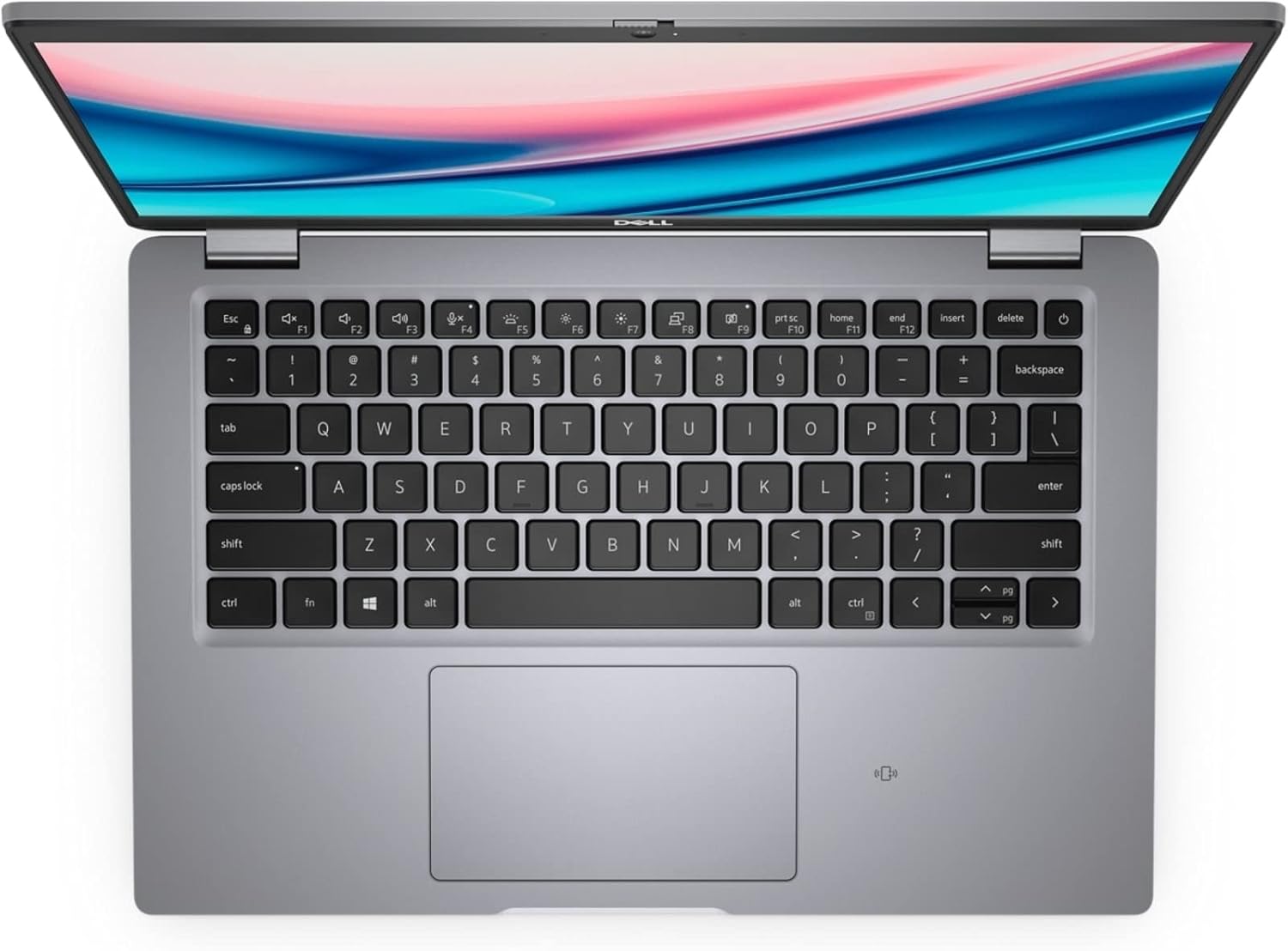
Image: Right side of the Dell Latitude 5421 Laptop, showing the USB-C Thunderbolt 4 port, USB-A port, and lock slot.
ノートパソコンの操作
1. キーボードとタッチパッドの使い方
このノートパソコンには、フルサイズのキーボードと高精度タッチパッドが搭載されています。ナビゲーションやジェスチャーにはタッチパッドをご利用ください。タッチパッドの感度とジェスチャーのカスタマイズについては、Windows 11の設定をご覧ください。

画像: トップダウン view of the Dell Latitude 5421 Laptop keyboard and touchpad.
2.ワイヤレス接続
- Wi-Fi: ワイヤレス ネットワークに接続するには、タスクバーの Wi-Fi アイコンをクリックし、目的のネットワークを選択して、プロンプトが表示されたらパスワードを入力します。
- ブルートゥース: Bluetoothデバイスをペアリングするには、 設定 > Bluetoothとデバイス、Bluetoothをオンにして、「デバイスの追加」を選択します。
3. Display and External Monitors
The laptop features a 14-inch Full HD (1920x1080) display. You can connect an external monitor using the HDMI port or the USB-C Thunderbolt 4 port (with a compatible adapter) for extended or mirrored display modes.

画像: 正面 view of the Dell Latitude 5421 Laptop with the screen displaying content.
メンテナンス
1. ノートパソコンの掃除
- 柔らかく糸くずの出ない布を使用してください。amp水またはディスプレイ用スクリーンクリーナーで拭いてください。
- キーボードとシャーシのお手入れには柔らかい布をご使用ください。刺激の強い化学薬品は使用しないでください。
- 圧縮空気を使用して、通気口やキーボードの隙間からほこりを取り除きます。
2. ソフトウェアの更新
定期的にWindowsのアップデートをチェックしてインストールするには、 設定 > Windows Update. Also, ensure Dell drivers and firmware are up-to-date using the Dell SupportAssist application or Dell's official webサイト。
3. バッテリーのお手入れ
バッテリーの寿命を延ばすには、極端な温度を避けてください。長期保管する場合は、バッテリーを約50%まで充電し、涼しく乾燥した場所に保管してください。
4. ストレージ管理
不要なものを定期的に掃除する files and applications to maintain optimal performance of the 512GB SSD. Use Windows built-in tools like Disk Cleanup or Storage Sense.
トラブルシューティング
1. ノートパソコンの電源が入らない
- 電源アダプターがノートパソコンと正常に機能している電源コンセントの両方にしっかりと接続されていることを確認します。
- 別のデバイスを接続して、電源コンセントが機能していることを確認します。
- 電源ボタンを 15 ~ 20 秒間押し続けて、ハードリセットを実行してみてください。
2. 表示の問題
- 画面が空白の場合は、外部モニターを接続して、問題がラップトップのディスプレイにあるかどうかを確認してください。
- ファンクションキー(Fn + F11/F12)を使用して画面の明るさを調整します。
- グラフィック ドライバーを更新します。
3. Wi-FiまたはBluetoothの接続の問題
- Windows 設定で Wi-Fi/Bluetooth が有効になっていることを確認します。
- Wi-Fi の問題の場合は、ルーター/モデムを再起動してください。
- Windows ネットワーク トラブルシューティング ツールを実行します。
- ワイヤレス ドライバーを更新します。
4. パフォーマンスの低下
- バックグラウンドで実行されている不要なアプリケーションを閉じます。
- ウイルス対策ソフトウェアを使用してマルウェアやウイルスがないか確認します。
- SSD に十分な空き容量があることを確認してください。
- システムの再起動を実行します。
仕様
Below are the detailed technical specifications for the Dell Latitude 5421 Laptop:
| 特徴 | 仕様 |
|---|---|
| モデル名 | 緯度5421ノートパソコン |
| プロセッサ | Intel Core i7-11850H (8 Cores, 2.5 GHz base, up to 4.8 GHz Turbo) |
| ラム | 64GB DDR4 |
| ストレージ | 512GB SSD |
| 画面 | 14-inch FHD (1920 x 1080) Non-Touch |
| グラフィックス | インテル統合グラフィックス |
| オペレーティング·システム | ウィンドウズ11プロ |
| ワイヤレス接続 | Wi-Fi、ブルートゥース |
| ポート | USB 3.2 Gen 1, USB 3.2 Gen 1 with PowerShare, USB 3.2 Gen 2 Type-C Thunderbolt 4, HDMI 2.0, RJ45 Ethernet, Headset jack, SD card reader, Wedge-shaped lock slot |
| 寸法(長さx幅x高さ) | 8.35 x 12.65 x 0.82インチ |
| 色 | 黒 |
保証とサポート
This Dell Latitude 5421 Laptop is a renewed product. Please refer to the specific warranty terms provided by the seller at the time of purchase. For technical assistance, driver downloads, or further support, visit the official Dell Support website or contact your seller directly.
デルサポート Webサイト: www.dell.com/support