導入
The XTOOL Anyscan A30M is a professional-grade OBD2 car diagnostic tool designed for comprehensive vehicle system analysis and maintenance. It offers advanced features such as bidirectional control, active tests, and a wide range of service functions, making it suitable for both professional technicians and DIY enthusiasts. This manual provides detailed instructions on setting up, operating, and maintaining your A30M device.

Figure 1: XTOOL Anyscan A30M OBD2 Scanner and its retail packaging.
主な特徴
The XTOOL Anyscan A30M offers a robust set of features for in-depth vehicle diagnostics:
- Bidirectional Control / Active Tests: Send commands to the vehicle's ECU to perform various active tests on components like EVAP test, fuel pump, fuel injector, A/C clutch, windows, doors, and sunroof. This helps in quickly identifying faulty parts.
- 21以上のサービス機能: Includes essential maintenance functions such as Oil Reset, EPB (Electronic Parking Brake), SAS (Steering Angle Sensor), DPF (Diesel Particulate Filter), BMS (Battery Management System), ABS Bleeding, Throttle Relearn, Injector Coding, Suspension/Seat Calibration, Window Initialization, TPMS Reset, and more. Note: Specific functions may vary by vehicle model and year.
- OEM Level All-System Diagnostics: Capable of scanning all available vehicle systems for comprehensive diagnostics, including Engine, Transmission, ABS, SRS, Air Conditioning, Fuel Systems, and others. This allows for reading/clearing codes, viewing live data, freeze frame data, and retrieving ECU information.
- ワイヤレス Bluetooth 接続: Convenient BT connectivity for data transmission between the vehicle and the A30M. Compatible with both iOS and Android phones/tablets. The device also supports real-time battery voltage display when connected via an extension cable.
- Lifetime Free Software Updates & 2-Year Online Support: Enjoy continuous software improvements and access to 24/7 online technical support for two years.

図2:以上view of XTOOL Anyscan A30M's main features, including bidirectional control, full system diagnosis, special functions, live data, auto-scan, wireless BT, and lifetime updates.
セットアップガイド
- アプリをダウンロード: 検索する "XTOOL Anyscan" in the Apple App Store (for iOS) or Google Play Store (for Android). Alternatively, you can download the app directly from the official XTOOL webサイト。
- アプリをインストールします。 Follow the on-screen instructions to install the application on your smartphone or tablet.
- 登録/ログイン: Open the XTOOL Anyscan app. If you are a new user, register an account. If you already have an account, log in.
- 車両に接続: Locate your vehicle's OBD-II port, usually under the dashboard on the driver's side. Plug the XTOOL A30M device firmly into the OBD-II port. The device will power on automatically.
- Bluetooth経由でペアリング:
- スマートフォン/タブレットのBluetoothをオンにします。
- Open the XTOOL Anyscan app. The app will automatically search for available XTOOL devices.
- Select your A30M device from the list to establish a Bluetooth connection. Ensure the device's indicator lights confirm a successful connection.
- アプリでの初期設定: Follow any prompts within the app for initial device registration or software updates. It is recommended to update the software to the latest version before first use.
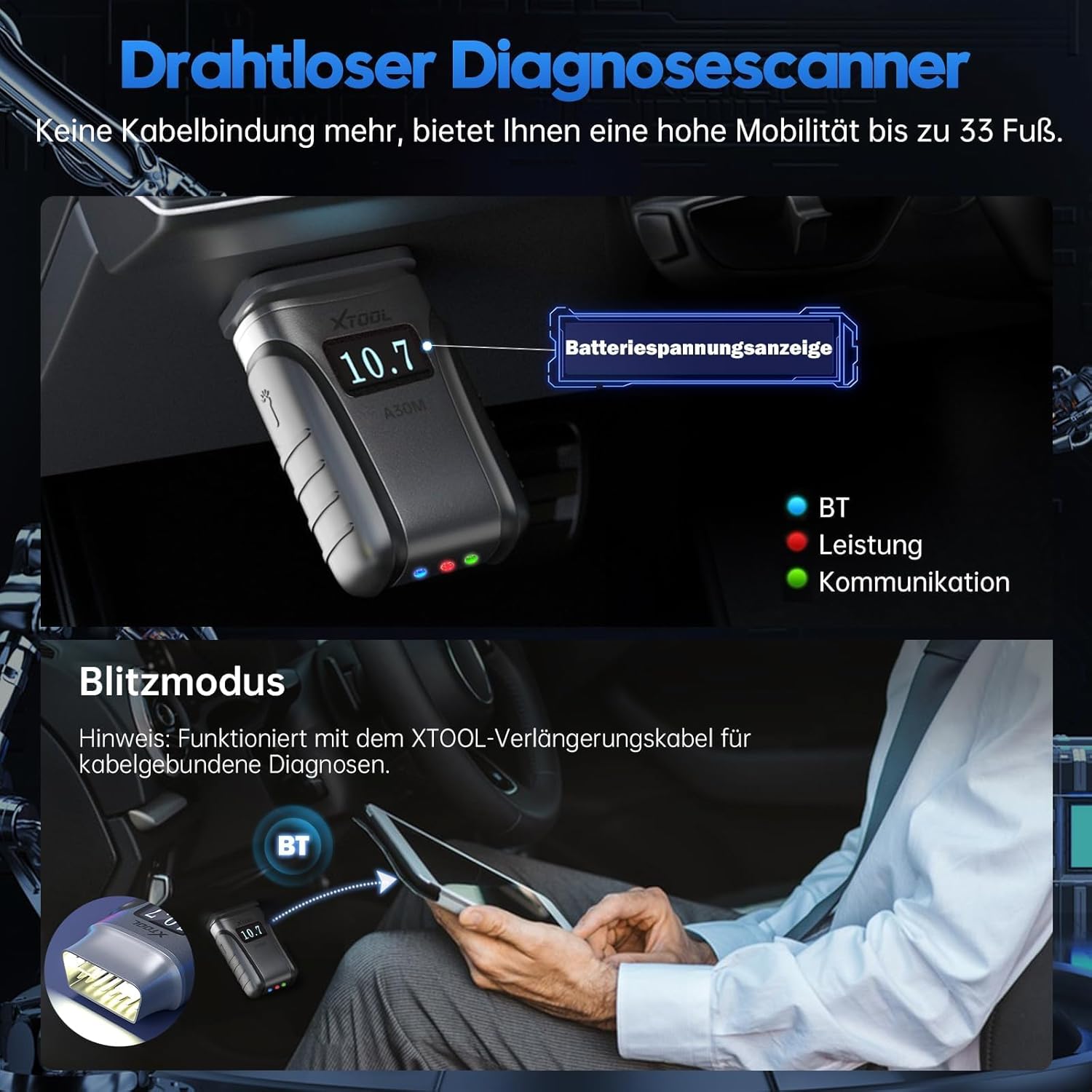
Figure 3: The XTOOL A30M connected wirelessly to a mobile device, showing its compact design and the real-time battery voltagディスプレイ機能。
操作手順
1. All-System Diagnostics
After connecting the A30M to your vehicle and pairing with the app, you can begin a full system scan. The app will automatically identify your vehicle's VIN (Vehicle Identification Number) and model, then proceed to scan all accessible electronic control units (ECUs).
- コードの読み取り/クリア: View diagnostic trouble codes (DTCs) with their descriptions and clear them after repairs.
- ライブデータ: Monitor real-time data streams from various sensors and components. This data can be displayed in text, graph, or gauge format.
- フリーズフレーム: DTC が設定された瞬間の車両状態のスナップショットをキャプチャします。
- ECU情報: Retrieve detailed information about the vehicle's control modules.

Figure 4: The A30M performing an OEM-level full system diagnosis, covering various vehicle modules like Engine, Transmission, ABS, SRS, and more.
2. Bidirectional Control / Active Tests
This function allows you to send commands from the A30M to the vehicle's components to test their functionality without manual intervention. This is crucial for pinpointing issues quickly.
- Navigate to the "Active Test" or "Bidirectional Control" section in the app.
- Select the component you wish to test (e.g., fuel pump, window motor, A/C clutch).
- 画面上の指示に従ってコンポーネントをアクティブ化または非アクティブ化し、その応答を確認します。

Figure 5: Illustrates the bidirectional control capabilities, allowing users to perform active tests on various vehicle components such as fuel pumps, valves, wipers, windows, doors, and sunroofs.
3. サービス機能
The A30M provides over 21 common service and reset functions. Access these functions from the main menu of the app.
- Select the desired service function (e.g., Oil Reset, EPB Reset, ABS Bleeding).
- Follow the specific on-screen instructions for each function, as procedures can vary by vehicle.
- Always ensure the vehicle meets the necessary conditions (e.g., engine off, ignition on) before performing a service function.
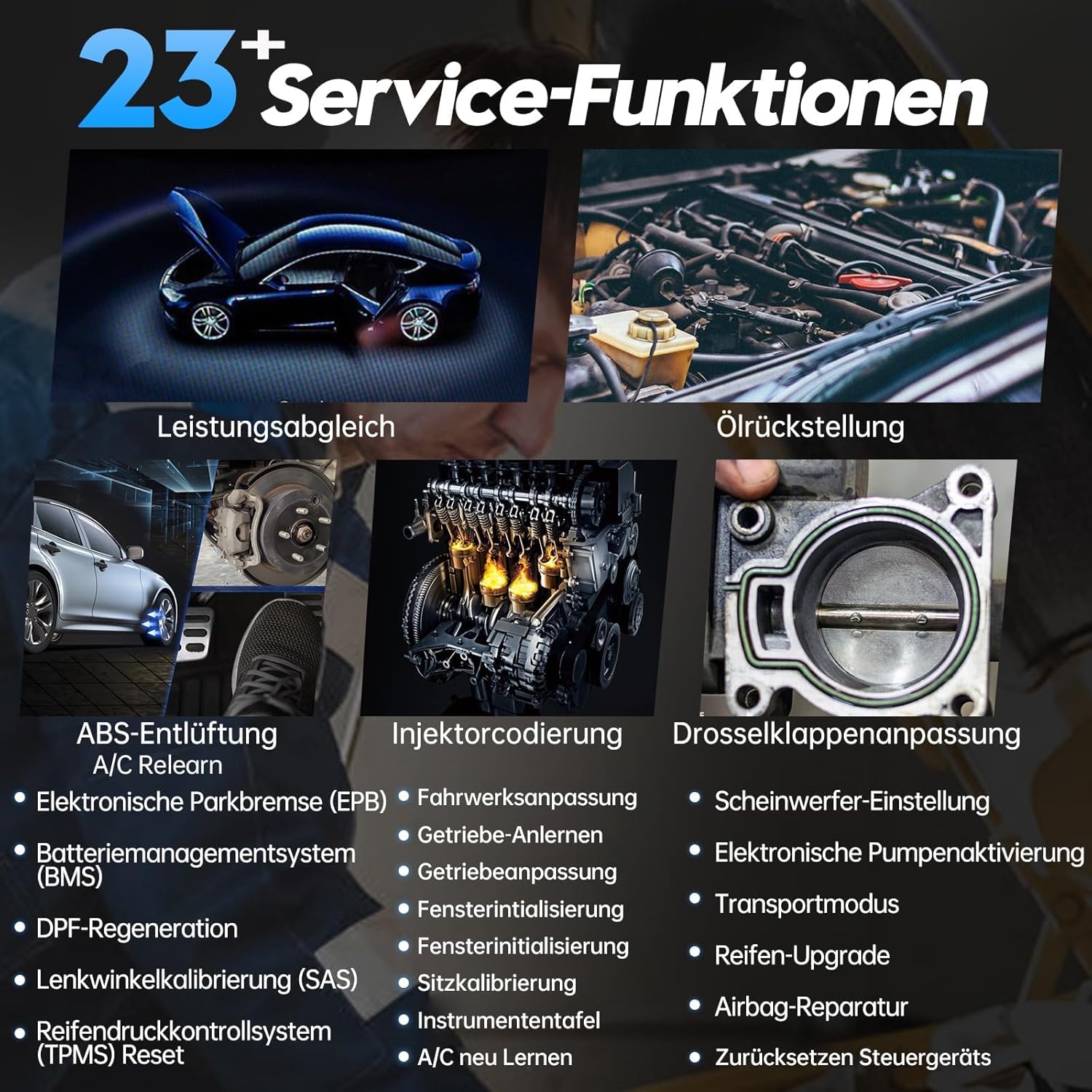
Figure 6: A visual representation of some of the 23+ service functions available, including power matching, oil reset, ABS bleeding, injector coding, throttle adaptation, and more.
4. 10 Modes of OBDII
The A30M supports all 10 modes of OBDII for basic engine diagnostics and emissions-related checks:
- モード01: Read Live Data Stream
- モード02: フリーズフレームデータの読み取り
- モード03: 診断トラブルコード(DTC)の読み取り
- モード04: DTCをクリアする
- モード05: O2 Sensor Test Results
- モード06: On-Board Monitoring Test Results for Non-Continuously Monitored Systems
- モード07: On-Board Monitoring Test Results for Continuously Monitored Systems
- モード08: Control of On-Board System, Test, or Component
- モード09: Request Vehicle Information (VIN, Calibration ID, etc.)
- Mode 0A: Request Emission-Related Diagnostic Trouble Codes with Permanent Status

Figure 7: Depicts the 10 modes of OBDII functionality, including reading/clearing fault codes, real-time data, freeze frame, I/M readiness, component test, O2 sensor test, on-board monitoring, vehicle information retrieval, and existing modules.

図 8: 元ample of the live data graphing feature, showing multiple data points simultaneously for detailed analysis of vehicle performance.
メンテナンス
ソフトウェアアップデート
The XTOOL Anyscan A30M comes with lifetime free software updates. Regularly updating your device ensures you have the latest vehicle coverage, bug fixes, and new features.
- Connect your A30M to the internet via your smartphone/tablet's Wi-Fi or mobile data.
- Open the XTOOL Anyscan app and navigate to the "Update" section.
- Download and install any available updates. Ensure a stable internet connection during the update process.
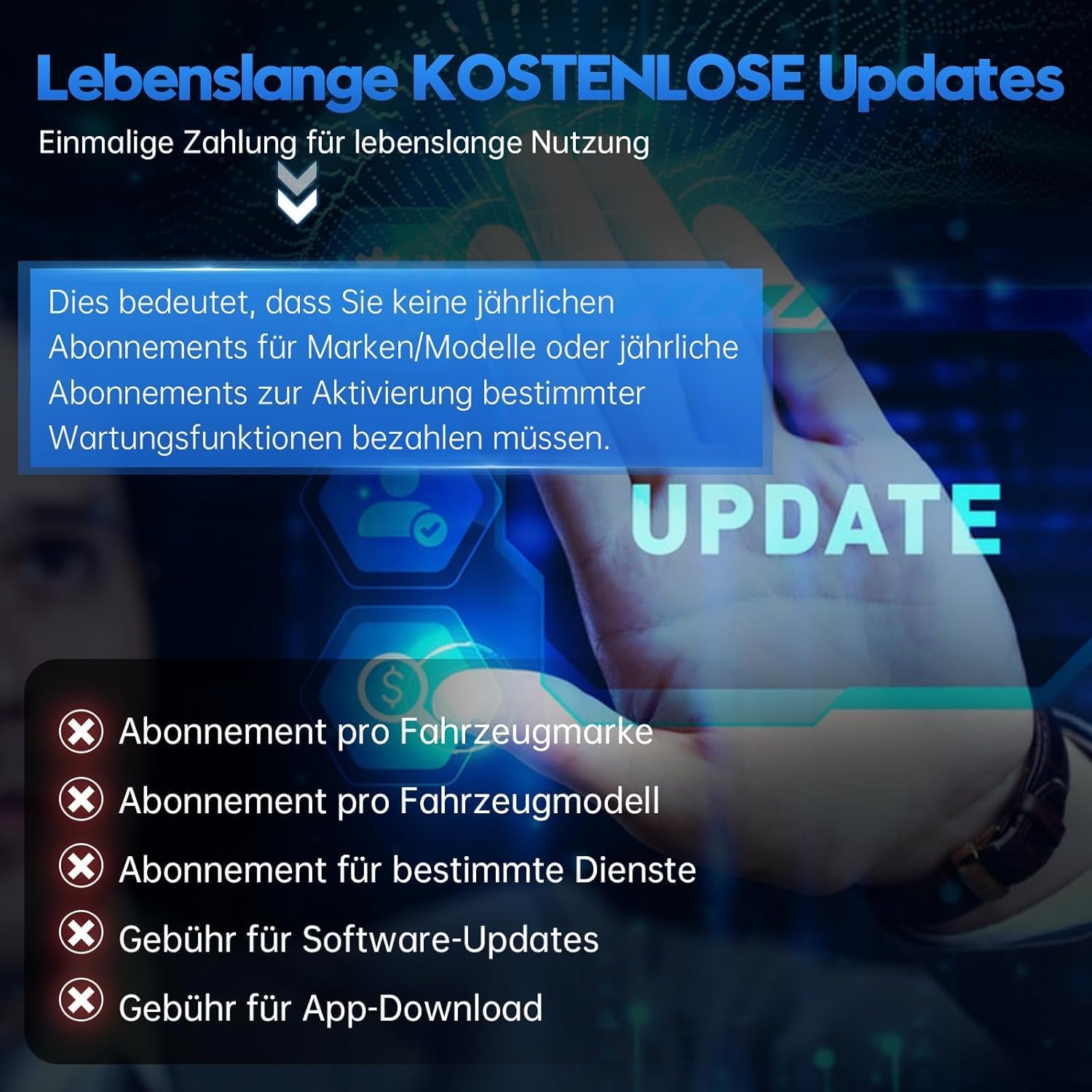
Figure 9: Highlights the benefit of lifetime free software updates, eliminating recurring subscription fees for vehicle brands, models, or specific maintenance functions.
デバイスのケア
- 本製品を清潔に保ち、ほこりや湿気を避けてください。清掃には柔らかく乾いた布をご使用ください。
- デバイスを使用しないときは、涼しく乾燥した場所に保管してください。
- デバイスを落としたり、強い衝撃を与えたりしないでください。
トラブルシューティング
| 問題 | 考えられる原因 | 解決 |
|---|---|---|
| デバイスの電源が入りません。 | Not properly connected to OBD-II port; vehicle ignition off. | Ensure the device is firmly plugged into the OBD-II port. Turn the vehicle ignition to the ON position (engine can be off). |
| Bluetooth経由で接続できません。 | Bluetooth is off on mobile device; A30M not discoverable; interference. | Ensure Bluetooth is enabled on your phone/tablet. Restart the A30M by unplugging and replugging it. Try pairing again. Move closer to the device. |
| App shows "No Communication" with vehicle. | Incorrect vehicle protocol; faulty OBD-II port; device malfunction. | Verify vehicle compatibility. Check the vehicle's OBD-II port for damage. Try the device on another compatible vehicle if possible. Ensure the app is updated. |
| Specific service function not working. | Vehicle not supported for that function; incorrect procedure. | Check the compatibility list for your specific vehicle model and the desired function. Ensure you are following the in-app instructions precisely. Contact support if the issue persists. |
さらに詳しいサポートについては、サポート セクションを参照してください。
仕様
- モデル: A30M (Anyscan A30M)
- ブランド: Xツール
- 商品の重量: 100グラム
- パッケージ寸法: 12.3 x 9.2 x 3.7 cm
- バッテリー: 1 Lithium-polymer (included, likely internal for device operation, not user replaceable)
- オペレーティング·システム: AndroidとiOS
- 接続性: ワイヤレスBluetooth
- 電源: Vehicle OBD-II port
保証とサポート
The XTOOL Anyscan A30M comes with a commitment to long-term support:
- 生涯無料ソフトウェアアップデート: All software updates for the A30M are free for life, ensuring your device remains current with new vehicle models and diagnostic capabilities.
- 2-Year Online Technical Support: XTOOL provides 24/7 online technical support for two years from the date of purchase. If you encounter any issues or have questions regarding the device's operation or compatibility, please contact XTOOL customer service.
For support inquiries, please visit the official XTOOL website or use the contact information provided within the XTOOL Anyscan application.


