1. はじめに
This instruction manual provides essential information for the safe installation, operation, and maintenance of your Legrand Micromodule for Connected VMC (Ventilation Mécanique Contrôlée) with Netatmo. This micromodule is designed to enable smart control of a single-flow, 2-speed VMC system, with a maximum power rating of 250W. It integrates seamlessly with the Home+Control application and wireless control devices, offering enhanced convenience and energy management for your ventilation system.
インストールおよび使用の前にこのマニュアルをよくお読みになり、今後の参照用に保管してください。
2. 安全情報
警告: 感電の危険があります
- Installation must be performed by a qualified electrician in accordance with all national and local electrical codes and regulations.
- Always disconnect power at the main circuit breaker before installing, servicing, or removing the device.
- Do not install or use this device if it appears damaged.
- すべての接続が安全かつ適切に絶縁されていることを確認してください。
- This device is intended for indoor use only. Do not expose to moisture or extreme temperatures.
3. パッケージ内容
パッケージに次のアイテムが含まれていることを確認してください。
- Legrand Micromodule for Connected VMC
- White cover (if applicable)
- 取扱説明書(本書)
4. セットアップとインストール
The Legrand Micromodule is designed to be installed as close as possible to the VMC unit it controls. Professional installation is highly recommended due to the electrical nature of the device.
4.1インストール前
- 電源を切る: Turn off the main power supply to the VMC circuit at your electrical panel. Verify that the power is off using a voltageテスター。
- 配線を識別する: Identify the power supply wires and the control wires for your 2-speed VMC system. Consult your VMC's manual if necessary.
4.2 Wiring the Micromodule
Follow the wiring diagram provided with the product packaging. Typically, the micromodule will connect to the main power supply and then to the VMC's speed control inputs (e.g., low speed and high speed). Ensure proper grounding.
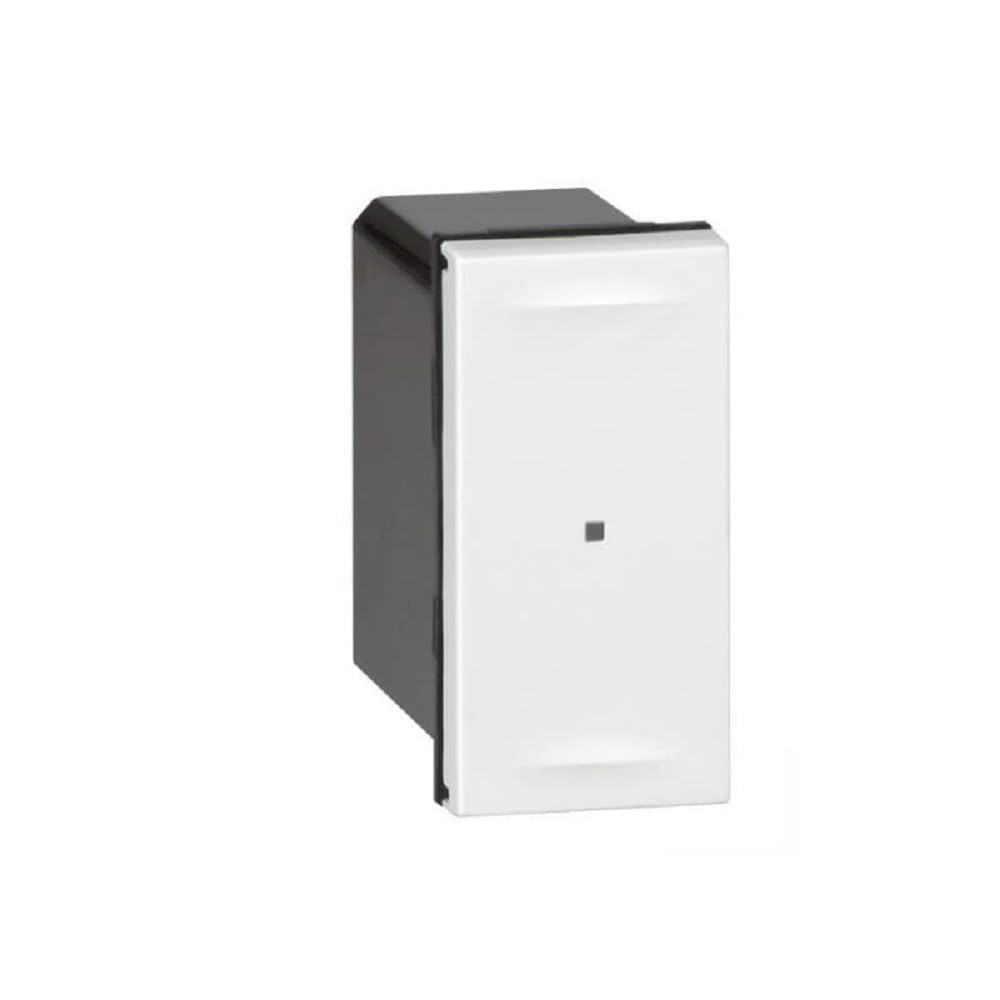
Image 1: Legrand Micromodule for Connected VMC. This image displays the compact design of the micromodule, highlighting its size and the terminals for electrical connections. It is typically installed within an electrical box or near the VMC unit.
4.3 Pairing with Home+Control App
- 電力を回復する: 配線が完了して安全になったら、回路に電力を復旧します。
- アプリをダウンロードする: Download the Legrand Home+Control application from your device's app store.
- アカウントを作成する: アプリを開いてアカウントを作成するか、ログインします。
- デバイスを追加: Follow the in-app instructions to add a new device. The app will guide you through the pairing process, which typically involves putting the micromodule into pairing mode (refer to the specific instructions in the app or product leaflet for exact steps, often involving a short press on a button on the module or a specific power cycle sequence).
- 設定: Once paired, you can configure the VMC speeds and integrate with other Netatmo-compatible devices.
5. Operating the Micromodule
The Legrand Micromodule allows for smart control of your 2-speed VMC system.
5.1 Via Home+Control App
- Open the Home+Control app on your smartphone or tablet.
- Navigate to the VMC device.
- You will typically find options to switch between the two VMC speeds (e.g., 'Low' and 'High' or 'Normal' and 'Boost').
- The app may also allow for scheduling, automation, and integration with other smart home scenarios.
5.2 Via Wireless Control (Optional)
If you have paired the micromodule with a compatible Legrand wireless control switch, you can operate the VMC speeds directly from the switch. Refer to the instructions provided with your wireless control for specific operation details.
6. メンテナンス
The Legrand Micromodule is designed for long-term, maintenance-free operation. However, consider the following:
- クリーニング: If the exterior of the module or its cover requires cleaning, ensure power is disconnected. Use a soft, dry cloth. Do not use liquid cleaners or abrasive materials.
- ファームウェアの更新: Periodically check the Home+Control app for available firmware updates for your micromodule. Updates can improve performance and add new features.
- VMC Maintenance: Regular maintenance of your VMC system (e.g., filter cleaning/replacement) should be performed according to the VMC manufacturer's instructions.
7。 トラブルシューティング
If you encounter issues with your Legrand Micromodule, try the following steps:
- 電源なし/応答なし:
- Check the circuit breaker to ensure power is supplied to the VMC circuit.
- すべての配線接続が確実に行われていることを確認します(資格のある電気技師の場合のみ).
- アプリとペアリングできません:
- Ensure your smartphone is connected to the same Wi-Fi network as your Netatmo gateway (if applicable).
- Restart the Home+Control app.
- Try resetting the micromodule to factory settings (refer to the app or product leaflet for specific instructions).
- Ensure the micromodule is within range of your Netatmo gateway or Wi-Fi network.
- VMC Not Changing Speeds:
- Verify the VMC itself is functioning correctly when directly controlled (if possible).
- Check the wiring between the micromodule and the VMC's speed inputs.
- Ensure the micromodule is correctly configured in the Home+Control app.
If problems persist, contact Legrand customer support or consult a qualified electrician.
8. 仕様
| メーカー | ルグラン |
| モデル番号 | レグ67766 |
| 部品番号 | レグ67766 |
| 製品寸法 | 2.72 x 3.7 x 3.7インチ |
| アイテム重量 | 2.65オンス |
| 最大電力定格 | 250W |
| VMC Type | Single flow, 2-speed |
| 互換性 | Home+Control app, Netatmo ecosystem |
| 電池が必要 | いいえ |
9. 保証とサポート
Legrand products are designed and manufactured to the highest quality standards. For information regarding the warranty period and terms for your Micromodule, please refer to the warranty card included with your product or visit the official Legrand webサイト。
For technical support, troubleshooting assistance, or to report a defective product, please contact Legrand customer service through their official webサイトまたは製品ドキュメントに記載されている連絡先情報を参照してください。
ルグランオフィシャル Webサイト: www.legrand.com