1. 重要な安全上の注意事項
ご使用前にすべての説明書をよくお読みください。このマニュアルは、今後の参考のために保管してください。
一般的な安全性
- ドアを開けたままこのオーブンを操作しないでください。電子レンジのエネルギーに有害にさらされる可能性があります。
- オーブンの前面とドアの間に物を置いたり、密閉面に土や洗剤の残留物が溜まったりしないでください。
- オーブンが損傷している場合は、使用しないでください。特に重要なのは、オーブンのドアが正しく閉まるか、以下の点に損傷がないか確認することです。(1) ドア(曲がっている)、(2) ヒンジとラッチ(破損または緩んでいる)、(3) ドアのシールとシーリング面。
- 適切な資格を持つサービス担当者以外は、オーブンの調整や修理を行わないでください。
- この機器は家庭用としてのみご使用いただけます。
- このアプライアンスでは、腐食性の化学物質や蒸気を使用しないでください。
- この機器を屋外に保管しないでください。また、水の近くで使用しないでください。
- コードやプラグを水に浸さないでください。
- コードを加熱された表面から遠ざけてください。
- コードがテーブルやカウンターの端から垂れ下がらないようにしてください。
- オーブン庫内での火災の危険を減らすには:
- 食べ物を加熱しすぎないでください。
- 紙袋またはビニール袋をオーブンに入れる前に、結束バンドを取り外してください。
- オーブン内の物質が発火した場合は、オーブンのドアを閉めたままにし、オーブンの電源を切り、電源コードを外すか、ヒューズまたは回路ブレーカーパネルの電源を切ります。
電気安全
- 電源がボリュームと一致していることを確認してくださいtag機器の定格ラベルに指定されています。
- 必ずアース付きのコンセントに機器を接続してください。
- Do not use extension cords unless absolutely necessary and ensure they are rated for the appliance's power consumption.
- 使用しないときや清掃する前に、アプライアンスをコンセントから抜いてください。
2.製品オーバーview
Familiarize yourself with the components and control panel of your SHARP YC-PS204AE-S microwave oven.
コンポーネント
- オーブンキャビティ: The interior space where food is cooked.
- ターンテーブル: A glass tray that rotates to ensure even cooking.
- ターンテーブルリング: ターンテーブルをサポートします。
- ドア: 安全インターロックシステムを搭載しています。
- コントロールパネル: Contains the display, buttons, and dial for operation.
- LED室内照明: 動作中にオーブンの庫内を照らします。
コントロールパネルとディスプレイ
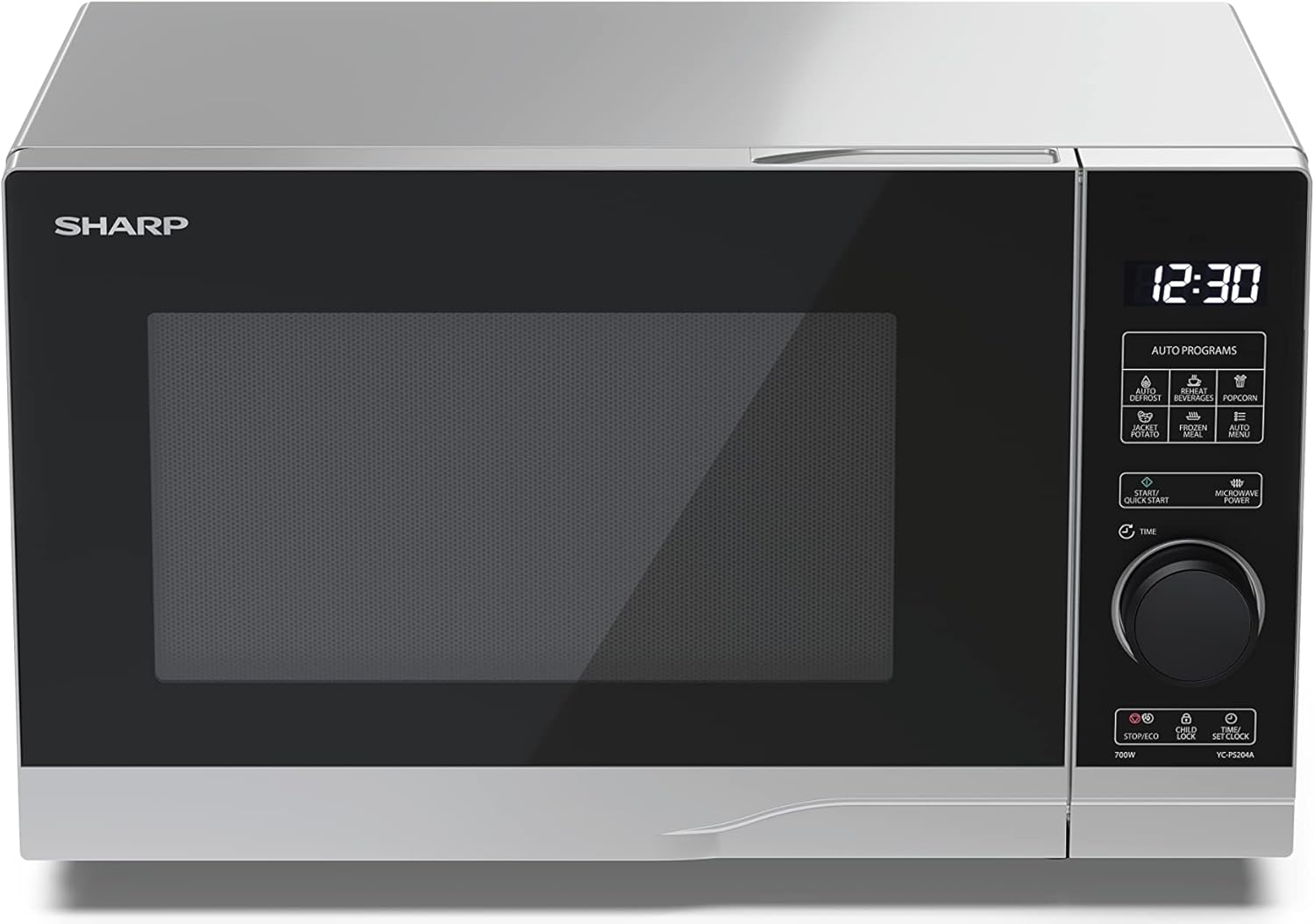
画像: フロント view of the Sharp YC-PS204AE-S microwave oven, highlighting the semi-digital control panel on the right side. The display shows "88:88" and various auto program icons are visible above the main dial.
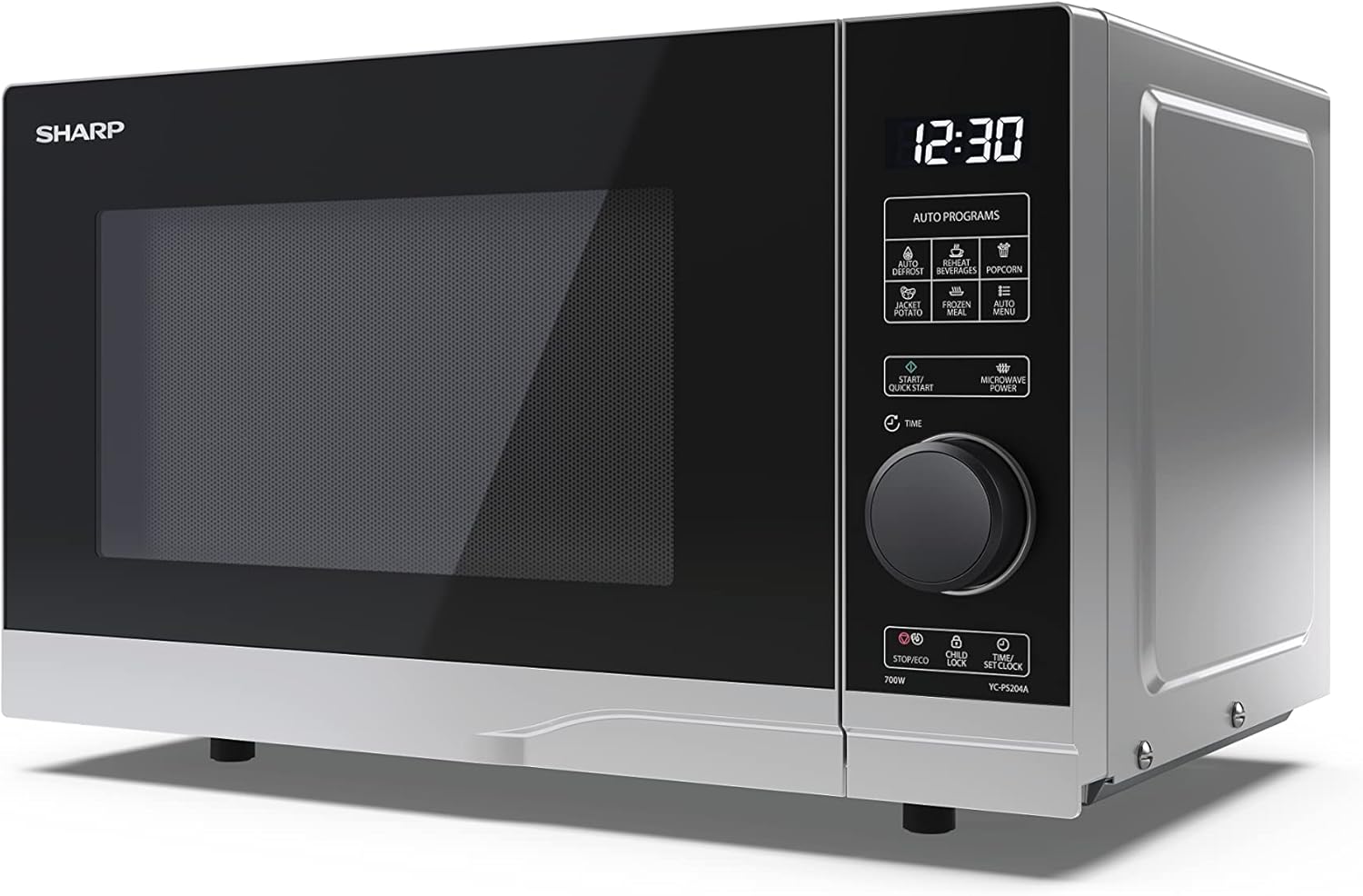
画像: 斜めのフロント view of the Sharp YC-PS204AE-S microwave, showing the sleek silver and black design. The control panel is clearly visible with its digital display and rotary knob.
The control panel features a digital display, a rotary dial for setting time and power, and several touch buttons for various functions and automatic programs.
- 画面: 時間、調理設定、プログラムインジケーターを表示します。
- ロータリーダイヤル: Used to set cooking time, weight, and adjust clock.
- 自動プログラム: Icons for Defrost, Reheat, Popcorn, Jacket Potato, Frozen Meal, Beverages, and Auto Menu.
- Start/Quick Start Button: Initiates cooking or starts quick cooking.
- Microwave Power Button: Selects power levels.
- Stop/Eco Button: Stops cooking or activates ECO mode.
- チャイルドロックボタン: チャイルドロックを有効/無効にします。
- Time/Set Clock Button: Sets the clock or adjusts time.
3. セットアップ
開梱
- 電子レンジと梱包材をすべて箱から慎重に取り出します。
- オーブンにへこみやドアのずれなどの損傷がないか確認してください。損傷がある場合は、オーブンを使用しないでください。
- キャビネットの表面から保護フィルムをはがします。
- Ensure all accessories are present: glass turntable, turntable ring, and instruction manual.

画像: The interior of the Sharp YC-PS204AE-S microwave oven with the door open, showing the glass turntable and the stainless steel interior. This view is useful for understanding how to place food and clean the cavity.
配置
- オーブンの重量と、オーブンで調理される最も重い食品を支えることができる平らで安定した表面上にオーブンを設置します。
- 十分な換気を確保してください。オーブンの上部に最低 20 cm (8 インチ)、背面に 10 cm (4 インチ)、両側に 5 cm (2 インチ) のスペースを残してください。
- 通気口を塞がないでください。
- Do not place the oven near heat sources such as radiators or stoves.
- Keep the oven away from radio and TV sets to avoid interference.

画像: A diagram showing the dimensions of the Sharp YC-PS204AE-S microwave oven, with measurements for height (273 mm), width (455 mm), and depth (334 mm). This helps users ensure proper placement and ventilation space.
初期設定
- Plug the power cord into a standard grounded electrical outlet (230V, 50Hz).
- The display will show "0:00" or "12:00".
- 時計の設定:
- Press the "Time/Set Clock" button once. The hour digits will flash.
- Turn the rotary dial to set the hour (0-23 for 24-hour format).
- Press "Time/Set Clock" again. The minute digits will flash.
- Turn the rotary dial to set the minutes (0-59).
- Press "Time/Set Clock" a third time to confirm. The clock is now set.
4. 操作手順
電子レンジ調理の基本
- 電子レンジ対応容器に入った食品をターンテーブルの上に置きます。
- オーブンのドアをしっかりと閉めてください。
- Press the "Microwave Power" button repeatedly to select the desired power level (e.g., P100 for 100% power, P80 for 80%, etc. There are 10 levels).
- Turn the rotary dial to set the cooking time (up to 95 minutes).
- Press the "Start/Quick Start" button to begin cooking.
クイックスタート機能
- Press the "Start/Quick Start" button repeatedly to cook at 100% power for 30-second intervals. Each press adds 30 seconds.
- The maximum quick start time is 10 minutes.
霜取り機能
This function allows you to defrost food by weight.
- 冷凍食品をターンテーブルの上に置きます。
- Press the "Defrost" button (usually indicated by a snowflake icon). The display will show "dEF1" or "dEF2" depending on the defrost mode.
- Turn the rotary dial to select the weight of the food (e.g., 100g to 2000g).
- Press "Start/Quick Start" to begin defrosting.
Automatic Programs (Auto Menu)
The microwave has 8 pre-set automatic programs for common food items.
- Press the "Auto Menu" button (often labeled with "Auto Programs" or specific icons).
- Turn the rotary dial to select the desired program (e.g., Popcorn, Potato, Pizza, Beverage, etc.). The display will show the program number (e.g., A-1, A-2).
- Press "Auto Menu" again to confirm the program.
- Turn the rotary dial to select the weight or quantity (if applicable for the program).
- Press "Start/Quick Start" to begin.
チャイルドロック機能
To prevent unintended operation, especially by children.
- 有効化するには: Press and hold the "Child Lock" button (often combined with "Stop/Eco") for 3 seconds. A lock icon will appear on the display.
- 非アクティブ化するには: Press and hold the "Child Lock" button for 3 seconds again. The lock icon will disappear.
エコモード
To save energy, the display can be turned off when the oven is not in use.
- 有効化するには: In standby mode, press the "Stop/Eco" button once. The display will turn off.
- 非アクティブ化するには: Press any button or open the door to reactivate the display.
5. メンテナンスと清掃
定期的な清掃とメンテナンスにより、電子レンジの寿命が長くなり、最適なパフォーマンスが確保されます。
オーブン内部の掃除
- 掃除する前に必ずオーブンのプラグを抜いてください。
- 使用後は毎回内部を拭いてください。amp 布と中性洗剤を使用してください。
- For stubborn stains, place a bowl of water with lemon juice inside and heat for 2-3 minutes. The steam will loosen the residue.
- 研磨剤入りのクリーナーや金属ブラシは内部の表面を傷つける恐れがあるので使用しないでください。
Cleaning the Turntable and Ring
- The glass turntable and turntable ring can be removed for cleaning.
- 温かい石鹸水か食器洗い機で洗ってください。
- オーブンに戻す前に、完全に乾いていることを確認してください。
外装の清掃
- 外側の表面を柔らかい布で拭きます。amp 布。
- 通気口に水が入らないようにしてください。
- Clean the door and door seals regularly to ensure proper closure and prevent microwave leakage.
6。 トラブルシューティング
If you encounter issues with your microwave oven, refer to the following common problems and solutions.
| 問題 | 考えられる原因 | 解決 |
|---|---|---|
| オーブンが起動しません。 | 電源コードが差し込まれていない。ヒューズが切れているか回路ブレーカーが落ちている。ドアがきちんと閉まっていない。 | コンセントに差し込みます。ヒューズを交換するか回路ブレーカーをリセットします。ドアをしっかりと閉めます。 |
| 食べ物が均等に調理されない。 | 食べ物がかき混ぜられたり、ひっくり返されたりしない。ターンテーブルが回転しない。 | Stir or turn food halfway through cooking; Ensure turntable and ring are correctly placed and clean. |
| オーブン内で火花が散ります。 | Metal or foil in the oven; Dish not microwave-safe; Food residue. | Remove any metal; Use microwave-safe dishes; Clean oven cavity thoroughly. |
| ディスプレイにエラーコードが表示されます。 | 内部故障です。 | Unplug the oven for a few minutes, then plug it back in. If the error persists, contact customer service. |
| オーブンのライトが点灯しません。 | 電球を交換する必要があります。 | 電球の交換については、資格のあるサービス担当者にご連絡ください。 |
If the problem persists after trying these solutions, please contact SHARP customer support.
7. 仕様
Technical specifications for the SHARP YC-PS204AE-S Microwave Oven.
| 特徴 | 詳細 |
|---|---|
| モデル番号 | YC-PS204AE-S |
| 容量 | 20リットル |
| マイクロ波出力 | 700ワット |
| 電力レベル | 10 |
| コントロールタイプ | Semi-digital |
| 製品の寸法(W x H x D) | 45.5 cm x 27.4 cm x 33.4 cm |
| 重さ | 10.5キログラム |
| 色 | 銀 |
| 内装材 | ステンレス鋼 |
| ターンテーブル直径 | 245ミリメートル |
| 特集 | Child Lock, ECO Function, Defrost System, LED Interior Lighting, 8 Auto Programs |
| 電源 | 230ボルト |
| 含まれるコンポーネント | 1x Microwave SHARP YC-PS204AE-S, Glass Turntable, Multilingual Operating Instructions, Warranty Card |
8. 保証とサポート
SHARP provides a warranty for this product. Please refer to the warranty card included in the packaging for specific terms and conditions.
カスタマーサポート
For technical assistance, troubleshooting beyond this manual, or warranty claims, please contact SHARP customer service.
- Visit the official SHARP webお住まいの地域のサポート連絡先情報については、サイトをご覧ください。
- Have your model number (YC-PS204AE-S) and purchase date ready when contacting support.


