導入
Thank you for choosing the Nedis SmartLife Wireless Camera System SLNVR201CWT. This system is designed to provide comprehensive home security with advanced features. This manual will guide you through the installation, operation, and maintenance of your new camera system, ensuring optimal performance and security.
The system includes a Network Video Recorder (NVR) and two Full HD (1080p) wireless cameras. Key features include motion and sound detection with adjustable sensitivity, instant smartphone notifications, a wide 180-degree viewing angle, night vision capabilities up to 5 meters, and two-way audio communication. Recordings are stored on a Micro SD card (not included) for convenient playback.
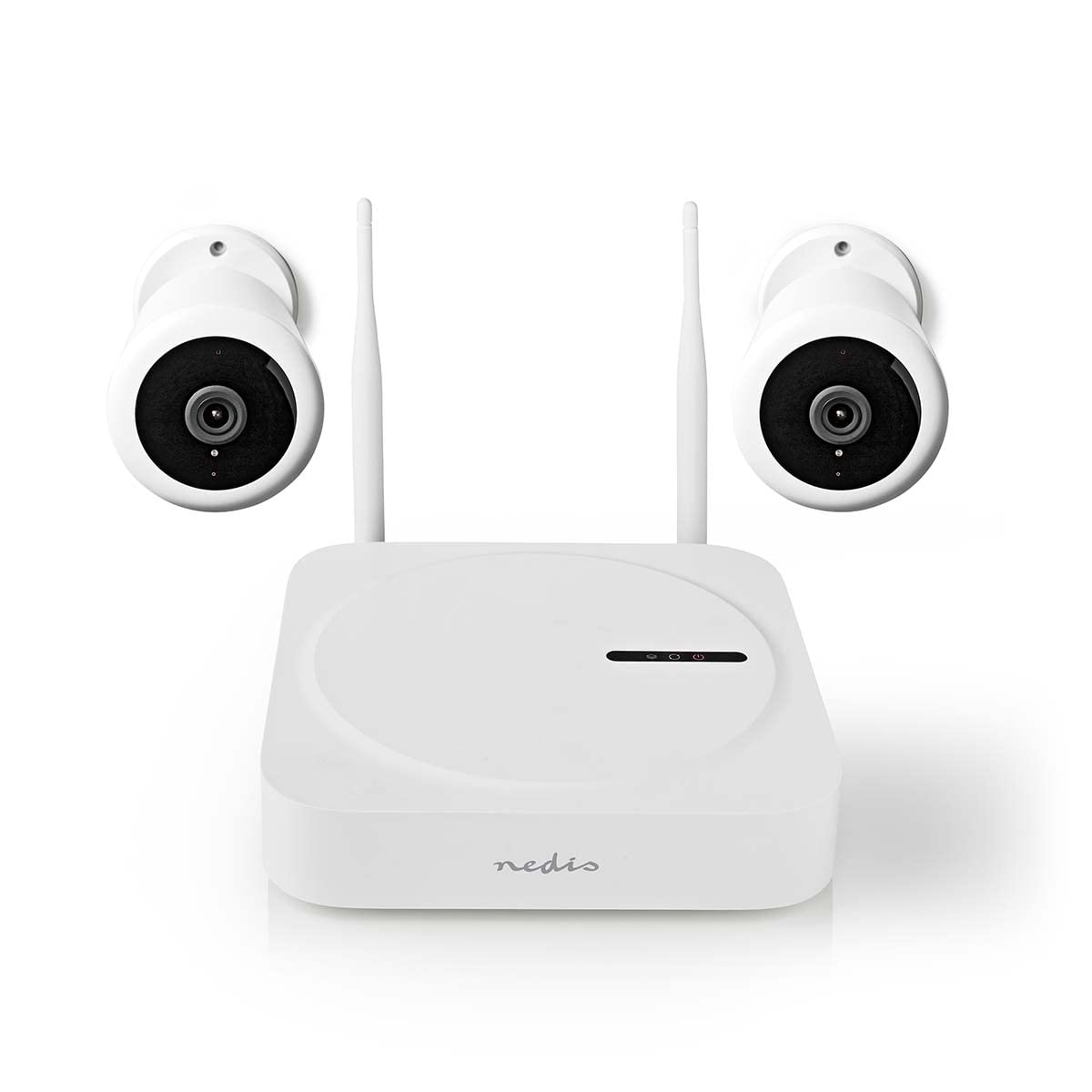
Image: The Nedis SmartLife Wireless Camera System, showing the central NVR unit and two wireless cameras.
安全情報
- 使用前にすべての指示をよくお読みください。
- このマニュアルは将来の参照用に保管してください。
- Use only the power adapters supplied with the product. Using unauthorized power sources may damage the device and void the warranty.
- デバイスを極端な温度、湿度、または直射日光にさらさないでください。
- Ensure proper ventilation around the NVR unit to prevent overheating.
- Avoid placing the cameras in locations where they could be easily tamp破損または損傷している。
- この製品は玩具ではありません。お子様の手の届かないところに保管してください。
- For indoor and outdoor use. Ensure outdoor cameras are installed in a sheltered location to protect from direct heavy rain.
パッケージ内容
箱を丁寧に開梱し、すべての付属品が揃っていること、また良好な状態であることを確認してください。欠品や破損がある場合は、販売店までご連絡ください。
- 1 x Nedis SmartLife Wireless NVR Unit
- 2 x Nedis SmartLife Wireless Cameras
- 3 x Power Adapters (for NVR and cameras)
- 1 x USBマウス
- 取り付けネジと壁プラグ
- ドリル テンプレート
- ユーザーマニュアル(このドキュメント)
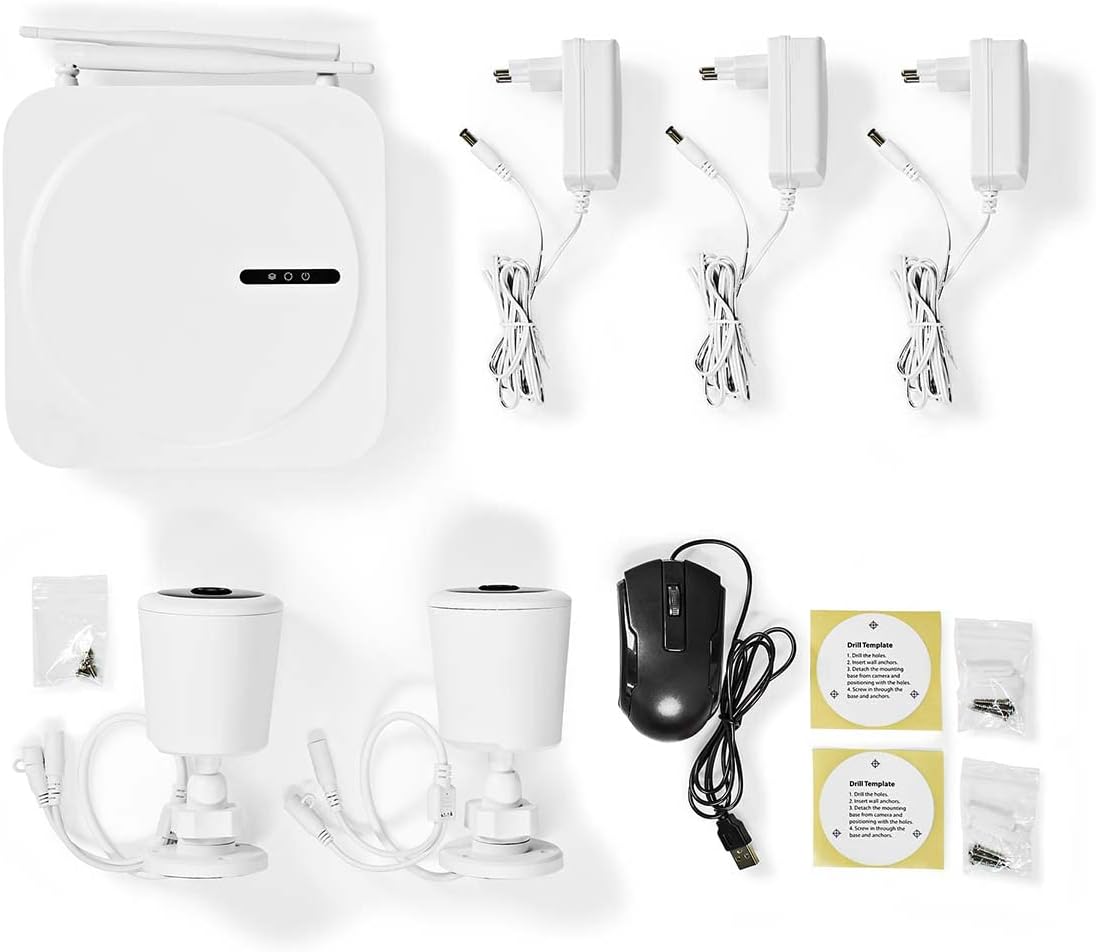
Image: All components included in the Nedis SmartLife Wireless Camera System package.
設定
1. NVR Unit Connection
- Place the NVR unit in a central location, ensuring good Wi-Fi signal strength for the cameras.
- Connect the NVR to a power outlet using one of the provided power adapters.
- USB マウスを NVR の USB ポートに接続します。
- If desired, connect the NVR to your router via an Ethernet cable for a stable network connection.

画像: 正面 view of the Nedis SmartLife NVR unit with indicator lights.
2.カメラの設置
- Choose suitable locations for your cameras, considering the 180-degree viewing angle and night vision range (up to 5 meters).
- Use the drill templates to mark the screw positions on the wall or ceiling.
- Drill holes, insert wall plugs, and secure the camera mounts with screws.
- Attach the cameras to their mounts and adjust the angle as needed.
- Connect each camera to a power outlet using the remaining power adapters.

Image: Close-up of a Nedis SmartLife camera, highlighting the lens and sensor.
3. アプリのインストールとペアリング
- Download the 'Nedis SmartLife' app from your smartphone's app store (available for Android and iOS).
- 新しいアカウントを登録するか、すでにアカウントをお持ちの場合はログインしてください。
- Follow the in-app instructions to add your NVR system. The app will guide you through the pairing process for the cameras.
- Insert a Micro SD card (up to 128GB, not included) into the NVR for local storage of recordings.
システムの操作
ライブ View と再生
- Open the Nedis SmartLife app on your smartphone.
- Select your camera system to view 接続されているすべてのカメラからのライブフィード。
- Use the app interface to switch between cameras, access recorded footage、設定を調整します。
- に view 記録されたfootage、アプリの再生セクションに移動し、希望の日時を選択します。
動きと音の検出
- The system is equipped with motion and sound detection. When triggered, it sends instant notifications to your smartphone.
- Adjust the sensitivity of both motion and sound detection within the Nedis SmartLife app settings for each camera to minimize false alarms.
- You can set specific detection zones for motion detection to focus on critical areas.
双方向オーディオ
- The cameras feature built-in microphones and speakers, enabling two-way communication.
- ライブから view in the app, tap the microphone icon to speak through the camera's speaker. Tap again to end.
- This feature allows you to communicate with visitors or deter intruders remotely.
ナイトビジョン
- The cameras automatically switch to night vision mode in low-light conditions.
- Night vision provides clear black-and-white video footage up to 5 meters, ensuring 24-hour surveillance.
メンテナンス
クリーニング
- 清掃する前に、デバイスの電源がオフになっており、プラグが抜かれていることを確認してください。
- Use a soft, dry cloth to clean the NVR unit and camera bodies.
- カメラのレンズには、傷を防ぐために専用のレンズクリーニングクロスを使用してください。
- Do not use liquid or aerosol cleaners, as they may damage the components.
ファームウェアの更新
- Periodically check the Nedis SmartLife app for available firmware updates.
- Keeping your system's firmware up-to-date ensures optimal performance, security, and access to new features.
- Follow the in-app instructions carefully when performing updates.
ストレージ
- If storing the system for an extended period, ensure it is clean and dry.
- 直射日光や極端な温度を避け、涼しく乾燥した場所に保管してください。
トラブルシューティング
| 問題 | 考えられる原因 | 解決 |
|---|---|---|
| No image/video from camera | Camera not powered on; Wi-Fi signal too weak; Camera not paired. | Check power connection; Move camera closer to NVR/router; Re-pair camera via app. |
| 通知を受信しませんでした | Notifications disabled in app/phone settings; Detection sensitivity too low. | Enable notifications in Nedis SmartLife app and phone settings; Increase motion/sound sensitivity. |
| 夜間視力の質が悪い | Obstruction in front of camera; Camera too far from subject. | Clear any obstructions; Ensure subject is within 5-meter night vision range. |
| 双方向オーディオが機能しない | マイク/スピーカーの権限が付与されていません。音量が低すぎます。 | Check app permissions for microphone; Adjust volume settings in app. |
| System offline in app | NVR not connected to internet; NVR powered off. | Check NVR's internet connection (Ethernet/Wi-Fi); Ensure NVR is powered on. |
仕様
| 特徴 | 仕様 |
|---|---|
| モデル番号 | SLNVR201CWT |
| ブランド | ネディス |
| ビデオキャプチャ解像度 | 1080p(フルHD) |
| 色 | 白 |
| チャンネル数 | 4 |
| ワイヤレステクノロジー | Wi-Fi |
| View角度 | 180度 |
| フレームレート | 毎秒30フレーム |
| 巻tage | 220ボルト |
| ワットtage | 48ワット |
| オペレーティングシステムの互換性 | アンドロイド、iOS |
| 電池付属 | いいえ |
| 推奨用途 | ナイトビジョン、ホームセキュリティ |
| 特集 | High Definition, Motion Sensor, Two-Way Audio |
| 使用環境 | 屋内、屋外 |
| 対応デバイス | スマートフォン |
| 電源 | コード式電気 |
| 通信プロトコル | Wi-Fi |
保証とサポート
Nedis products are manufactured to high quality standards and are covered by a warranty period from the date of purchase. For detailed warranty terms and conditions, please refer to the warranty card included with your product or visit the official Nedis webサイト。
For technical support, troubleshooting assistance, or to report any issues with your product, please contact Nedis customer service. Contact information can typically be found on the Nedis webサイトまたは製品パッケージに記載されています。
Please have your model number (SLNVR201CWT) and proof of purchase ready when contacting support.


