1. はじめに
This manual provides essential information for the safe and effective operation, maintenance, and troubleshooting of your Ingco AG200018 Industrial Angle Grinder. Please read this manual thoroughly before using the tool to ensure your safety and prolong the life of the product. Keep this manual in a safe place for future reference.
2. 安全に関する注意事項
Always follow basic safety precautions to reduce the risk of fire, electric shock, and personal injury. Failure to follow these instructions may result in serious injury.
一般的な電動工具の安全性
- 作業エリアの安全性: 作業場は清潔に保ち、十分な明るさを確保してください。雑然とした場所や暗い場所は事故を招きます。可燃性の液体、ガス、粉塵など、爆発性雰囲気下では電動工具を使用しないでください。
- 電気安全: 電動工具のプラグはコンセントの規格に適合している必要があります。プラグを改造しないでください。パイプ、ラジエーター、コンロ、冷蔵庫など、アースされている表面に身体が触れないようにしてください。
- 個人の安全: 常に目の保護具を着用してください。防塵マスク、滑り止め付き安全靴、ヘルメット、聴覚保護具などの個人用保護具を必要に応じて使用してください。適切な服装をし、ゆったりとした服や宝石類は避けてください。
アングルグラインダー特有の安全性
- Use Proper Guards: Always use the wheel guard provided with the tool. Ensure it is securely attached and adjusted for maximum safety.
- Select Correct Accessories: Only use grinding, cutting, or polishing discs that are rated for the grinder's speed and size (180mm). Ensure discs are correctly mounted and tightened.
- 制御を維持する: Always hold the grinder firmly with both hands. Be prepared for kickback, especially when working on edges or corners.
- 換気: Ensure adequate ventilation when grinding metal, as sparks and fumes can be produced.
- Inspect Workpiece: Secure the workpiece. Never hold small pieces by hand.
3 製品の特徴
The Ingco AG200018 Industrial Angle Grinder is designed for demanding tasks, offering robust performance and user comfort.
- 高性能2000Wモーター: The powerful 2000-watt motor delivers impressive performance, allowing the tool to handle a variety of grinding, cutting, and sanding tasks with increased power.
- 180mm Grinding Capacity: This angle grinder accommodates 180mm discs, making it suitable for versatile applications across various industries, including welding, deburring, rust removal, polishing, casting, automotive, and motorcycles.
- Comfortable Soft Grip Design: The ergonomic soft grip handle ensures comfortable and continuous operation over long periods, reducing user fatigue.
- 高い回転速度: Operates at a maximum speed of 8450 RPM for efficient material removal.

図3.1:製品の特徴view. This diagram highlights key components such as the lock button, sturdy housing, power cord, air vent, angle handle, wheel guard, and disc adjustment mechanism.

Figure 3.2: Design and Performance. This image illustrates the grinder's comfortable grip, strong performance, ergonomic design, sturdy material construction, and ease of use.
4. セットアップ
安全で効率的な操作には適切なセットアップが不可欠です。
4.1 開梱と検査
- すべての内容物を梱包から慎重に取り出してください。
- 輸送中に工具に損傷がないか確認してください。損傷がある場合は使用しないでください。
- Verify that all included components are present: 1 x Angle Grinder, 1 x Spanner, 1 x Safety Guard, 1 x Auxiliary Handle, 1 x Hex Key, 2 x Carbon Brushes, and 1 x User Manual.
4.2 補助ハンドルの取り付け
The auxiliary handle can be attached to either side of the gear housing for left or right-handed operation. Screw the handle firmly into the threaded hole until secure.
4.3 Installing/Changing the Grinding Disc
- ツールが電源から外されていることを確認してください。
- Press and hold the spindle lock button (refer to Figure 3.1).
- Using the provided spanner, loosen the outer flange nut by turning it counter-clockwise.
- 外側のフランジナットと古いディスク(該当する場合)を取り外します。
- Place the new 180mm grinding or cutting disc onto the inner flange, ensuring it sits flush.
- Replace the outer flange nut and tighten it clockwise with the spanner while holding the spindle lock button. Do not overtighten.
4.4 ホイールガードの調整
The wheel guard protects against sparks and debris. Adjust its position by loosening the guard clamp screw, rotating the guard to the desired position, and then securely tightening the screw.
5. 操作手順
アングルグラインダーを安全かつ効果的に操作するには、次の手順に従ってください。
5.1電源接続
電源コードを適切なコンセントに接続します。tage matches the tool's requirements (typically 220-240V for this region).
5.2 ツールの起動と停止
- 始めること: Press the ON/OFF switch. For continuous operation, engage the lock-on button (if available on your model).
- 止まる: Release the ON/OFF switch. If the lock-on button is engaged, press and release the switch to disengage it.
5.3 正しいグリップと姿勢
Always hold the angle grinder firmly with both hands, one on the main handle and one on the auxiliary handle. Maintain a balanced stance and keep your body clear of the rotating disc.
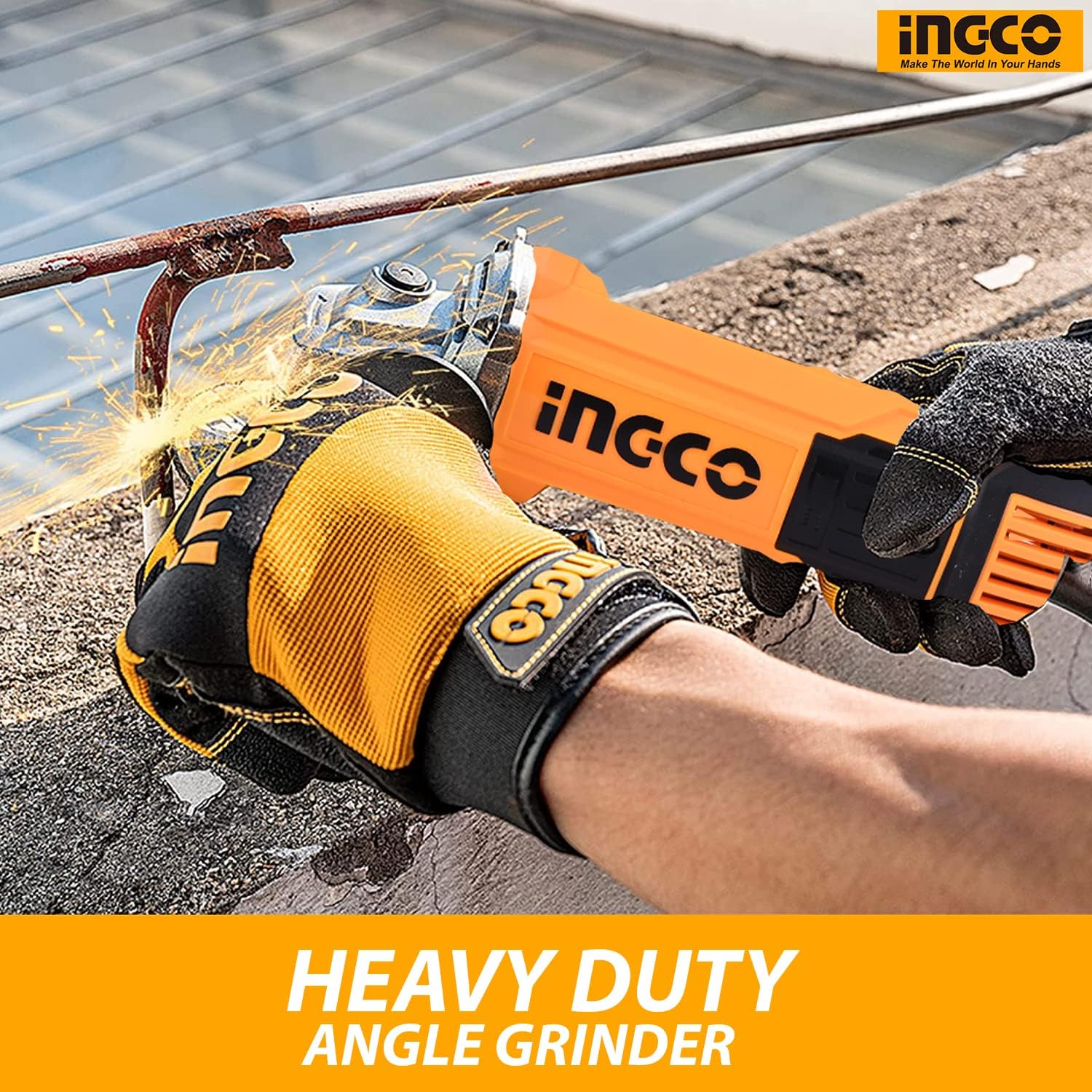
Figure 5.1: Angle Grinder in Operation. This image demonstrates the proper two-handed grip and use of the angle grinder for heavy-duty tasks, emphasizing safety gear like gloves.
5.4 Grinding, Cutting, and Polishing Techniques
- 研削: Apply light, even pressure. Allow the tool's speed to do the work. Move the grinder smoothly across the surface.
- 切断: Use a cutting disc. Make shallow passes, gradually increasing depth. Do not force the disc.
- 研磨: Use appropriate polishing pads and compounds. Maintain consistent pressure and movement for an even finish.
6. メンテナンス
定期的なメンテナンスにより、最適なパフォーマンスが確保され、ツールの寿命が延びます。
6.1 クリーニング
- 掃除する前に必ずツールのプラグを外してください。
- Use a soft brush or compressed air to clean dust and debris from the air vents (refer to Figure 3.1) and housing.
- 水や化学洗剤は使用しないでください。
6.2 Power Cord and Housing Inspection
Regularly inspect the power cord for cuts, fraying, or damage. Check the tool's housing for cracks or loose parts. If any damage is found, have the tool serviced by a qualified technician.
6.3 カーボンブラシの交換
The angle grinder is supplied with extra carbon brushes. Carbon brushes wear down over time and need replacement when they reach their wear limit. Refer to the detailed instructions in the full service manual or consult a qualified technician for replacement.
6.4 ストレージ
ツールは乾燥した安全な場所に保管し、直射日光や極端な温度を避け、子供の手の届かない場所に保管してください。
7。 トラブルシューティング
このセクションでは、発生する可能性のある一般的な問題について説明します。
| 問題 | 考えられる原因 | 解決 |
|---|---|---|
| ツールが起動しない | 電源なし、スイッチ故障、カーボンブラシ摩耗 | Check power connection; Test outlet; Replace switch; Replace carbon brushes. |
| 過度の振動 | Damaged or unbalanced disc; Loose disc or flanges | Replace disc; Ensure disc and flanges are securely tightened. |
| Poor performance/Overheating | Overloading the tool; Blocked air vents; Worn carbon brushes | Reduce load; Clean air vents; Replace carbon brushes. |
If you encounter problems not listed here or if the suggested solutions do not resolve the issue, contact qualified service personnel.
8. 仕様
Key technical specifications for the Ingco AG200018 Industrial Angle Grinder.

図8.1: 製品の寸法 This diagram shows the approximate dimensions of the angle grinder: 18 inches in length, 5 inches in height, and 7.5 inches in width.
| 仕様 | 価値 |
|---|---|
| メーカー | Ingco |
| モデル番号 | AG200018 |
| 電源 | コード式電気 |
| ワットtage | 2000ワット |
| 最高回転数 | 8450 回転 |
| ディスク直径 | 180ミリメートル |
| アイテム重量 | 1.5キログラム |
| 製品寸法(長さ x 幅 x 高さ) | 20 x 10 x 5 cm(約18 x 7.5 x 5インチ) |
| 材料 | Metal, Tool |
| 色 | オレンジ |
| 電池が必要 | いいえ |
9. 保証とサポート
Ingco products are manufactured to high-quality standards. For information regarding the standard product warranty, please refer to the warranty card included with your purchase or contact your local Ingco dealer.
延長保証オプション
Extended protection plans may be available for purchase separately. These plans can offer additional coverage beyond the standard manufacturer's warranty. Examp含まれるもの:
- 1年間の延長保証
- 2年間の延長保証
- 1-Year Accidental Damage Protection
購入の詳細についてはasing or claiming these extended warranties, please refer to the specific plan provider's documentation.
カスタマーサポート
If you have any questions, require technical assistance, or need to order spare parts, please contact Ingco customer support or your authorized service center. Always provide the model number (AG200018) and serial number (if applicable) when contacting support.