1. はじめに
ご購入ありがとうございますasing the Comix S360A Cross Cut Paper Shredder. This manual provides essential information for the safe and efficient operation, maintenance, and troubleshooting of your shredder. Please read these instructions carefully before use and retain them for future reference.
The Comix S360A is designed for secure disposal of sensitive documents, credit cards, and CDs. It features a cross-cut mechanism for enhanced security and includes a jam-proof system with reverse and forward functions to clear paper jams. An energy-saving mode ensures optimal efficiency during operation.
2. 重要な安全上の注意事項
警告: これらの安全指示に従わなかった場合、火災、感電、または怪我の原因となる可能性があります。
- 子供やペットをシュレッダーに近づけないでください。
- Keep loose clothing, jewelry, hair, and ties away from the paper entry slot.
- 用紙挿入口に指や体の一部を入れないでください。
- シュレッダー内に可燃性製品や潤滑剤を噴霧しないでください。
- 金属物、濡れた紙、粘着ラベルを細断しないでください。
- シュレッダーを使用していないときや清掃する前には必ずプラグを抜いてください。
- 電源コードが破損している場合は、シュレッダーを操作しないでください。カスタマーサポートにお問い合わせください。
- シュレッダーが安定した水平な面に設置されていることを確認してください。
- Do not overload the shredder beyond its specified sheet capacity.
3. パッケージ内容
パッケージに以下の項目が含まれているか確認してください。
- Comix S360A Shredder Head
- Waste Bin (13 Liter capacity)
- 取扱説明書(本書)
4. セットアップ
- シュレッダーを開梱する: パッケージからすべてのコンポーネントを慎重に取り出します。
- Place the Waste Bin: Position the waste bin on a flat, stable surface.
- Mount the Shredder Head: Carefully place the shredder head onto the top of the waste bin, ensuring it is securely seated. The shredder will not operate if the head is not correctly positioned.
- 接続電源: 電源コードを標準の電源コンセントに差し込みます。
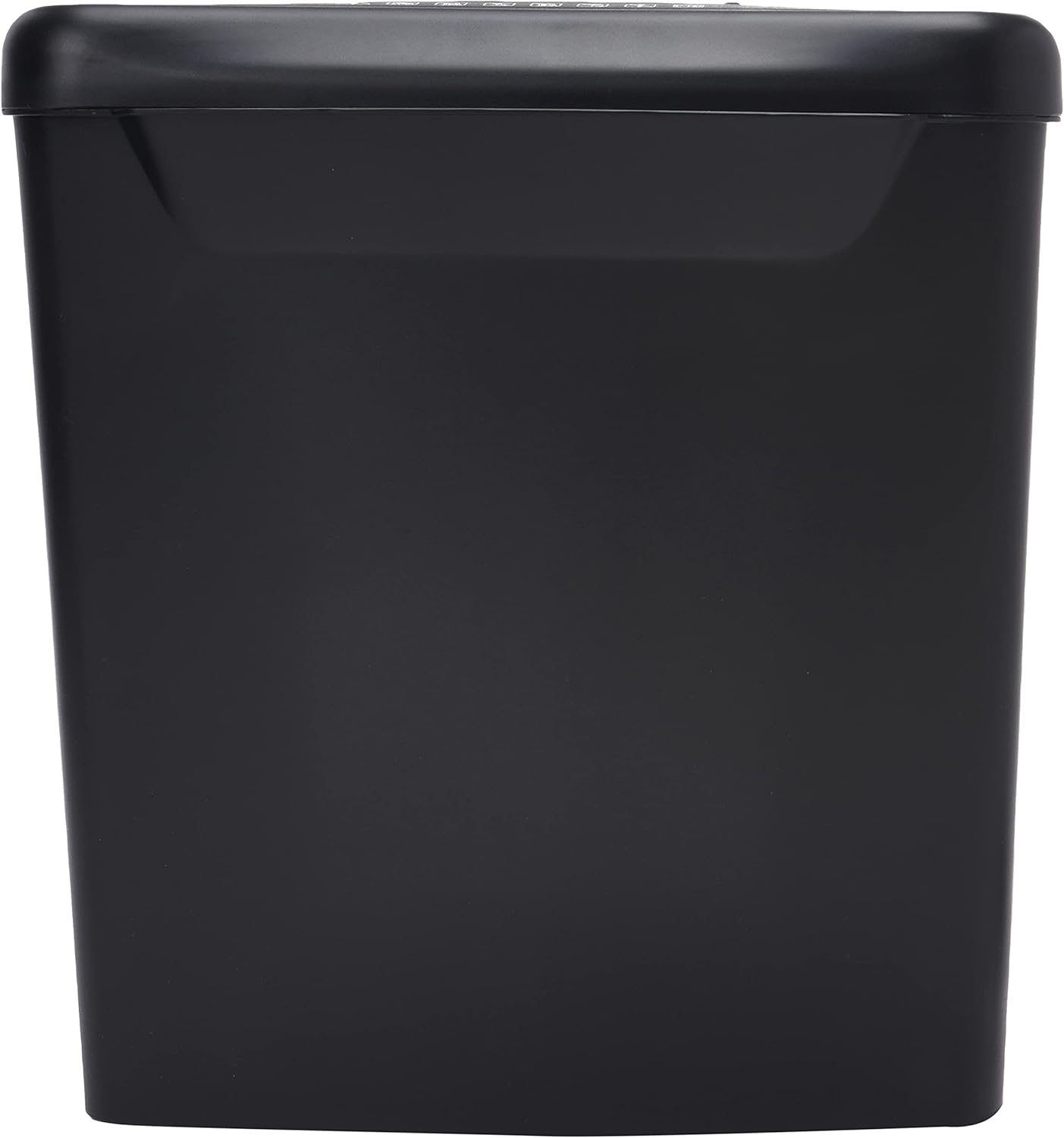
画像: サイド view of the Comix S360A shredder bin, showing its black exterior and compact design. The shredder head is not visible in this image.
5. 操作手順
5.1コントロールスイッチ
The shredder features a slide switch with three positions:
- 自動: The shredder will automatically start when paper is inserted and stop when shredding is complete. This is the normal operating mode.
- OFF: The shredder is powered off. Always set the switch to OFF when emptying the bin or when the shredder is not in use.
- REV(リバース): This position reverses the shredder blades to help clear paper jams.

画像: 上 view of the shredder head, highlighting the paper entry slot, the three-position control switch (Rev, OFF, Auto), and various safety warning icons.
5.2 文書のシュレッダー処理
- Ensure the shredder head is securely placed on the waste bin.
- 電源コードを電源コンセントに差し込みます。
- コントロールスイッチを オート.
- Insert up to 8 sheets of 70gsm A4 paper into the paper entry slot. The shredder will start automatically.
- For credit cards or CDs, use the dedicated slot if available (refer to product specifications for capability).
- The shredder will stop automatically once the shredding process is complete.
5.3デューティサイクル
The Comix S360A has a continuous run time of 2 minutes, followed by a rest time of 40 minutes. Exceeding the run time may cause the shredder to overheat and automatically shut off. Allow the shredder to cool down for the specified rest time before resuming operation.
6. メンテナンス
6.1ゴミ箱を空にする
- コントロールスイッチを オフ.
- シュレッダーの電源プラグをコンセントから抜きます。
- Lift the shredder head off the waste bin.
- 細断した紙は廃棄してください。
- Replace the shredder head securely onto the waste bin.
- シュレッダーを電源コンセントに差し込みます。
6.2 シュレッダーブレードへのオイル注入
Regular oiling of the shredder blades is recommended to maintain optimal performance and extend the life of your shredder. Use shredder oil specifically designed for paper shredders.
- 紙の投入口にシュレッダーオイルを薄く塗ります。
- コントロールスイッチを オート.
- Insert a sheet of paper to distribute the oil evenly across the blades.
- Repeat this process periodically, especially after emptying a full waste bin or if the shredder's performance decreases.
6.3 クリーニング
シュレッダーの外装は、柔らかく乾いた布で拭いてください。研磨剤入りの洗剤や溶剤は使用しないでください。清掃する前に、シュレッダーの電源プラグを抜いてください。
7。 トラブルシューティング
| 問題 | 考えられる原因 | 解決 |
|---|---|---|
| シュレッダーが起動しません。 |
|
|
| 紙詰まり。 |
|
|
| シュレッダーが動作中に停止します。 |
|
|
8. 仕様
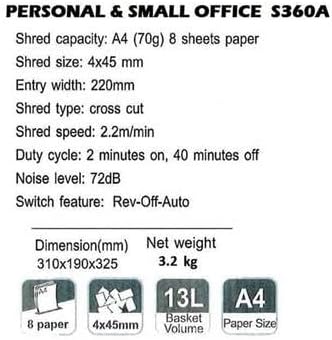
Image: Technical specifications sheet for the Comix S360A, detailing performance metrics and physical attributes.
- モデル: S360A
- シュレッドタイプ: クロスカット
- 細断サイズ: 4×45ミリ
- Shred Capacity (A4, 70g): 8枚
- エントリ幅: 220ミリメートル
- シュレッド速度: 2.2m/分
- ゴミ箱容量: 13リットル
- デューティサイクル: 2分オン/ 40分オフ
- 騒音レベル: 72デシベル
- Switch Feature: Rev-Off-Auto
- 製品寸法: 310 x 190 x 325 mm (長さ x 幅 x 高さ)
- 正味重量: 3.2キロ
- 特別な機能: Energy Saving Mode, Jam Pro, Quiet Operation
9. 保証とサポート
For warranty information or technical support, please refer to the warranty card included with your product or contact Comix customer service through their official website or the retailer where the product was purchased. Please have your model number (S360A) and purchase date available when contacting support.


