1. はじめに
Thank you for choosing the Cecotec Surface Precision 9350 Digital Bathroom Scale. This manual provides essential information for the safe and efficient use of your new scale. Please read these instructions carefully before use and retain them for future reference.
The Surface Precision 9350 is a digital bathroom scale featuring a large 300 x 300 mm surface, an ultra-flat design, and a 6 mm tempered glass platform. It includes an invisible LED display for clear readings and a rechargeable lithium battery via USB, eliminating the need for disposable batteries. The scale offers a wide measurement range from 5 kg to 180 kg with 100 g increments and allows easy unit conversion between kilograms and pounds. Equipped with four high-precision sensors, it ensures stable and accurate measurements. Additional features include automatic disconnection, auto-on functionality, and indicators for overload and low battery.
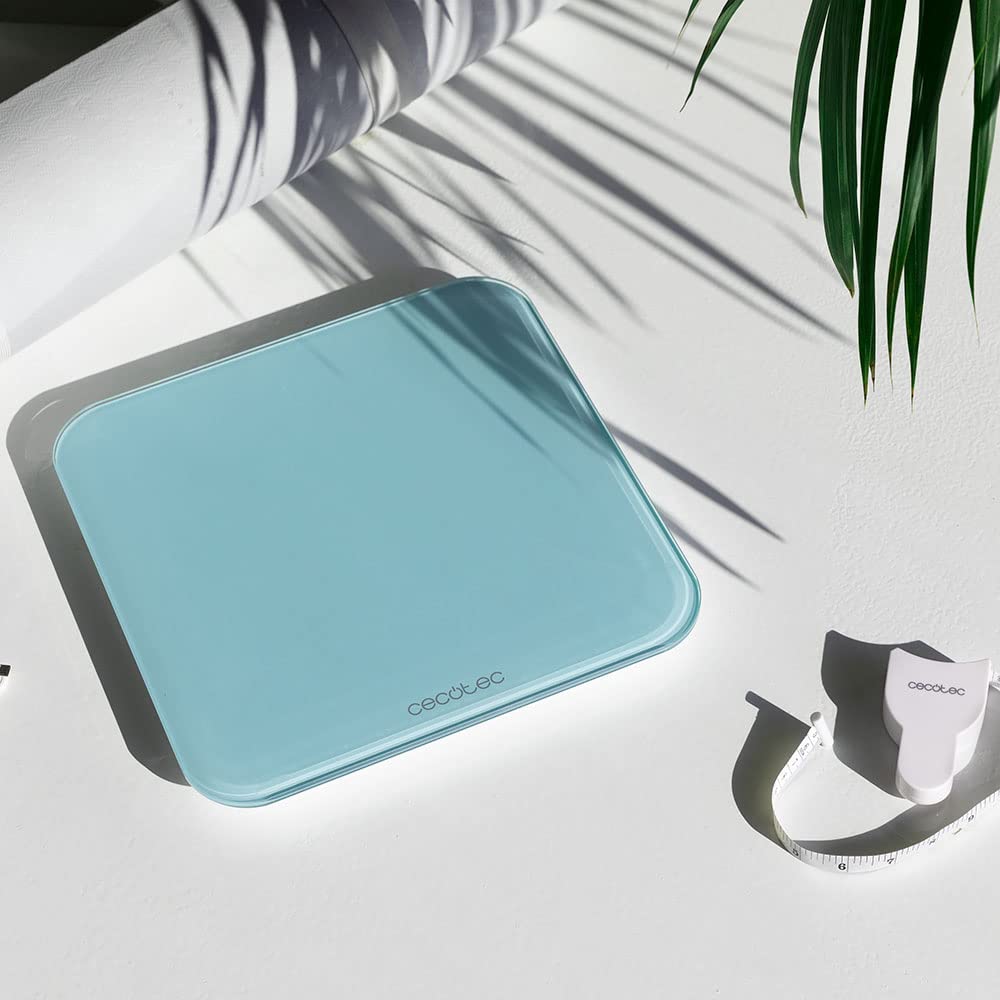
Image: The Cecotec Surface Precision 9350 digital bathroom scale, showcasing its sleek design and included measuring tape.
2. 安全に関する注意事項
- 体重計は常に硬く平らで安定した表面に置いてください。凹凸のある表面や柔らかい表面(カーペットなど)は、精度に影響を与える可能性があります。
- The glass surface can be slippery when wet. Ensure the scale surface is dry before stepping on it to prevent accidents.
- 最大耐荷重 180 kg (400 ポンド) を超えないようにしてください。
- Avoid jumping on the scale or dropping heavy objects on it, as this may damage the glass platform or internal components.
- This scale is intended for personal use only and should not be used for commercial purposes or medical diagnosis.
- スケールを極端な温度、直射日光、高湿度から遠ざけてください。
- ご自身で体重計を分解したり修理したりしないでください。資格のあるサービス担当者にご相談ください。
- お子様の手の届かない場所に保管してください。
3.製品オーバーview
The Cecotec Surface Precision 9350 features a minimalist design with advanced functionality. Key components include:
- 強化ガラスプラットフォーム: Large, durable, and easy to clean weighing surface.
- Invisible LED Display: Provides clear weight readings when in use, discreetly hidden when off.
- USB充電ポート: Located on the side or back for convenient recharging of the internal lithium battery.
- Unit Conversion Button: Allows switching between kilograms (kg) and pounds (lb).
- 高精度センサー: Four sensors ensure accurate and consistent measurements.

画像: 上 view of the Cecotec Surface Precision 9350 digital scale, displaying "0.0 kg" on its integrated LED screen.
4. セットアップ
4.1 初期充電
Before first use, ensure the scale is fully charged. Connect the provided USB cable to the scale's charging port and to a standard USB power adapter (not included) or a computer USB port. The LED display may indicate charging status. A full charge typically takes a few hours.

画像: クローズアップ view of the USB charging port on the side of the Cecotec digital scale, with a white USB cable plugged in.
4.2 配置
Place the scale on a hard, flat, and stable surface. Avoid carpets, rugs, or uneven flooring, as these can lead to inaccurate readings.
4.3 Unit Selection (kg/lb)
On the underside of the scale, locate the unit conversion button. Press this button to toggle between kilograms (kg) and pounds (lb) according to your preference. The selected unit will be displayed on the LED screen.
5. 操作手順
5.1測定を行う
- スケールがしっかりとした平らな面に設置されていることを確認してください。
- 裸足で体重計の中央にゆっくりと足を乗せてください。体重計は自動的に電源が入ります。
- Stand still and wait for your weight to be displayed on the LED screen. The reading will flash a few times before stabilizing.
- Once the reading is stable, you can step off the scale. The scale will automatically turn off after a few seconds to conserve battery.

Image: A person's bare feet positioned on the Cecotec digital scale, with a weight measurement visible on the LED display.

Image: A person carefully stepping onto the Cecotec digital scale to initiate a weight measurement.

Image: A person standing on the Cecotec digital scale, demonstrating its use in an outdoor setting near a pool.
6. メンテナンスとケア
- クリーニング: スケールの表面を柔らかくて乾いた布で拭きます。amp 布で拭いてください。研磨剤入りの洗剤を使用したり、スケールを水に浸したりしないでください。
- ストレージ: Store the scale in a cool, dry place. Avoid storing it vertically for extended periods, as this may affect sensor calibration.
- バッテリー: Recharge the scale when the low battery indicator appears on the display. Regular charging helps maintain battery health.
7。 トラブルシューティング
| 問題 | 考えられる原因 | 解決 |
|---|---|---|
| 「Lo」と表示 | バッテリー残量が少なくなりました。 | Recharge the scale using the USB cable. |
| 「Err」が表示される | Overload or unstable measurement. | Ensure weight does not exceed 180 kg. Step off and re-weigh, ensuring you stand still on a flat surface. |
| 不正確な測定値 | Scale on uneven/soft surface, not calibrated, or moved. | Place scale on a hard, flat surface. Step on briefly to turn on, then step off and wait for "0.0" to appear before re-weighing. This re-calibrates the scale. |
| スケールがオンにならない | バッテリーが完全に消耗しました。 | Charge the scale for at least 30 minutes before attempting to use it. |
8. 仕様
| 特徴 | 詳細 |
|---|---|
| モデル番号 | 04602 |
| ブランド | セコテック |
| 寸法(長さ×幅×高さ) | 34.3 x 33.5 x 5.4 cm |
| 重さ | 1.8キログラム |
| 重量制限 | 180キログラム(400ポンド) |
| 測定増分 | 100 g (0.2 ポンド) |
| 材料 | 強化ガラス |
| 表示タイプ | LED (Invisible) |
| 電源 | Rechargeable Lithium Battery (USB) |
| 特集 | Automatic Disconnection, Auto-on, Overweight Indicator, Low Battery Indicator |
9. 保証とサポート
Cecotec offers a commitment to product longevity, with spare parts availability for 10 years within the EU. For any issues not covered in the troubleshooting section, or for warranty claims, please contact Cecotec customer support. Refer to your purchase documentation for specific warranty terms and contact information.
Always ensure you have your model number (04602) and proof of purchase ready when contacting support.


