導入
製品終了view
The THIRDREALITY Zigbee Water Leak Sensor is designed to detect water leaks and drips, providing immediate alerts to help prevent water damage in your home. It features a loud 120dB alarm and can send app notifications when connected to a compatible Zigbee hub.

箱の中身
- THIRDREALITY Zigbee Water Leak Sensor
- High Sensitive Attachment (for drip detection)
- 単4形アルカリ電池 1.5V 2本
- ドライバー

設定
バッテリーの取り付け
Remove the screws from the back cover of the sensor using the provided screwdriver. Insert the two AAA 1.5V Alkaline batteries, ensuring correct polarity. Replace the back cover and tighten the screws.
Attaching the High Sensitivity Drip Detection Accessory
The High Sensitivity Attachment is designed for enhanced drip detection. To install:
- Remove the screws from the back of the sensor.
- Carefully position Part A and Part B of the attachment onto the sensor's base, aligning them with the screw holes. The orientation of Part B (left or right) does not affect functionality.
- Reinsert and tighten the screws to secure the attachments.
- This accessory allows the sensor to detect even a few drops of water, triggering the alarm.

Zigbeeハブとのペアリング
Ensure your Zigbee hub (e.g., SmartThings, Aeotec, Third Reality Hub, Home Assistant) is powered on and in pairing mode. Refer to your hub's specific instructions for adding a new Zigbee device. The sensor will automatically attempt to pair when powered on. Once paired, it will appear in your hub's application.
手術
配置
Place the sensor on a flat surface in areas prone to water leaks, such as: Under sinks (kitchen, bathroom), Near washing machines or dishwashers, In basements or utility rooms, Next to water heaters or toilets. Ensure the metal contacts on the bottom of the sensor (or the drip detection attachment) are in direct contact with the surface where a leak might occur.
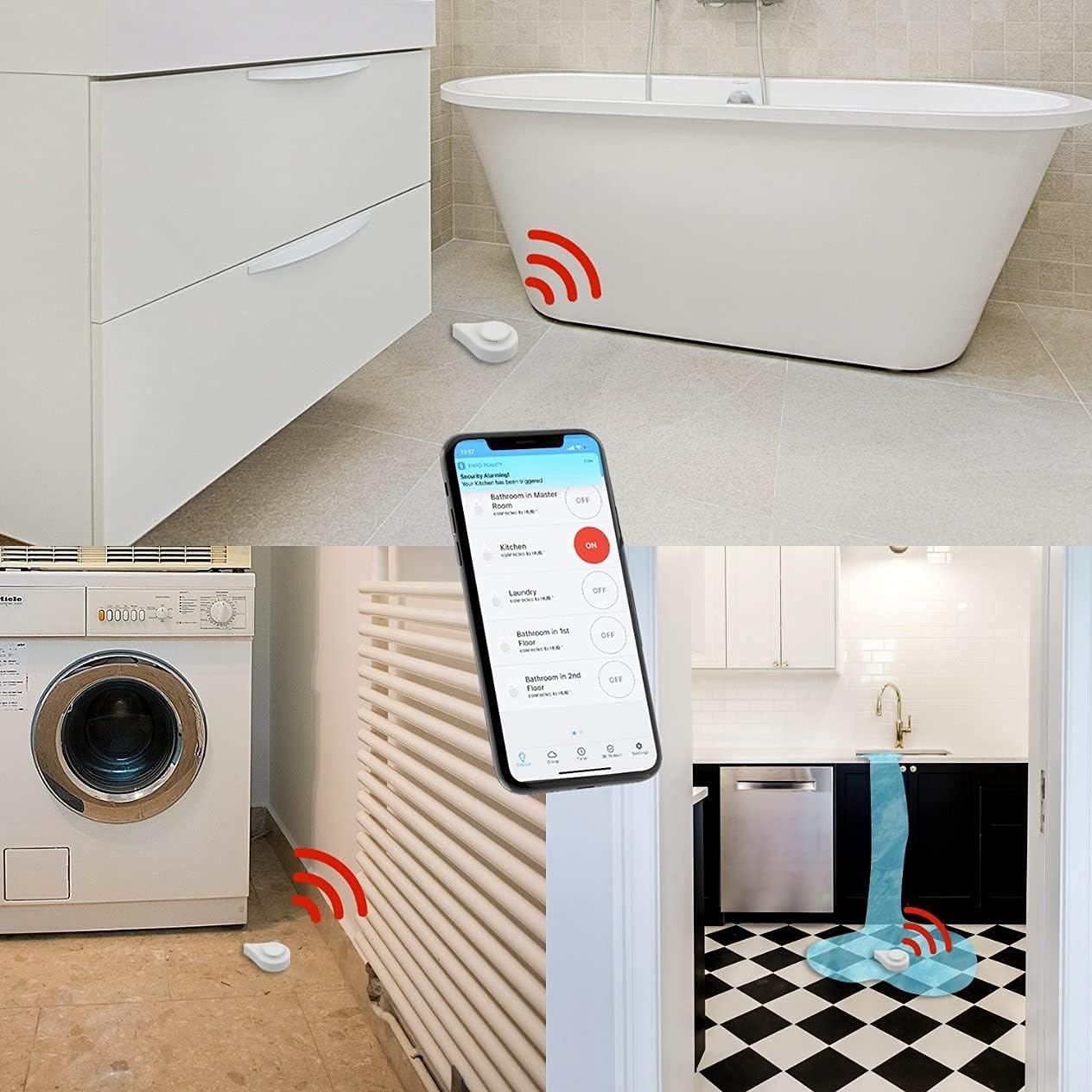
アラーム機能
Upon detecting water, the sensor will sound a loud 120dB alarm. If connected to a compatible Zigbee hub, you will receive instant app notifications and potentially email alerts. The alarm can be enabled or disabled via the Third Reality APP or your connected smart home application. The siren timer can also be adjusted through the app.
アプリの監視
The Third Reality APP provides real-time status updates, battery level, and historical data for the sensor.

メンテナンス
バッテリー交換
The sensor uses two AAA 1.5V Alkaline batteries, offering up to 3 years of battery life. When the battery level is low, replace the batteries by following the battery installation steps in the Setup section.
クリーニング
Wipe the sensor clean with a dry cloth. Do not submerge the device in water.
トラブルシューティング
Sensor Not Pairing
- センサーが Zigbee ハブの範囲内にあることを確認します。
- Check if the hub is in pairing mode.
- バッテリーが正しく取り付けられ、充電されていることを確認します。
- Try resetting the sensor (refer to hub's manual for specific reset procedures if available, or re-insert batteries).
誤報
- Ensure the sensor's contacts are dry and clean.
- If using the drip detection attachment, ensure it's not in contact with residual moisture or high humidity that could trigger it.
アプリ通知なし
- Verify the sensor is successfully paired and connected to your Zigbee hub.
- Check notification settings within the Third Reality APP or your smart home application.
- 携帯電話にインターネット接続が有効であることを確認してください。
仕様
| モデル番号 | P1WLSB1 |
|---|---|
| 電源 | 2 x AAA 1.5V Alkaline Batteries (included) |
| バッテリー寿命 | 最長3年 |
| アラーム音量 | 120デシベル |
| 接続性 | ジグビー |
| 制御方法 | アプリ、タッチ |
| センサー技術 | 静電容量センサー |
| 製品寸法 | 3.19 x 2.17 x 1.14インチ |
| アイテム重量 | 2.82オンス |
| 色 | 白 |
| インストール方法 | 床置き型 |
保証とサポート
保証情報
For detailed warranty information, please visit the official THIRDREALITY webサイト: www.3reality.com/warranty.
カスタマーサポート
If you encounter any issues or have questions, please contact THIRDREALITY customer support.


