1. はじめに
Welcome to the TicWatch Pro 3 Ultra GPS user manual. This guide provides essential information for setting up, operating, and maintaining your smartwatch. The TicWatch Pro 3 Ultra GPS is a high-performance smartwatch designed for men, featuring advanced health and fitness tracking, long battery life, and smart functionalities powered by Wear OS by Google and the Qualcomm Snapdragon Wear 4100 platform.
2. セットアップ
2.1 箱の中身
Your TicWatch Pro 3 Ultra GPS package includes the following items:
- 1x TicWatch Pro 3 Ultra GPS Smartwatch
- 1x USB充電ケーブル
- 1xクイックガイド

Image: Contents of the TicWatch Pro 3 Ultra GPS retail box, including the smartwatch, charging cable, and quick start guide.
2.2 初期充電
Before first use, fully charge your smartwatch. Connect the USB charging cable to the charging port on the back of the watch and plug the other end into a compatible USB power adapter (not included). The watch display will indicate charging status.
2.3 スマートフォンとのペアリング
To unlock the full potential of your TicWatch Pro 3 Ultra GPS, pair it with your Android smartphone. (Note: Some features like sending texts and making calls are Android-only.)
- Download the 'Wear OS by Google' app and the 'Mobvoi' app from the Google Play Store on your smartphone.
- スマートフォンでBluetoothが有効になっていることを確認します。
- Turn on your TicWatch Pro 3 Ultra GPS.
- Open the 'Wear OS by Google' app on your phone and follow the on-screen instructions to pair your watch.
- Complete the setup process within the Mobvoi app to enable all health and fitness tracking features.
3. スマートウォッチの操作
3.1 表示とナビゲーション
The watch features a 1.4-inch AMOLED display for vibrant colors and a secondary FSTN screen for power efficiency. The display has automatically adjustable brightness and is protected by Corning Gorilla anti-fingerprint glass.
- AMOLEDディスプレイ: Provides high-resolution visuals (454x454 pixels) for detailed information.
- FSTN Screen: A low-power display that shows essential information like time, steps, and heart rate, significantly extending battery life.
- カスタマイズ可能なバックライト: The FSTN screen's backlight can be customized with various colors for better visibility in different lighting conditions, especially in the dark.

Image: The TicWatch Pro 3 Ultra GPS displaying its FSTN screen with various customizable backlight color options.
3.2 Basic Smart Functions
- 通知: Receive calls, texts, and social media messages directly on your watch. (Note: Sending texts and making calls are Android-only features.)
- Google Pay (NFC): Utilize the built-in NFC for quick and easy payments in stores.
- Built-in Speaker and Microphone: ハンズフリー通話と音声コマンドが可能になります。
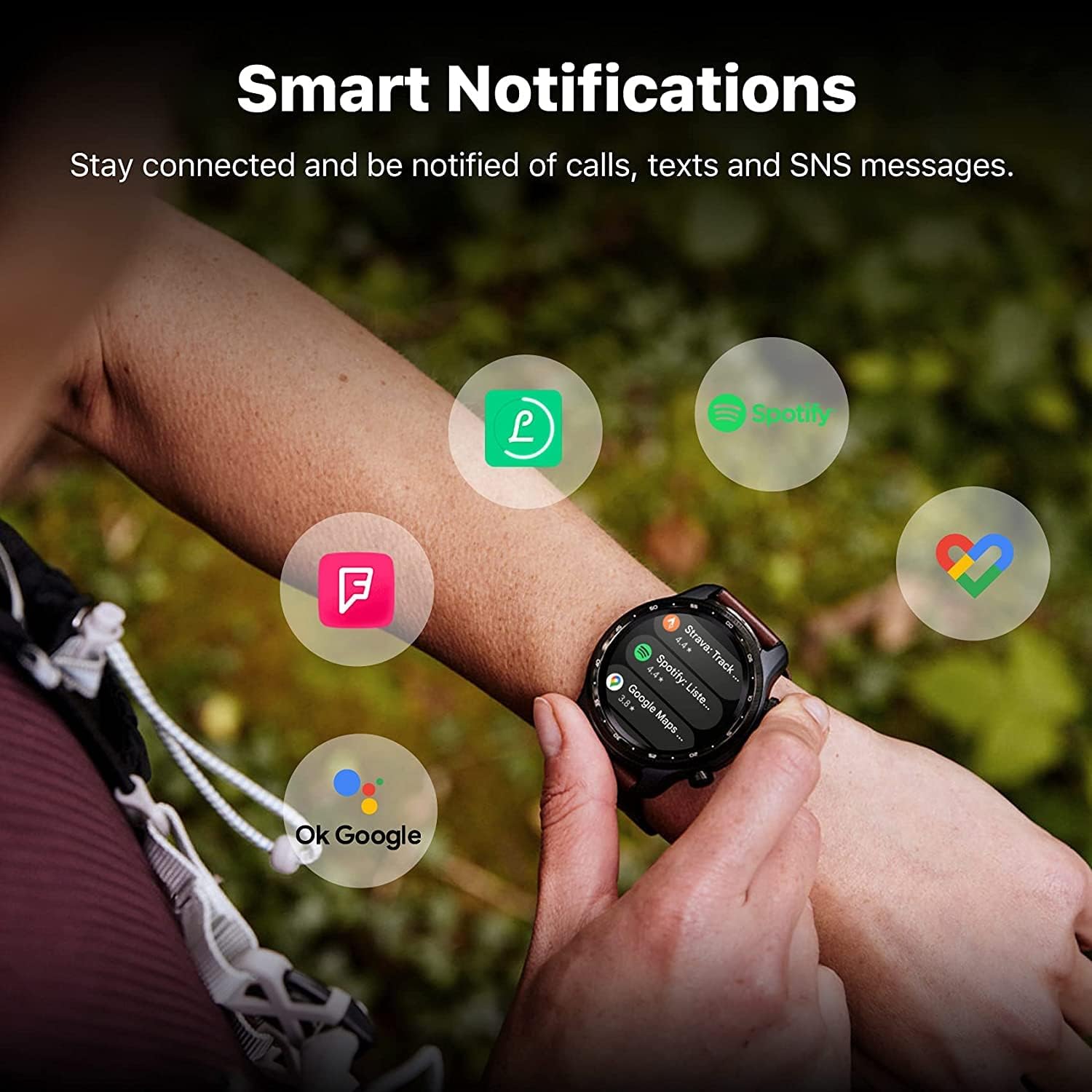
Image: The TicWatch Pro 3 Ultra GPS showing smart notifications from popular applications, keeping you connected.
3.3 健康とフィットネスの追跡
The TicWatch Pro 3 Ultra GPS offers comprehensive health and fitness monitoring:
- 心拍数モニタリング: Continuous 24-hour heart rate tracking with an advanced sensor. It records changes and can alert you to unusual patterns.
- 血中酸素濃度(SpO2)モニタリング: 血中酸素飽和度を追跡します。
- ストレス管理: Assess mental stress and track daily energy levels.
- 睡眠追跡: 睡眠パターンと質を監視します。
- 100以上のプロスポーツモード: Track various activities with detailed metrics.
- 内蔵GPS: Supports GPS, Beidou, Glonass, Galileo, and QZSS for accurate outdoor activity tracking.
- バロメーター: For altitude and atmospheric pressure readings.
重要な注意: The health tracking features are not intended to diagnose or treat any medical condition or for any other medical purpose. Consult a medical professional for health concerns.

Image: The watch interface showing heart health, sleep data, and workout modes, highlighting its wellness management capabilities.

Image: The watch displaying stress management tools, including guided breathing exercises and stress level indicators.
3.4 バッテリーモード
The TicWatch Pro 3 Ultra GPS features two primary battery modes:
- スマートモード: Offers full smartwatch functionality with up to 72 hours of battery life.
- 必須モード: Utilizes the FSTN display for basic time and health tracking, extending battery life up to 45 days.
4. メンテナンス
4.1 耐水性
The TicWatch Pro 3 Ultra GPS is IP68 water and dust resistant, making it suitable for:
- Swimming (pool swimming)
- 手洗い
- 汗への露出
注意: Not suitable for diving, high-pressure water activities, or hot water environments (e.g., saunas, hot showers) as steam can damage the seals.

Image: The smartwatch shown in a water-splashed environment, emphasizing its IP68 waterproof capabilities for activities like swimming and handwashing.
4.2クリーニングとお手入れ
To ensure longevity and proper function:
- 時計とストラップを定期的に柔らかくて乾いた布で拭いてください。amp 布。
- 強力な化学薬品や研磨材の使用は避けてください。
- 充電する前に、充電接点が清潔で乾燥していることを確認してください。
5。 トラブルシューティング
5.1 一般的な問題と解決策
- バッテリー寿命が短い: Ensure you are not running too many background apps. Consider using Essential Mode when full smart functionality is not required. Disable always-on display or reduce screen brightness.
- 接続の問題: Check if Bluetooth is enabled on both the watch and phone. Ensure the Wear OS and Mobvoi apps are updated to the latest versions. Restart both devices.
- Health Data Inaccuracy: Ensure the watch is worn snugly on your wrist. Clean the sensor regularly. Remember that these features are for general wellness and not medical diagnosis.
- 時計が応答しない: Try a soft reset by holding down the power button until the watch restarts. If unresponsive, ensure it is charged.
For further assistance, refer to the official Mobvoi support webサイトをご覧いただくか、カスタマーサービスにお問い合わせください。
6. 仕様
Detailed technical specifications for the TicWatch Pro 3 Ultra GPS:
| 特徴 | 仕様 |
|---|---|
| モデル番号 | TicWatch Pro 3 ウルトラ GPS |
| プロセッサ | Qualcomm Snapdragon Wear 4100, Mobvoi Dual Processor System |
| オペレーティング·システム | Wear OS 2.6 (Upgradable) |
| メモリ(RAM) | 1ギガバイト |
| ストレージ (ROM) | 8ギガバイト |
| 画面 | 1.4-inch AMOLED (454x454), FSTN secondary display, Corning Gorilla Glass |
| バッテリー容量 | 576mAh(リチウムイオン) |
| バッテリー寿命 | 最大72時間(スマートモード)、最大45日間(エッセンシャルモード) |
| 接続性 | Bluetooth 5.0, Wi-Fi 802.11b/g/n, NFC |
| GPS | Built-in GPS (GPS+Beidou+Glonass+Galileo+QZSS) |
| 耐久性 | MIL-STD-810G, IP68 Water and Dust Resistant |
| 特集 | Advanced health tracking, built-in speaker and microphone |
| 寸法 | 29 x 7 x 4 cm |
| 重さ | 274グラム |
| 形 | ラウンド |

Image: An infographic summarizing key specifications and features of the TicWatch Pro 3 Ultra GPS, including processor, memory, display, and durability.
7. 保証とサポート
7.1 保証情報
Specific warranty details for the TicWatch Pro 3 Ultra GPS are provided by the manufacturer, Mobvoi, at the time of purchase. Please refer to your product packaging, the official Mobvoi web包括的な保証条件については、サイトまたは購入書類をご覧ください。
7.2 カスタマーサポート
For technical support, service, or inquiries regarding your TicWatch Pro 3 Ultra GPS, please visit the official Mobvoi support website or contact their customer service department. Contact information can typically be found on the Mobvoi webサイトまたは製品のクイック ガイドをご覧ください。


