1. はじめに
The Hama MW-650 is a versatile 6-button optical wireless mouse designed for multi-device use. It offers flexible connectivity options via a 2.4 GHz USB-A receiver and Bluetooth, allowing seamless switching between up to three devices. The optical sensor provides precise cursor control, and adjustable DPI settings cater to various user preferences. This manual provides detailed instructions for setup, operation, maintenance, and troubleshooting to ensure optimal performance of your device.
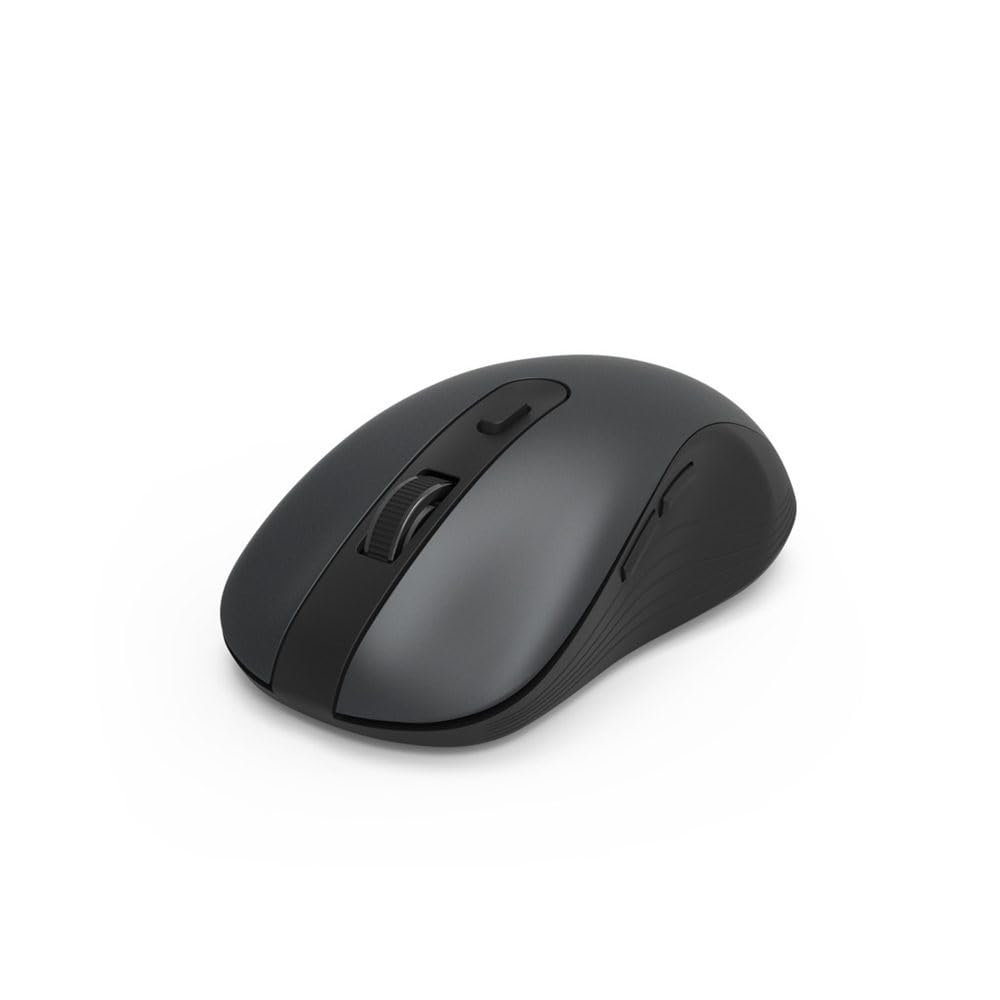
Image 1.1: Hama MW-650 Wireless Mouse (Top View)
2. パッケージ内容
パッケージに以下の項目が含まれているか確認してください。
- 1 x Hama MW-650 6-Button Optical Wireless Mouse
- USB-Aレシーバー x 1
- 単3形ミニョン電池2本
- 取扱説明書(本書)1部

Image 2.1: Hama MW-650 Product Packaging
3. セットアップ
3.1. バッテリーの取り付け
- マウスの下側にあるバッテリー収納部を見つけます。
- 電池ボックスのカバーを開きます。
- Insert the two AA Mignon batteries, ensuring correct polarity (+/-).
- 電池カバーをしっかりと閉じてください。
3.2. 電源のオン/オフ
On the underside of the mouse, slide the ON/OFF switch to the 'ON' position to power on the mouse. Slide it to 'OFF' when not in use to conserve battery life.

Image 3.1: Underside of Hama MW-650 Mouse with ON/OFF Switch and Receiver
3.3.接続オプション
The Hama MW-650 mouse supports two wireless connection methods: 2.4 GHz via USB-A receiver and Bluetooth.
3.3.1. 2.4 GHz USB-A Receiver Connection
- Remove the USB-A receiver from its storage slot on the underside of the mouse.
- Plug the USB-A receiver into an available USB-A port on your computer or laptop.
- オペレーティング システムは必要なドライバーを自動的に検出してインストールします。
- The mouse will connect automatically. The LED indicator for BT1/BT2 will not be lit when using the USB receiver.
3.3.2.Bluetooth接続
The mouse can connect to two separate Bluetooth devices (BT1 and BT2).
- マウスの電源がオンになっていることを確認してください。
- Press the 'BT1' or 'BT2' button on the underside of the mouse to select the desired Bluetooth channel. The corresponding LED will flash slowly.
- To enter pairing mode, press and hold the selected 'BT1' or 'BT2' button for approximately 3 seconds until the LED flashes rapidly.
- デバイス(PC、ラップトップ、タブレット、スマートフォン)で Bluetooth を有効にし、新しいデバイスを検索します。
- Select "Hama MW-650" from the list of available devices to pair.
- Once successfully paired, the LED will stop flashing and remain steadily lit for a few seconds before turning off.
4. 操作手順
4.1. マウスの基本機能
The Hama MW-650 features 6 buttons and a scroll wheel:
- 左クリックボタン: Primary function, typically for selecting items or opening links.
- 右クリックボタン: Secondary function, typically for context menus.
- スクロールホイール: For scrolling up and down documents or web ページ。中クリック機能としても使用できます。
- DPIボタン: スクロール ホイールの後ろにあり、カーソルの感度を調整するために使用されます。
- 進む/戻るボタン: Located on the side of the mouse, typically used for navigating web ページまたはフォルダー。
4.2. デバイス間の切り替え
The MW-650 mouse allows you to switch between three connected devices (one via USB receiver, two via Bluetooth).
- To switch to a Bluetooth-connected device, press the 'BT1' or 'BT2' button on the underside of the mouse. The corresponding LED will light up briefly.
- To switch to the device connected via the USB receiver, press the 'USB' button (or the button without a BT label) on the underside of the mouse.

Image 4.1: Multi-Device Connectivity Example

Image 4.2: Multi-Device Setup with Monitor
4.3. DPI Sensitivity Adjustment
The mouse offers adjustable DPI (Dots Per Inch) settings to control cursor speed and sensitivity. Press the DPI button located behind the scroll wheel to cycle through the available sensitivities:
- 800DPI
- 1200 DPI (デフォルト)
- 1600DPI
- 2000DPI
- 2400DPI
Each press of the DPI button will change the sensitivity, allowing you to find the setting that best suits your task or preference.
5.電力管理
The Hama MW-650 mouse is designed with intelligent power management features to conserve battery life:
- 自動スタンバイモード: The mouse will automatically enter a standby mode after a period of inactivity. To wake it up, simply move the mouse or click any button.
- オン/オフスイッチ: For extended periods of non-use, slide the ON/OFF switch on the underside of the mouse to the 'OFF' position to completely power down the device and maximize battery life.
6. お手入れとメンテナンス
6.1. 清掃
マウスのパフォーマンスと外観を維持するには:
- クリーニングする前に、マウスの電源がオフになっていることを確認してください。
- 柔らかく乾いた、糸くずの出ない布を使用してマウスの表面を拭きます。
- 頑固な汚れには、軽くamp布を水または中性洗剤で拭いてください。刺激の強い化学薬品や研磨剤は使用しないでください。
- 正確なトラッキングを確保するために、マウスの裏側にある光学センサー領域を綿棒で定期的に清掃してください。
6.2. バッテリーの交換
マウスのパフォーマンスが低下したり、反応しなくなったりした場合は、電池を交換する時期かもしれません。
- Power off the mouse using the ON/OFF switch.
- 下側のバッテリーコンパートメントを開きます。
- Remove the old AA batteries and dispose of them according to local regulations.
- Insert new AA Mignon batteries, observing correct polarity.
- 電池ケースを閉じます。
7。 トラブルシューティング
If you encounter issues with your Hama MW-650 mouse, please refer to the following common solutions:
| 問題 | 考えられる解決策 |
|---|---|
| Mouse does not respond. |
|
| カーソルの動きが不安定または遅い。 |
|
| デバイス間の切り替えができません。 |
|
| Bluetoothのペアリングが失敗します。 |
|
8. 技術仕様
| モデル番号 | 00182617 (MW-650) |
| 接続技術 | 2.4GHz RF (USB-A Receiver), Bluetooth 5.0 |
| 動き検出技術 | 光学 |
| DPI感度 | 800 / 1200 / 1600 / 2000 / 2400 DPI (adjustable) |
| ボタンの数 | 6(スクロールホイールを含む) |
| フォームファクター | 右手 |
| 電源 | 単3形ミニョン電池2本(付属) |
| バッテリー寿命 | 最大288日間(使用状況により異なります) |
| 互換性のあるオペレーティングシステム | Windows 11/10/8/7, Android 4.3 or higher, macOS 10.10 or higher, iOS 13 or higher |
| 製品寸法(長さ x 幅 x 高さ) | 11.3 x 6.3 x 4 cm(4.41 x 2.48 x 1.57インチ) |
| アイテム重量 | 3.62オンス |
| 色 | 黒 |
9. 保証とサポート
保証情報およびテクニカルサポートについては、Hamaの公式ウェブサイトをご覧ください。 web公式サイトをご覧いただくか、カスタマーサービスに直接お問い合わせください。保証請求の際に必要となりますので、購入証明書を保管してください。
- メーカー: ハマ株式会社
- Webサイト: www.hama.com