導入
This manual provides essential information for the proper installation, operation, and maintenance of your Caddx Polar Vista Kit HD Starlight FPV Camera System. Please read this manual thoroughly before using the product to ensure optimal performance and safety.
製品終了view および主な機能
The Caddx Polar Vista Kit is an advanced HD FPV camera system designed for drone racing and aerial photography, particularly excelling in low-light conditions. It integrates a high-definition camera with a Vista image transmission unit, offering a superior visual experience for pilots using DJI FPV Goggles.
- 優れた夜間視力: Equipped with a 1/1.8-inch Starlight Sensor and F/1.6 Aperture, the Polar Camera provides clear images in extremely low light, making it ideal for night flights.
- 高解像度ビデオ: Delivers 720P/60fps video quality when recorded with DJI FPV Goggles, ensuring detailed and smooth footage.
- 低遅延伝送: Features low-latency HD image transmission, crucial for responsive FPV piloting.
- 拡張範囲: The system, combined with the 1.5g Polar antenna, can achieve a transmission distance of up to 10km, maintaining digital high-definition flight.
- Multi-Drone Support: Supports up to 8 drones flying simultaneously without interference.
- 調整可能な出力: Users can select between 25mW, 200mW, 500mW, and 700mW power output settings via DJI Goggles.

図1:以上view of the Caddx Polar Vista Kit, showing the HD Digital Starlight Camera and the Vista unit.

Figure 2: Visual comparison demonstrating the superior low-light capability of the Polar camera compared to a normal HD camera, highlighting individual pixel size of 5.5 µm.

Figure 3: Diagram illustrating the 1/1.8-inch Starlight Sensor, capable of operating with minimal illumination down to 0.00003 Lux.

Figure 4: Details of the custom large aperture lens, featuring 800W pixels, a 162° Field of View (FOV), and an F/1.6 aperture for excellent image quality and true colors.

Figure 5: The new lightweight antenna, designed to provide a maximum range of up to 4 kilometers with a VSWR of less than 1.4 and 98% radiation efficiency.
コンポーネントと梱包リスト
The Caddx Polar Vista Kit includes the following components:
| アイテム | 量 |
|---|---|
| Polar Vista Kit (Camera included) | 1 |
| M2 screws (3/4/5mm) | 2 |
| Gasket Ring | 4 |
| 3-in-1ケーブル | 1 |
| Menu cable | 1 |
| ユーザーマニュアル | 1 |
The kit also includes a coaxial cable and antenna for the Vista unit.

Figure 6: Detailed product specifications and the complete packing list for the Caddx Polar Vista Kit.
セットアップとインストール
This section outlines the general steps for installing your Caddx Polar Vista Kit onto an FPV drone. Specific installation may vary based on your drone frame and flight controller.
- Mount the Vista Unit: Securely mount the Vista unit to your drone frame using appropriate screws and standoffs. Ensure proper airflow for cooling.
- Mount the Polar Camera: Install the Polar camera in the designated camera mount on your drone. Connect the camera to the Vista unit using the provided coaxial cable.
- 電源とデータを接続: Use the 3-in-1 cable to connect the Vista unit to your flight controller for power and data (UART). Refer to your flight controller's manual for specific wiring diagrams. The input power range is 7.4-26.4V.
- アンテナの取り付け: Connect the Polar antenna to the Vista unit. Position the antenna to minimize obstruction and maximize signal range.
- ファームウェアアップデート(オプション): Before first use, consider checking for and updating the firmware of both the Vista unit and your DJI FPV Goggles to the latest versions for optimal compatibility and performance.
- バインディング: Follow the DJI FPV System binding procedure to link your Vista unit with your DJI FPV Goggles.

Figure 7: The Caddx Vista HD system, demonstrating its compact size and integration with DJI FPV Goggles. Power output settings (25mW/200mW/500mW/700mW) can be selected from DJI Goggles settings.
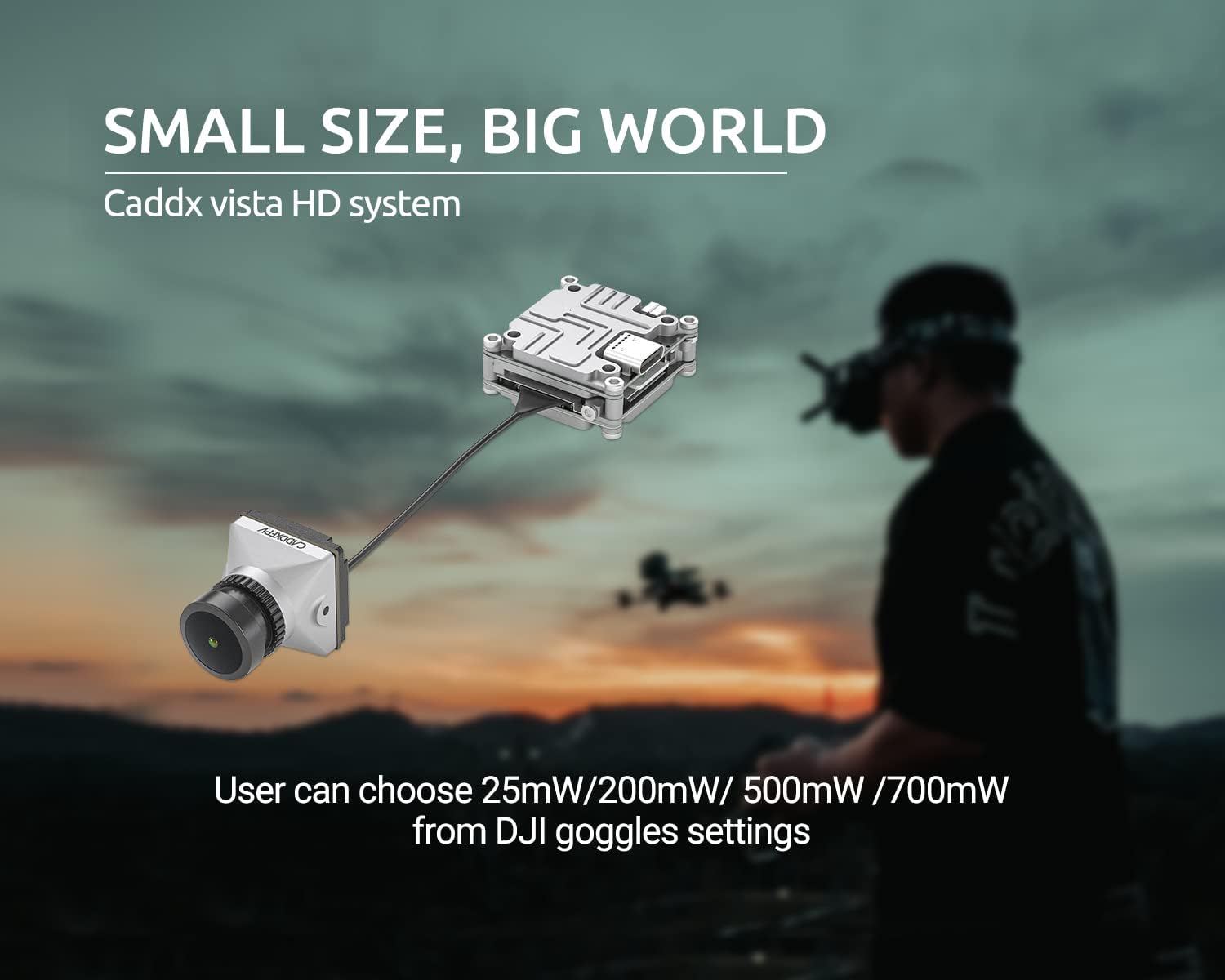
Figure 8: Components of the Caddx Polar Vista Kit, illustrating the camera, Vista unit, and connecting cables for installation.
手術
Once the Caddx Polar Vista Kit is installed and bound to your DJI FPV Goggles, you can begin operation.
- 電源オン: Power on your FPV drone and DJI FPV Goggles. The video feed from the Polar camera should appear in your goggles.
- 設定を調整します: Access the settings menu in your DJI FPV Goggles to adjust video transmission power (25mW/200mW/500mW/700mW) and other camera parameters.
- 明るさと彩度: The Polar camera supports brightness and saturation adjustment. Note that a menu board needs to be purchased separately for this function, and self-soldering may be required. Exercise caution to avoid damaging the camera structure during this process.
- フライト: Enjoy your FPV flight, benefiting from the low-latency HD video and excellent low-light performance of the Polar camera.

図 9: 分解 view of the Caddx Polar camera, indicating the internal components and a note regarding optional brightness and saturation adjustment via a separately purchased menu board, which may require self-soldering.
Video 1: Demonstration of the Caddx Polar Camera's performance during FPV drone flight, showcasing both daytime and nighttime capabilities in a racing environment.
メンテナンス
Proper maintenance ensures the longevity and optimal performance of your Caddx Polar Vista Kit.
- クリーニング: カメラのレンズは、柔らかく糸くずの出ない布で定期的に拭いてください。研磨剤や刺激の強い化学薬品の使用は避けてください。
- 検査: Periodically inspect all cables and connectors for signs of wear or damage. Ensure the antenna is securely attached.
- ストレージ: When not in use, store the kit in a dry, cool environment, away from direct sunlight and extreme temperatures.
- ファームウェア: Keep the firmware of your Vista unit and DJI FPV Goggles updated to benefit from the latest features and bug fixes.
トラブルシューティング
If you encounter issues with your Caddx Polar Vista Kit, refer to the following common troubleshooting steps:
- ビデオフィードなし:
- Ensure the Vista unit and camera are properly powered.
- Verify all cable connections between the camera, Vista unit, and flight controller.
- Confirm the Vista unit is correctly bound to your DJI FPV Goggles.
- Check for firmware compatibility issues between components.
- ビデオ品質の低下/干渉:
- Ensure the antenna is securely connected and not obstructed.
- Check for sources of electromagnetic interference near the drone or receiver.
- Adjust the video transmission power settings in your DJI FPV Goggles.
- Inspect the camera lens for dirt or damage.
- 過熱:
- Ensure the Vista unit has adequate airflow for cooling. Avoid enclosing it in tight spaces without ventilation.
- Reduce transmission power if operating in high ambient temperatures.
- 電力の問題:
- 入力ボリュームを確認してくださいtage to the Vista unit is within the specified range (7.4-26.4V).
- Check for loose solder joints or damaged wires.
If problems persist, contact CADDXFPV customer support for further assistance.
仕様
Detailed technical specifications for the Caddx Polar Vista Kit:
| 特徴 | 詳細 |
|---|---|
| モデル | Polar Vista Kit |
| 重さ | Vista Kit (camera included): 2.8g, Antenna: 1.5g |
| 寸法 | Vista Kit: 30×29×13mm, Camera: 19×19×24mm, Coaxial Cable: 120mm |
| 動作周波数 | 5.725-5.850GHz |
| 送信電力 (EIRP) | FCC/SRRC/MIC: <30dBm, CE: <14dBm |
| 最小 レイテンシー(エンドツーエンド) | 720p 60fps: <32ms |
| 最大伝送距離 | FCC/SRRC: 4km, CE: 0.7km |
| I/Oインターフェース | USB-C, IPEX, 3-in-1 port |
| サポートされている飛行制御システム | F3、F4、F7 |
| 動作温度範囲 | 32° ~ 104°F (0° ~ 40°C) |
| 入力電力 | 7.4-26.4V |
| 出力 | 25mW / 200mW / 500mW / 700mW |
| カメラセンサ | 1/1.8" Starlight CMOS |
| 最小照度 | 0.00003ルクス |
| レンズ | F/1.6 & 8 Mega |
| シャッター | ロールシャッター |
| ISO | 100-25600 |
| 視野角 | 162°(南北)、138°(北緯)、75°(南緯) |
| アスペクト比 | 16:9 |
保証とサポート
For warranty information, technical support, or any inquiries regarding your Caddx Polar Vista Kit, please refer to the official CADDXFPV web購入サイトをご覧いただくか、カスタマーサービスに直接お問い合わせください。保証請求のために購入証明書を保管してください。
CADDXFPV is committed to providing quality products and support. If you have any questions or problems with Caddx products, please contact us for a reasonable solution.


