導入
Thank you for choosing the JBL Cinema SB190 Soundbar. This manual provides essential information for setting up, operating, and maintaining your soundbar system. Please read it thoroughly to ensure proper use and optimal performance.
重要な安全情報
Always follow these basic safety precautions when using your soundbar system:
- これらの指示をよくお読みください。
- 今後の参照用にこれらの手順を保管してください。
- すべての警告に従ってください。
- すべての指示に従ってください。
- この装置を水の近くで使用しないでください。
- 乾いた布でのみ清掃してください。
- 通気口を塞がないでください。メーカーの指示に従って設置してください。
- ラジエーター、暖房レジスター、ストーブ、その他の機器(以下を含む)などの熱源の近くに設置しないでください。 amp熱を発生する装置。
- 特にプラグ、コンセント、および装置から出ている部分で、電源コードが踏まれたり挟まれたりしないように保護してください。
- メーカー指定のアタッチメント/アクセサリのみを使用してください。
- 雷雨のときや長期間使用しない場合は、この装置のプラグを抜いてください。
- すべての修理は資格のあるサービス担当者に依頼してください。電源コードやプラグが破損している、液体がこぼれた、装置内に物が落ちた、装置が雨や湿気にさらされた、正常に動作しない、装置を落としたなど、装置が何らかの損傷を受けた場合は修理が必要です。
箱の中身
Your JBL Cinema SB190 package includes the following components:
- サウンドバー
- ワイヤレスサブウーファー
- 電池付きリモコン
- Power cords (region specific)
- HDMIケーブル
- 壁掛けブラケットキット(ネジ付き)
- クイックスタートガイド
- 保証書
- 安全シート

Image: Included accessories for the JBL Cinema SB190, featuring the remote control, HDMI cable, power cords, and wall-mount hardware.
製品終了view
Soundbar Front and Top Panel

画像: 正面 view of the JBL Cinema SB190 Soundbar, showcasin洗練されたデザイン。
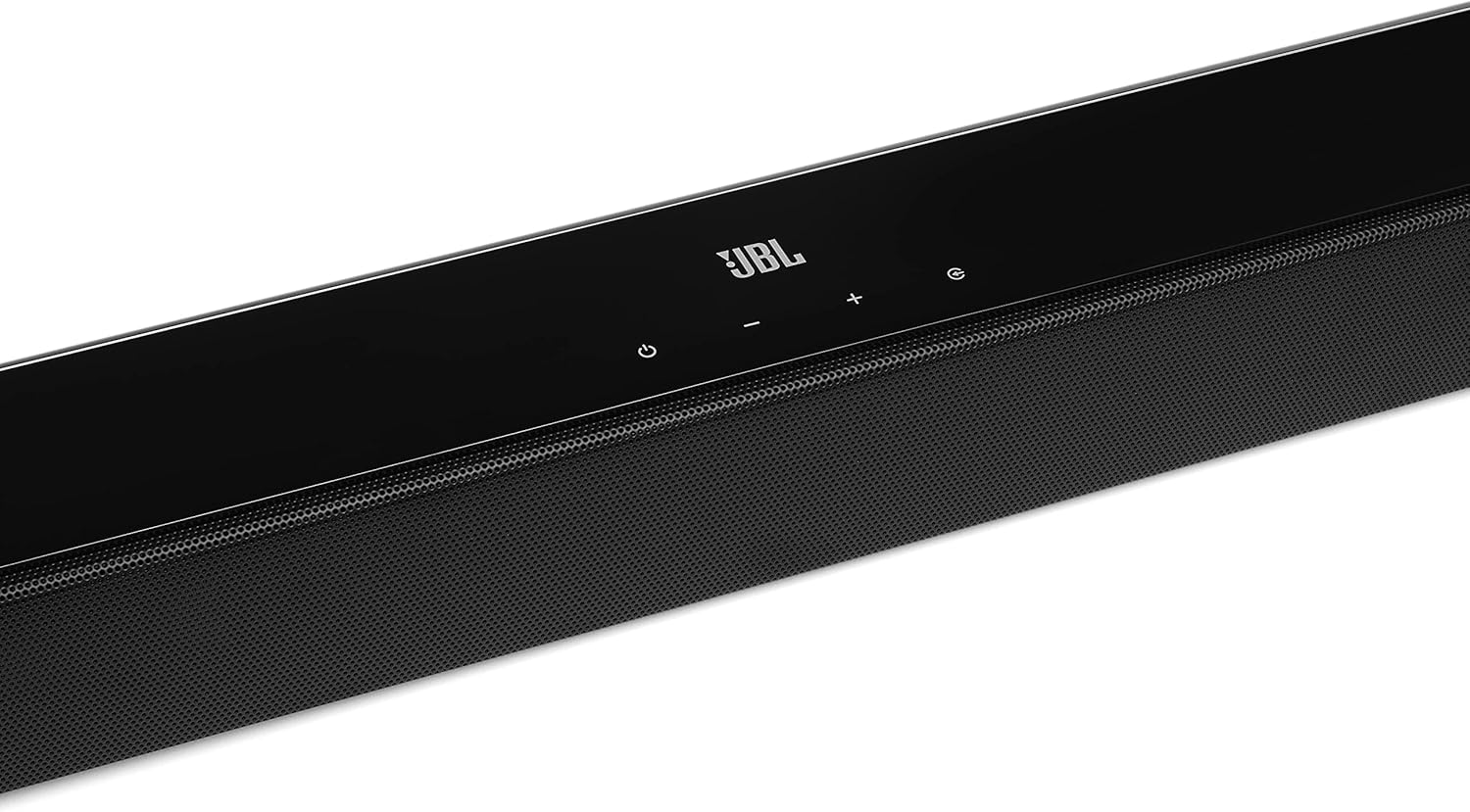
Image: Close-up of the top panel controls on the JBL Cinema SB190 Soundbar, including power, volume, and source selection buttons.
The soundbar features a minimalist design with essential controls located on the top panel for easy access. These include power, volume up/down, and input selection.
サウンドバーの背面パネルの接続

Image: Rear panel of the JBL Cinema SB190 Soundbar, showing the power input, HDMI eARC, HDMI In, and Optical In ports.
The rear panel provides various connection options for your audio sources and TV, including HDMI eARC, HDMI In, and Optical In. A power input is also located here.
ワイヤレスサブウーファー

画像: 正面 view of the JBL Cinema SB190 Wireless Subwoofer, featuring the JBL logo at the bottom.

画像: 背面 view of the JBL Cinema SB190 Wireless Subwoofer, showing the power input and pairing button.
The wireless subwoofer provides deep bass and connects automatically to the soundbar. Its rear panel includes the power input and a pairing button if manual pairing is required.
リモートコントロール
The included remote control allows full command over your soundbar system, including power, volume, input selection, sound modes (Music, Movie, News), Voice enhancement, and Bass level adjustment.
設定
1.配置
サウンドバー: Place the soundbar on a flat surface directly in front of your TV, centered. Ensure no objects obstruct the front of the soundbar. Alternatively, you can wall-mount the soundbar using the provided bracket kit.
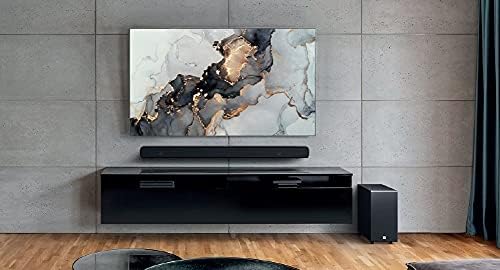
Image: The JBL Cinema SB190 Soundbar positioned below a television, with the wireless subwoofer to the side.
サブウーファー: The wireless subwoofer can be placed anywhere in the room, ideally within 50 feet (15 meters) of the soundbar, for optimal bass distribution. Avoid placing it in a corner directly, as this can sometimes lead to boomy bass.
2. 接続
Choose one of the following connection methods to connect your soundbar to your TV:
- HDMI eARC(推奨): For the highest quality audio, connect an HDMI cable (included) from the HDMI eARC port on your soundbar to the HDMI eARC port on your TV. This connection supports Virtual Dolby Atmos and allows for TV remote control of the soundbar volume.

Image: HDMI icon, representing the HDMI eARC connection.
- 光入力: If your TV does not have an HDMI eARC port, connect an optical cable (not included) from the OPTICAL IN port on your soundbar to the optical output on your TV.

Image: TV icon, indicating connection to a television.
- HDMI入力: You can also connect an external device (e.g., Blu-ray player, game console) directly to the HDMI IN port on the soundbar. The video signal will pass through to your TV via the HDMI eARC/ARC connection.
3. 電源接続
- Connect the power cords to the soundbar and subwoofer.
- Plug the power cords into an AC outlet.
- The soundbar and subwoofer will automatically power on and attempt to pair. The subwoofer's LED indicator will turn solid white once successfully paired.
サウンドバーの操作
電源オン/オフ
を押す 力 サウンドバーまたはリモコンのボタンを押して、システムの電源をオンまたはオフにします。
ボリュームコントロール
使用 ボリューム+ or ボリューム- サウンドバーまたはリモコンのボタンを使って音量レベルを調整します。
入力選択
を押す ソース button on the soundbar or the dedicated input buttons (HDMI IN, HDMI ARC, OPT, BT) on the remote control to switch between audio sources.
サウンドモード
リモコンには、さまざまなコンテンツ タイプに合わせてオーディオを最適化するための専用ボタンがあります。
- 音楽: Enhances audio for music playback.
- 映画: Optimizes sound for cinematic experiences, including Virtual Dolby Atmos effects.
- ニュース: Enhances vocal clarity for news and dialogue-heavy content.
Voice and Bass Adjustment
The remote control allows for fine-tuning of voice clarity and bass levels:
- 声: Press the VOICE button repeatedly to cycle through different levels of voice enhancement. This helps make dialogue clearer.
- ベース: Press the BASS button repeatedly to adjust the subwoofer's bass output level.
Bluetoothペアリング
モバイル デバイスからワイヤレスでオーディオをストリーミングするには:
- を押す BT button on the remote control or soundbar. The soundbar's indicator will flash, indicating pairing mode.
- On your mobile device, enable Bluetooth and select "JBL Cinema SB190" from the list of available devices.
- Once connected, the indicator on the soundbar will turn solid. You can now stream audio from your device.

Image: Bluetooth icon, representing wireless audio streaming.
メンテナンス
To ensure the longevity and optimal performance of your JBL Cinema SB190 Soundbar:
- クリーニング: サウンドバーとサブウーファーの表面を拭く際は、柔らかく乾いた布をご使用ください。液体クリーナーや研磨剤は表面の仕上げを傷める恐れがあるため、使用しないでください。
- 換気: 過熱を防ぐため、サウンドバーとサブウーファーの通気口が塞がれていないことを確認してください。
- ストレージ: 長期間保管する場合は、電源コンセントからプラグを抜き、涼しく乾燥した場所に保管してください。
トラブルシューティング
サウンドバーで問題が発生した場合は、次の一般的な問題と解決策を参照してください。
サウンドバーから音が出ない
- サウンドバーの電源がオンになっており、音量がミュートされていないか、低く設定されすぎていないことを確認します。
- Verify that the correct input source is selected on the soundbar (e.g., HDMI ARC, Optical, Bluetooth).
- Check all cable connections (HDMI, Optical) between the soundbar and your TV/source device. Ensure they are securely plugged in.
- If using HDMI ARC/eARC, ensure your TV's HDMI ARC/eARC feature is enabled in its settings.
- Try restarting both the soundbar and your TV.
サブウーファーから音が出ない
- Ensure the subwoofer is plugged into a power outlet and powered on.
- Check the LED indicator on the subwoofer. If it's not solid white, it may not be paired with the soundbar.
- To manually pair the subwoofer:
- Press and hold the pairing button on the back of the subwoofer until the LED flashes rapidly.
- On the soundbar, press and hold the 力 button for 5 seconds. The soundbar will enter pairing mode.
- ペアリングされると、サブウーファーの LED が白く点灯します。
Audio/Video Sync Issues
- If using HDMI eARC, this feature is designed to minimize sync issues. Ensure your TV's firmware is up to date.
- Some TVs have an audio delay setting (lip-sync) that can be adjusted. Consult your TV's manual.
- If connecting via Optical, audio lag can sometimes occur. Try connecting via HDMI eARC if available.
Bluetooth 接続の問題
- Ensure Bluetooth is enabled on your mobile device and the soundbar is in pairing mode.
- デバイスをサウンドバーに近づけます。
- デバイスの Bluetooth ペアリング リストをクリアして、もう一度ペアリングを試行してください。
- 他の Bluetooth デバイスが干渉していないことを確認します。
仕様
| 特徴 | 詳細 |
|---|---|
| モデル名 | シネマSB190 |
| スピーカータイプ | サウンドバー |
| サラウンドサウンドチャンネル構成 | 2.1 |
| Total Speaker Power Output | 380ワット |
| サブウーファーの直径 | 6.5インチ |
| 特集 | Bluetooth 5.1 streaming, Dedicated sound mode to enhance voice clarity, HDMI In and Optical In connection, HDMI eARC capable, Virtual Dolby Atmos technology |
| 接続技術 | Bluetooth, Wired (HDMI, Optical) |
| 制御方法 | リモート |
| 製品寸法(サウンドバー) | 幅89.9cm x 奥行き6.2cm x 高さ6.6cm |
| アイテム重量 | 7.5 Kilograms (Total system) |
| 材料 | プラスチック |
| 色 | 黒 |
| 含まれるコンポーネント | Soundbar, Wireless subwoofer, Remote control with batteries, Power cords, HDMI cable, Wall-mount bracket kit with screws, Quick start guide, Warranty card, Safety sheet |
保証とサポート
For detailed warranty information, please refer to the warranty card included in your product package. For technical support, product registration, or further assistance, please visit the official JBL support webサイトにアクセスするか、カスタマーサービスにお問い合わせください。
詳しい情報とサポートリソースについては、 AmazonのJBLストア.


